Introduction
AI Video Generation Tools are software platforms that use artificial intelligence to create videos from text prompts, images, scripts, or existing media. Instead of manual video editing, users can automate video production with minimal effort, reducing both time and cost.
In the current digital landscape, video content dominates marketing, education, and communication. With growing demand for short-form videos, explainer content, and personalized media, AI video tools are becoming essential for scaling content creation without large production teams.
Common use cases include:
- Marketing and ad video creation
- Social media content production
- Training and educational videos
- Product demos and explainer videos
- Personalized video messaging
Key evaluation criteria buyers should consider:
- Video quality and realism
- AI avatar and voice capabilities
- Editing flexibility and control
- Rendering speed and scalability
- Integration with workflows
- Pricing model and licensing
- Security and data privacy
- Customization and branding
- Collaboration features
Best for: marketers, content creators, educators, startups, product teams, and enterprises producing high volumes of video content.
Not ideal for: cinematic productions requiring high-end manual editing, or teams needing frame-level creative control beyond AI capabilities.
Key Trends in AI Video Generation Tools
- Rise of AI avatars and human-like presenters
- Integration of text-to-video and image-to-video models
- Multimodal AI combining audio, video, and text
- Real-time video generation and editing workflows
- Custom AI avatars for branding and personalization
- API-first platforms for automation and scaling
- Increased focus on compliance and ethical AI usage
- Subscription and credit-based pricing models
- Integration with marketing, CRM, and LMS tools
- Expansion into interactive and personalized video content
How We Selected These Tools (Methodology)
- Selected tools with strong market adoption and recognition
- Evaluated feature completeness including video generation and editing
- Considered performance factors like speed and output quality
- Assessed ecosystem maturity and integration capabilities
- Reviewed usability across technical and non-technical users
- Included a mix of enterprise, SMB, and creator-focused tools
- Considered security signals where publicly available
- Prioritized tools evolving with modern AI advancements
- Ensured coverage of different use cases (marketing, training, creative)
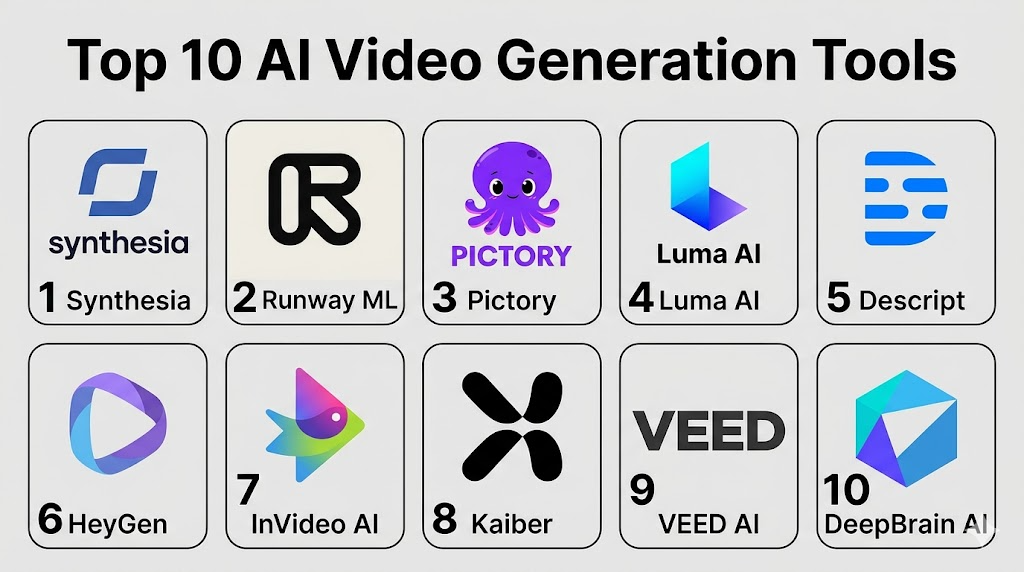
Top 10 AI Video Generation Tools
#1 — Synthesia
Short description: A leading AI video platform focused on avatar-based video generation for business and training use cases.
Key Features
- AI avatars for video creation
- Text-to-video generation
- Multilingual voice support
- Custom avatar creation
- Script-based editing
Pros
- Professional-looking AI presenters
- Easy to scale video production
Cons
- Limited cinematic creativity
- Avatar realism varies
Platforms / Deployment
Web / Cloud
Security & Compliance
Not publicly stated
Integrations & Ecosystem
Supports enterprise workflows and automation
- LMS integrations
- API access
- Content platforms
Support & Community
Strong enterprise support and onboarding
#2 — Runway ML
Short description: A creative AI platform offering advanced video generation and editing tools for creators and professionals.
Key Features
- Text-to-video generation
- Video editing with AI
- Motion tracking
- Image-to-video transformation
- Real-time effects
Pros
- Powerful creative control
- Supports multiple media formats
Cons
- Learning curve
- Premium pricing
Platforms / Deployment
Web / Cloud
Security & Compliance
Not publicly stated
Integrations & Ecosystem
- Creative workflows
- API integrations
- Media tools
Support & Community
Growing community and resources
#3 — Pictory
Short description: A tool designed for converting text and long-form content into short marketing videos.
Key Features
- Script-to-video conversion
- Auto-captioning
- Stock media integration
- Voiceover generation
- Social media formatting
Pros
- Ideal for marketers
- Fast video creation
Cons
- Limited customization
- Template-based output
Platforms / Deployment
Web / Cloud
Security & Compliance
Not publicly stated
Integrations & Ecosystem
- Content platforms
- Media libraries
Support & Community
Good documentation and support
#4 — Luma AI
Short description: A cutting-edge platform focused on realistic video generation and 3D scene creation.
Key Features
- AI-generated video scenes
- 3D environment creation
- High realism rendering
- Motion simulation
- Advanced AI models
Pros
- High-quality output
- Innovative capabilities
Cons
- Limited mainstream usability
- Complex workflows
Platforms / Deployment
Web / Cloud
Security & Compliance
Not publicly stated
Integrations & Ecosystem
- Creative pipelines
- AI tools
Support & Community
Emerging ecosystem
#5 — Descript
Short description: A content editing platform with AI video and audio editing capabilities.
Key Features
- Video editing via text
- AI voice cloning
- Screen recording
- Podcast editing
- Automatic transcription
Pros
- Easy editing workflow
- Multi-purpose tool
Cons
- Not focused purely on video generation
- Limited visual effects
Platforms / Deployment
Web / Windows / macOS / Cloud
Security & Compliance
Not publicly stated
Integrations & Ecosystem
- Content creation tools
- Media workflows
Support & Community
Strong community and tutorials
#6 — HeyGen
Short description: An AI video generator focused on personalized avatar-based video creation.
Key Features
- AI avatars and voices
- Text-to-video
- Custom avatars
- Multilingual support
- Personalization features
Pros
- Great for marketing personalization
- Easy to use
Cons
- Limited creative flexibility
- Avatar limitations
Platforms / Deployment
Web / Cloud
Security & Compliance
Not publicly stated
Integrations & Ecosystem
- CRM integrations
- API support
Support & Community
Good support resources
#7 — InVideo AI
Short description: A video creation platform designed for marketing and social media content.
Key Features
- AI script generation
- Video templates
- Text-to-video
- Media library
- Drag-and-drop editing
Pros
- Beginner-friendly
- Fast content creation
Cons
- Template dependency
- Limited advanced features
Platforms / Deployment
Web / Cloud
Security & Compliance
Not publicly stated
Integrations & Ecosystem
- Social media platforms
- Media libraries
Support & Community
Strong onboarding support
#8 — Kaiber
Short description: A creative AI video generator focused on artistic and music-driven visuals.
Key Features
- Music-to-video generation
- Artistic video styles
- Animation generation
- Visual effects
- Creative workflows
Pros
- Unique artistic output
- Ideal for creators
Cons
- Niche use case
- Limited business features
Platforms / Deployment
Web / Cloud
Security & Compliance
Not publicly stated
Integrations & Ecosystem
- Creative tools
- Media workflows
Support & Community
Active creator community
#9 — VEED AI
Short description: A video editing platform enhanced with AI capabilities for content creators and teams.
Key Features
- AI video editing
- Auto subtitles
- Screen recording
- Text-to-speech
- Templates
Pros
- Easy to use
- Good for social media
Cons
- Limited advanced generation
- Editing-focused
Platforms / Deployment
Web / Cloud
Security & Compliance
Not publicly stated
Integrations & Ecosystem
- Social platforms
- Content workflows
Support & Community
Strong support ecosystem
#10 — DeepBrain AI
Short description: An enterprise-focused AI video platform specializing in virtual human presenters.
Key Features
- AI avatars
- Text-to-video
- Real-time video generation
- Multilingual support
- Enterprise workflows
Pros
- Strong enterprise focus
- Realistic avatars
Cons
- Higher cost
- Limited creative flexibility
Platforms / Deployment
Web / Cloud
Security & Compliance
Not publicly stated
Integrations & Ecosystem
- Enterprise integrations
- API support
Support & Community
Enterprise-grade support
Comparison Table (Top 10)
| Tool Name | Best For | Platform(s) Supported | Deployment | Standout Feature | Public Rating |
|---|---|---|---|---|---|
| Synthesia | Corporate training | Web | Cloud | AI avatars | N/A |
| Runway ML | Creators | Web | Cloud | Advanced AI editing | N/A |
| Pictory | Marketing videos | Web | Cloud | Script-to-video | N/A |
| Luma AI | Realistic video | Web | Cloud | 3D scene generation | N/A |
| Descript | Content editing | Web/Desktop | Cloud | Text-based editing | N/A |
| HeyGen | Personalized videos | Web | Cloud | Custom avatars | N/A |
| InVideo AI | Social content | Web | Cloud | Templates | N/A |
| Kaiber | Creative videos | Web | Cloud | Music-driven visuals | N/A |
| VEED AI | Editing | Web | Cloud | AI subtitles | N/A |
| DeepBrain AI | Enterprise | Web | Cloud | Virtual presenters | N/A |
Evaluation & Scoring of AI Video Generation Tools
| Tool Name | Core (25%) | Ease (15%) | Integrations (15%) | Security (10%) | Performance (10%) | Support (10%) | Value (15%) | Weighted Total |
|---|---|---|---|---|---|---|---|---|
| Synthesia | 9 | 9 | 8 | 7 | 8 | 9 | 7 | 8.3 |
| Runway ML | 9 | 7 | 8 | 6 | 9 | 8 | 7 | 8.1 |
| Pictory | 8 | 9 | 7 | 6 | 8 | 8 | 8 | 8.0 |
| Luma AI | 9 | 6 | 7 | 6 | 9 | 7 | 7 | 7.9 |
| Descript | 8 | 9 | 8 | 6 | 8 | 9 | 8 | 8.2 |
| HeyGen | 8 | 9 | 7 | 6 | 8 | 8 | 8 | 8.0 |
| InVideo AI | 7 | 9 | 7 | 6 | 7 | 8 | 9 | 7.9 |
| Kaiber | 7 | 8 | 6 | 5 | 7 | 7 | 8 | 7.3 |
| VEED AI | 7 | 9 | 7 | 6 | 7 | 8 | 8 | 7.8 |
| DeepBrain AI | 8 | 8 | 8 | 7 | 8 | 9 | 7 | 8.1 |
How to interpret:
- Scores are relative comparisons across tools.
- Higher totals indicate balanced performance across categories.
- Enterprise buyers should prioritize integrations and security.
- Creators should focus on core features and ease of use.
Which AI Video Generation Tools for You?
Solo / Freelancer
InVideo AI, VEED AI, and Kaiber are ideal due to ease of use and affordability.
SMB
Pictory, HeyGen, and Descript offer a balance of features and cost.
Mid-Market
Runway ML and Synthesia provide scalability and advanced features.
Enterprise
Synthesia and DeepBrain AI are better suited for large-scale deployments.
Budget vs Premium
Budget: InVideo AI, VEED AI
Premium: Runway ML, Synthesia
Feature Depth vs Ease of Use
Easy: InVideo AI, Pictory
Advanced: Runway ML, Luma AI
Integrations & Scalability
Strong: Synthesia, Descript
Security & Compliance Needs
Enterprise users should prioritize controlled platforms like DeepBrain AI.
Frequently Asked Questions (FAQs)
What are AI video generation tools?
They are platforms that create videos using AI from text, images, or scripts.
Are these tools expensive?
Pricing varies from free plans to enterprise-level subscriptions.
Can I use videos commercially?
Depends on licensing terms; always verify usage rights.
Do I need editing skills?
Many tools are beginner-friendly and require minimal skills.
How long does video generation take?
Typically seconds to minutes depending on complexity.
Can I integrate with other tools?
Yes, many platforms offer APIs and integrations.
Are they secure?
Security varies; enterprise tools offer better controls.
Can I create personalized videos?
Yes, many tools support personalization and custom avatars.
What is the best tool overall?
It depends on your specific use case and requirements.
Can I switch platforms easily?
Yes, but workflows and outputs may differ.
Conclusion
AI video generation tools are rapidly transforming content creation by enabling faster, scalable, and more accessible video production. Whether you are a marketer creating ads, an educator building training content, or a business scaling communication, these tools offer significant advantages. However, there is no single “best” tool. The right choice depends on your specific needs—ease of use, advanced features, integration capabilities, or enterprise-grade security. The most practical approach is to shortlist two or three tools, test them with real use cases, and evaluate their performance, output quality, and compatibility with your workflow before making a final decision.
