Introduction
AI Image Generation Tools are software platforms that use artificial intelligence models to create images from text prompts, sketches, or existing visuals. Instead of relying on manual design, users can describe what they want, and the system generates high-quality visuals within seconds.
In the current landscape, these tools are becoming essential across industries. With increasing demand for visual content in marketing, product design, social media, and entertainment, AI-driven image generation helps teams scale creativity faster and reduce dependency on manual design workflows.
Common use cases include:
- Marketing creatives and ad campaigns
- Social media content generation
- Product mockups and concept art
- Game and film design assets
- E-commerce product visuals
Key evaluation criteria buyers should consider:
- Image quality and realism
- Prompt accuracy and control
- Customization and editing features
- Speed and scalability
- Integration with existing tools
- Pricing and licensing model
- Security and data handling
- Collaboration features
Best for: marketers, designers, content creators, startups, product teams, and enterprises needing scalable visual content generation.
Not ideal for: highly specialized artistic workflows requiring deep manual control, or industries needing fully verified, legally cleared creative assets without AI involvement.
Key Trends in AI Image Generation Tools
- Rapid improvement in text-to-image accuracy and realism
- Multimodal AI combining text, image, and video generation
- Increased focus on enterprise-grade security and governance
- Integration with design platforms and productivity tools
- Rise of API-first and developer-friendly platforms
- Custom model training for brand-specific outputs
- Real-time editing and iterative generation workflows
- Shift toward usage-based pricing models
- Growing emphasis on ethical AI and content moderation
- Expansion into 3D, animation, and video generation capabilities
How We Selected These Tools (Methodology)
- Evaluated tools based on global adoption and industry recognition
- Assessed feature depth including editing, customization, and automation
- Considered performance indicators like speed and output quality
- Reviewed ecosystem maturity including APIs and integrations
- Analyzed security posture based on publicly available signals
- Ensured coverage across enterprise, SMB, and individual users
- Included both proprietary and open-source solutions where relevant
- Focused on tools actively evolving with AI advancements
- Considered usability across technical and non-technical users
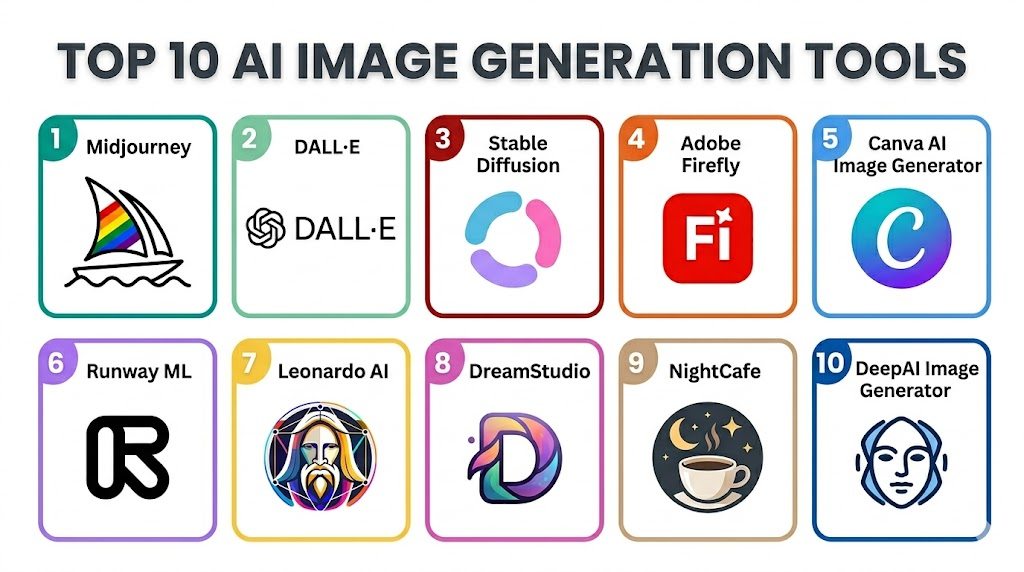
Top 10 AI Image Generation Tools
#1 — Midjourney
Short description: A highly popular AI image generator known for artistic and visually striking outputs, widely used by designers and creatives.
Key Features
- Advanced text-to-image generation
- High-quality artistic rendering
- Style and prompt customization
- Community-driven prompt sharing
- Continuous model improvements
Pros
- Exceptional image quality
- Strong creative flexibility
Cons
- Limited structured UI compared to competitors
- Requires learning prompt techniques
Platforms / Deployment
Web / Cloud
Security & Compliance
Not publicly stated
Integrations & Ecosystem
Primarily standalone with limited direct integrations
- Community platforms
- Export workflows
Support & Community
Strong community support; documentation varies
#2 — DALL·E
Short description: A leading AI image generator designed for accessibility and high-quality outputs, suitable for general users and businesses.
Key Features
- Text-to-image generation
- Image editing and variations
- Inpainting and outpainting
- Natural language understanding
- Easy-to-use interface
Pros
- Beginner-friendly
- Reliable output consistency
Cons
- Less artistic flexibility compared to niche tools
- Limited deep customization
Platforms / Deployment
Web / API / Cloud
Security & Compliance
Not publicly stated
Integrations & Ecosystem
- API integrations
- Developer ecosystem
Support & Community
Strong documentation and support resources
#3 — Stable Diffusion
Short description: An open-source AI image generator offering flexibility and customization for developers and advanced users.
Key Features
- Open-source model
- Custom model training
- Local deployment capability
- Extensive community plugins
- High customization
Pros
- Full control over models
- Cost-effective
Cons
- Requires technical setup
- Inconsistent quality without tuning
Platforms / Deployment
Cloud / Self-hosted
Security & Compliance
Varies depending on deployment
Integrations & Ecosystem
- Plugins and extensions
- Developer tools
Support & Community
Very active open-source community
#4 — Adobe Firefly
Short description: Adobe’s AI image generation tool integrated into creative workflows for professionals.
Key Features
- Integration with design tools
- Text-to-image and generative fill
- Brand-safe AI training
- High-quality outputs
- Editing capabilities
Pros
- Seamless design workflow integration
- Professional-grade outputs
Cons
- Limited outside Adobe ecosystem
- Subscription-based
Platforms / Deployment
Web / Cloud
Security & Compliance
Not publicly stated
Integrations & Ecosystem
- Creative suite tools
- Workflow integrations
Support & Community
Strong enterprise support
#5 — Canva AI Image Generator
Short description: A user-friendly AI tool embedded in a design platform, ideal for non-designers.
Key Features
- Simple text-to-image generation
- Templates and design tools
- Drag-and-drop interface
- Collaboration features
- Fast generation
Pros
- Extremely easy to use
- Great for quick content creation
Cons
- Limited advanced customization
- Not suitable for complex designs
Platforms / Deployment
Web / Mobile / Cloud
Security & Compliance
Not publicly stated
Integrations & Ecosystem
- Design ecosystem
- Collaboration tools
Support & Community
Strong support and onboarding
#6 — Runway ML
Short description: A creative AI platform offering image, video, and multimedia generation tools.
Key Features
- Multimodal AI capabilities
- Image and video generation
- Real-time editing
- AI-powered effects
- Collaboration features
Pros
- Versatile creative toolkit
- Advanced capabilities
Cons
- Learning curve
- Premium pricing
Platforms / Deployment
Web / Cloud
Security & Compliance
Not publicly stated
Integrations & Ecosystem
- Creative workflows
- API integrations
Support & Community
Growing community and resources
#7 — Leonardo AI
Short description: A platform focused on gaming and creative asset generation with strong customization options.
Key Features
- Game asset generation
- Style customization
- Batch generation
- Fine-tuned models
- High-resolution output
Pros
- Ideal for game designers
- Flexible model tuning
Cons
- Niche focus
- Interface complexity
Platforms / Deployment
Web / Cloud
Security & Compliance
Not publicly stated
Integrations & Ecosystem
- Creative workflows
- Export tools
Support & Community
Active community
#8 — DreamStudio
Short description: A user-friendly interface for Stable Diffusion, offering easy access to powerful AI generation.
Key Features
- Text-to-image generation
- Parameter control
- Fast processing
- Simple UI
- Scalable usage
Pros
- Easy access to advanced models
- Flexible pricing
Cons
- Limited enterprise features
- Basic interface
Platforms / Deployment
Web / Cloud
Security & Compliance
Not publicly stated
Integrations & Ecosystem
- API-based integrations
Support & Community
Moderate support
#9 — NightCafe
Short description: A community-focused AI art generator with multiple model options.
Key Features
- Multiple AI models
- Community sharing
- Style presets
- Batch creation
- NFT-ready outputs
Pros
- Strong community
- Easy experimentation
Cons
- Limited professional features
- Output consistency varies
Platforms / Deployment
Web / Cloud
Security & Compliance
Not publicly stated
Integrations & Ecosystem
- Community ecosystem
Support & Community
Highly active community
#10 — DeepAI Image Generator
Short description: A simple AI image generation tool focused on accessibility and API usage.
Key Features
- Basic text-to-image generation
- API access
- Lightweight interface
- Quick generation
- Developer-friendly
Pros
- Easy to use
- Good for prototyping
Cons
- Limited quality compared to competitors
- Fewer advanced features
Platforms / Deployment
Web / API / Cloud
Security & Compliance
Not publicly stated
Integrations & Ecosystem
- API integrations
Support & Community
Basic support
Comparison Table (Top 10)
| Tool Name | Best For | Platform(s) Supported | Deployment | Standout Feature | Public Rating |
|---|---|---|---|---|---|
| Midjourney | Creative professionals | Web | Cloud | Artistic quality | N/A |
| DALL·E | General users | Web/API | Cloud | Ease of use | N/A |
| Stable Diffusion | Developers | Web/Linux | Hybrid | Open-source flexibility | N/A |
| Adobe Firefly | Designers | Web | Cloud | Adobe integration | N/A |
| Canva AI | Beginners | Web/Mobile | Cloud | Simplicity | N/A |
| Runway ML | Creators | Web | Cloud | Multimodal AI | N/A |
| Leonardo AI | Game designers | Web | Cloud | Asset generation | N/A |
| DreamStudio | Intermediate users | Web | Cloud | Stable Diffusion UI | N/A |
| NightCafe | Hobbyists | Web | Cloud | Community features | N/A |
| DeepAI | Developers | Web/API | Cloud | API simplicity | N/A |
Evaluation & Scoring of AI Content Generation Tools
| Tool Name | Core (25%) | Ease (15%) | Integrations (15%) | Security (10%) | Performance (10%) | Support (10%) | Value (15%) | Weighted Total |
|---|---|---|---|---|---|---|---|---|
| Midjourney | 9 | 7 | 6 | 6 | 9 | 8 | 8 | 7.9 |
| DALL·E | 8 | 9 | 8 | 7 | 8 | 8 | 8 | 8.1 |
| Stable Diffusion | 9 | 6 | 9 | 6 | 8 | 9 | 9 | 8.2 |
| Adobe Firefly | 8 | 8 | 9 | 7 | 8 | 9 | 7 | 8.0 |
| Canva AI | 7 | 10 | 7 | 6 | 7 | 8 | 9 | 7.9 |
| Runway ML | 9 | 7 | 8 | 6 | 9 | 8 | 7 | 8.1 |
| Leonardo AI | 8 | 7 | 7 | 6 | 8 | 7 | 8 | 7.6 |
| DreamStudio | 7 | 8 | 7 | 6 | 8 | 7 | 8 | 7.5 |
| NightCafe | 7 | 9 | 6 | 5 | 7 | 7 | 8 | 7.3 |
| DeepAI | 6 | 8 | 7 | 5 | 6 | 6 | 7 | 6.6 |
How to interpret:
- Scores are comparative across tools, not absolute.
- Higher scores indicate better overall balance of features and usability.
- Enterprise users should prioritize integrations and security scores.
- Creators may focus more on core features and ease of use.
Which AI Image Generation Tools for You?
Solo / Freelancer
Canva AI, Midjourney, and NightCafe are ideal due to simplicity and affordability.
SMB
DALL·E, Canva AI, and Leonardo AI provide balance between cost and capability.
Mid-Market
Runway ML and Adobe Firefly offer scalability and better workflow integration.
Enterprise
Adobe Firefly and Stable Diffusion (custom deployment) provide control and integration.
Budget vs Premium
Budget tools: Stable Diffusion, DeepAI
Premium tools: Runway ML, Adobe Firefly
Feature Depth vs Ease of Use
Easy: Canva AI, DALL·E
Advanced: Stable Diffusion, Runway ML
Integrations & Scalability
Strong: Adobe Firefly, Stable Diffusion
Security & Compliance Needs
Enterprise environments should prefer controlled deployments like Stable Diffusion.
Frequently Asked Questions (FAQs)
What are AI image generation tools?
They are platforms that generate images from text prompts using AI models.
Are these tools expensive?
Pricing varies widely from free tiers to enterprise subscriptions.
Can I use generated images commercially?
Depends on the tool’s licensing; always check usage rights.
Do I need technical skills?
Some tools are beginner-friendly, while others require technical setup.
How fast are these tools?
Most generate images within seconds to minutes.
Can I integrate them with my apps?
Many tools offer APIs for integration.
Are they secure?
Security varies; enterprise-grade tools offer better controls.
Can I train my own models?
Yes, some tools like Stable Diffusion allow customization.
What is the best tool overall?
There is no single best tool; it depends on your use case.
Can I switch tools easily?
Yes, but workflows and outputs may vary.
Conclusion
AI image generation tools are transforming how individuals and businesses create visual content. From simple social media posts to complex design workflows, these tools enable faster, more scalable creativity. However, choosing the right platform depends heavily on your needs—whether it’s ease of use, advanced customization, integration, or enterprise-grade security.
