Introduction
Production Scheduling Tools are software systems that help manufacturers plan, organize, and optimize production activities across machines, workers, and materials. In simple terms, they decide what to produce, when to produce it, and on which resources, ensuring smooth operations and minimal delays.
In today’s fast-moving manufacturing landscape, production scheduling has become more critical than ever. With increasing demand volatility, supply chain disruptions, and labor constraints, modern tools now use automation, AI-based optimization, and real-time data to improve efficiency and reduce downtime.
Real-world use cases:
- Scheduling production jobs across multiple machines and shifts
- Optimizing resource allocation to avoid bottlenecks
- Managing last-minute order changes or urgent jobs
- Coordinating production with inventory and procurement
- Improving on-time delivery and reducing idle time
What buyers should evaluate:
- Scheduling algorithms and optimization capabilities
- Real-time visibility and tracking
- Integration with ERP, MES, and inventory systems
- Ease of use for planners and operators
- Scalability across plants or locations
- Automation and AI-driven decision-making
- Reporting and analytics capabilities
- Deployment flexibility (cloud vs on-premise)
- Vendor support and onboarding experience
Best for: Manufacturing companies, production planners, operations managers, supply chain teams, and plant supervisors across SMBs, mid-sized businesses, and enterprises.
Not ideal for: Freelancers, service-based businesses, or companies with simple production workflows that can be managed using spreadsheets or basic tools.
Key Trends in Production Scheduling Tools
- AI-driven scheduling optimization and predictive planning
- Real-time production tracking using IoT and sensors
- Cloud-native platforms replacing legacy systems
- Integration with MES, ERP, and supply chain tools
- Scenario-based simulation and “what-if” planning
- Low-code customization and workflow automation
- Increased focus on sustainability and resource efficiency
- Mobile access for shop floor teams
- Subscription-based pricing models
- Advanced analytics dashboards for performance monitoring
How We Selected These Tools (Methodology)
- Considered tools with strong adoption in manufacturing industries
- Evaluated feature depth in scheduling, planning, and optimization
- Assessed performance reliability in complex production environments
- Reviewed integration capabilities with ERP and MES systems
- Analyzed usability and learning curve for planners
- Considered vendor support, documentation, and ecosystem
- Included tools across SMB, mid-market, and enterprise segments
- Examined scalability and flexibility across industries
- Looked at security features and compliance indicators
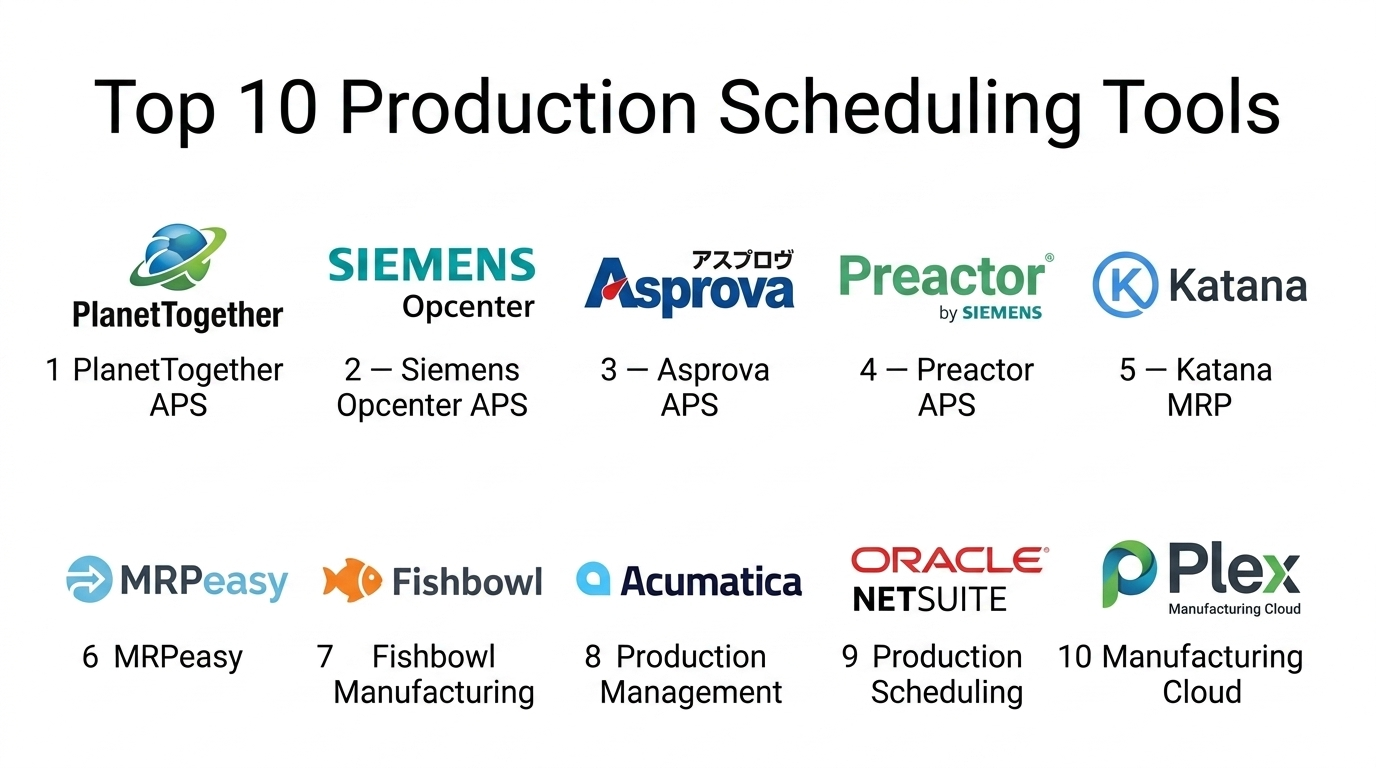
Top 10 Production Scheduling Tools
#1 — PlanetTogether APS
Short description: Advanced planning and scheduling (APS) software designed for manufacturers needing high-level production optimization and real-time scheduling.
Key Features
- Advanced constraint-based scheduling
- Real-time production updates
- Scenario planning and simulation
- ERP integration
- Demand forecasting
- Multi-resource scheduling
Pros
- Strong optimization capabilities
- Suitable for complex production environments
Cons
- Steep learning curve
- Requires integration effort
Platforms / Deployment
Web / Cloud / On-premise
Security & Compliance
Not publicly stated
Integrations & Ecosystem
Integrates with major ERP systems and production platforms.
- SAP
- Oracle ERP
- Microsoft Dynamics
Support & Community
Strong vendor support with training resources; niche community.
#2 — Siemens Opcenter APS
Short description: Enterprise-grade scheduling tool from Siemens designed for complex manufacturing environments.
Key Features
- Finite capacity scheduling
- Real-time production tracking
- Simulation and optimization
- Integration with MES
- Multi-site planning
Pros
- Highly scalable
- Strong industrial integration
Cons
- High cost
- Complex implementation
Platforms / Deployment
Web / Cloud / On-premise
Security & Compliance
Not publicly stated
Integrations & Ecosystem
Part of Siemens ecosystem with strong MES integration.
- MES systems
- ERP platforms
Support & Community
Enterprise-level support; strong industrial ecosystem.
#3 — Asprova APS
Short description: High-performance scheduling tool known for fast processing and optimization in manufacturing.
Key Features
- High-speed scheduling engine
- Visual scheduling interface
- Multi-constraint optimization
- Production simulation
- Resource planning
Pros
- Fast processing
- Highly customizable
Cons
- UI may feel outdated
- Requires expertise
Platforms / Deployment
Windows / On-premise
Security & Compliance
Not publicly stated
Integrations & Ecosystem
Supports integration with ERP and production systems.
- ERP tools
- Manufacturing systems
Support & Community
Moderate support; smaller global community.
#4 — Preactor APS (Siemens)
Short description: Advanced scheduling solution focused on improving production efficiency and resource utilization.
Key Features
- Finite capacity scheduling
- Drag-and-drop scheduling interface
- Scenario analysis
- Resource optimization
- Integration with ERP
Pros
- User-friendly interface
- Strong simulation capabilities
Cons
- Limited flexibility without customization
- Enterprise-focused pricing
Platforms / Deployment
Windows / Cloud / On-premise
Security & Compliance
Not publicly stated
Integrations & Ecosystem
Integrates with Siemens and third-party systems.
- ERP tools
- MES platforms
Support & Community
Strong enterprise support; active partner ecosystem.
#5 — Katana MRP
Short description: Cloud-based scheduling and production planning tool designed for small manufacturers.
Key Features
- Visual production scheduling
- Real-time inventory updates
- Order management
- Shop floor control
- Automation tools
Pros
- Easy to use
- Quick setup
Cons
- Limited advanced features
- Not ideal for large enterprises
Platforms / Deployment
Web / Cloud
Security & Compliance
Not publicly stated
Integrations & Ecosystem
Strong integrations with business tools.
- eCommerce platforms
- Accounting tools
Support & Community
Good support for SMB users.
#6 — MRPeas
Short description: Lightweight production planning and scheduling tool for small manufacturers.
Key Features
- Production scheduling
- Inventory management
- Order tracking
- Reporting dashboards
- Procurement management
Pros
- Affordable
- Simple interface
Cons
- Limited scalability
- Fewer advanced features
Platforms / Deployment
Web / Cloud
Security & Compliance
Not publicly stated
Integrations & Ecosystem
Integrates with accounting and eCommerce tools.
- QuickBooks
- Shopify
Support & Community
Good documentation; SMB-focused support.
#7 — Fishbowl Manufacturing
Short description: Manufacturing and scheduling solution designed for SMBs with inventory integration.
Key Features
- Production scheduling
- Inventory tracking
- Order management
- Reporting tools
- Workflow automation
Pros
- Easy integration with accounting
- Affordable
Cons
- Limited advanced scheduling
- Desktop dependency
Platforms / Deployment
Windows / Cloud
Security & Compliance
Not publicly stated
Integrations & Ecosystem
Integrates with accounting and inventory tools.
- QuickBooks
- eCommerce systems
Support & Community
Moderate support with SMB focus.
#8 — Acumatica Production Management
Short description: Cloud ERP with built-in scheduling capabilities for mid-sized manufacturers.
Key Features
- Production planning
- Scheduling tools
- Inventory management
- Financial integration
- Reporting
Pros
- Flexible and scalable
- Strong reporting
Cons
- Requires configuration
- Learning curve
Platforms / Deployment
Web / Cloud / Hybrid
Security & Compliance
Not publicly stated
Integrations & Ecosystem
Supports integrations with ERP and business systems.
- CRM tools
- Financial systems
Support & Community
Growing ecosystem with solid vendor support.
#9 — Oracle NetSuite Production Scheduling
Short description: ERP-integrated scheduling solution for mid-sized to large enterprises.
Key Features
- Production scheduling
- Demand planning
- Inventory control
- Workflow automation
- Analytics dashboards
Pros
- Strong ERP integration
- Scalable
Cons
- Higher cost
- Complex setup
Platforms / Deployment
Web / Cloud
Security & Compliance
RBAC, encryption (others not publicly stated)
Integrations & Ecosystem
Part of NetSuite ecosystem with broad integrations.
- CRM tools
- Finance systems
Support & Community
Enterprise-level support and documentation.
#10 — Plex Manufacturing Cloud
Short description: Cloud-native platform combining scheduling, MES, and manufacturing execution.
Key Features
- Real-time production scheduling
- Shop floor integration
- Quality management
- Analytics dashboards
- Compliance tracking
Pros
- Real-time visibility
- Integrated MES capabilities
Cons
- Complex implementation
- Higher cost
Platforms / Deployment
Web / Cloud
Security & Compliance
Not publicly stated
Integrations & Ecosystem
Supports integration with enterprise systems.
- ERP tools
- IoT platforms
Support & Community
Enterprise support with niche community.
Comparison Table (Top 10)
| Tool Name | Best For | Platform(s) Supported | Deployment | Standout Feature | Public Rating |
|---|---|---|---|---|---|
| PlanetTogether APS | Enterprises | Web | Cloud/On-premise | Advanced optimization | N/A |
| Siemens Opcenter APS | Enterprises | Web | Cloud/On-premise | Industrial integration | N/A |
| Asprova APS | Mid-market | Windows | On-premise | High-speed scheduling | N/A |
| Preactor APS | Enterprises | Windows/Web | Cloud/On-premise | Simulation tools | N/A |
| Katana MRP | SMBs | Web | Cloud | Ease of use | N/A |
| MRPeasy | SMBs | Web | Cloud | Affordability | N/A |
| Fishbowl Manufacturing | SMBs | Windows | Cloud | Inventory integration | N/A |
| Acumatica | Mid-market | Web | Cloud/Hybrid | Flexibility | N/A |
| NetSuite Production Scheduling | Enterprises | Web | Cloud | ERP integration | N/A |
| Plex Manufacturing Cloud | Enterprises | Web | Cloud | MES integration | N/A |
Evaluation & Scoring of Production Scheduling Toolss
| Tool Name | Core (25%) | Ease (15%) | Integrations (15%) | Security (10%) | Performance (10%) | Support (10%) | Value (15%) | Weighted Total |
|---|---|---|---|---|---|---|---|---|
| PlanetTogether APS | 9 | 7 | 9 | 7 | 9 | 8 | 7 | 8.2 |
| Siemens Opcenter APS | 9 | 6 | 9 | 8 | 9 | 8 | 6 | 8.1 |
| Asprova APS | 8 | 6 | 7 | 6 | 9 | 7 | 7 | 7.5 |
| Preactor APS | 8 | 7 | 8 | 7 | 8 | 8 | 7 | 7.8 |
| Katana MRP | 6 | 9 | 6 | 6 | 7 | 7 | 8 | 7.1 |
| MRPeasy | 6 | 9 | 6 | 6 | 7 | 7 | 8 | 7.1 |
| Fishbowl Manufacturing | 6 | 8 | 6 | 6 | 7 | 7 | 8 | 7.0 |
| Acumatica | 8 | 7 | 8 | 7 | 8 | 7 | 7 | 7.6 |
| NetSuite Production Scheduling | 9 | 7 | 9 | 8 | 9 | 8 | 6 | 8.3 |
| Plex Manufacturing Cloud | 9 | 6 | 7 | 7 | 9 | 8 | 6 | 7.9 |
How to interpret scores:
- Scores are comparative across tools in this category
- Higher scores indicate stronger overall capability
- Enterprise tools score higher in features but lower in ease
- SMB tools score higher in usability and value
- Choose based on your operational complexity and budget
Which Production Scheduling Tools
Solo / Freelancer
Production scheduling tools are usually unnecessary. Basic tools or spreadsheets are sufficient.
SMB
- Best options: Katana MRP, MRPeasy, Fishbowl
- Focus on ease of use and quick deployment
Mid-Market
- Best options: Acumatica, Asprova
- Balance between scalability and usability
Enterprise
- Best options: Siemens Opcenter, NetSuite, PlanetTogether
- Focus on integration, automation, and optimization
Budget vs Premium
- Budget: MRPeasy, Katana
- Premium: Siemens, NetSuite
Feature Depth vs Ease of Use
- Deep features: Siemens Opcenter, PlanetTogether
- Easy to use: Katana, MRPeasy
Integrations & Scalability
- Strong integrations: NetSuite, Siemens
- Moderate: SMB tools
Security & Compliance Needs
- Enterprise tools offer better security capabilities
- SMB tools focus more on usability than compliance
Frequently Asked Questions (FAQs)
1. What is a production scheduling tool?
It is software that helps plan and manage production activities, ensuring efficient use of resources and timely delivery.
2. How much do production scheduling tools cost?
Costs vary widely, typically based on subscription or licensing models depending on features and scale.
3. Are these tools only for large manufacturers?
No, many tools are designed for small and mid-sized businesses as well.
4. How long does implementation take?
Implementation can take weeks for SMB tools and several months for enterprise systems.
5. Can these tools integrate with ERP systems?
Yes, most modern tools integrate with ERP, MES, and supply chain systems.
6. What are common mistakes when choosing a tool?
Ignoring scalability, underestimating training needs, and poor integration planning.
7. Are cloud-based tools better?
Cloud tools offer flexibility and lower upfront costs, but on-premise may suit specific needs.
8. Can I switch tools later?
Yes, but migration can be complex and requires planning.
9. Do these tools support multi-location operations?
Yes, most mid-market and enterprise tools support multi-site scheduling.
10. How secure are production scheduling tools?
Security varies by vendor; enterprise tools typically offer stronger controls and compliance features.
Conclusion
Production Scheduling Tools play a critical role in modern manufacturing by helping businesses optimize workflows, reduce downtime, and improve delivery performance. From simple cloud-based solutions for small businesses to advanced AI-driven platforms for enterprises, the market offers a wide range of options tailored to different needs. The right choice depends on your production complexity, integration requirements, and budget. Instead of looking for a single “best” tool, it is more practical to shortlist two or three solutions that align with your operations. Run a pilot, test real-world scenarios, and validate integrations before making a final decision.
