Introduction
eDiscovery software helps organizations identify, collect, process, review, and produce electronic data for legal cases, investigations, and compliance requirements. In simple terms, it is the backbone of managing digital evidence across emails, documents, chat platforms, and cloud systems.
In today’s environment, where data volume is exploding and regulations are tightening, eDiscovery tools are no longer optional for many organizations. Legal teams, compliance officers, and IT departments rely on them to reduce risk, speed up investigations, and ensure defensible workflows.
Common use cases:
- Litigation and legal case preparation
- Internal investigations (fraud, misconduct, data leaks)
- Regulatory compliance and audits
- Data breach response
- Mergers and acquisitions due diligence
What buyers should evaluate:
- Data collection and processing capabilities
- AI-assisted review and analytics
- Scalability and performance
- Security and compliance controls
- Integration with enterprise systems
- Ease of use for legal teams
- Cost model and predictability
- Deployment flexibility (cloud vs on-prem)
- Reporting and audit trails
Best for: Legal teams, compliance officers, enterprise IT teams, law firms, and regulated industries such as finance, healthcare, and government.
Not ideal for: Small teams with minimal legal exposure or organizations that only need basic file search—simpler document management tools may be sufficient in those cases.
Key Trends in eDiscovery Software
- AI-powered document review reducing manual effort and improving accuracy
- Predictive coding and machine learning for faster relevance classification
- Cloud-native platforms replacing traditional on-prem solutions
- Cross-platform data collection (Slack, Teams, cloud apps, mobile data)
- Privacy-first design aligned with global data protection regulations
- Automation of legal workflows including holds, processing, and reporting
- Usage-based pricing models replacing fixed licensing in many tools
- Real-time collaboration between legal, compliance, and IT teams
- Integration with cybersecurity tools for incident response workflows
- Focus on defensibility and auditability for legal compliance
How We Selected These Tools (Methodology)
- Evaluated market adoption and brand recognition across legal tech
- Reviewed feature completeness across the eDiscovery lifecycle
- Considered performance and scalability signals from enterprise usage
- Assessed security and compliance capabilities where available
- Compared integration ecosystems with modern SaaS platforms
- Ensured coverage across enterprise and mid-market use cases
- Prioritized tools with AI and automation capabilities
- Considered ease of use for legal professionals (non-technical users)
- Included vendors with strong support and onboarding ecosystems
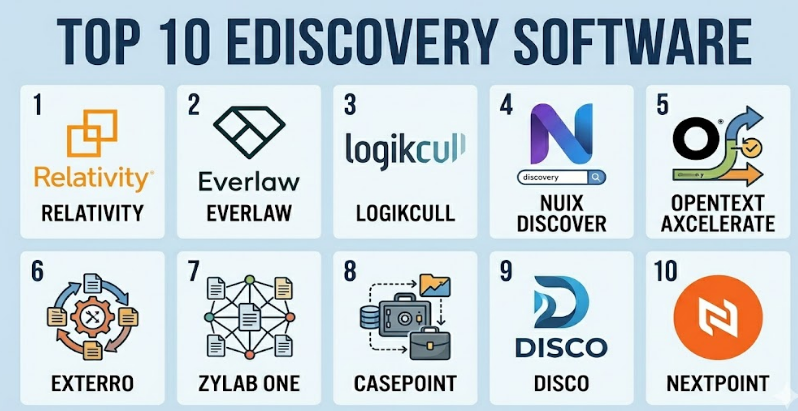
Top 10 eDiscovery Software Tools
#1 — Relativity
Short description: A leading enterprise-grade eDiscovery platform widely used by law firms and large organizations for complex litigation and investigations.
Key Features
- End-to-end eDiscovery lifecycle management
- Advanced analytics and AI-assisted review
- Custom workflows and automation
- Scalable document processing
- Strong case management capabilities
Pros
- Highly scalable for large datasets
- Deep customization and flexibility
Cons
- Steep learning curve
- Higher cost for smaller organizations
Platforms / Deployment
Web
Cloud / Self-hosted
Security & Compliance
Encryption, RBAC, audit logs
Other certifications: Not publicly stated
Integrations & Ecosystem
Relativity integrates with enterprise systems and data sources.
- Microsoft 365
- Cloud storage platforms
- APIs for custom integration
Support & Community
Strong enterprise support, extensive documentation, large user community.
#2 — Everlaw
Short description: A modern cloud-native eDiscovery platform designed for legal teams seeking usability and collaboration.
Key Features
- AI-powered document review
- Visual analytics dashboards
- Collaborative case management
- Cloud-native architecture
- Fast processing and search
Pros
- User-friendly interface
- Strong collaboration features
Cons
- Limited customization compared to legacy tools
- Pricing may vary by usage
Platforms / Deployment
Web
Cloud
Security & Compliance
Encryption, access controls
Other certifications: Not publicly stated
Integrations & Ecosystem
- Microsoft 365
- Google Workspace
- API support
Support & Community
Well-regarded onboarding and support; growing user base.
#3 — Logikcull
Short description: A simple, self-service eDiscovery platform aimed at small to mid-sized legal teams.
Key Features
- Drag-and-drop data ingestion
- Automated processing
- Search and tagging tools
- Legal hold management
- Secure sharing
Pros
- Easy to use for non-technical users
- Fast setup
Cons
- Limited advanced analytics
- Less suitable for large enterprises
Platforms / Deployment
Web
Cloud
Security & Compliance
Encryption, secure storage
Other certifications: Not publicly stated
Integrations & Ecosystem
- Cloud storage integrations
- Email systems
- Limited API extensibility
Support & Community
Responsive support; designed for simplicity.
#4 — Nuix Discover
Short description: A powerful eDiscovery and investigation platform known for handling large-scale and complex data.
Key Features
- High-performance data processing
- Advanced analytics
- Visual data exploration
- AI-driven insights
- Investigation workflows
Pros
- Strong performance for big data
- Advanced analytics capabilities
Cons
- Complex setup
- Requires experienced users
Platforms / Deployment
Web
Cloud / Self-hosted
Security & Compliance
Encryption, audit logs
Other certifications: Not publicly stated
Integrations & Ecosystem
- Enterprise data sources
- APIs for custom workflows
- Security tools
Support & Community
Enterprise-grade support with technical onboarding.
#5 — OpenText Axcelerate
Short description: An enterprise eDiscovery solution focused on analytics-driven review and compliance workflows.
Key Features
- Predictive coding
- Automated workflows
- Compliance reporting
- Advanced analytics
- Data processing tools
Pros
- Strong compliance features
- Reliable enterprise performance
Cons
- Higher cost
- Less intuitive UI
Platforms / Deployment
Web
Cloud / Hybrid
Security & Compliance
Encryption, RBAC
Other certifications: Not publicly stated
Integrations & Ecosystem
- Enterprise content systems
- Legal platforms
- APIs
Support & Community
Enterprise-level support; documentation available.
#6 — Exterro
Short description: A unified platform combining eDiscovery, privacy, and data governance capabilities.
Key Features
- Legal hold automation
- Data mapping
- Privacy compliance tools
- Workflow automation
- Risk management features
Pros
- All-in-one platform
- Strong governance capabilities
Cons
- Complexity in configuration
- Learning curve
Platforms / Deployment
Web
Cloud / Hybrid
Security & Compliance
Encryption, access controls
Other certifications: Not publicly stated
Integrations & Ecosystem
- Enterprise systems
- Compliance tools
- APIs
Support & Community
Strong support for enterprise customers.
#7 — ZyLAB ONE
Short description: An AI-driven eDiscovery platform with strong multilingual capabilities and analytics.
Key Features
- AI-based document classification
- Multilingual support
- Advanced search
- Analytics dashboards
- Case management
Pros
- Strong AI capabilities
- Good for international cases
Cons
- Limited market presence compared to leaders
- Customization varies
Platforms / Deployment
Web
Cloud
Security & Compliance
Encryption
Other certifications: Not publicly stated
Integrations & Ecosystem
- Cloud platforms
- APIs
Support & Community
Moderate support ecosystem.
#8 — Casepoint
Short description: A scalable cloud-native eDiscovery platform designed for enterprises and government use.
Key Features
- End-to-end workflow
- AI-assisted review
- Data ingestion tools
- Analytics
- Collaboration
Pros
- Scalable cloud platform
- Good performance
Cons
- UI may require training
- Limited SMB focus
Platforms / Deployment
Web
Cloud
Security & Compliance
Encryption, access controls
Other certifications: Not publicly stated
Integrations & Ecosystem
- Enterprise data sources
- APIs
Support & Community
Enterprise support with onboarding.
#9 — DISCO
Short description: A modern AI-driven eDiscovery platform focused on speed and simplicity.
Key Features
- AI review tools
- Fast document processing
- Cloud-native
- Legal workflows
- Analytics
Pros
- Fast and efficient
- Simple interface
Cons
- Limited deep customization
- Pricing varies
Platforms / Deployment
Web
Cloud
Security & Compliance
Encryption
Other certifications: Not publicly stated
Integrations & Ecosystem
- Cloud tools
- APIs
Support & Community
Good customer support and onboarding.
#10 — Nextpoint
Short description: A cloud-based eDiscovery solution designed for litigation and case preparation.
Key Features
- Document review
- Case management
- Evidence presentation
- Secure storage
- Workflow tools
Pros
- Integrated litigation tools
- Easy to use
Cons
- Limited enterprise scalability
- Fewer advanced analytics
Platforms / Deployment
Web
Cloud
Security & Compliance
Encryption
Other certifications: Not publicly stated
Integrations & Ecosystem
- Legal tools
- Cloud storage
Support & Community
Solid support for legal teams.
Comparison Table (Top 10)
| Tool Name | Best For | Platform(s) Supported | Deployment | Standout Feature | Public Rating |
|---|---|---|---|---|---|
| Relativity | Enterprise legal teams | Web | Cloud/Self-hosted | Deep customization | N/A |
| Everlaw | Collaborative legal teams | Web | Cloud | Visual analytics | N/A |
| Logikcull | SMB legal teams | Web | Cloud | Ease of use | N/A |
| Nuix Discover | Large-scale investigations | Web | Cloud/Self-hosted | High-performance processing | N/A |
| OpenText Axcelerate | Compliance-heavy orgs | Web | Cloud/Hybrid | Predictive coding | N/A |
| Exterro | Governance + eDiscovery | Web | Cloud/Hybrid | Unified platform | N/A |
| ZyLAB ONE | Multilingual cases | Web | Cloud | AI classification | N/A |
| Casepoint | Enterprise cloud users | Web | Cloud | Scalability | N/A |
| DISCO | Fast AI-driven review | Web | Cloud | Speed | N/A |
| Nextpoint | Litigation teams | Web | Cloud | Case prep tools | N/A |
Evaluation & Scoring of eDiscovery Softwares
| Tool Name | Core | Ease | Integrations | Security | Performance | Support | Value | Weighted Total |
|---|---|---|---|---|---|---|---|---|
| Relativity | 9 | 6 | 9 | 8 | 9 | 9 | 6 | 8.1 |
| Everlaw | 8 | 9 | 7 | 7 | 8 | 8 | 7 | 7.9 |
| Logikcull | 7 | 9 | 6 | 7 | 7 | 7 | 8 | 7.4 |
| Nuix Discover | 9 | 6 | 8 | 8 | 9 | 8 | 6 | 8.0 |
| OpenText Axcelerate | 8 | 6 | 8 | 8 | 8 | 8 | 6 | 7.6 |
| Exterro | 8 | 7 | 8 | 8 | 8 | 8 | 7 | 7.8 |
| ZyLAB ONE | 7 | 7 | 6 | 7 | 7 | 7 | 7 | 7.0 |
| Casepoint | 8 | 7 | 7 | 7 | 8 | 8 | 7 | 7.6 |
| DISCO | 8 | 9 | 7 | 7 | 8 | 8 | 7 | 7.9 |
| Nextpoint | 7 | 8 | 6 | 7 | 7 | 7 | 7 | 7.2 |
How to interpret scores:
- Scores are relative comparisons, not absolute truths
- Higher “Core” means deeper feature capabilities
- “Ease” reflects usability for non-technical users
- “Value” considers cost vs functionality
- Choose based on fit, not just score
Which eDiscovery Software Tool Is Right for You?
Solo / Freelancer
- Best options: Logikcull, Nextpoint
- Focus on simplicity and low cost
SMB
- Best options: Everlaw, DISCO
- Balance between usability and features
Mid-Market
- Best options: Exterro, Casepoint
- Need scalability with moderate complexity
Enterprise
- Best options: Relativity, Nuix Discover, OpenText
- Require performance, compliance, and customization
Budget vs Premium
- Budget: Logikcull, Nextpoint
- Premium: Relativity, Nuix, OpenText
Feature Depth vs Ease of Use
- Deep features: Relativity, Nuix
- Ease of use: Everlaw, DISCO
Integrations & Scalability
- Strong integrations: Relativity, Exterro
- Scalable cloud: Casepoint, Everlaw
Security & Compliance Needs
- High compliance: OpenText, Exterro
- Standard needs: DISCO, Logikcull
Frequently Asked Questions (FAQs)
What is eDiscovery software used for?
It is used to manage electronic data for legal cases, investigations, and compliance processes.
How much does eDiscovery software cost?
Pricing varies widely—typically based on data volume, users, or subscription tiers.
Is eDiscovery software only for large enterprises?
No, many tools now cater to SMBs with simplified workflows.
How long does implementation take?
Cloud tools can be deployed quickly, while enterprise setups may take weeks.
Does it support cloud data sources?
Yes, most modern tools support cloud platforms and SaaS applications.
Is AI important in eDiscovery?
Yes, AI helps reduce manual review time and improves accuracy.
What are common mistakes when choosing a tool?
Ignoring scalability, integration needs, and user experience.
Can I switch tools later?
Yes, but data migration and retraining can be complex.
What industries use eDiscovery the most?
Legal, finance, healthcare, and government sectors.
Are open-source eDiscovery tools available?
Very few full-featured options exist; most solutions are commercial.
Conclusion
eDiscovery software has become a critical part of modern legal and compliance operations. As data grows and regulations evolve, organizations need tools that are not only powerful but also easy to use and scalable.
There is no single “best” tool for everyone. Enterprise organizations may prioritize performance and compliance, while smaller teams may focus on simplicity and cost. AI capabilities, integration support, and deployment flexibility are now key decision factors.
