Introduction
Video Editing Software enables users to cut, arrange, enhance, and export video content for various purposes—from social media clips to full-length films. It serves as the backbone of modern content creation, allowing creators to transform raw footage into polished, engaging visuals.
With advancements in AI-assisted editing, real-time rendering, and cloud collaboration, video editing tools have become more powerful and accessible than ever. Whether you’re a beginner creating short-form content or a professional working on complex productions, there are tools designed to fit every workflow and skill level.
Common Use Cases
- Content creation: YouTube videos, reels, and social media content
- Film & TV production: Editing scenes, transitions, and storytelling sequences
- Corporate & marketing videos: Brand storytelling and promotional content
- Online education: Tutorials, courses, and webinars
- Gaming content: Highlights, walkthroughs, and cinematic edits
What Buyers Should Evaluate
- Timeline editing capabilities and flexibility
- Performance and rendering speed
- AI-assisted editing features
- Support for high-resolution and HDR content
- Audio editing and mixing tools
- Integration with VFX, motion graphics, and color grading tools
- Collaboration and cloud features
- Ease of use vs professional depth
- Export formats and publishing options
- Pricing model and licensing flexibility
Best for: Content creators, filmmakers, video editors, marketers, educators, and production teams needing flexible and scalable editing workflows.
Not ideal for: Users who only need basic trimming or simple edits. Lightweight mobile apps or built-in tools may be sufficient in those cases.
Key Trends in Video Editing Software
- AI-assisted editing: Auto-cutting, scene detection, and smart transitions
- Cloud-based workflows: Remote collaboration and shared projects
- Real-time rendering: Faster previews and reduced export times
- Integrated post-production suites: Editing, VFX, and color grading in one tool
- Support for high-resolution formats: 4K, 8K, and HDR workflows
- Automation and templates: Faster content creation
- Cross-platform compatibility: Seamless editing across devices
- Vertical video optimization: Designed for social media formats
- Plugin ecosystems: Expanding capabilities through extensions
- Affordable pricing tiers: Options for beginners and professionals
How We Selected These Tools (Methodology)
The tools in this list were selected based on:
- Industry adoption across film, content creation, and marketing
- Feature completeness for editing, audio, and effects
- Performance and reliability in real-world workflows
- Availability of AI and automation features
- Integration with VFX, animation, and color grading tools
- Flexibility for different user levels (beginner to enterprise)
- Ecosystem strength (plugins, templates, assets)
- Ease of learning and usability
- Community and support resources
- Suitability for multiple use cases
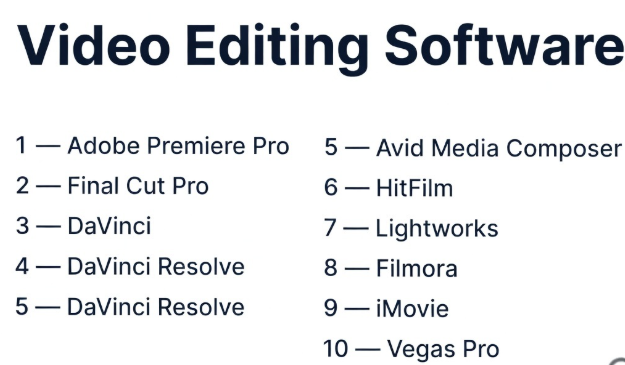
Top 10 Video Editing Software Tools
#1 — Adobe Premiere Pro
Short description: A professional video editing software widely used across industries for its flexibility and integration with creative tools.
Key Features
- Timeline-based editing
- AI-powered tools (auto reframe, scene detection)
- Multi-cam editing
- Advanced audio editing
- GPU acceleration
- Integration with Creative Cloud
- Wide format support
Pros
- Industry-standard tool
- Strong ecosystem and integrations
- Suitable for all skill levels
Cons
- Subscription pricing
- Can be resource-intensive
- Learning curve for beginners
Platforms / Deployment
Windows / macOS
Security & Compliance
Not publicly stated
Integrations & Ecosystem
Premiere Pro integrates deeply with creative and production tools.
- After Effects
- Photoshop
- Illustrator
- Plugins
- Cloud assets
Support & Community
Extensive documentation, tutorials, and large global community.
#2 — Final Cut Pro
Short description: A high-performance video editing software optimized for macOS with a focus on speed and usability.
Key Features
- Magnetic timeline
- Real-time playback
- HDR support
- Multi-cam editing
- Advanced color tools
- Plugin support
- Optimized performance
Pros
- Fast and responsive
- Easy to learn
- Optimized for Apple hardware
Cons
- macOS only
- Limited compared to some pro tools
- Smaller ecosystem
Platforms / Deployment
macOS
Security & Compliance
Not publicly stated
Integrations & Ecosystem
- Motion
- Compressor
- Plugins
- Apple ecosystem
Support & Community
Strong community among macOS users.
#3 — DaVinci Resolve
Short description: An all-in-one post-production suite combining editing, color grading, VFX, and audio tools.
Key Features
- Professional editing tools
- Node-based color grading
- Fusion VFX integration
- Audio post-production
- Multi-user collaboration
- GPU acceleration
- Free version available
Pros
- Comprehensive feature set
- High-quality output
- Strong value
Cons
- Steep learning curve
- Heavy system requirements
- Complex interface
Platforms / Deployment
Windows / macOS / Linux
Security & Compliance
Not publicly stated
Integrations & Ecosystem
- Editing, VFX, audio tools
- Plugins
- External pipelines
Support & Community
Large and active user community.
#4 — Avid Media Composer
Short description: A professional video editing tool widely used in film and broadcast industries.
Key Features
- Advanced timeline editing
- Media management tools
- Collaboration features
- Multi-cam editing
- High-resolution support
- Audio editing tools
- Plugin support
Pros
- Industry-standard for film
- Strong collaboration features
- Reliable performance
Cons
- Complex interface
- Expensive
- Steep learning curve
Platforms / Deployment
Windows / macOS
Security & Compliance
Not publicly stated
Integrations & Ecosystem
- Avid ecosystem
- Plugins
- Post-production pipelines
Support & Community
Strong enterprise support and professional community.
#5 — HitFilm
Short description: A combined video editing and VFX tool aimed at creators and indie filmmakers.
Key Features
- Timeline editing
- Built-in VFX tools
- 3D compositing
- Motion tracking
- Particle effects
- Presets and templates
- Export options
Pros
- All-in-one solution
- Beginner-friendly
- Affordable
Cons
- Limited advanced features
- Performance constraints
- Smaller ecosystem
Platforms / Deployment
Windows / macOS
Security & Compliance
Not publicly stated
Integrations & Ecosystem
- Plugins
- Export workflows
- VFX tools
Support & Community
Moderate community with tutorials.
#6 — Lightworks
Short description: A flexible video editing tool with professional features and multiple pricing options.
Key Features
- Timeline editing
- Real-time effects
- Multi-format support
- Export options
- GPU acceleration
- Audio tools
- Plugin support
Pros
- Flexible pricing
- Professional capabilities
- Lightweight performance
Cons
- Interface learning curve
- Limited advanced tools
- Smaller ecosystem
Platforms / Deployment
Windows / macOS / Linux
Security & Compliance
Not publicly stated
Integrations & Ecosystem
- Plugins
- Export tools
- Editing workflows
Support & Community
Moderate community support.
#7 — Filmora
Short description: A beginner-friendly video editing software with built-in effects and templates.
Key Features
- Drag-and-drop editing
- Built-in effects and transitions
- AI tools
- Audio editing
- Screen recording
- Templates
- Export options
Pros
- Easy to use
- Affordable
- Quick setup
Cons
- Limited advanced features
- Watermark in free version
- Not for complex projects
Platforms / Deployment
Windows / macOS
Security & Compliance
Not publicly stated
Integrations & Ecosystem
- Effects library
- Templates
- Export tools
Support & Community
Strong beginner-focused community.
#8 — iMovie
Short description: A simple video editing tool designed for beginners and casual users on Apple devices.
Key Features
- Basic timeline editing
- Templates and themes
- Audio tools
- Transitions
- Easy export
- Built-in effects
- Drag-and-drop interface
Pros
- Free and easy to use
- Great for beginners
- Smooth performance
Cons
- Limited features
- macOS/iOS only
- Not suitable for professionals
Platforms / Deployment
macOS / iOS
Security & Compliance
Not publicly stated
Integrations & Ecosystem
- Apple ecosystem
- Export tools
- Media libraries
Support & Community
Large beginner community.
#9 — Kdenlive
Short description: An open-source video editing software offering advanced features for free.
Key Features
- Multi-track timeline
- Effects and transitions
- Proxy editing
- Keyframe editing
- Open-source flexibility
- Format support
- GPU acceleration
Pros
- Free and open-source
- Flexible workflows
- Good feature set
Cons
- Stability issues
- Smaller support ecosystem
- UI can feel outdated
Platforms / Deployment
Windows / macOS / Linux
Security & Compliance
Not publicly stated
Integrations & Ecosystem
- Plugins
- Open-source tools
- Export workflows
Support & Community
Community-driven support.
#10 — Vegas Pro
Short description: A professional video editing software known for its powerful timeline and audio tools.
Key Features
- Timeline editing
- Advanced audio tools
- GPU acceleration
- Multi-cam editing
- Effects and transitions
- Color grading tools
- Plugin support
Pros
- Strong audio capabilities
- Flexible workflow
- Good performance
Cons
- Windows only
- Interface complexity
- Smaller ecosystem
Platforms / Deployment
Windows
Security & Compliance
Not publicly stated
Integrations & Ecosystem
- Plugins
- Audio tools
- Export workflows
Support & Community
Moderate professional community.
Comparison Table (Top 10)
| Tool Name | Best For | Platform(s) Supported | Deployment | Standout Feature | Public Rating |
|---|---|---|---|---|---|
| Premiere Pro | Professionals | Windows, macOS | Local/Cloud | Creative ecosystem | N/A |
| Final Cut Pro | macOS users | macOS | Local | Performance | N/A |
| DaVinci Resolve | All-in-one | Windows, macOS, Linux | Local | Full post suite | N/A |
| Avid Media Composer | Film industry | Windows, macOS | Local | Media management | N/A |
| HitFilm | Creators | Windows, macOS | Local | Built-in VFX | N/A |
| Lightworks | Indie editors | Windows, macOS, Linux | Local | Flexible pricing | N/A |
| Filmora | Beginners | Windows, macOS | Local | Ease of use | N/A |
| iMovie | Casual users | macOS, iOS | Local | Simplicity | N/A |
| Kdenlive | Open-source users | Windows, macOS, Linux | Local | Free editing | N/A |
| Vegas Pro | Advanced users | Windows | Local | Audio editing | N/A |
Evaluation & Scoring of Video Editing Software
| Tool Name | Core | Ease | Integrations | Security | Performance | Support | Value | Weighted Total |
|---|---|---|---|---|---|---|---|---|
| Premiere Pro | 9 | 8 | 10 | 6 | 9 | 9 | 7 | 8.6 |
| Final Cut Pro | 8 | 9 | 7 | 6 | 10 | 8 | 8 | 8.3 |
| DaVinci Resolve | 10 | 7 | 9 | 6 | 10 | 9 | 10 | 9.1 |
| Avid Media Composer | 9 | 6 | 9 | 6 | 9 | 9 | 6 | 8.1 |
| HitFilm | 7 | 8 | 7 | 5 | 7 | 7 | 8 | 7.4 |
| Lightworks | 7 | 7 | 6 | 5 | 7 | 7 | 8 | 7.1 |
| Filmora | 6 | 10 | 6 | 5 | 7 | 8 | 9 | 7.6 |
| iMovie | 5 | 10 | 5 | 5 | 8 | 8 | 10 | 7.4 |
| Kdenlive | 7 | 6 | 6 | 5 | 7 | 6 | 10 | 7.0 |
| Vegas Pro | 8 | 7 | 7 | 5 | 8 | 7 | 7 | 7.5 |
How to interpret the scores:
- Scores are relative comparisons, not absolute performance metrics
- High-end tools excel in features but may have steeper learning curves
- Beginner tools score high in ease but lower in depth
- Choose based on your workflow, not just total score
Which Video Editing Software Is Right for You?
Solo / Freelancer
- Best: Filmora, DaVinci Resolve, iMovie
- Focus on ease of use and affordability
SMB
- Best: Premiere Pro, Final Cut Pro
- Balance performance and usability
Mid-Market
- Best: DaVinci Resolve, Premiere Pro
- Require scalability and advanced tools
Enterprise
- Best: Avid Media Composer
- Focus on collaboration and reliability
Budget vs Premium
- Budget: Kdenlive, Filmora
- Premium: Premiere Pro, Avid
Feature Depth vs Ease of Use
- Deep: DaVinci Resolve, Avid
- Easy: Filmora, iMovie
Integrations & Scalability
- Strong: Premiere Pro, Avid
- Flexible: Resolve
Security & Compliance Needs
- Most tools: Not publicly stated
- Enterprises should validate internally
Frequently Asked Questions (FAQs)
What is video editing software?
It allows users to cut, arrange, and enhance video content.
Which software is best for beginners?
Filmora and iMovie are great starting points.
Do I need a powerful PC?
Yes, especially for high-resolution editing.
What is timeline editing?
Arranging clips sequentially in a timeline.
Can I edit videos for free?
Yes, many tools offer free versions.
What formats are supported?
Common formats include MP4, MOV, and AVI.
Is AI used in editing?
Yes, for automation and smart editing features.
Can I collaborate with others?
Some tools support cloud collaboration.
What is rendering?
Processing video into final output format.
Can I switch tools easily?
Yes, but workflows may differ.
Conclusion
Video editing software continues to evolve, offering powerful tools for creators at every level. From beginner-friendly solutions to professional-grade platforms, the right choice depends on your needs, budget, and workflow complexity.
- Choose simple tools for quick edits
- Choose advanced tools for professional production
- Consider integration and performance when scaling