Introduction
Online proctoring tools are software platforms that monitor and secure online exams using video, audio, screen tracking, and AI-based behavior analysis. In simple terms, they act like a digital invigilator, ensuring that candidates take exams fairly—even from remote locations.
In today’s digital-first education and hiring landscape, these tools are no longer optional. With remote learning, global hiring, and certification programs scaling rapidly, organizations need reliable ways to maintain exam integrity without physical supervision.
Real-world use cases:
- Universities conducting remote semester exams
- EdTech platforms running certification programs
- Corporates assessing candidates during hiring
- Professional certification bodies (IT, finance, healthcare)
- Government recruitment exams at scale
What buyers should evaluate:
- AI accuracy in detecting suspicious behavior
- Live vs automated proctoring capabilities
- Scalability for large exam volumes
- Data privacy and compliance
- Integration with LMS platforms
- User experience for candidates
- Network resilience and offline support
- Reporting and analytics capabilities
Best for: Educational institutions, EdTech platforms, certification bodies, HR teams, and enterprises running remote assessments at scale.
Not ideal for: Small teams conducting informal tests, offline-only environments, or scenarios where privacy concerns outweigh monitoring needs.
Key Trends in Online Proctoring Tools
- AI-based behavior detection replacing manual monitoring
- Hybrid proctoring models (AI + human review) becoming standard
- Increased focus on privacy-first proctoring and GDPR compliance
- Browser lockdown + device fingerprinting for stronger security
- Integration with LMS and HR platforms (API-first ecosystems)
- Rise of mobile-based proctoring for accessibility
- Real-time analytics dashboards for exam integrity insights
- Cloud-native deployments for scalability
- Shift toward candidate-friendly UX to reduce exam anxiety
- Pricing moving toward usage-based or per-exam models
How We Selected These Tools (Methodology)
- Evaluated market adoption and industry usage across education and enterprise
- Compared feature completeness (AI, live monitoring, analytics)
- Assessed reliability and scalability signals for large exam volumes
- Reviewed security posture and compliance readiness
- Considered integration ecosystems with LMS, ATS, and HR tools
- Checked customer fit across segments (SMB to enterprise)
- Analyzed ease of deployment and onboarding experience
- Balanced between AI-first and human-assisted solutions
- Ensured global coverage and support availability
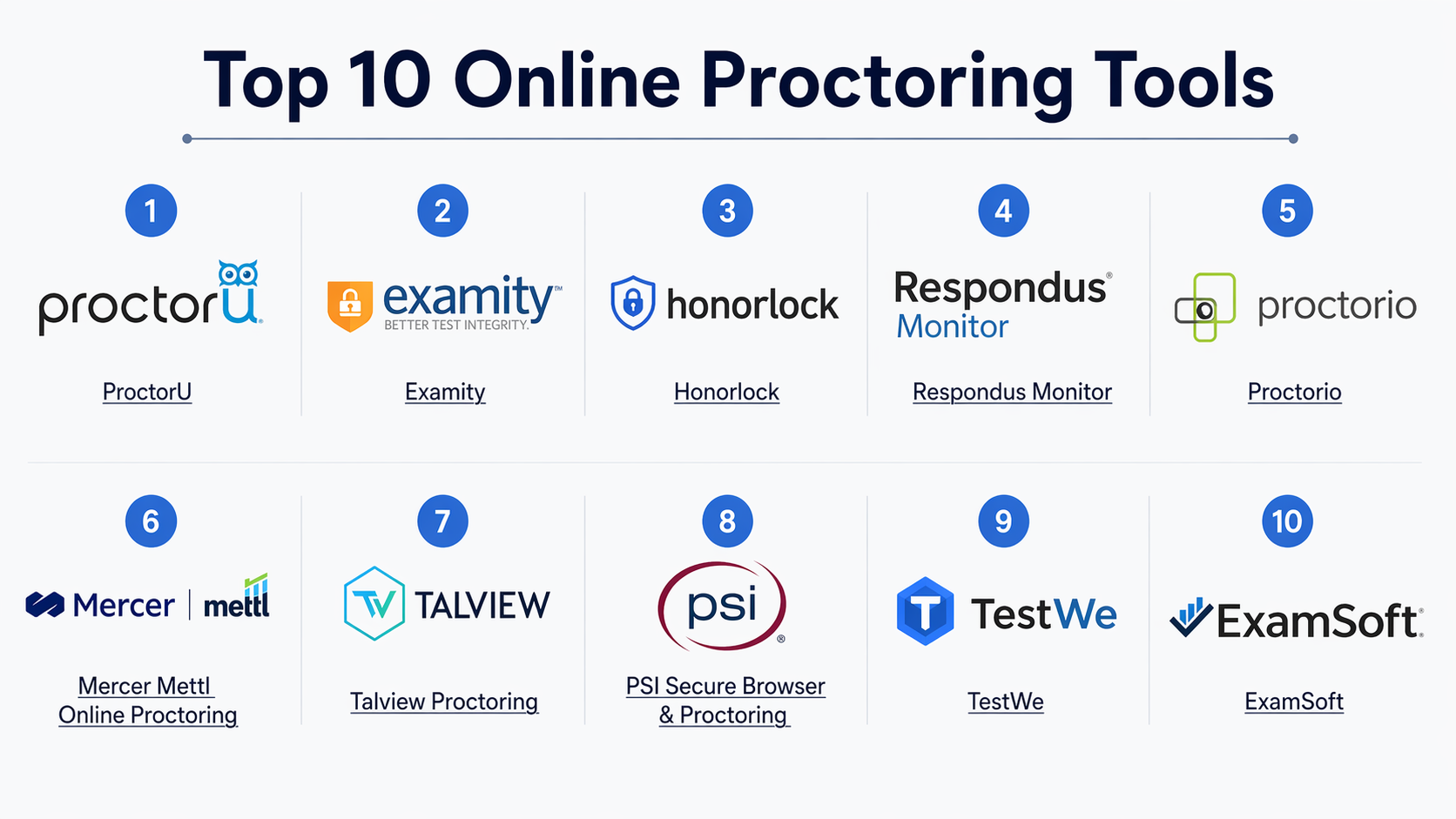
Top 10 Online Proctoring Tools
#1 — ProctorU
Short description :
ProctorU is a widely used online proctoring platform offering live, automated, and record-and-review options. It is popular among universities and certification providers that need flexible proctoring models. The platform focuses on balancing security with candidate experience. It supports both small-scale exams and enterprise-level deployments. Its hybrid approach makes it suitable for organizations transitioning to remote exams.
Key Features
- Live human proctoring
- AI-based automated monitoring
- Browser lockdown capabilities
- Identity verification tools
- Session recording and audit trails
- Real-time chat support
Pros
- Flexible proctoring options
- Strong scalability for large exams
Cons
- Can be expensive for smaller teams
- Requires stable internet for best performance
Platforms / Deployment
- Web / Windows / macOS
- Cloud
Security & Compliance
- SSO, encryption, audit logs
- Compliance details: Not publicly stated
Integrations & Ecosystem
Integrates with major LMS platforms and testing systems.
- LMS integrations
- API support
- Assessment platforms
- SSO providers
Support & Community
Strong onboarding and enterprise-grade support; widely used in academia.
#2 — Examity
Short description:
Examity provides AI-driven and human-assisted proctoring solutions. It is designed for higher education and corporate training environments. The platform offers robust identity verification and customizable exam rules. It supports high-stakes exams with strict monitoring. Examity is known for its flexible proctoring tiers.
Key Features
- Live and automated proctoring
- Biometric identity verification
- Custom exam rules
- Detailed reporting
- AI anomaly detection
Pros
- Highly customizable
- Strong identity verification
Cons
- Setup complexity
- Pricing varies significantly
Platforms / Deployment
- Web
- Cloud
Security & Compliance
- MFA, encryption
- Not publicly stated certifications
Integrations & Ecosystem
- LMS integrations
- API support
- Identity tools
- Analytics dashboards
Support & Community
Enterprise-focused support; documentation is comprehensive.
#3 — Honorlock
Short description:
Honorlock focuses on automated proctoring with AI and human intervention when needed. It is widely used in universities for online exams. The platform emphasizes privacy and candidate experience. It integrates seamlessly with LMS platforms. Its browser extension-based model simplifies deployment.
Key Features
- AI monitoring
- Browser extension-based proctoring
- Search and web activity detection
- Live support intervention
- Recording and analytics
Pros
- Easy deployment
- Strong LMS integration
Cons
- Limited offline capabilities
- Browser dependency
Platforms / Deployment
- Web
- Cloud
Security & Compliance
- Encryption, audit logs
- Not publicly stated certifications
Integrations & Ecosystem
- LMS integrations
- API access
- Browser tools
Support & Community
Good support for academic institutions.
#4 — Respondus Monitor
Short description:
Respondus Monitor works alongside Respondus LockDown Browser to provide automated proctoring. It is widely used in academic institutions. The tool focuses on ease of use and integration. It provides AI-based flagging of suspicious behavior. It is suitable for low to medium-stakes exams.
Key Features
- LockDown Browser
- AI flagging
- Video monitoring
- LMS integration
- Automated review
Pros
- Simple setup
- Affordable for institutions
Cons
- Limited advanced AI
- Less suitable for high-stakes exams
Platforms / Deployment
- Web / Windows / macOS
- Cloud
Security & Compliance
- Encryption
- Not publicly stated
Integrations & Ecosystem
- LMS integrations
- Browser-based tools
Support & Community
Strong academic user base.
#5 — Proctorio
Short description:
Proctorio is an AI-based proctoring solution known for its automation and scalability. It uses browser-based monitoring without requiring live proctors. The platform focuses on privacy and data control. It is widely adopted by universities and certification bodies.
Key Features
- Fully automated proctoring
- Browser lockdown
- AI behavior detection
- Data encryption
- Custom exam settings
Pros
- Scalable and cost-effective
- No live proctor dependency
Cons
- AI false positives possible
- Limited human oversight
Platforms / Deployment
- Web
- Cloud
Security & Compliance
- Encryption, GDPR support
- Not publicly stated certifications
Integrations & Ecosystem
- LMS integrations
- API access
Support & Community
Moderate support; documentation available.
#6 — Mercer Mettl Online Proctoring
Short description:
Mercer Mettl offers a comprehensive proctoring solution with AI and human monitoring. It is widely used for corporate hiring and certification exams. The platform supports large-scale assessments globally. It includes advanced analytics and reporting.
Key Features
- AI + human proctoring
- Candidate authentication
- Browser lockdown
- Advanced analytics
- Multi-device monitoring
Pros
- Strong enterprise features
- Global scalability
Cons
- Complex setup
- Pricing varies
Platforms / Deployment
- Web
- Cloud
Security & Compliance
- SSO, encryption
- Not publicly stated
Integrations & Ecosystem
- HR systems
- LMS platforms
- APIs
Support & Community
Enterprise-grade support and onboarding.
#7 — Talview Proctoring
Short description:
Talview is an AI-powered proctoring platform designed for hiring and education. It provides video interviewing and proctoring in one solution. The platform emphasizes automation and analytics. It supports global enterprises.
Key Features
- AI proctoring
- Video interviews
- Behavioral analytics
- Automated reporting
- Multi-device support
Pros
- Dual-purpose platform
- Strong analytics
Cons
- Learning curve
- Pricing transparency limited
Platforms / Deployment
- Web / Mobile
- Cloud
Security & Compliance
- Encryption
- Not publicly stated
Integrations & Ecosystem
- ATS systems
- LMS integrations
- APIs
Support & Community
Good enterprise support.
#8 — PSI Secure Browser & Proctoring
Short description:
PSI provides secure browser and proctoring solutions for certification exams. It is widely used in regulated industries. The platform focuses on compliance and exam integrity. It supports global certification programs.
Key Features
- Secure browser
- Live and AI proctoring
- Identity verification
- Reporting tools
- Compliance features
Pros
- Strong compliance focus
- Trusted in certification industry
Cons
- Less flexible UI
- Enterprise-focused pricing
Platforms / Deployment
- Web / Windows
- Cloud
Security & Compliance
- Compliance-focused
- Not publicly stated certifications
Integrations & Ecosystem
- Certification systems
- APIs
Support & Community
Strong enterprise support.
#9 — TestWe
Short description:
TestWe offers secure offline and online exam solutions. It is known for its offline exam capability. The platform supports academic and certification use cases. It focuses on security and reliability.
Key Features
- Offline exam mode
- Secure browser
- Video monitoring
- Identity verification
- Reporting
Pros
- Works offline
- High reliability
Cons
- Limited AI features
- Smaller ecosystem
Platforms / Deployment
- Web / Windows / macOS
- Cloud
Security & Compliance
- Encryption
- Not publicly stated
Integrations & Ecosystem
- LMS integrations
- APIs
Support & Community
Moderate support.
#10 — ExamSoft (ExamMonitor)
Short description:
ExamSoft provides assessment and proctoring solutions for education and professional exams. ExamMonitor adds AI-based proctoring capabilities. It is widely used in law and medical exams. The platform focuses on secure assessment delivery.
Key Features
- AI proctoring
- Secure exam delivery
- Analytics
- Identity verification
- Offline support
Pros
- Strong assessment ecosystem
- Reliable delivery
Cons
- Limited flexibility
- Pricing not transparent
Platforms / Deployment
- Web / Windows / macOS
- Cloud
Security & Compliance
- Encryption
- Not publicly stated
Integrations & Ecosystem
- LMS integrations
- Assessment tools
Support & Community
Strong academic support network.
Comparison Table (Top 10)
| Tool Name | Best For | Platform(s) Supported | Deployment | Standout Feature | Public Rating |
|---|---|---|---|---|---|
| ProctorU | Universities | Web | Cloud | Live + AI proctoring | N/A |
| Examity | Higher education | Web | Cloud | Identity verification | N/A |
| Honorlock | LMS-based exams | Web | Cloud | Browser extension model | N/A |
| Respondus Monitor | Academic exams | Web | Cloud | LockDown Browser | N/A |
| Proctorio | Scalable exams | Web | Cloud | Fully automated AI | N/A |
| Mercer Mettl | Enterprise hiring | Web | Cloud | Advanced analytics | N/A |
| Talview | Hiring + exams | Web/Mobile | Cloud | Video + proctoring | N/A |
| PSI | Certifications | Web/Windows | Cloud | Compliance focus | N/A |
| TestWe | Offline exams | Desktop | Cloud | Offline capability | N/A |
| ExamSoft | Professional exams | Desktop/Web | Cloud | Secure delivery | N/A |
Evaluation & Online Proctoring Tools
| Tool Name | Core (25%) | Ease (15%) | Integrations (15%) | Security (10%) | Performance (10%) | Support (10%) | Value (15%) | Weighted Total |
|---|---|---|---|---|---|---|---|---|
| ProctorU | 9 | 8 | 8 | 8 | 9 | 9 | 7 | 8.4 |
| Examity | 8 | 7 | 8 | 8 | 8 | 8 | 7 | 7.8 |
| Honorlock | 8 | 9 | 8 | 7 | 8 | 8 | 8 | 8.2 |
| Respondus | 7 | 9 | 7 | 7 | 7 | 8 | 8 | 7.8 |
| Proctorio | 9 | 8 | 7 | 8 | 9 | 7 | 9 | 8.5 |
| Mercer Mettl | 9 | 7 | 9 | 8 | 9 | 9 | 7 | 8.4 |
| Talview | 8 | 7 | 9 | 7 | 8 | 8 | 7 | 7.8 |
| PSI | 8 | 6 | 7 | 9 | 8 | 8 | 6 | 7.6 |
| TestWe | 7 | 7 | 6 | 7 | 8 | 7 | 8 | 7.2 |
| ExamSoft | 8 | 7 | 7 | 8 | 8 | 8 | 7 | 7.8 |
How to interpret scores:
These scores are comparative, not absolute. A higher score indicates better balance across features, usability, and value. Enterprise tools may score higher in security but lower in ease of use. SMB-friendly tools often excel in usability but may lack advanced features.
Which Online Proctoring Tools
Solo / Freelancer
Choose simple, automated tools like Proctorio or Respondus. They are easy to deploy and require minimal setup.
SMB
Honorlock or Talview offer a good balance of usability and features without heavy enterprise complexity.
Mid-Market
Examity and Mercer Mettl provide flexibility and scalability for growing organizations.
Enterprise
ProctorU, PSI, and Mercer Mettl are strong choices for large-scale, high-stakes exams.
Budget vs Premium
- Budget: Respondus, Proctorio
- Premium: ProctorU, Mercer Mettl
Feature Depth vs Ease of Use
- Feature-rich: Mercer Mettl, Examity
- Easy to use: Honorlock, Respondus
Integrations & Scalability
- Strong integrations: Talview, Mercer Mettl
- Scalable: ProctorU, Proctorio
Security & Compliance Needs
- High compliance: PSI, ProctorU
- Moderate needs: Honorlock, Respondus
Frequently Asked Questions (FAQs)
1. What is online proctoring?
Online proctoring is the process of monitoring exams remotely using software tools. It ensures exam integrity through video, audio, and AI tracking.
2. How much do online proctoring tools cost?
Pricing varies based on usage, features, and scale. Most tools use per-exam or subscription-based pricing models.
3. Are online proctoring tools secure?
Most platforms use encryption and monitoring to ensure security. However, compliance certifications are often not publicly stated.
4. Can these tools integrate with LMS platforms?
Yes, most tools support LMS integrations like Moodle, Blackboard, or custom systems.
5. Do candidates need special hardware?
Typically, a webcam, microphone, and stable internet connection are required.
6. What are common challenges?
False positives from AI, connectivity issues, and privacy concerns are common challenges.
7. Is live proctoring better than AI?
It depends on use case. Live proctoring is more accurate but costly, while AI is scalable but less precise.
8. Can exams be conducted offline?
Some tools like TestWe support offline exam capabilities.
9. How scalable are these platforms?
Most cloud-based tools can handle thousands of concurrent users.
10. What alternatives exist?
Alternatives include in-person exams, open-book assessments, or project-based evaluations.
Conclusi
Online proctoring tools have become essential for modern education, certification, and hiring workflows. As remote exams continue to grow, the need for secure, scalable, and user-friendly proctoring solutions is more critical than ever. However, there is no single “best” tool—each platform has strengths depending on your use case, scale, and security requirements.
