Introduction
School Timetabling Software is a specialized tool used by schools, colleges, and universities to automatically create class schedules. Instead of manually arranging subjects, teachers, rooms, and time slots, these systems use rules and constraints to generate optimized timetables in minutes.
In today’s digital-first education environment, managing complex schedules across multiple grades, departments, and campuses has become more challenging. With hybrid learning models, teacher availability constraints, and resource optimization needs, modern timetabling tools are no longer optional—they are operational necessities.
Real-world use cases:
- Automatically generating weekly schedules for schools with hundreds of classes
- Managing teacher workloads and avoiding scheduling conflicts
- Allocating rooms, labs, and equipment efficiently
- Supporting multi-campus or hybrid learning environments
- Handling last-minute substitutions and schedule changes
What buyers should evaluate:
- Automation and AI capabilities
- Ease of use and UI simplicity
- Constraint handling (teacher, room, subject rules)
- Integration with SIS/ERP systems
- Scalability for large institutions
- Reporting and analytics features
- Customization flexibility
- Security and data protection
- Cost vs value
Best for: School administrators, academic coordinators, IT managers in educational institutions, and large training organizations managing complex schedules.
Not ideal for: Very small schools with simple schedules or institutions that rely on fixed manual timetables with minimal changes.
Key Trends in School Timetabling Software
- AI-powered scheduling: Tools now use AI to optimize schedules with minimal human input
- Real-time adjustments: Dynamic updates for teacher absences or room changes
- Cloud-first deployment: SaaS-based tools replacing desktop-only solutions
- Mobile accessibility: Teachers and students access schedules via mobile apps
- Integration with SIS/LMS: Seamless syncing with student information and learning systems
- Constraint-based engines: Advanced rule engines for complex scheduling needs
- Data-driven insights: Analytics on teacher workload and classroom utilization
- Automation of substitutions: Instant reallocation of teachers and classes
- Localization support: Multi-language and regional academic structures
- Subscription pricing models: Shift from one-time licenses to SaaS subscriptions
How We Selected These Tools (Methodology)
- Evaluated market adoption and global usage across schools and universities
- Assessed feature depth including automation, constraint handling, and flexibility
- Considered performance and reliability signals from enterprise usage
- Reviewed security posture indicators such as role-based access and encryption
- Analyzed integration capabilities with SIS, LMS, and ERP platforms
- Included tools suitable for SMB, mid-market, and enterprise institutions
- Prioritized vendors with active product development and updates
- Considered ease of use and onboarding experience
- Balanced cloud and desktop-based solutions
- Focused on tools with proven scheduling optimization engines
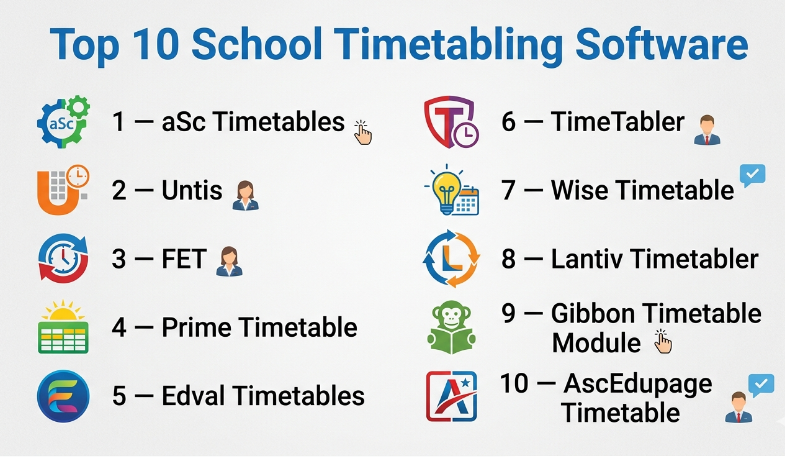
Top 10 School Timetabling Software
#1 — aSc Timetables
Short description:
aSc Timetables is one of the most widely used school scheduling tools globally. It is designed for schools of all sizes and offers powerful automation with a simple interface. The platform supports complex constraints and integrates with school management systems. It is especially popular for its balance of usability and advanced features.
Key Features
- Automatic timetable generation
- Teacher and room conflict detection
- Substitution management
- Multi-class and multi-campus support
- Reporting and analytics
- Integration with school systems
Pros
- Easy to learn and implement
- Strong automation capabilities
Cons
- UI feels dated in some versions
- Limited advanced customization compared to enterprise tools
Platforms / Deployment
- Windows / Web
- Cloud / Self-hosted
Security & Compliance
- Role-based access
- Not publicly stated certifications
Integrations & Ecosystem
Supports integration with school management systems and export/import formats.
- CSV and Excel imports
- School database sync
- API availability varies
Support & Community
Good documentation and active user base. Vendor support available.
#2 — Untis
Short description:
Untis is a comprehensive scheduling solution widely used in Europe and globally. It supports complex scheduling scenarios and integrates deeply with school ecosystems. It is known for its modular design and scalability.
Key Features
- Advanced scheduling engine
- Student and teacher scheduling
- Mobile timetable access
- Room and resource management
- Absence and substitution handling
Pros
- Highly scalable
- Strong feature depth
Cons
- Learning curve for beginners
- Setup complexity
Platforms / Deployment
- Web / Windows / Mobile
- Cloud / Hybrid
Security & Compliance
- RBAC, authentication controls
- Not publicly stated certifications
Integrations & Ecosystem
Works with LMS and SIS platforms.
- API-based integrations
- Data import/export
- Mobile apps
Support & Community
Strong enterprise support and global user community.
#3 — FET (Free Timetabling Software)
Short description:
FET is an open-source timetabling tool designed for schools with complex scheduling needs. It offers powerful constraint-based scheduling and is widely used by institutions seeking a free solution.
Key Features
- Open-source scheduling engine
- Constraint-based timetable generation
- Multi-language support
- Customizable rules
- Cross-platform compatibility
Pros
- Free and open-source
- Highly flexible
Cons
- Requires technical knowledge
- Limited UI polish
Platforms / Deployment
- Windows / macOS / Linux
- Self-hosted
Security & Compliance
- Not publicly stated
Integrations & Ecosystem
Limited native integrations.
- Manual data import/export
- Custom scripting possible
Support & Community
Community-driven support with forums and documentation.
#4 — Prime Timetable
Short description:
Prime Timetable is a modern scheduling tool with a strong focus on automation and usability. It is suitable for schools that want a balance between simplicity and advanced scheduling capabilities.
Key Features
- Automated scheduling engine
- Teacher workload balancing
- Conflict resolution
- Custom rules engine
- Analytics dashboard
Pros
- Clean interface
- Efficient scheduling engine
Cons
- Limited ecosystem integrations
- Smaller user base
Platforms / Deployment
- Web
- Cloud
Security & Compliance
- Not publicly stated
Integrations & Ecosystem
Basic integrations with school systems.
- Data export tools
- Limited API support
Support & Community
Vendor support available; smaller community.
#5 — Edval Timetables
Short description:
Edval is a powerful timetabling solution used by large schools and educational institutions. It focuses on automation and optimization for complex scheduling requirements.
Key Features
- AI-driven scheduling
- Advanced constraint management
- Reporting tools
- Multi-campus support
- Resource allocation
Pros
- Strong optimization capabilities
- Handles complex scenarios well
Cons
- Expensive for small schools
- Requires training
Platforms / Deployment
- Windows / Web
- Hybrid
Security & Compliance
- Not publicly stated
Integrations & Ecosystem
Supports integration with school systems.
- SIS integration
- Data imports
Support & Community
Professional support with onboarding services.
#6 — TimeTabler
Short description:
TimeTabler is a well-known scheduling solution for schools looking for automation with flexibility. It offers a range of features for timetable creation and management.
Key Features
- Automated scheduling
- Custom rule configuration
- Conflict detection
- Reporting tools
- Resource allocation
Pros
- Flexible configuration
- Reliable performance
Cons
- Older interface
- Limited mobile support
Platforms / Deployment
- Windows
- Self-hosted
Security & Compliance
- Not publicly stated
Integrations & Ecosystem
Basic integrations.
- Data import/export
- Limited APIs
Support & Community
Vendor support with documentation.
#7 — Wise Timetable
Short description:
Wise Timetable is a cloud-based scheduling tool designed for schools seeking simplicity and automation. It focuses on ease of use and quick setup.
Key Features
- Automated timetable generation
- Cloud-based access
- Teacher and room scheduling
- Conflict detection
- Reporting
Pros
- Easy to use
- Quick deployment
Cons
- Limited advanced features
- Smaller ecosystem
Platforms / Deployment
- Web
- Cloud
Security & Compliance
- Not publicly stated
Integrations & Ecosystem
Limited integrations.
- Basic data export
Support & Community
Basic support and documentation.
#8 — Lantiv Timetabler
Short description:
Lantiv Timetabler is designed for schools needing customizable scheduling solutions. It supports flexible rule configuration and scheduling automation.
Key Features
- Automated scheduling
- Custom rules engine
- Conflict resolution
- Multi-user access
- Reporting
Pros
- Flexible rules
- Customizable
Cons
- UI complexity
- Limited integrations
Platforms / Deployment
- Windows
- Self-hosted
Security & Compliance
- Not publicly stated
Integrations & Ecosystem
Basic integrations.
- Data imports
- Export tools
Support & Community
Vendor support available.
#9 — Gibbon Timetable Module
Short description:
Gibbon is an open-source school platform with a built-in timetabling module. It is ideal for schools already using Gibbon as their management system.
Key Features
- Integrated scheduling module
- Open-source flexibility
- Custom workflows
- Multi-user access
- Reporting tools
Pros
- Free and customizable
- Integrated with school platform
Cons
- Limited standalone capability
- Requires setup effort
Platforms / Deployment
- Web
- Self-hosted
Security & Compliance
- Not publicly stated
Integrations & Ecosystem
Works within Gibbon ecosystem.
- Custom modules
- API extensions
Support & Community
Active open-source community.
#10 — AscEdupage Timetable
Short description:
AscEdupage provides a complete school management platform with integrated timetabling. It is widely used for its all-in-one approach.
Key Features
- Integrated timetable system
- Mobile access
- Teacher and student portals
- Substitution management
- Reporting
Pros
- All-in-one platform
- Strong mobile support
Cons
- Less specialized compared to dedicated tools
- Feature depth varies
Platforms / Deployment
- Web / Mobile
- Cloud
Security & Compliance
- Not publicly stated
Integrations & Ecosystem
Integrated within platform ecosystem.
- School modules
- Data sync
Support & Community
Vendor support and growing community.
Comparison Table (Top 10)
| Tool Name | Best For | Platform(s) Supported | Deployment | Standout Feature | Public Rating |
|---|---|---|---|---|---|
| aSc Timetables | SMB Schools | Windows/Web | Hybrid | Ease of use | N/A |
| Untis | Enterprise Schools | Web/Mobile | Hybrid | Scalability | N/A |
| FET | Budget/Open-source | Cross-platform | Self-hosted | Free & flexible | N/A |
| Prime Timetable | Modern schools | Web | Cloud | Clean UI | N/A |
| Edval | Large institutions | Windows/Web | Hybrid | AI optimization | N/A |
| TimeTabler | Traditional schools | Windows | Self-hosted | Flexibility | N/A |
| Wise Timetable | Small schools | Web | Cloud | Simplicity | N/A |
| Lantiv Timetabler | Custom needs | Windows | Self-hosted | Custom rules | N/A |
| Gibbon | Open-source users | Web | Self-hosted | Integrated platform | N/A |
| AscEdupage | All-in-one users | Web/Mobile | Cloud | Full ecosystem | N/A |
Evaluation & School Timetabling Software
| Tool Name | Core (25%) | Ease (15%) | Integrations (15%) | Security (10%) | Performance (10%) | Support (10%) | Value (15%) | Weighted Total |
|---|---|---|---|---|---|---|---|---|
| aSc Timetables | 9 | 8 | 7 | 6 | 8 | 7 | 8 | 7.9 |
| Untis | 9 | 7 | 8 | 7 | 9 | 8 | 7 | 8.1 |
| FET | 7 | 6 | 5 | 5 | 7 | 6 | 9 | 6.7 |
| Prime Timetable | 8 | 8 | 6 | 6 | 8 | 7 | 7 | 7.5 |
| Edval | 9 | 6 | 7 | 6 | 9 | 8 | 6 | 7.8 |
| TimeTabler | 8 | 7 | 6 | 5 | 8 | 7 | 7 | 7.3 |
| Wise Timetable | 7 | 9 | 5 | 5 | 7 | 6 | 8 | 7.1 |
| Lantiv Timetabler | 7 | 6 | 5 | 5 | 7 | 6 | 7 | 6.6 |
| Gibbon | 7 | 6 | 6 | 5 | 7 | 7 | 9 | 7.0 |
| AscEdupage | 8 | 8 | 7 | 6 | 8 | 7 | 8 | 7.8 |
How to interpret scores:
These scores are comparative, not absolute. A higher score reflects better alignment with modern requirements like automation, integrations, and scalability. Smaller institutions may prioritize ease and value, while enterprises focus on performance and feature depth.
Which School Timetabling Software
Solo / Freelancer
Best to use simple or open-source tools like FET or Gibbon.
SMB
aSc Timetables or Wise Timetable offer the best balance of cost and usability.
Mid-Market
Prime Timetable and TimeTabler provide flexibility with moderate complexity.
Enterprise
Untis and Edval are ideal due to scalability and advanced features.
Budget vs Premium
- Budget: FET, Gibbon
- Premium: Untis, Edval
Feature Depth vs Ease of Use
- Deep features: Untis, Edval
- Easy to use: Wise Timetable, aSc
Integrations & Scalability
- Strong integrations: Untis, AscEdupage
- Limited: Lantiv, Wise
Security & Compliance Needs
- Enterprise-grade needs: Untis
- Basic needs: smaller tools
Frequently Asked Questions (FAQs)
1. What is school timetabling software?
It is a tool that automates the creation of class schedules, managing teachers, rooms, and subjects efficiently.
2. How much does it cost?
Pricing varies widely, from free open-source tools to premium enterprise solutions.
3. Is it difficult to implement?
Most tools offer guided setup, but complex institutions may need training.
4. Can it integrate with existing systems?
Yes, many tools integrate with SIS and LMS platforms.
5. Does it support mobile access?
Modern tools provide mobile apps or responsive web access.
6. What are common mistakes?
Overcomplicating rules and not defining constraints clearly.
7. Is data secure?
Security varies; enterprise tools offer better protection.
8. Can schedules be changed easily?
Yes, most tools support real-time updates.
9. What alternatives exist?
Manual scheduling or spreadsheet-based systems.
10. How to choose the best tool?
Evaluate features, budget, scalability, and integration needs.
Conclusion
School timetabling software has evolved into a critical operational system for modern educational institutions. As schools grow in size and complexity, manual scheduling becomes inefficient and error-prone. The tools covered in this guide offer a wide range of capabilities—from simple, easy-to-use solutions for small schools to advanced AI-driven platforms designed for large institutions. There is no single “best” tool for everyone; the right choice depends on your institution’s size, complexity, budget, and technical readiness. The smartest approach is to shortlist two or three tools, test them with real scheduling scenarios, and evaluate how well they handle constraints, integrations, and usability before making a final decision.
