Introduction
Queue Management Software (QMS) helps organizations manage customer flow, reduce wait times, and improve service efficiency. In simple terms, it organizes how customers line up—whether physically in a store or virtually through apps or kiosks—so businesses can serve them faster and more effectively.
In today’s environment, where customer experience directly impacts revenue and brand perception, queue management has become a critical operational layer. With increasing demand for contactless services, AI-driven predictions, and omnichannel experiences, modern QMS platforms go far beyond simple ticket systems.
Common use cases include:
- Banks managing in-branch customer flow
- Hospitals handling patient queues and appointments
- Retail stores during peak shopping hours
- Government offices managing public service demand
- Telecom service centers handling walk-ins
Key evaluation criteria buyers should consider:
- Real-time queue visibility and analytics
- Virtual queue and appointment booking features
- Integration with CRM and POS systems
- Scalability across locations
- Mobile and kiosk support
- AI-based wait time prediction
- Security and compliance capabilities
- Customization and workflow flexibility
- Reporting and insights
- Ease of deployment and training
Best for: Retail chains, hospitals, banks, telecom providers, and service-heavy organizations that deal with high customer footfall and require structured queue handling.
Not ideal for: Small businesses with low customer volume or those already managing queues effectively with simple manual systems or appointment-only workflows.
Key Trends in Queue Management Software
- AI-powered wait time prediction and demand forecasting
- Mobile-first virtual queuing replacing physical lines
- Integration with CRM, POS, and customer engagement platforms
- Self-service kiosks and touchless check-ins
- Real-time analytics dashboards for operational insights
- Cloud-native deployment for scalability and flexibility
- Omnichannel queue management (web, app, in-store)
- Compliance with data privacy regulations (GDPR, HIPAA)
- Personalization using customer history and preferences
- Subscription-based pricing models replacing one-time licenses
How We Selected These Tools (Methodology)
- Evaluated market presence and adoption across industries
- Assessed feature completeness for modern queue workflows
- Reviewed reliability and performance in high-volume environments
- Considered security and compliance capabilities
- Analyzed integration capabilities with enterprise systems
- Included tools suitable for SMB, mid-market, and enterprise users
- Focused on platforms offering both physical and virtual queue support
- Balanced innovation (AI features) with usability
- Considered vendor reputation and ecosystem strength
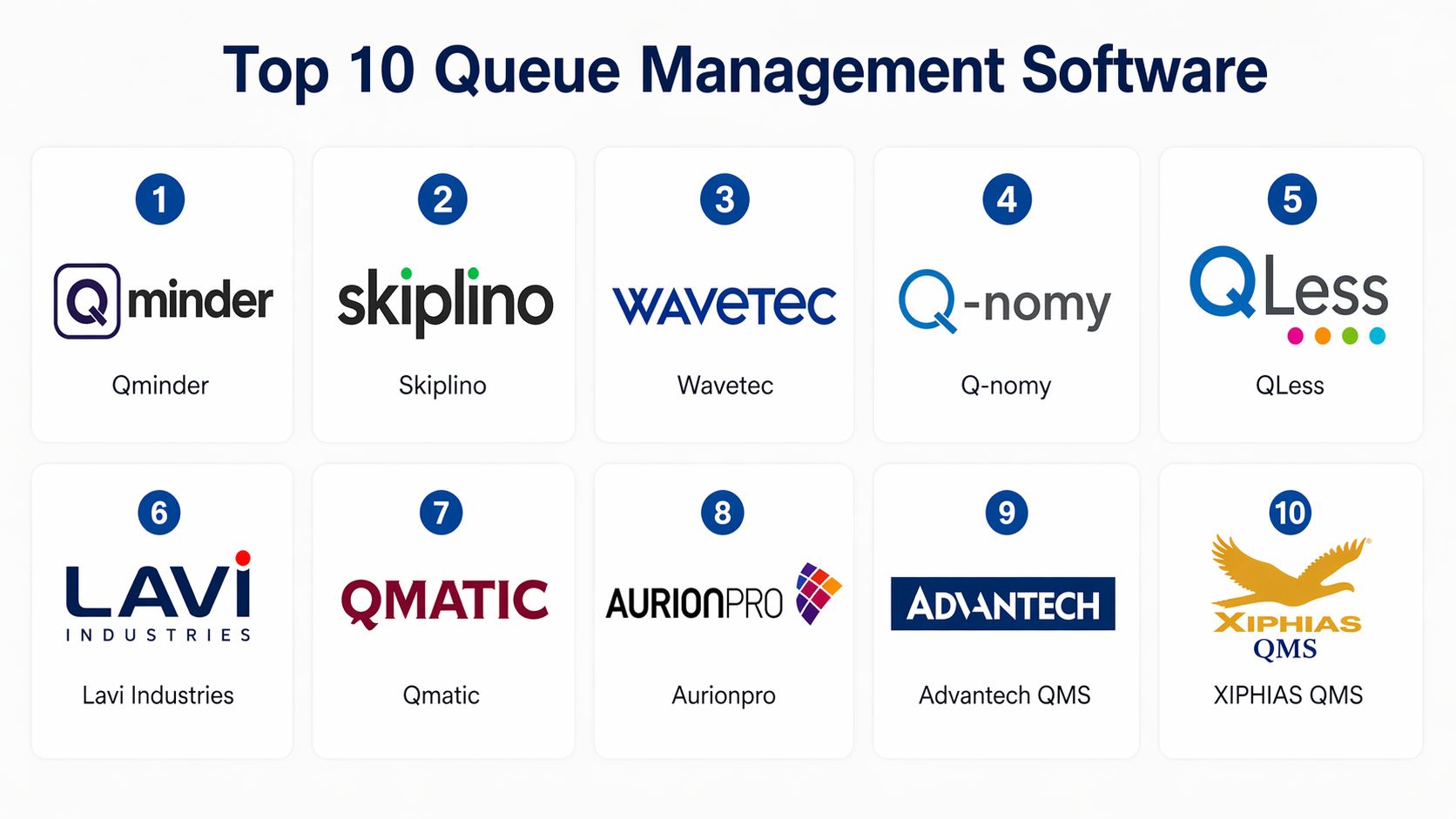
Top 10 Queue Management Software
#1 — Qminder
Short description:
Qminder is a widely used queue management platform designed for customer-facing businesses like retail, healthcare, and banking. It focuses on improving customer experience with real-time queue tracking and analytics. The tool is known for its ease of use and strong reporting capabilities. It supports both physical and virtual queues, making it flexible for different environments. Ideal for organizations seeking a simple yet powerful solution.
Key Features
- Real-time queue tracking
- SMS notifications for customers
- Analytics dashboard
- Appointment scheduling
- Multi-location support
Pros
- Easy to deploy and use
- Strong reporting capabilities
Cons
- Limited advanced customization
- Pricing may vary based on scale
Platforms / Deployment
Web / iOS / Android
Cloud
Security & Compliance
SSO, encryption
Other certifications: Not publicly stated
Integrations & Ecosystem
Supports integrations with CRM tools and APIs for custom workflows.
- REST API
- CRM integrations
- POS systems
Support & Community
Good documentation and onboarding support. Enterprise support tiers available.
#2 — Skiplino
Short description:
Skiplino offers a digital queue system focused on improving customer satisfaction. It allows customers to join queues remotely via mobile apps. It is commonly used in retail and government sectors. The platform emphasizes customer convenience and reduced wait times. It also includes analytics for business insights.
Key Features
- Mobile queue booking
- Real-time updates
- Customer notifications
- Multi-branch support
- Reporting tools
Pros
- Strong mobile experience
- Improves customer satisfaction
Cons
- Limited enterprise integrations
- Customization options may be limited
Platforms / Deployment
Web / iOS / Android
Cloud
Security & Compliance
Not publicly stated
Integrations & Ecosystem
Basic integrations with APIs.
- API access
- CRM compatibility
Support & Community
Standard support; community presence is moderate.
#3 — Wavetec
Short description:
Wavetec is an enterprise-grade queue management system used by banks, airports, and government institutions. It provides advanced analytics and customer journey tracking. Known for scalability and reliability. It supports complex workflows and integrations. Ideal for large organizations.
Key Features
- Customer journey analytics
- Ticketing systems
- AI insights
- Multi-channel support
- Workflow automation
Pros
- Highly scalable
- Enterprise-ready features
Cons
- Complex implementation
- Higher cost
Platforms / Deployment
Web / Windows
Cloud / On-premise
Security & Compliance
RBAC, audit logs
Other certifications: Not publicly stated
Integrations & Ecosystem
Strong enterprise integrations.
- ERP systems
- CRM platforms
- APIs
Support & Community
Enterprise-grade support with SLAs.
#4 — Q-nomy
Short description:
Q-nomy provides a comprehensive customer journey and queue management platform. It is widely used in healthcare and telecom sectors. It focuses on optimizing service delivery and reducing wait times. Offers both appointment and walk-in management. Known for flexibility.
Key Features
- Appointment scheduling
- Queue monitoring
- Customer journey management
- Analytics tools
- Workflow automation
Pros
- Flexible workflows
- Strong analytics
Cons
- UI may feel outdated
- Setup can be complex
Platforms / Deployment
Web
Cloud / On-premise
Security & Compliance
Not publicly stated
Integrations & Ecosystem
Supports enterprise integrations.
- CRM
- ERP
- APIs
Support & Community
Good enterprise support.
#5 — QLess
Short description:
QLess focuses on eliminating physical lines by offering virtual queuing solutions. Customers can join queues remotely. It is popular in education and government sectors. The platform reduces crowding and improves customer experience. It also provides analytics.
Key Features
- Virtual queuing
- SMS alerts
- Analytics dashboard
- Appointment scheduling
- Customer feedback
Pros
- Reduces physical crowding
- Easy to use
Cons
- Limited advanced customization
- Pricing transparency unclear
Platforms / Deployment
Web / Mobile
Cloud
Security & Compliance
Not publicly stated
Integrations & Ecosystem
Basic integrations available.
- APIs
- CRM tools
Support & Community
Standard support; limited community.
#6 — Lavi Industries
Short description:
Lavi provides queue management solutions focused on physical environments like retail and airports. It combines hardware and software for end-to-end queue management. Known for its strong presence in large venues. It offers analytics and workflow tools.
Key Features
- Queue kiosks
- Digital signage
- Analytics tools
- Workflow automation
- Customer notifications
Pros
- Strong hardware integration
- Ideal for physical environments
Cons
- Less focus on virtual queues
- Higher setup cost
Platforms / Deployment
Web / Kiosk systems
Hybrid
Security & Compliance
Not publicly stated
Integrations & Ecosystem
Supports integrations with enterprise systems.
- APIs
- POS systems
Support & Community
Enterprise support available.
#7 — Qmatic
Short description:
Qmatic is a global leader in customer journey management and queue systems. It is widely used in healthcare, retail, and government sectors. Known for its advanced analytics and scalability. It supports omnichannel experiences.
Key Features
- Customer journey tracking
- Omnichannel queue management
- Analytics dashboards
- Appointment scheduling
- AI insights
Pros
- Strong global presence
- Advanced features
Cons
- Expensive
- Complex setup
Platforms / Deployment
Web
Cloud / On-premise
Security & Compliance
Not publicly stated
Integrations & Ecosystem
Extensive integrations.
- CRM
- ERP
- APIs
Support & Community
Strong enterprise support.
#8 — Aurionpro (SC Soft)
Short description:
Aurionpro offers enterprise queue management solutions, especially in banking and financial sectors. It focuses on improving customer service efficiency. Known for robust workflows and analytics.
Key Features
- Queue analytics
- Workflow automation
- Customer notifications
- Multi-branch support
- Reporting tools
Pros
- Strong banking use case
- Reliable performance
Cons
- Limited SMB focus
- Customization complexity
Platforms / Deployment
Web
Cloud / On-premise
Security & Compliance
Not publicly stated
Integrations & Ecosystem
Enterprise integrations supported.
- Banking systems
- APIs
Support & Community
Enterprise-level support.
#9 — Advantech QMS
Short description:
Advantech provides queue management solutions with strong hardware integration. It is used in hospitals and public service centers. Known for reliability and physical queue systems.
Key Features
- Ticketing system
- Digital displays
- Analytics
- Workflow management
- Multi-location support
Pros
- Reliable hardware
- Good for physical queues
Cons
- Limited virtual features
- Less modern UI
Platforms / Deployment
Windows / Web
On-premise
Security & Compliance
Not publicly stated
Integrations & Ecosystem
Basic integrations.
- APIs
- Local systems
Support & Community
Standard support.
#10 — XIPHIAS QMS
Short description:
XIPHIAS offers queue management solutions focused on Indian markets. It is used in hospitals, banks, and government offices. Known for affordability and customization.
Key Features
- Token management
- SMS alerts
- Reporting tools
- Multi-location support
- Workflow customization
Pros
- Cost-effective
- Customizable
Cons
- Limited global presence
- UI could improve
Platforms / Deployment
Web
Cloud / On-premise
Security & Compliance
Not publicly stated
Integrations & Ecosystem
Supports integrations via APIs.
- CRM
- Local systems
Support & Community
Regional support; moderate documentation.
Comparison Table (Top 10)
| Tool Name | Best For | Platform(s) Supported | Deployment | Standout Feature | Public Rating |
|---|---|---|---|---|---|
| Qminder | SMB & Retail | Web, Mobile | Cloud | Analytics dashboard | N/A |
| Skiplino | Mobile-first queues | Web, Mobile | Cloud | Remote queue joining | N/A |
| Wavetec | Enterprise | Web, Windows | Hybrid | AI analytics | N/A |
| Q-nomy | Telecom & Healthcare | Web | Hybrid | Workflow automation | N/A |
| QLess | Virtual queues | Web, Mobile | Cloud | No physical lines | N/A |
| Lavi | Physical environments | Web, Kiosk | Hybrid | Hardware integration | N/A |
| Qmatic | Enterprise global | Web | Hybrid | Omnichannel support | N/A |
| Aurionpro | Banking | Web | Hybrid | Workflow automation | N/A |
| Advantech | Public services | Windows, Web | On-premise | Hardware reliability | N/A |
| XIPHIAS | Cost-sensitive orgs | Web | Hybrid | Customization | N/A |
Evaluation & Scoring of Queue Management Software
| Tool Name | Core | Ease | Integrations | Security | Performance | Support | Value | Weighted Total |
|---|---|---|---|---|---|---|---|---|
| Qminder | 8 | 9 | 7 | 7 | 8 | 8 | 8 | 8.0 |
| Skiplino | 7 | 9 | 6 | 6 | 7 | 7 | 8 | 7.4 |
| Wavetec | 9 | 6 | 9 | 8 | 9 | 9 | 6 | 8.2 |
| Q-nomy | 8 | 6 | 8 | 7 | 8 | 8 | 7 | 7.7 |
| QLess | 7 | 8 | 6 | 6 | 7 | 7 | 7 | 7.2 |
| Lavi | 8 | 6 | 7 | 6 | 8 | 8 | 6 | 7.3 |
| Qmatic | 9 | 6 | 9 | 8 | 9 | 9 | 6 | 8.3 |
| Aurionpro | 8 | 6 | 8 | 7 | 8 | 8 | 6 | 7.5 |
| Advantech | 7 | 6 | 6 | 6 | 7 | 7 | 7 | 6.8 |
| XIPHIAS | 7 | 7 | 6 | 6 | 7 | 7 | 9 | 7.2 |
How to interpret scores:
These scores are comparative and reflect relative strengths across key dimensions. A higher score indicates better overall performance for that category. Enterprise tools score high in features but may lose points in ease and cost. SMB tools often score high in usability and value. Use these scores as a shortlist guide, not a final decision.
Which Queue Management Software
Solo / Freelancer
Basic tools like Skiplino or QLess are sufficient. Avoid complex enterprise systems.
SMB
Qminder or XIPHIAS offers the best balance of usability and cost.
Mid-Market
Q-nomy and Lavi provide scalable features with moderate complexity.
Enterprise
Qmatic and Wavetec are strong choices for large-scale operations.
Budget vs Premium
- Budget: XIPHIAS
- Premium: Qmatic, Wavetec
Feature Depth vs Ease of Use
- Easy: Qminder
- Advanced: Qmatic
Integrations & Scalability
Choose Wavetec or Q-nomy for enterprise integrations.
Security & Compliance Needs
Enterprise tools offer better security controls.
Frequently Asked Questions (FAQs)
1. What is queue management software?
It helps manage customer flow and reduce waiting time using digital systems.
2. How much does it cost?
Pricing varies widely depending on features and scale.
3. Is it hard to implement?
Basic tools are easy; enterprise tools require planning.
4. Can it integrate with CRM?
Most modern tools support CRM integration.
5. Does it support mobile users?
Yes, many tools offer mobile apps.
6. Is it secure?
Security varies; check vendor capabilities.
7. Can it scale?
Yes, cloud-based tools scale easily.
8. What industries use it?
Retail, healthcare, banking, government.
9. Can I switch tools later?
Yes, but data migration may be needed.
10. Are there alternatives?
Appointment scheduling tools can be an alternative.
Conclusion
Queue Management Software has evolved from simple ticketing systems to intelligent platforms that directly impact customer experience and operational efficiency. Whether you are managing a retail store, hospital, or enterprise service center, the right tool can reduce wait times, improve staff productivity, and enhance customer satisfaction. However, there is no single “best” solution for everyone. The right choice depends on your scale, industry, budget, and integration needs.
