Introduction
A Kitchen Display System (KDS) is a digital screen-based solution used in commercial kitchens to replace traditional paper tickets. Instead of printing orders, the system displays them in real time, helping kitchen staff prioritize, track, and complete orders efficiently. It connects directly with POS systems, online ordering platforms, and delivery apps to streamline kitchen operations.
In the modern restaurant environment, especially with the growth of online food delivery and cloud kitchens, KDS has become essential. It reduces human error, improves speed, and enhances coordination between front-of-house and back-of-house teams.
Real-world use cases:
- Managing high-volume quick-service restaurant (QSR) orders
- Coordinating multi-station kitchens (grill, fryer, dessert)
- Handling delivery aggregator orders efficiently
- Improving order accuracy in cloud kitchens
- Tracking preparation time and performance metrics
What buyers should evaluate:
- Ease of use and staff training requirements
- POS and delivery integrations
- Real-time order tracking capabilities
- Customization for workflows
- Hardware compatibility (screens/tablets)
- Reliability and uptime
- Reporting and analytics
- Security and user access control
- Cost and scalability
Best for: Restaurant chains, QSRs, cloud kitchens, cafes, food trucks, and hospitality businesses aiming for speed, accuracy, and operational efficiency.
Not ideal for: Very small food stalls with low order volume or businesses that don’t rely on digital ordering systems.
Key Trends in Kitchen Display Systems (KDS)
- AI-powered kitchen optimization for predicting prep times and prioritizing orders
- Cloud-based KDS adoption for remote management and scalability
- Integration with delivery platforms like aggregators and mobile apps
- Touchless and voice-enabled interfaces for hygiene and speed
- Real-time performance analytics dashboards for kitchen managers
- Multi-location synchronization for restaurant chains
- IoT-enabled kitchen devices integration for automation
- Custom workflow automation for different kitchen stations
- Subscription-based pricing models replacing one-time licensing
- Mobile-first KDS solutions using tablets and smartphones
How We Selected These Tools (Methodology)
- Evaluated market adoption and brand recognition
- Assessed feature completeness and innovation
- Reviewed performance reliability and uptime expectations
- Considered security capabilities and access control features
- Analyzed integration ecosystem with POS and delivery platforms
- Compared ease of onboarding and usability
- Ensured coverage across SMB, mid-market, and enterprise users
- Evaluated support quality and documentation availability
- Balanced cost vs value across different business sizes
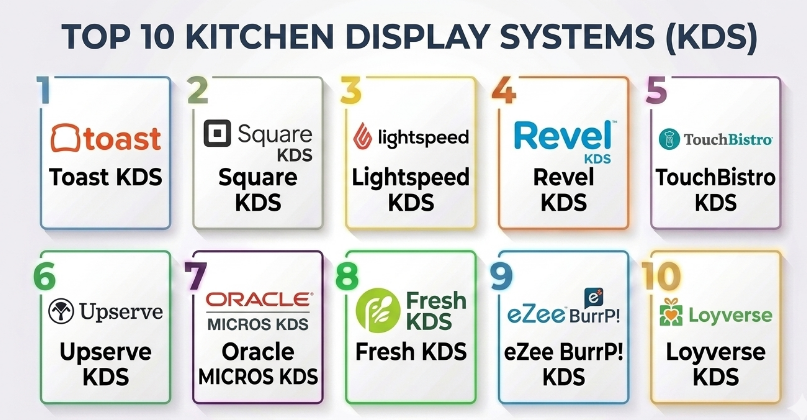
Top 10 Kitchen Display Systems (KDS)
#1 — Toast KDS
Short description (5-6 lines):
Toast KDS is a widely used cloud-based kitchen display system designed for restaurants of all sizes. It integrates deeply with Toast POS and provides real-time order tracking and kitchen workflows. Known for reliability and scalability, it supports multi-location operations and helps optimize kitchen efficiency. It is particularly strong in QSR and full-service restaurant environments.
Key Features
- Real-time order synchronization
- Kitchen workflow customization
- Order prioritization logic
- Multi-screen kitchen routing
- Performance tracking analytics
- Integration with Toast POS ecosystem
Pros
- Strong POS integration
- Scalable for growing businesses
Cons
- Limited flexibility outside Toast ecosystem
- Pricing not transparent
Platforms / Deployment
- Android / Cloud
Security & Compliance
- RBAC, encryption, audit logs (details not publicly stated)
Integrations & Ecosystem
Toast integrates tightly within its own ecosystem and supports third-party integrations through APIs.
- POS integration
- Online ordering systems
- Payment systems
- Delivery services
Support & Community
Well-documented with structured onboarding and strong enterprise support.
#2 — Square KDS
Short description (5-6 lines):
Square KDS is a simple and effective solution for small to medium-sized restaurants. It integrates seamlessly with Square POS and is ideal for cafes, food trucks, and small kitchens. The system offers intuitive order display and tracking with minimal setup requirements.
Key Features
- Simple order display interface
- Seamless POS integration
- Real-time updates
- Custom ticket views
- Mobile compatibility
Pros
- Easy to use
- Affordable for SMBs
Cons
- Limited advanced features
- Less suitable for large kitchens
Platforms / Deployment
- iOS / Cloud
Security & Compliance
- Not publicly stated
Integrations & Ecosystem
Primarily focused on Square ecosystem.
- POS integration
- Payment integration
- Basic API support
Support & Community
Strong community and documentation for small businesses.
#3 — Lightspeed KDS
Short description (5-6 lines):
Lightspeed KDS is designed for high-performance restaurants requiring detailed kitchen workflows. It integrates with Lightspeed POS and provides advanced reporting and kitchen management features.
Key Features
- Advanced kitchen routing
- Order timing analytics
- Multi-location support
- Inventory linkage
- Custom workflows
Pros
- Strong analytics
- Good scalability
Cons
- Complex setup
- Higher cost
Platforms / Deployment
- Web / Cloud
Security & Compliance
- Not publicly stated
Integrations & Ecosystem
- POS systems
- Inventory tools
- Reporting tools
- APIs for customization
Support & Community
Enterprise-grade support with onboarding assistance.
#4 — Revel KDS
Short description (5-6 lines):
Revel KDS is part of the Revel POS ecosystem and offers enterprise-level kitchen management. It supports complex workflows and high-volume operations.
Key Features
- Multi-station routing
- Real-time order tracking
- Kitchen performance insights
- Cloud management
- Custom alerts
Pros
- Enterprise-ready
- Flexible workflows
Cons
- Requires Revel POS
- Setup complexity
Platforms / Deployment
- iPad / Cloud
Security & Compliance
- Not publicly stated
Integrations & Ecosystem
- POS systems
- Delivery platforms
- APIs
Support & Community
Strong enterprise support and onboarding.
#5 — TouchBistro KDS
Short description (5-6 lines):
TouchBistro KDS focuses on usability and performance for mid-sized restaurants. It integrates with TouchBistro POS and enhances kitchen coordination.
Key Features
- Visual order management
- Course firing
- Real-time updates
- Kitchen analytics
- Custom layouts
Pros
- User-friendly
- Good performance
Cons
- Limited outside ecosystem
- Moderate cost
Platforms / Deployment
- iOS / Cloud
Security & Compliance
- Not publicly stated
Integrations & Ecosystem
- POS
- Payment systems
- Reporting tools
Support & Community
Reliable support with training materials.
#6 — Upserve KDS
Short description (5-6 lines):
Upserve KDS provides data-driven kitchen insights and integrates well with restaurant analytics tools.
Key Features
- Real-time order display
- Analytics dashboards
- Staff performance tracking
- Workflow automation
Pros
- Strong analytics
- Easy to manage
Cons
- Limited customization
- Pricing unclear
Platforms / Deployment
- Cloud / Tablet
Security & Compliance
- Not publicly stated
Integrations & Ecosystem
- POS
- Analytics tools
- APIs
Support & Community
Moderate support availability.
#7 — Oracle MICROS KDS
Short description (5-6 lines):
Oracle MICROS KDS is an enterprise-grade solution designed for large restaurant chains and hospitality businesses.
Key Features
- Enterprise scalability
- Multi-location support
- Advanced reporting
- Workflow automation
Pros
- Highly scalable
- Robust features
Cons
- Expensive
- Complex implementation
Platforms / Deployment
- Windows / Cloud / Hybrid
Security & Compliance
- Enterprise-grade security (details not publicly stated)
Integrations & Ecosystem
- POS systems
- ERP systems
- APIs
Support & Community
Strong enterprise support ecosystem.
#8 — Fresh KDS
Short description (5-6 lines):
Fresh KDS is a modern cloud-based solution optimized for delivery kitchens and quick-service operations.
Key Features
- Cloud-based operations
- Order prioritization
- Delivery integration
- Real-time updates
Pros
- Modern UI
- Delivery-focused
Cons
- Limited enterprise features
- Smaller ecosystem
Platforms / Deployment
- Cloud / Tablet
Security & Compliance
- Not publicly stated
Integrations & Ecosystem
- Delivery platforms
- POS systems
Support & Community
Growing support ecosystem.
#9 — eZee BurrP! KDS
Short description (5-6 lines):
eZee BurrP! KDS is popular in emerging markets and offers affordable solutions for restaurants.
Key Features
- Cost-effective deployment
- Real-time order tracking
- POS integration
- Basic analytics
Pros
- Affordable
- Easy setup
Cons
- Limited advanced features
- UI improvements needed
Platforms / Deployment
- Web / Cloud
Security & Compliance
- Not publicly stated
Integrations & Ecosystem
- POS
- Payment systems
Support & Community
Moderate support.
#10 — Loyverse KDS
Short description (5-6 lines):
Loyverse KDS is a lightweight and free-friendly solution designed for small businesses and startups.
Key Features
- Simple order display
- Mobile compatibility
- POS integration
- Easy setup
Pros
- Free entry-level option
- Simple interface
Cons
- Limited scalability
- Basic features only
Platforms / Deployment
- Android / Cloud
Security & Compliance
- Not publicly stated
Integrations & Ecosystem
- POS
- Basic integrations
Support & Community
Community-driven support.
Comparison Table (Top 10)
| Tool Name | Best For | Platform(s) Supported | Deployment | Standout Feature | Public Rating |
|---|---|---|---|---|---|
| Toast KDS | Restaurant chains | Android | Cloud | Deep POS integration | N/A |
| Square KDS | SMBs | iOS | Cloud | Ease of use | N/A |
| Lightspeed KDS | Mid-market | Web | Cloud | Analytics | N/A |
| Revel KDS | Enterprise | iPad | Cloud | Workflow flexibility | N/A |
| TouchBistro KDS | Mid-size restaurants | iOS | Cloud | Usability | N/A |
| Upserve KDS | Analytics-driven kitchens | Tablet | Cloud | Data insights | N/A |
| Oracle MICROS KDS | Enterprise | Windows | Hybrid | Scalability | N/A |
| Fresh KDS | Delivery kitchens | Tablet | Cloud | Delivery optimization | N/A |
| eZee BurrP! KDS | Budget users | Web | Cloud | Cost-effective | N/A |
| Loyverse KDS | Small businesses | Android | Cloud | Free usage | N/A |
Evaluation & Scoring of Kitchen Display Systems (KDS)
| Tool Name | Core (25%) | Ease (15%) | Integrations (15%) | Security (10%) | Performance (10%) | Support (10%) | Value (15%) | Weighted Total |
|---|---|---|---|---|---|---|---|---|
| Toast KDS | 9 | 8 | 9 | 7 | 9 | 8 | 7 | 8.3 |
| Square KDS | 7 | 9 | 7 | 6 | 8 | 8 | 9 | 7.9 |
| Lightspeed KDS | 8 | 7 | 8 | 7 | 8 | 7 | 7 | 7.7 |
| Revel KDS | 9 | 7 | 8 | 7 | 9 | 8 | 6 | 8.0 |
| TouchBistro KDS | 8 | 8 | 7 | 6 | 8 | 7 | 7 | 7.6 |
| Upserve KDS | 7 | 8 | 7 | 6 | 7 | 7 | 7 | 7.2 |
| Oracle MICROS KDS | 10 | 6 | 9 | 8 | 9 | 9 | 5 | 8.2 |
| Fresh KDS | 7 | 8 | 6 | 6 | 7 | 6 | 8 | 7.1 |
| eZee BurrP! KDS | 6 | 8 | 6 | 5 | 7 | 6 | 9 | 6.9 |
| Loyverse KDS | 5 | 9 | 5 | 5 | 6 | 6 | 10 | 6.8 |
How to interpret:
- Scores are relative comparisons across tools
- Higher scores indicate stronger overall capability
- Enterprise tools score high in features but lower in value
- SMB tools score high in ease and affordability
Which Kitchen Display Systems (KDS)
Solo / Freelancer
Simple tools like Loyverse or Square KDS work best due to ease of use and low cost.
SMB
Square KDS and TouchBistro provide the right balance of features and usability.
Mid-Market
Lightspeed and Toast offer scalability and advanced workflows.
Enterprise
Oracle MICROS and Revel are best for complex, high-volume operations.
Budget vs Premium
Budget tools offer simplicity; premium tools offer automation and analytics.
Feature Depth vs Ease of Use
Advanced systems require training; simpler ones trade off features.
Integrations & Scalability
Choose tools with strong POS and API ecosystems.
Security & Compliance Needs
Enterprise users should prioritize RBAC and audit logs.
Frequently Asked Questions (FAQs)
1. What is a Kitchen Display System?
A KDS is a digital solution that replaces paper tickets in kitchens, displaying orders on screens for faster processing.
2. How much does a KDS cost?
Pricing varies widely depending on features and scale. Many use subscription-based pricing.
3. Is KDS suitable for small restaurants?
Yes, lightweight solutions are ideal for small businesses.
4. Can KDS integrate with POS systems?
Yes, most KDS tools are designed to integrate with POS platforms.
5. What are common mistakes when implementing KDS?
Not training staff properly and ignoring workflow customization.
6. Is KDS secure?
Security varies; look for systems with encryption and access control.
7. Can KDS handle multiple locations?
Yes, enterprise solutions support multi-location operations.
8. How long does implementation take?
Typically a few days to weeks depending on complexity.
9. Can I switch KDS vendors easily?
Switching is possible but requires data migration and retraining.
10. What are alternatives to KDS?
Paper tickets or POS-based order management, but less efficient.
Conclusion
Kitchen Display Systems have become a critical component of modern restaurant operations, especially with the increasing demand for speed, accuracy, and seamless order management across multiple channels. While enterprise solutions like Oracle MICROS and Revel offer deep functionality and scalability, smaller businesses can benefit significantly from simpler tools like Square KDS or Loyverse. Ultimately, the “best” KDS depends on your kitchen size, order volume, integration needs, and budget. A practical approach is to shortlist two or three tools, run a pilot in your kitchen environment, and evaluate how well they integrate with your existing systems while improving efficiency and reducing errors.
