Introduction
Issue tracking tools are software platforms used to record, manage, and resolve tasks, bugs, incidents, and work items across teams. In simple terms, they help teams keep track of “what needs to be done,” “who is doing it,” and “what’s the current status.”
In today’s fast-paced digital environment, especially with distributed teams and agile workflows, issue tracking tools are no longer optional—they are foundational. Modern platforms now include AI-assisted prioritization, automation workflows, deep integrations, and real-time collaboration features that make them central to software delivery and business operations.
Real-world use cases:
- Software bug tracking and release management
- IT service management (ITSM) and incident handling
- Product roadmap and feature tracking
- Customer support ticketing
- Cross-team project coordination
What buyers should evaluate:
- Ease of use and onboarding
- Workflow customization and automation
- Integration ecosystem (DevOps, CRM, CI/CD tools)
- Reporting and analytics capabilities
- Security and compliance features
- Scalability and performance
- Pricing and licensing flexibility
- Mobile and remote accessibility
Best for: Software development teams, IT operations, startups, enterprises, and product managers needing structured workflows.
Not ideal for: Very small teams or individuals with simple task lists—basic to-do apps may be more suitable.
Key Trends in Issue Tracking Tools
- AI-powered issue classification and prioritization
- Automated workflows and rule-based triggers
- Integration-first design with DevOps and SaaS ecosystems
- Increasing focus on compliance and audit trails
- Shift toward cloud-native and hybrid deployments
- Real-time collaboration with chat and commenting features
- Predictive analytics for issue resolution timelines
- Low-code/no-code workflow customization
- Enhanced mobile accessibility and remote team support
- Usage-based pricing models replacing flat licenses
How We Selected These Tools (Methodology)
- Strong market adoption and brand recognition
- Feature completeness across issue tracking lifecycle
- Proven reliability and performance in production environments
- Security and compliance capabilities where available
- Integration depth with developer and business tools
- Suitability across SMB, mid-market, and enterprise segments
- Flexibility in deployment (cloud vs self-hosted)
- Active community and vendor support presence
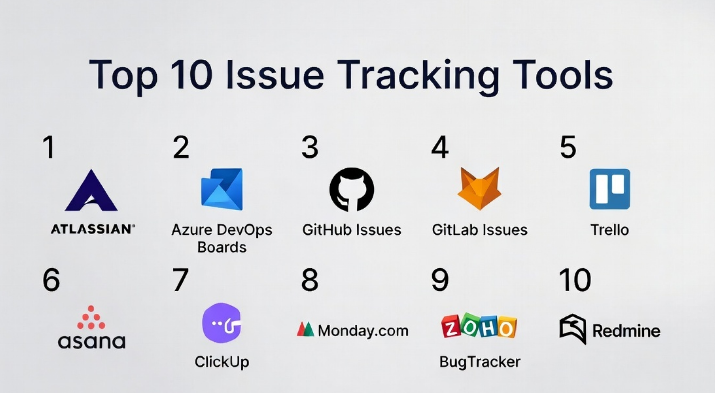
Top 10 Issue Tracking Tools
#1 — Jira
Short description: Jira is one of the most widely used issue tracking tools, especially in agile development environments. It offers deep customization, workflow automation, and extensive integrations, making it ideal for software teams of all sizes.
Key Features
- Agile boards (Scrum/Kanban)
- Custom workflows and automation rules
- Advanced reporting and dashboards
- Issue linking and dependency tracking
- Role-based access control
Pros
- Highly customizable workflows
- Strong ecosystem and integrations
Cons
- Can be complex for beginners
- Performance may vary in large instances
Platforms / Deployment
Web / iOS / Android
Cloud / Self-hosted
Security & Compliance
SSO, MFA, RBAC, audit logs; SOC 2, GDPR
Integrations & Ecosystem
Jira integrates deeply with developer tools and enterprise platforms.
- Git tools (GitHub, Bitbucket)
- CI/CD systems
- Slack and Microsoft Teams
- API support for extensibility
Support & Community
Strong documentation, large global community, enterprise support tiers available
#2 — Azure DevOps Boards
Short description: A Microsoft-backed issue tracking tool integrated into Azure DevOps. Ideal for teams already using Microsoft ecosystems.
Key Features
- Backlog and sprint planning
- Custom workflows
- Built-in reporting
- Integration with Azure pipelines
Pros
- Tight Microsoft ecosystem integration
- Good for DevOps workflows
Cons
- Less flexible than Jira
- UI can feel complex
Platforms / Deployment
Web / Windows
Cloud / Self-hosted
Security & Compliance
SSO, MFA, RBAC; compliance varies
Integrations & Ecosystem
- Azure services
- GitHub integration
- Microsoft Teams
Support & Community
Strong enterprise support, moderate community
#3 — GitHub Issues
Short description: Lightweight issue tracking integrated directly into GitHub repositories, ideal for developers and open-source teams.
Key Features
- Issue tracking within repositories
- Labels and milestones
- Project boards
- Pull request linking
Pros
- Simple and developer-friendly
- Seamless Git integration
Cons
- Limited advanced workflow features
- Not ideal for non-dev teams
Platforms / Deployment
Web / iOS / Android
Cloud
Security & Compliance
SSO, MFA; compliance varies
Integrations & Ecosystem
- GitHub Actions
- CI/CD tools
- Third-party apps
Support & Community
Strong community, good documentation
#4 — GitLab Issues
Short description: Built into GitLab, offering a complete DevOps lifecycle platform with issue tracking, CI/CD, and repository management.
Key Features
- Issue boards
- Built-in CI/CD
- Merge request linking
- Roadmaps
Pros
- All-in-one platform
- Strong DevOps capabilities
Cons
- Learning curve
- UI complexity
Platforms / Deployment
Web / Linux
Cloud / Self-hosted
Security & Compliance
SSO, MFA, RBAC
Integrations & Ecosystem
- GitLab CI/CD
- Kubernetes
- APIs
Support & Community
Active community, enterprise support
#5 — Trello
Short description: A visual, Kanban-style issue tracking tool ideal for simple workflows and non-technical teams.
Key Features
- Drag-and-drop boards
- Cards and lists
- Automation (Butler)
- Templates
Pros
- Very easy to use
- Great for small teams
Cons
- Limited advanced features
- Not ideal for complex projects
Platforms / Deployment
Web / iOS / Android
Cloud
Security & Compliance
Basic security; compliance not publicly stated
Integrations & Ecosystem
- Slack
- Google Drive
- Power-Ups
Support & Community
Good documentation, large user base
#6 — Asana
Short description: A work management platform that includes issue tracking features for business teams and project managers.
Key Features
- Task dependencies
- Timeline view
- Workflow automation
- Reporting dashboards
Pros
- User-friendly interface
- Strong collaboration features
Cons
- Limited developer-focused features
- Pricing can scale quickly
Platforms / Deployment
Web / iOS / Android
Cloud
Security & Compliance
SSO, MFA; SOC 2
Integrations & Ecosystem
- Slack
- Salesforce
- Google Workspace
Support & Community
Strong support, active user community
#7 — ClickUp
Short description: A flexible project and issue tracking platform offering customizable views and workflows.
Key Features
- Multiple views (list, board, timeline)
- Custom fields
- Automation
- Docs and collaboration
Pros
- Highly flexible
- Affordable pricing
Cons
- Can feel cluttered
- Performance issues occasionally
Platforms / Deployment
Web / Windows / macOS / iOS / Android
Cloud
Security & Compliance
SSO, MFA
Integrations & Ecosystem
- Zapier
- Slack
- GitHub
Support & Community
Growing community, good support
#8 — Monday.com
Short description: A visual work OS platform with issue tracking capabilities for business teams.
Key Features
- Custom workflows
- Visual dashboards
- Automation
- Collaboration tools
Pros
- Easy to use
- Highly visual
Cons
- Limited technical depth
- Cost for advanced features
Platforms / Deployment
Web / iOS / Android
Cloud
Security & Compliance
SSO, MFA; compliance varies
Integrations & Ecosystem
- CRM tools
- Slack
- APIs
Support & Community
Strong onboarding and support
#9 — Zoho BugTracker
Short description: A lightweight issue tracking tool designed for bug tracking within the Zoho ecosystem.
Key Features
- Bug tracking workflows
- Time tracking
- SLA management
- Reporting
Pros
- Affordable
- Easy to use
Cons
- Limited advanced features
- Smaller ecosystem
Platforms / Deployment
Web / Mobile
Cloud
Security & Compliance
Basic security; not publicly stated
Integrations & Ecosystem
- Zoho apps
- APIs
Support & Community
Moderate support, smaller community
#10 — Redmine
Short description: An open-source issue tracking tool with strong customization capabilities.
Key Features
- Multi-project support
- Custom workflows
- Time tracking
- Plugin ecosystem
Pros
- Open-source and free
- Highly customizable
Cons
- Requires setup and maintenance
- UI feels outdated
Platforms / Deployment
Web / Linux
Self-hosted
Security & Compliance
Varies / N/A
Integrations & Ecosystem
- Plugins
- APIs
Support & Community
Active open-source community
Comparison Table (Top 10)
| Tool Name | Best For | Platform(s) Supported | Deployment | Standout Feature | Public Rating |
|---|---|---|---|---|---|
| Jira | Agile teams | Web, Mobile | Cloud/Self-hosted | Workflow customization | N/A |
| Azure DevOps Boards | Microsoft users | Web, Windows | Cloud/Self-hosted | DevOps integration | N/A |
| GitHub Issues | Developers | Web, Mobile | Cloud | Repo integration | N/A |
| GitLab Issues | DevOps teams | Web, Linux | Cloud/Self-hosted | All-in-one DevOps | N/A |
| Trello | Small teams | Web, Mobile | Cloud | Visual boards | N/A |
| Asana | Business teams | Web, Mobile | Cloud | Task dependencies | N/A |
| ClickUp | Flexible teams | All major platforms | Cloud | Multi-view system | N/A |
| Monday.com | Visual workflows | Web, Mobile | Cloud | Dashboard UI | N/A |
| Zoho BugTracker | SMBs | Web, Mobile | Cloud | Affordable bug tracking | N/A |
| Redmine | Tech teams | Web, Linux | Self-hosted | Open-source | N/A |
Evaluation & Scoring of Issue Tracking Tools
| Tool Name | Core (25%) | Ease (15%) | Integrations (15%) | Security (10%) | Performance (10%) | Support (10%) | Value (15%) | Weighted Total |
|---|---|---|---|---|---|---|---|---|
| Jira | 9 | 7 | 9 | 8 | 8 | 9 | 7 | 8.2 |
| Azure DevOps | 8 | 7 | 8 | 8 | 8 | 8 | 7 | 7.8 |
| GitHub Issues | 7 | 9 | 8 | 7 | 8 | 8 | 9 | 8.0 |
| GitLab Issues | 8 | 7 | 8 | 8 | 8 | 8 | 7 | 7.8 |
| Trello | 6 | 9 | 7 | 6 | 7 | 7 | 9 | 7.6 |
| Asana | 7 | 9 | 8 | 7 | 8 | 8 | 7 | 7.9 |
| ClickUp | 8 | 8 | 8 | 7 | 7 | 7 | 9 | 7.9 |
| Monday.com | 7 | 9 | 7 | 7 | 7 | 8 | 7 | 7.6 |
| Zoho BugTracker | 6 | 8 | 6 | 6 | 7 | 7 | 9 | 7.2 |
| Redmine | 7 | 6 | 6 | 6 | 7 | 6 | 10 | 7.0 |
How to interpret:
Scores are comparative, not absolute. A higher score reflects better balance across features, usability, integrations, and value. Choose based on your context, not just score.
Which Issue Tracking Tools
Solo / Freelancer
Trello, GitHub Issues — simple, lightweight, low overhead
SMB
ClickUp, Zoho BugTracker — balance of cost and features
Mid-Market
Jira, Asana — scalability and structured workflows
Enterprise
Jira, Azure DevOps — security, customization, integration depth
Budget vs Premium
- Budget: Redmine, Zoho
- Premium: Jira, Azure DevOps
Feature Depth vs Ease of Use
- Deep features: Jira, GitLab
- Easy to use: Trello, Asana
Integrations & Scalability
- Strong: Jira, GitHub, Azure DevOps
Security & Compliance Needs
- Enterprise-grade: Jira, Azure DevOps
Frequently Asked Questions (FAQs)
1. What is an issue tracking tool?
It is a system to log, track, and manage tasks, bugs, and workflows across teams.
2. How much do issue tracking tools cost?
Pricing varies from free (open-source) to subscription-based models depending on features.
3. Are these tools suitable for non-technical teams?
Yes, tools like Asana and Trello are designed for non-technical users.
4. Can I integrate issue tracking with CI/CD?
Yes, most modern tools support DevOps integrations.
5. What are common mistakes when choosing a tool?
Overestimating needs or ignoring scalability and integrations.
6. Is data secure in cloud-based tools?
Most provide encryption and access control, but check compliance requirements.
7. Can I migrate from one tool to another?
Yes, but it requires planning and data mapping.
8. Do these tools support mobile access?
Most modern tools offer mobile apps.
9. How long does implementation take?
From a few hours to several weeks depending on complexity.
10. What alternatives exist?
Simple task managers or spreadsheets for basic needs.
Conclusion
Issue tracking tools have evolved far beyond simple bug trackers into comprehensive work management platforms that power modern software delivery and business operations. The right tool depends heavily on your team’s size, technical maturity, integration needs, and workflow complexity. While platforms like Jira and Azure DevOps dominate enterprise environments, simpler tools like Trello or GitHub Issues can be more effective for smaller teams. Instead of chasing the “best” tool, focus on what aligns with your workflows and team capabilities.
