Introduction
Heatmap tools are software solutions that visually represent user interactions on a website or application using color-coded data overlays. These tools show where users click, scroll, hover, or tap, helping teams understand behavior patterns without digging into complex datasets. In simple terms, they convert user activity into an easy-to-read visual format.
As digital experiences become more competitive, heatmap tools are now essential for optimizing user journeys, improving conversions, and identifying usability issues. With the rise of AI-driven analytics and privacy-first tracking, modern heatmap tools go beyond basic click tracking and provide deeper behavioral insights.
Common use cases include:
- Improving website layout and UI/UX design
- Identifying high-engagement and low-engagement areas
- Optimizing landing pages and conversion funnels
- Understanding scroll behavior and content visibility
- Supporting A/B testing decisions
What buyers should evaluate:
- Types of heatmaps (click, scroll, hover, attention)
- Data accuracy and sampling
- Integration with analytics and testing tools
- Performance impact on website speed
- Privacy and compliance features
- Ease of setup and usability
- Reporting and export capabilities
- Cross-device tracking (desktop, mobile)
- Pricing and scalability
Best for: UX designers, product managers, marketers, CRO specialists, and developers across startups, SaaS businesses, and enterprises.
Not ideal for: Static websites with minimal interaction or teams that only require high-level analytics without behavioral visualization.
Key Trends in Heatmap Tools
- AI-powered insights: Tools now automatically highlight friction points and engagement patterns.
- Privacy-first tracking: Built-in data masking and consent management features are standard.
- Cross-device heatmaps: Unified insights across desktop, mobile, and tablets.
- Session replay integration: Heatmaps combined with session recordings for deeper context.
- Real-time analytics: Live user interaction tracking for faster decision-making.
- No-code adoption: Easy setup without requiring development effort.
- Behavioral segmentation: Ability to filter heatmaps by user segments or traffic sources.
- Cloud-native architecture: Most tools are SaaS-based for scalability and ease of use.
- Performance optimization: Lightweight scripts to reduce impact on page load speed.
- Integration-first ecosystems: Strong connections with analytics, CRM, and marketing tools.
How We Selected These Tools (Methodology)
- Evaluated market adoption and popularity across industries.
- Assessed feature depth, including types of heatmaps and analytics capabilities.
- Considered performance impact and reliability.
- Reviewed privacy and compliance readiness.
- Analyzed integration capabilities with marketing and analytics tools.
- Checked ease of use for non-technical teams.
- Evaluated pricing flexibility and scalability.
- Balanced tools across SMB, mid-market, and enterprise segments.
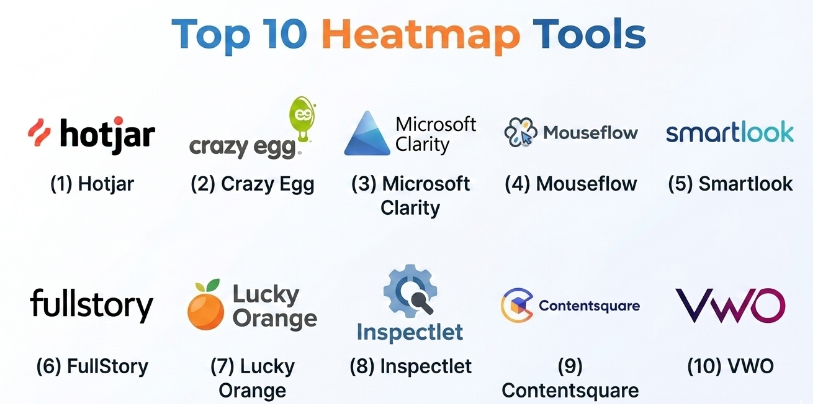
Top 10 Heatmap Tools
#1 — Hotjar
Short description (5-6 lines):
Hotjar is one of the most popular heatmap tools, widely used for understanding user behavior through visual insights. It combines heatmaps, session recordings, and feedback tools in a single platform. Hotjar is known for its simplicity and fast setup. It is especially useful for marketing and UX teams. The platform focuses on improving user experience and conversion rates.
Key Features
- Click, scroll, and move heatmaps
- Session recordings
- Feedback polls and surveys
- Funnel analysis
- User segmentation
Pros
- Easy to use for beginners
- Strong all-in-one UX tool
Cons
- Limited advanced analytics
- Sampling on lower plans
Platforms / Deployment
Web / Cloud
Security & Compliance
GDPR support, data masking; other details not publicly stated
Integrations & Ecosystem
Hotjar integrates with popular analytics and marketing tools and provides APIs for data sharing.
- Google Analytics
- Slack
- Zapier
Support & Community
Strong documentation and onboarding; large user community.
#2 — Crazy Egg
Short description (5-6 lines):
Crazy Egg focuses on visual analytics with multiple types of heatmaps and A/B testing features. It helps teams understand how users interact with web pages and identify optimization opportunities. The platform is widely used by marketers and small businesses. It offers snapshot reports and conversion tracking.
Key Features
- Click and scroll heatmaps
- Confetti reports
- A/B testing
- Snapshot reports
- User recordings
Pros
- Strong visualization features
- Built-in testing tools
Cons
- Limited enterprise capabilities
- UI can feel dated
Platforms / Deployment
Web / Cloud
Security & Compliance
Not publicly stated
Integrations & Ecosystem
- CMS platforms
- Marketing tools
Support & Community
Moderate support; widely known in SMB segment.
#3 — Microsoft Clarity
Short description (5-6 lines):
Microsoft Clarity is a free heatmap and session replay tool designed for simplicity and accessibility. It provides click and scroll heatmaps along with AI-based insights. Clarity is ideal for startups and small businesses looking for cost-effective solutions. It requires minimal setup and offers unlimited usage.
Key Features
- Click and scroll heatmaps
- Session recordings
- AI insights
- No traffic limits
- Easy installation
Pros
- Completely free
- Simple interface
Cons
- Limited advanced features
- Fewer integrations
Platforms / Deployment
Web / Cloud
Security & Compliance
Basic privacy controls; details not publicly stated
Integrations & Ecosystem
- Microsoft tools
- Analytics platforms
Support & Community
Basic support; widely adopted.
#4 — Mouseflow
Short description (5-6 lines):
Mouseflow provides heatmaps and session recordings for detailed behavior analysis. It includes advanced features like form analytics and funnel tracking. The tool is popular among marketers and CRO teams. Mouseflow focuses on improving website performance and user experience.
Key Features
- Click, scroll, and movement heatmaps
- Session replay
- Form analytics
- Funnel tracking
- User segmentation
Pros
- Strong conversion optimization features
- Easy setup
Cons
- Limited advanced integrations
- UI improvements needed
Platforms / Deployment
Web / Cloud
Security & Compliance
GDPR support; other details not publicly stated
Integrations & Ecosystem
- Analytics tools
- CMS platforms
Support & Community
Good documentation; moderate support.
#5 — Smartlook
Short description (5-6 lines):
Smartlook offers heatmaps along with session replay and event tracking. It supports both web and mobile applications. Smartlook is known for its affordability and cross-platform capabilities. It is widely used by startups and mid-sized companies.
Key Features
- Heatmaps for web and mobile
- Session replay
- Event tracking
- Funnel analysis
- User segmentation
Pros
- Cross-platform support
- Affordable pricing
Cons
- Limited enterprise features
- Basic AI capabilities
Platforms / Deployment
Web / iOS / Android / Cloud
Security & Compliance
GDPR support; other details not publicly stated
Integrations & Ecosystem
- Google Analytics
- Slack
Support & Community
Moderate support resources.
#6 — FullStory
Short description (5-6 lines):
FullStory is an enterprise-grade platform that combines heatmaps with advanced session replay and analytics. It provides deep insights into user behavior using AI. FullStory is widely used by large organizations requiring scalable solutions. It focuses on performance and data accuracy.
Key Features
- Heatmaps and session replay
- AI-driven insights
- Funnel analysis
- Error tracking
- User segmentation
Pros
- Advanced analytics
- Strong enterprise capabilities
Cons
- High cost
- Learning curve
Platforms / Deployment
Web / Cloud
Security & Compliance
SOC 2, GDPR support; additional details not publicly stated
Integrations & Ecosystem
- Salesforce
- Segment
- Jira
Support & Community
Enterprise-level support.
#7 — Lucky Orange
Short description (5-6 lines):
Lucky Orange is a user behavior analytics platform that includes heatmaps, session recordings, and live chat. It is designed for small businesses and marketers. The platform provides real-time insights into user behavior. It is known for affordability and ease of use.
Key Features
- Heatmaps
- Session recordings
- Live chat
- Conversion funnels
- Form analytics
Pros
- Real-time insights
- Affordable
Cons
- Limited enterprise features
- Basic UI
Platforms / Deployment
Web / Cloud
Security & Compliance
Not publicly stated
Integrations & Ecosystem
- CMS tools
- Marketing platforms
Support & Community
Good support for SMB users.
#8 — Inspectlet
Short description (5-6 lines):
Inspectlet provides heatmaps and session recordings with strong filtering capabilities. It focuses on usability insights and behavior tracking. Inspectlet is used by marketers and small teams. It offers tagging and segmentation features.
Key Features
- Heatmaps
- Session replay
- Filtering and tagging
- Form analytics
- User segmentation
Pros
- Easy to use
- Good filtering
Cons
- Limited scalability
- Basic interface
Platforms / Deployment
Web / Cloud
Security & Compliance
Not publicly stated
Integrations & Ecosystem
- Analytics tools
- CMS platforms
Support & Community
Moderate support.
#9 — Contentsquare
Short description (5-6 lines):
Contentsquare is a digital experience analytics platform with advanced heatmap capabilities. It provides AI-driven insights and journey analysis. The platform is designed for enterprise use cases. It focuses on optimizing customer experience at scale.
Key Features
- Advanced heatmaps
- AI insights
- Journey analysis
- Funnel tracking
- Performance analytics
Pros
- Enterprise-grade analytics
- Strong AI capabilities
Cons
- Expensive
- Complex setup
Platforms / Deployment
Web / Cloud
Security & Compliance
Enterprise-grade compliance; details not publicly stated
Integrations & Ecosystem
- Analytics tools
- Enterprise systems
Support & Community
Enterprise-level support.
#10 — VWO (Visual Website Optimizer)
Short description (5-6 lines):
VWO is a comprehensive experimentation and analytics platform that includes heatmaps as part of its offering. It helps teams optimize user experiences through testing and insights. VWO is popular among marketers and CRO professionals. It combines testing and behavior analytics in one platform.
Key Features
- Heatmaps
- A/B testing
- Funnel analysis
- Session recordings
- User segmentation
Pros
- Strong testing capabilities
- All-in-one platform
Cons
- Higher cost
- Learning curve
Platforms / Deployment
Web / Cloud
Security & Compliance
GDPR support; other details not publicly stated
Integrations & Ecosystem
- Marketing tools
- Analytics platforms
Support & Community
Strong documentation and support.
Comparison Table (Top 10)
| Tool Name | Best For | Platform(s) Supported | Deployment | Standout Feature | Public Rating |
|---|---|---|---|---|---|
| Hotjar | SMB UX teams | Web | Cloud | All-in-one UX tool | N/A |
| Crazy Egg | Marketers | Web | Cloud | Confetti reports | N/A |
| Microsoft Clarity | Free users | Web | Cloud | Unlimited usage | N/A |
| Mouseflow | CRO teams | Web | Cloud | Form analytics | N/A |
| Smartlook | Cross-platform apps | Web, Mobile | Cloud | Mobile heatmaps | N/A |
| FullStory | Enterprise analytics | Web | Cloud | AI insights | N/A |
| Lucky Orange | SMB businesses | Web | Cloud | Real-time tracking | N/A |
| Inspectlet | SMB teams | Web | Cloud | Filtering | N/A |
| Contentsquare | Enterprise CX | Web | Cloud | Journey analytics | N/A |
| VWO | CRO professionals | Web | Cloud | A/B testing | N/A |
Evaluation & Scoring of Heatmap Tools
| Tool Name | Core (25%) | Ease (15%) | Integrations (15%) | Security (10%) | Performance (10%) | Support (10%) | Value (15%) | Weighted Total |
|---|---|---|---|---|---|---|---|---|
| Hotjar | 8 | 9 | 7 | 7 | 7 | 8 | 8 | 7.9 |
| Crazy Egg | 7 | 8 | 6 | 6 | 7 | 7 | 7 | 7.0 |
| Microsoft Clarity | 6 | 9 | 5 | 6 | 7 | 6 | 10 | 7.3 |
| Mouseflow | 7 | 8 | 6 | 7 | 7 | 7 | 7 | 7.2 |
| Smartlook | 7 | 8 | 6 | 7 | 7 | 7 | 8 | 7.4 |
| FullStory | 9 | 7 | 9 | 9 | 9 | 9 | 6 | 8.5 |
| Lucky Orange | 7 | 8 | 6 | 6 | 7 | 7 | 8 | 7.3 |
| Inspectlet | 6 | 7 | 5 | 6 | 6 | 6 | 7 | 6.3 |
| Contentsquare | 9 | 6 | 8 | 9 | 9 | 9 | 6 | 8.4 |
| VWO | 8 | 7 | 8 | 8 | 8 | 8 | 7 | 7.9 |
How to interpret scores:
These scores are relative and help compare tools within this category. Enterprise tools typically score higher in integrations and security, while SMB tools perform better in ease of use and value. Always align scoring with your specific business needs.
Which Heatmap Tools
Solo / Freelancer
Microsoft Clarity and Hotjar are ideal due to ease of use and low cost.
SMB
Hotjar, Lucky Orange, and Smartlook offer strong features at affordable pricing.
Mid-Market
Mouseflow and VWO provide deeper insights and optimization capabilities.
Enterprise
FullStory and Contentsquare deliver advanced analytics and scalability.
Budget vs Premium
- Budget: Clarity, Lucky Orange
- Premium: FullStory, Contentsquare
Feature Depth vs Ease of Use
- Easy: Hotjar, Clarity
- Advanced: FullStory, VWO
Integrations & Scalability
- Best: FullStory, Contentsquare
- Moderate: Smartlook, Mouseflow
Security & Compliance Needs
- High compliance: FullStory, Contentsquare
- Flexible: VWO
Frequently Asked Questions (FAQs)
1. What are heatmap tools used for?
Heatmap tools visualize user interactions like clicks and scrolling, helping teams understand behavior and optimize experiences.
2. Are heatmap tools accurate?
They are generally accurate but may use sampling, especially on high-traffic websites.
3. Do heatmap tools affect website speed?
Modern tools are optimized, but improper setup can slightly impact performance.
4. Are heatmap tools compliant with privacy laws?
Most tools support GDPR and data masking, but configuration is essential.
5. Can heatmaps track mobile users?
Yes, many tools support mobile and cross-device tracking.
6. How much do heatmap tools cost?
Pricing varies from free (Clarity) to premium enterprise plans.
7. What integrations are important?
Analytics, CRM, and A/B testing integrations are commonly used.
8. Can I combine heatmaps with session replay?
Yes, many tools offer both features together.
9. What are common mistakes when using heatmaps?
Ignoring segmentation and relying only on visual data without context.
10. How do I choose the best heatmap tool?
Evaluate based on usability, integrations, budget, and business goals.
Conclusion
Heatmap tools have become a foundational part of modern digital analytics, offering a simple yet powerful way to understand how users interact with websites and applications. While traditional analytics show what is happening, heatmaps reveal why it is happening by providing visual context. However, the right choice depends on your specific goals—whether you prioritize affordability, ease of use, or enterprise-level analytics. Smaller teams may benefit from simple, cost-effective tools, while larger organizations often require advanced features, integrations, and compliance support. The best approach is to shortlist two or three tools that match your needs, test them in real scenarios, and evaluate how well they align with your workflows before making a final decision.
