Introduction
Workforce Management Software (WFM) refers to platforms designed to help organizations efficiently manage their workforce, including scheduling, attendance, time tracking, performance monitoring, and compliance. In simple terms, these tools ensure the right people are working at the right time, with optimal productivity and minimal operational friction.
As organizations increasingly adopt hybrid and remote work models, workforce management has become more complex. Manual processes and spreadsheets can no longer keep up with dynamic scheduling, compliance requirements, and employee expectations. Modern WFM tools offer automation, real-time insights, and integrations that enable organizations to optimize staffing, reduce costs, and improve employee satisfaction.
Common use cases include:
- Employee scheduling and shift planning
- Attendance and leave management
- Time tracking and payroll processing
- Compliance and labor law reporting
- Workforce analytics and productivity tracking
Key evaluation criteria:
- Scheduling and shift management capabilities
- Time tracking and attendance accuracy
- Automation and workflow flexibility
- Reporting and analytics features
- Integration with payroll and HR systems
- Ease of use and employee adoption
- Mobile accessibility
- Compliance and audit features
- Scalability and performance
Best for: HR teams, operations managers, retail chains, healthcare providers, call centers, and enterprises managing large or distributed workforces.
Not ideal for: Small teams or freelancers with minimal scheduling needs; lightweight tools may be sufficient in such cases.
Key Trends in Workforce Management Software
- AI-driven scheduling: Automatically generating optimal shift schedules based on demand and availability
- Predictive workforce analytics: Forecasting staffing needs and identifying productivity gaps
- Employee self-service portals: Allowing employees to manage shifts, leave, and availability
- Mobile-first workforce management: Enabling remote access and real-time updates
- Integration with HR and payroll systems: Seamless end-to-end workforce operations
- Compliance automation: Built-in tools for labor law adherence and audit readiness
- Gig and flexible workforce support: Managing contract and part-time workers
- Real-time dashboards: Instant visibility into workforce performance and utilization
- Cloud-based deployment: Improved scalability and accessibility
How We Selected These Tools (Methodology)
The tools in this list were selected using a structured evaluation framework:
- Strong adoption across industries and business sizes
- Comprehensive workforce management features
- Proven reliability and scalability
- Integration capabilities with HR, payroll, and project tools
- Ease of onboarding and usability
- Flexibility for different workforce models
- Reporting and analytics capabilities
- Vendor reputation and ecosystem maturity
- Support and documentation quality
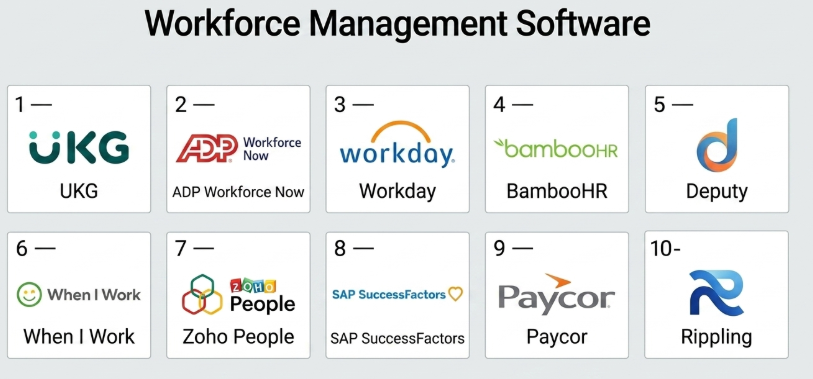
Top 10 Workforce Management Software
#1 — UKG (Ultimate Kronos Group)
Short description: A leading enterprise workforce management platform offering scheduling, payroll, and HR solutions.
Key Features
- Advanced workforce scheduling
- Time and attendance tracking
- Payroll integration
- Workforce analytics
- Compliance management
- Employee self-service
Pros
- Enterprise-grade capabilities
- Strong compliance features
- Scalable for large organizations
Cons
- Complex implementation
- High cost
Platforms / Deployment
Web / Mobile
Cloud
Security & Compliance
Not publicly stated
Integrations & Ecosystem
- HR systems
- Payroll platforms
- APIs
Support & Community
Enterprise-level support and onboarding.
#2 — ADP Workforce Now
Short description: A comprehensive HR and workforce management solution for mid-sized and large businesses.
Key Features
- Payroll and time tracking
- Scheduling
- Benefits management
- Reporting and analytics
- Compliance tools
Pros
- Strong payroll integration
- Reliable platform
- Good reporting
Cons
- Interface complexity
- Expensive for small teams
Platforms / Deployment
Web / Mobile
Cloud
Security & Compliance
Not publicly stated
Integrations & Ecosystem
- Accounting tools
- HR systems
- APIs
Support & Community
Strong enterprise support.
#3 — Workday
Short description: A unified platform for workforce management, HR, and financial planning.
Key Features
- Workforce planning
- Time tracking
- Payroll integration
- Analytics and reporting
- Employee management
Pros
- Comprehensive platform
- Strong analytics
- Enterprise scalability
Cons
- High cost
- Complex setup
Platforms / Deployment
Web / Mobile
Cloud
Security & Compliance
Not publicly stated
Integrations & Ecosystem
- ERP systems
- APIs
- HR tools
Support & Community
Extensive documentation and enterprise support.
#4 — BambooHR
Short description: An easy-to-use HR and workforce management tool designed for SMBs.
Key Features
- Employee records management
- Time-off tracking
- Performance management
- Reporting
- Employee self-service
Pros
- User-friendly interface
- Quick onboarding
- Affordable
Cons
- Limited advanced features
- Not ideal for large enterprises
Platforms / Deployment
Web / Mobile
Cloud
Security & Compliance
Not publicly stated
Integrations & Ecosystem
- Payroll tools
- HR integrations
- APIs
Support & Community
Good support and onboarding.
#5 — Deputy
Short description: A workforce scheduling and time tracking tool focused on shift-based industries.
Key Features
- Shift scheduling
- Time tracking
- Leave management
- Task management
- Mobile access
Pros
- Excellent scheduling features
- Easy to use
- Strong mobile app
Cons
- Limited enterprise features
- Basic reporting
Platforms / Deployment
Web / Mobile
Cloud
Security & Compliance
Not publicly stated
Integrations & Ecosystem
- Payroll systems
- POS systems
- APIs
Support & Community
Helpful documentation and support.
#6 — When I Work
Short description: A scheduling and workforce communication tool for small businesses.
Key Features
- Employee scheduling
- Time tracking
- Team messaging
- Shift swapping
- Mobile access
Pros
- Simple interface
- Affordable
- Good for small teams
Cons
- Limited scalability
- Basic analytics
Platforms / Deployment
Web / Mobile
Cloud
Security & Compliance
Not publicly stated
Integrations & Ecosystem
- Payroll tools
- APIs
Support & Community
Good support resources.
#7 — Zoho People
Short description: An HR platform with workforce management features including attendance and leave tracking.
Key Features
- Attendance tracking
- Leave management
- Timesheets
- Performance management
- Reporting
Pros
- Affordable
- Easy to use
- Good integration with Zoho ecosystem
Cons
- Limited enterprise features
- Basic analytics
Platforms / Deployment
Web / Mobile
Cloud
Security & Compliance
Not publicly stated
Integrations & Ecosystem
- Zoho apps
- APIs
Support & Community
Strong documentation and support.
#8 — SAP SuccessFactors
Short description: An enterprise-grade HR and workforce management suite.
Key Features
- Workforce planning
- Time tracking
- Payroll integration
- Analytics
- Compliance
Pros
- Enterprise scalability
- Strong analytics
- Comprehensive features
Cons
- Expensive
- Complex implementation
Platforms / Deployment
Web / Mobile
Cloud
Security & Compliance
Not publicly stated
Integrations & Ecosystem
- SAP ecosystem
- APIs
Support & Community
Enterprise support and global community.
#9 — Paycor
Short description: A workforce management and HR platform focused on payroll and employee management.
Key Features
- Payroll processing
- Time tracking
- Scheduling
- Reporting
- Employee management
Pros
- Strong payroll features
- Easy to use
- Good reporting
Cons
- Limited advanced analytics
- Pricing can vary
Platforms / Deployment
Web / Mobile
Cloud
Security & Compliance
Not publicly stated
Integrations & Ecosystem
- Accounting tools
- APIs
Support & Community
Reliable support and onboarding.
#10 — Rippling
Short description: A unified platform combining workforce management, HR, and IT management.
Key Features
- Workforce management
- Payroll
- Device management
- Automation
- Reporting
Pros
- All-in-one platform
- Strong automation
- Scalable
Cons
- Pricing complexity
- Requires setup effort
Platforms / Deployment
Web / Mobile
Cloud
Security & Compliance
Not publicly stated
Integrations & Ecosystem
- HR tools
- IT systems
- APIs
Support & Community
Strong support and onboarding.
Comparison Table (Top 10)
| Tool Name | Best For | Platform(s) Supported | Deployment | Standout Feature | Public Rating |
|---|---|---|---|---|---|
| UKG | Enterprise | Web, Mobile | Cloud | Advanced scheduling | N/A |
| ADP Workforce Now | Mid-large businesses | Web, Mobile | Cloud | Payroll integration | N/A |
| Workday | Enterprise | Web, Mobile | Cloud | Unified platform | N/A |
| BambooHR | SMBs | Web, Mobile | Cloud | Ease of use | N/A |
| Deputy | Shift teams | Web, Mobile | Cloud | Scheduling | N/A |
| When I Work | Small teams | Web, Mobile | Cloud | Simplicity | N/A |
| Zoho People | SMBs | Web, Mobile | Cloud | Affordability | N/A |
| SAP SuccessFactors | Enterprise | Web, Mobile | Cloud | Scalability | N/A |
| Paycor | SMB–Mid | Web, Mobile | Cloud | Payroll | N/A |
| Rippling | Growing teams | Web, Mobile | Cloud | All-in-one | N/A |
Evaluation & Scoring of Workforce Management Software
| Tool Name | Core | Ease | Integrations | Security | Performance | Support | Value | Weighted Total |
|---|---|---|---|---|---|---|---|---|
| UKG | 9 | 6 | 8 | 7 | 9 | 9 | 6 | 7.9 |
| ADP | 9 | 7 | 8 | 7 | 8 | 8 | 7 | 8.0 |
| Workday | 9 | 6 | 8 | 7 | 9 | 9 | 6 | 7.9 |
| BambooHR | 7 | 9 | 7 | 6 | 8 | 8 | 8 | 7.9 |
| Deputy | 7 | 9 | 7 | 6 | 8 | 7 | 8 | 7.8 |
| When I Work | 6 | 9 | 6 | 6 | 7 | 7 | 8 | 7.4 |
| Zoho People | 7 | 8 | 7 | 6 | 8 | 7 | 8 | 7.6 |
| SAP SuccessFactors | 9 | 5 | 8 | 7 | 9 | 9 | 6 | 7.8 |
| Paycor | 8 | 8 | 7 | 6 | 8 | 8 | 7 | 7.8 |
| Rippling | 9 | 8 | 9 | 7 | 8 | 8 | 7 | 8.3 |
Interpretation:
- Scores reflect relative strengths across tools
- Enterprise tools score high in features but lower in ease
- Simpler tools score high in usability
- Choose based on your organizational needs
Which Workforce Management Software Is Right for You?
Solo / Freelancer
- Not necessary; use simpler tools
SMB
- Best: BambooHR, Zoho People, When I Work
Mid-Market
- Best: Paycor, Deputy
Enterprise
- Best: Workday, UKG, SAP SuccessFactors
Budget vs Premium
- Budget: Zoho People
- Premium: Workday, SAP
Feature Depth vs Ease of Use
- Deep: SAP, Workday
- Easy: BambooHR
Integrations & Scalability
- Strong integrations: Rippling
- Scalable: UKG
Security & Compliance Needs
- Choose enterprise-grade tools for compliance-heavy industries
Frequently Asked Questions (FAQs)
What is workforce management software?
It helps manage scheduling, attendance, and workforce productivity.
Who needs it?
Organizations with multiple employees or shift-based work.
Is it expensive?
Pricing varies based on features and size.
Can it integrate with payroll?
Yes, most tools support payroll integration.
Is it suitable for remote teams?
Yes, many tools support remote workforce management.
How long does implementation take?
It depends on complexity; from days to months.
Are these tools secure?
Most provide standard enterprise security.
Can employees access it on mobile?
Yes, most tools offer mobile apps.
What industries use it?
Retail, healthcare, IT, manufacturing, and more.
What should I avoid?
Choosing tools without scalability or integration support.
Conclusion
Workforce Management Software plays a critical role in optimizing operations, improving productivity, and ensuring compliance. From SMB-friendly tools like BambooHR to enterprise solutions like Workday and UKG, the right choice depends on your organization’s size, complexity, and goals.