Introduction
Wiki Software enables teams and organizations to collaboratively create, edit, organize, and share knowledge in a centralized, structured environment. Unlike static documentation systems, wikis are dynamic, allowing multiple users to contribute, update, and maintain content in real time.
In modern workplaces, where distributed teams and rapid information sharing are the norm, wiki platforms have become essential. They act as a single source of truth for internal documentation, processes, policies, and project knowledge. With the rise of remote work and asynchronous collaboration, wikis now incorporate AI-assisted search, real-time editing, and deep integrations to improve productivity and reduce information silos.
Common use cases:
- Internal company documentation and SOPs
- Engineering and product documentation
- Team collaboration and knowledge sharing
- Employee onboarding and training
- Project documentation and planning
What buyers should evaluate:
- Ease of editing and collaboration features
- Search functionality and content discovery
- Access control and permissions
- Version history and audit tracking
- Integration with existing tools
- Scalability for growing teams
- Customization and structure flexibility
- Security and compliance features
- Deployment options (cloud vs self-hosted)
Best for: Startups, SMBs, enterprises, remote teams, engineering teams, and organizations needing collaborative knowledge sharing.
Not ideal for: Individuals needing simple note-taking tools, teams with minimal documentation needs, or businesses requiring highly structured customer-facing knowledge bases.
Key Trends in Wiki Software
- AI-powered search and summarization: Faster content discovery and contextual answers.
- Real-time collaboration enhancements: Google Docs-like editing experiences.
- Structured + unstructured hybrid models: Combining databases with free-form content.
- Headless and API-first wikis: Delivering content across multiple platforms.
- Embedded workflows: Integration directly into daily tools like Slack and project management systems.
- Stronger access control models: Granular permissions and audit logs.
- Knowledge graphs: Mapping relationships between content for better navigation.
- Low-code customization: Enabling teams to build structured knowledge without developers.
- Offline and mobile-first access: Supporting distributed teams.
- Automation and content lifecycle management: Keeping knowledge up to date.
How We Selected These Tools (Methodology)
- Considered market adoption and popularity
- Evaluated collaboration and editing capabilities
- Assessed search and knowledge discovery performance
- Reviewed integration capabilities with workplace tools
- Analyzed security and permission features
- Included tools for different company sizes
- Evaluated ease of onboarding and usability
- Considered scalability and performance
- Reviewed community and support ecosystems
- Balanced open-source and SaaS solutions
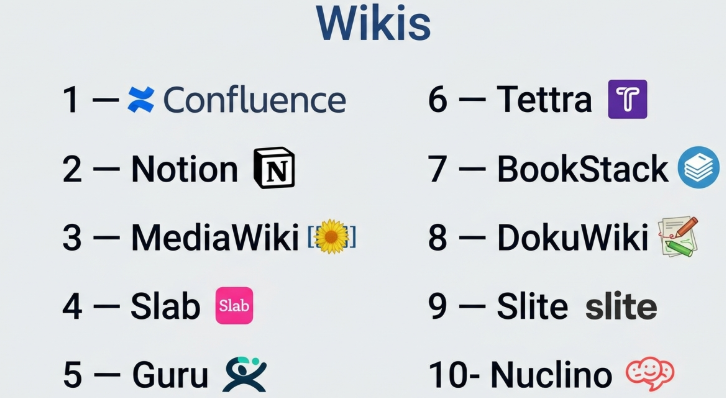
Top 10 Wiki Software Tools
#1 — Confluence
Short description: A widely used enterprise wiki platform designed for team collaboration and documentation, especially popular among engineering and product teams.
Key Features
- Real-time collaborative editing
- Integration with Jira and Atlassian tools
- Page templates and content organization
- Version history and tracking
- Advanced permissions
- Search functionality
- Content commenting and feedback
Pros
- Strong collaboration features
- Deep integration with Atlassian ecosystem
- Scalable for large teams
Cons
- Can become cluttered with scale
- Learning curve for new users
- Requires setup for structure
Platforms / Deployment
Web / Cloud / Self-hosted
Security & Compliance
SSO, RBAC; Compliance: Not publicly stated
Integrations & Ecosystem
Part of a large ecosystem with strong integrations.
- Jira
- Trello
- Slack
- APIs and plugins
Support & Community
Extensive documentation and a large global community.
#2 — Notion
Short description: A flexible workspace combining wiki, notes, and database capabilities for teams and individuals.
Key Features
- Drag-and-drop editor
- Database and content blocks
- Templates and customization
- Collaboration tools
- Cross-platform access
- API support
- Content linking
Pros
- Extremely flexible
- Easy to use
- Great for small to mid teams
Cons
- Can become unstructured
- Limited enterprise controls
- Performance issues at scale
Platforms / Deployment
Web / Windows / macOS / iOS / Android / Cloud
Security & Compliance
Encryption; Compliance: Not publicly stated
Integrations & Ecosystem
Growing ecosystem with integrations.
- Slack
- APIs
- Third-party tools
Support & Community
Strong community and templates ecosystem.
#3 — MediaWiki
Short description: The open-source wiki platform behind Wikipedia, ideal for large-scale and customizable knowledge bases.
Key Features
- Open-source and highly customizable
- Version control and revision history
- User permissions and roles
- Extensions and plugins
- Content categorization
- Scalable architecture
Pros
- Highly customizable
- Free and open-source
- Proven scalability
Cons
- Requires technical setup
- Outdated UI
- Limited modern UX features
Platforms / Deployment
Web / Self-hosted
Security & Compliance
RBAC; Compliance: Not publicly stated
Integrations & Ecosystem
Extensive plugin ecosystem.
- Extensions
- APIs
- Custom integrations
Support & Community
Very large open-source community.
#4 — Slab
Short description: A modern wiki tool focused on simplicity, speed, and integrations for teams.
Key Features
- Clean editing interface
- Fast search
- Content organization
- Version history
- Collaboration tools
- Integration support
Pros
- Simple and intuitive
- Fast performance
- Easy onboarding
Cons
- Limited advanced features
- Smaller ecosystem
- Not ideal for enterprise complexity
Platforms / Deployment
Web / Cloud
Security & Compliance
Encryption; Compliance: Not publicly stated
Integrations & Ecosystem
Integration-focused platform.
- Slack
- GitHub
- APIs
Support & Community
Good documentation; smaller community.
#5 — Guru
Short description: A knowledge-sharing platform that blends wiki functionality with real-time knowledge delivery.
Key Features
- Browser extension access
- AI-powered suggestions
- Content verification workflows
- Integration with communication tools
- Analytics
- Knowledge cards
Pros
- Knowledge within workflow
- Strong integrations
- Easy adoption
Cons
- Not a traditional wiki
- Limited customization
- Requires integrations
Platforms / Deployment
Web / Cloud
Security & Compliance
SSO, encryption; Compliance: Not publicly stated
Integrations & Ecosystem
Strong integrations with workplace tools.
- Slack
- CRM tools
- Browser extensions
- APIs
Support & Community
Good support and growing user base.
#6 — Tettra
Short description: A simple wiki tool designed for teams using Slack and modern collaboration tools.
Key Features
- Knowledge sharing via Slack
- Simple editor
- Content verification
- Search functionality
- Permissions
- Integration support
Pros
- Easy to use
- Great Slack integration
- Lightweight
Cons
- Limited advanced features
- Not ideal for large teams
- Smaller ecosystem
Platforms / Deployment
Web / Cloud
Security & Compliance
Encryption; Compliance: Not publicly stated
Integrations & Ecosystem
Focused integrations.
- Slack
- Google Workspace
- APIs
Support & Community
Good onboarding; smaller community.
#7 — BookStack
Short description: An open-source wiki platform focused on structured documentation with a book-like organization.
Key Features
- Hierarchical content structure
- WYSIWYG editor
- Role-based permissions
- REST API
- Customization
- Multi-language support
Pros
- Simple structure
- Open-source
- Easy to manage
Cons
- Limited scalability
- Smaller community
- Fewer integrations
Platforms / Deployment
Web / Self-hosted
Security & Compliance
RBAC; Compliance: Not publicly stated
Integrations & Ecosystem
Basic integration capabilities.
- APIs
- Custom integrations
Support & Community
Active open-source community.
#8 — DokuWiki
Short description: A lightweight open-source wiki that does not require a database, ideal for simple documentation.
Key Features
- File-based storage
- Access control
- Plugins
- Version control
- Search functionality
- Backup and restore
Pros
- Easy to deploy
- Lightweight
- No database required
Cons
- Outdated interface
- Limited scalability
- Fewer modern features
Platforms / Deployment
Web / Self-hosted
Security & Compliance
RBAC; Compliance: Not publicly stated
Integrations & Ecosystem
Plugin-based integrations.
- Plugins
- APIs
Support & Community
Strong open-source community.
#9 — Slite
Short description: A collaborative documentation tool designed for remote teams and async work.
Key Features
- Collaborative editing
- Document organization
- Templates
- Search
- Comments
- Integrations
Pros
- Clean UI
- Easy collaboration
- Good for remote teams
Cons
- Limited advanced features
- Smaller ecosystem
- Not ideal for enterprise
Platforms / Deployment
Web / Cloud
Security & Compliance
Encryption; Compliance: Not publicly stated
Integrations & Ecosystem
Moderate integrations.
- Slack
- APIs
- Third-party tools
Support & Community
Good documentation; growing community.
#10 — Nuclino
Short description: A lightweight wiki tool focused on speed, simplicity, and visual collaboration.
Key Features
- Fast editing
- Graph-based navigation
- Real-time collaboration
- Visual content mapping
- Integrations
- Search
Pros
- Extremely fast
- Easy to use
- Visual organization
Cons
- Limited enterprise features
- Smaller ecosystem
- Basic permissions
Platforms / Deployment
Web / Cloud
Security & Compliance
Encryption; Compliance: Not publicly stated
Integrations & Ecosystem
Basic integrations.
- Slack
- APIs
- Third-party tools
Support & Community
Good support; smaller community.
Comparison Table (Top 10)
| Tool Name | Best For | Platform(s) Supported | Deployment | Standout Feature | Public Rating |
|---|---|---|---|---|---|
| Confluence | Enterprise teams | Web | Hybrid | Atlassian integration | N/A |
| Notion | Flexible teams | Multi-platform | Cloud | All-in-one workspace | N/A |
| MediaWiki | Large-scale wiki | Web | Self-hosted | Open-source scalability | N/A |
| Slab | Simple teams | Web | Cloud | Clean UI | N/A |
| Guru | Workflow knowledge | Web | Cloud | Real-time access | N/A |
| Tettra | Slack teams | Web | Cloud | Slack integration | N/A |
| BookStack | Structured docs | Web | Self-hosted | Book hierarchy | N/A |
| DokuWiki | Lightweight wiki | Web | Self-hosted | No database | N/A |
| Slite | Remote teams | Web | Cloud | Collaboration | N/A |
| Nuclino | Fast teams | Web | Cloud | Visual graph | N/A |
Evaluation & Scoring of Wiki Software
| Tool Name | Core (25%) | Ease (15%) | Integrations (15%) | Security (10%) | Performance (10%) | Support (10%) | Value (15%) | Weighted Total |
|---|---|---|---|---|---|---|---|---|
| Confluence | 9 | 7 | 9 | 8 | 8 | 8 | 7 | 8.1 |
| Notion | 8 | 9 | 7 | 7 | 7 | 7 | 8 | 7.8 |
| MediaWiki | 8 | 5 | 7 | 7 | 8 | 7 | 9 | 7.4 |
| Slab | 7 | 9 | 7 | 7 | 8 | 7 | 8 | 7.8 |
| Guru | 8 | 9 | 8 | 7 | 8 | 7 | 7 | 7.9 |
| Tettra | 7 | 8 | 7 | 7 | 7 | 7 | 8 | 7.5 |
| BookStack | 7 | 7 | 6 | 7 | 7 | 6 | 8 | 7.1 |
| DokuWiki | 7 | 7 | 6 | 7 | 7 | 7 | 9 | 7.2 |
| Slite | 7 | 9 | 7 | 7 | 7 | 7 | 8 | 7.7 |
| Nuclino | 7 | 9 | 6 | 7 | 8 | 7 | 8 | 7.6 |
How to interpret the scores:
- Scores reflect relative comparison within this category.
- Higher totals indicate better balance across features and usability.
- Enterprise tools rank higher in features; simpler tools rank higher in ease.
- Open-source tools often score high in value but lower in usability.
- Choose based on your workflow, not just the highest score.
Which Wiki Software Is Right for You?
Solo / Freelancer
- Best choices: Notion, Nuclino
- Focus on simplicity and flexibility.
SMB
- Best choices: Slab, Tettra, Slite
- Prioritize ease of use and quick setup.
Mid-Market
- Best choices: Guru, Confluence
- Focus on integrations and structured collaboration.
Enterprise
- Best choices: Confluence, MediaWiki
- Focus on scalability, permissions, and control.
Budget vs Premium
- Budget: DokuWiki, BookStack
- Premium: Confluence, Guru
Feature Depth vs Ease of Use
- Deep features: Confluence, MediaWiki
- Easy tools: Notion, Slab
Integrations & Scalability
- Strong: Confluence, Guru
- Moderate: Others
Security & Compliance Needs
- Enterprise-grade: Confluence
- Moderate: Most other tools
Frequently Asked Questions (FAQs)
What is wiki software?
Wiki software allows teams to collaboratively create and manage shared documentation.
How is a wiki different from a knowledge base?
Wikis are more collaborative and flexible, while knowledge bases are more structured and customer-facing.
Can wiki software be used for external users?
Yes, some tools support public documentation and sharing.
Is wiki software free?
Some open-source tools are free; SaaS tools usually offer paid plans.
Do wikis support collaboration?
Yes, real-time editing and comments are core features.
Can I integrate wiki tools with other apps?
Most modern tools support integrations with Slack, CRM, and project tools.
Is it secure?
Security depends on the tool; enterprise solutions offer stronger controls.
Can I migrate from one wiki tool to another?
Yes, but migration complexity varies by platform.
Do I need technical skills?
Most SaaS tools are beginner-friendly; open-source tools require technical setup.
What is the best wiki for startups?
Notion, Slab, and Nuclino are popular for startups.
Conclusion
Wiki software has become a foundational tool for modern teams, enabling seamless collaboration and centralized knowledge sharing. From enterprise-grade platforms like Confluence to lightweight tools like Nuclino and Slab, the market offers solutions for every use case.