Introduction
Web design software enables designers, developers, and creative teams to design, prototype, and sometimes build websites or web applications. Unlike website builders, these tools often focus on design precision, UI/UX workflows, collaboration, and integration with development pipelines.
As digital experiences become more complex, web design software has evolved beyond static mockups into dynamic, collaborative platforms. Modern tools now include real-time collaboration, design systems, AI-assisted layouts, and seamless handoff to developers—making them essential for both small teams and large organizations.
Common use cases include:
- UI/UX design for websites and web apps
- Wireframing and prototyping
- Design system creation and management
- Developer handoff and collaboration
- Interactive and responsive design
What buyers should evaluate:
- Ease of use and learning curve
- Design precision and flexibility
- Prototyping and interaction capabilities
- Collaboration features (real-time editing, comments)
- Integration with development tools
- Cross-platform compatibility
- Performance with large design files
- Support for design systems
- Export and developer handoff features
- Pricing and licensing model
Best for: UI/UX designers, product designers, web developers, agencies, and design teams building modern digital products.
Not ideal for: Non-designers looking for quick website creation—website builders or landing page tools are better suited for that purpose.
Key Trends in Web Design Software
- Real-time collaboration: Multiple users editing designs simultaneously
- AI-assisted design: Auto-layouts, design suggestions, and content generation
- Design-to-code workflows: Tools bridging the gap between design and development
- Component-based design systems: Reusable components for consistency
- Cloud-first platforms: Access designs from anywhere without installation
- Prototyping advancements: High-fidelity interactive prototypes
- Cross-platform compatibility: Web-based tools replacing desktop-only apps
- Version control for design: Tracking changes and managing iterations
- Integration with developer tools: Git, APIs, and handoff automation
- Accessibility-first design: Built-in accessibility checks and guidelines
How We Selected These Tools (Methodology)
The tools below were selected based on:
- Industry adoption and popularity among design professionals
- Feature completeness for design, prototyping, and collaboration
- Ease of use and onboarding experience
- Performance with complex design projects
- Integration with development and collaboration tools
- Support for design systems and reusable components
- Availability across platforms (web, desktop)
- Innovation in AI and automation
- Community support and learning resources
- Suitability across freelancers, teams, and enterprises
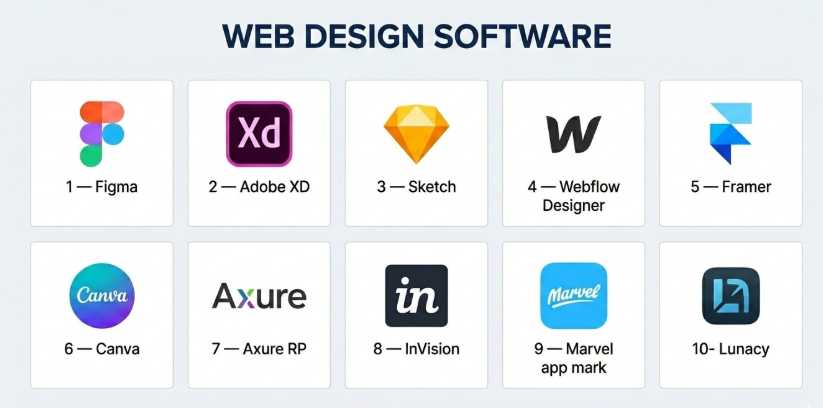
Top 10 Web Design Software
#1 — Figma
Short description: A cloud-based design and prototyping tool known for real-time collaboration and design system capabilities.
Key Features
- Real-time collaboration
- Vector-based design tools
- Interactive prototyping
- Design systems and components
- Developer handoff tools
- Plugins and integrations
- Cloud-based access
Pros
- Excellent collaboration features
- Works directly in browser
- Strong community and plugins
Cons
- Requires internet connection for full functionality
- Performance may vary with large files
Platforms / Deployment
Web / macOS / Windows (Cloud)
Security & Compliance
SSO, encryption; other certifications not publicly stated
Integrations & Ecosystem
Figma has a large plugin and integration ecosystem.
- Slack
- Jira
- Design system tools
- APIs for extensibility
- Plugin marketplace
Support & Community
Extensive documentation, tutorials, and a large global community.
#2 — Adobe XD
Short description: A UI/UX design tool focused on prototyping and integration with Adobe’s ecosystem.
Key Features
- Vector design tools
- Prototyping and animations
- Repeat grid feature
- Design system support
- Integration with Adobe Creative Cloud
- Collaboration tools
Pros
- Strong integration with Adobe tools
- Good prototyping features
- Familiar interface for Adobe users
Cons
- Limited updates compared to competitors
- Smaller plugin ecosystem
Platforms / Deployment
Windows / macOS (Cloud sync)
Security & Compliance
Not publicly stated
Integrations & Ecosystem
- Adobe Creative Cloud apps
- Plugins
- APIs
Support & Community
Good documentation; smaller community compared to Figma.
#3 — Sketch
Short description: A macOS-based design tool popular for UI/UX design and interface creation.
Key Features
- Vector editing tools
- Symbols and reusable components
- Prototyping
- Plugin ecosystem
- Design systems
- Cloud collaboration (via Sketch Cloud)
Pros
- Lightweight and fast
- Strong plugin ecosystem
- Mature design workflows
Cons
- macOS-only
- Limited real-time collaboration compared to cloud tools
Platforms / Deployment
macOS / Cloud
Security & Compliance
Not publicly stated
Integrations & Ecosystem
- Plugins
- Developer tools
- APIs
Support & Community
Large community and extensive resources.
#4 — Webflow Designer
Short description: A visual web design tool that allows designers to create production-ready websites.
Key Features
- Visual CSS-based design
- Responsive design tools
- CMS integration
- Animations and interactions
- Hosting and deployment
- SEO controls
Pros
- Design-to-code workflow
- High customization
- No-code development
Cons
- Steep learning curve
- Pricing can increase with usage
Platforms / Deployment
Web (Cloud)
Security & Compliance
Not publicly stated
Integrations & Ecosystem
- APIs
- CMS integrations
- Marketing tools
Support & Community
Strong community and tutorials.
#5 — Framer
Short description: A modern design tool focused on interactive design and real-time website publishing.
Key Features
- Interactive design
- Drag-and-drop builder
- Real-time preview
- Animation tools
- Hosting included
- AI design assistance
Pros
- Great for interactive prototypes
- Fast publishing
- Modern UI
Cons
- Smaller ecosystem
- Less mature than competitors
Platforms / Deployment
Web (Cloud)
Security & Compliance
Not publicly stated
Integrations & Ecosystem
- APIs
- Design integrations
Support & Community
Growing community and documentation.
#6 — Canva
Short description: A beginner-friendly design tool with web design capabilities and templates.
Key Features
- Drag-and-drop editor
- Templates
- Collaboration tools
- Brand kits
- Basic web page creation
- Asset library
Pros
- Very easy to use
- Large template library
- Affordable
Cons
- Limited advanced design features
- Not ideal for complex UI/UX
Platforms / Deployment
Web / iOS / Android (Cloud)
Security & Compliance
Not publicly stated
Integrations & Ecosystem
- Social media tools
- Basic integrations
Support & Community
Strong documentation and user base.
#7 — Axure RP
Short description: A prototyping tool designed for complex UX workflows and enterprise projects.
Key Features
- Advanced prototyping
- Conditional logic
- Wireframing tools
- Collaboration features
- Documentation tools
Pros
- Powerful for complex interactions
- Enterprise-ready
- Detailed prototyping
Cons
- Steep learning curve
- Not beginner-friendly
Platforms / Deployment
Windows / macOS (Cloud sync)
Security & Compliance
Not publicly stated
Integrations & Ecosystem
- Collaboration tools
- APIs
Support & Community
Strong enterprise support.
#8 — InVision
Short description: A design collaboration and prototyping platform.
Key Features
- Prototyping
- Collaboration tools
- Design system management
- Feedback and commenting
- Integration with design tools
Pros
- Strong collaboration
- Good for feedback workflows
- Easy to use
Cons
- Declining relevance
- Limited design capabilities
Platforms / Deployment
Web (Cloud)
Security & Compliance
Not publicly stated
Integrations & Ecosystem
- Slack
- Jira
- Design tools
Support & Community
Moderate support and documentation.
#9 — Marvel
Short description: A simple prototyping and design tool focused on quick UI creation.
Key Features
- Prototyping
- Wireframing
- User testing
- Collaboration tools
- Design handoff
Pros
- Easy to use
- Quick setup
- Affordable
Cons
- Limited advanced features
- Smaller ecosystem
Platforms / Deployment
Web (Cloud)
Security & Compliance
Not publicly stated
Integrations & Ecosystem
- APIs
- Basic integrations
Support & Community
Basic support and resources.
#10 — Lunacy
Short description: A free design tool compatible with Sketch files and offering offline capabilities.
Key Features
- Vector design tools
- Offline functionality
- Built-in assets
- AI tools
- Sketch compatibility
Pros
- Free to use
- Works offline
- Lightweight
Cons
- Limited ecosystem
- Fewer advanced features
Platforms / Deployment
Windows / macOS / Linux (Local)
Security & Compliance
Not publicly stated
Integrations & Ecosystem
- Limited integrations
- Asset libraries
Support & Community
Growing community and documentation.
Comparison Table (Top 10)
| Tool Name | Best For | Platform(s) Supported | Deployment | Standout Feature | Public Rating |
|---|---|---|---|---|---|
| Figma | Teams | Web, Windows, macOS | Cloud | Real-time collaboration | N/A |
| Adobe XD | Adobe users | Windows, macOS | Cloud sync | Adobe ecosystem | N/A |
| Sketch | macOS designers | macOS | Cloud | Plugin ecosystem | N/A |
| Webflow | Designers/devs | Web | Cloud | Design-to-code | N/A |
| Framer | Interactive design | Web | Cloud | Real-time publishing | N/A |
| Canva | Beginners | Web, iOS, Android | Cloud | Templates | N/A |
| Axure RP | Enterprise UX | Windows, macOS | Cloud sync | Advanced prototyping | N/A |
| InVision | Collaboration | Web | Cloud | Feedback workflows | N/A |
| Marvel | Simple prototyping | Web | Cloud | Ease of use | N/A |
| Lunacy | Offline design | Windows, macOS, Linux | Local | Offline support | N/A |
Evaluation & Scoring of Web Design Software
| Tool Name | Core | Ease | Integrations | Security | Performance | Support | Value | Weighted Total |
|---|---|---|---|---|---|---|---|---|
| Figma | 9 | 9 | 9 | 7 | 8 | 9 | 8 | 8.7 |
| Adobe XD | 8 | 8 | 8 | 7 | 8 | 8 | 7 | 7.9 |
| Sketch | 8 | 7 | 8 | 7 | 8 | 8 | 7 | 7.8 |
| Webflow | 9 | 6 | 8 | 7 | 9 | 8 | 7 | 8.0 |
| Framer | 8 | 8 | 7 | 6 | 8 | 7 | 8 | 7.8 |
| Canva | 6 | 10 | 6 | 6 | 7 | 8 | 9 | 7.6 |
| Axure RP | 9 | 5 | 7 | 7 | 8 | 8 | 6 | 7.6 |
| InVision | 7 | 8 | 7 | 6 | 7 | 7 | 7 | 7.2 |
| Marvel | 6 | 9 | 6 | 6 | 7 | 6 | 8 | 7.1 |
| Lunacy | 7 | 8 | 5 | 6 | 8 | 6 | 9 | 7.4 |
Interpretation:
- Higher scores indicate stronger overall design capabilities
- Figma leads in collaboration and ecosystem
- Enterprise tools excel in depth but may sacrifice ease
- Beginner tools prioritize usability and affordability
Which Web Design Software Tool Is Right for You?
Solo / Freelancer
- Best: Canva, Framer, Lunacy
- Focus on ease and affordability
SMB
- Best: Figma, Sketch
Mid-Market
- Best: Figma, Webflow
Enterprise
- Best: Figma, Axure RP
Budget vs Premium
- Budget: Canva, Lunacy
- Premium: Figma, Axure RP
Feature Depth vs Ease of Use
- Deep: Axure RP, Webflow
- Easy: Canva, Marvel
Integrations & Scalability
- Strong: Figma
- Moderate: Sketch
Security & Compliance Needs
- Higher: Figma
- Basic: Marvel
Frequently Asked Questions (FAQs)
What is web design software?
Tools used to design, prototype, and collaborate on website interfaces.
Do I need coding skills?
No, most tools are no-code or low-code.
Which tool is best for beginners?
Canva and Marvel are beginner-friendly.
Can I create prototypes?
Yes, most tools support prototyping.
Are these tools cloud-based?
Many are cloud-first, but some offer desktop versions.
Can I collaborate with teams?
Yes, especially tools like Figma.
Do they support design systems?
Yes, most advanced tools do.
Can I export designs to code?
Some tools support developer handoff.
Are they free?
Many offer free tiers with limitations.
Which is best overall?
Depends on your workflow and team size.
Conclusion
Web design software plays a crucial role in building modern digital experiences. Whether you need simple prototypes or complex design systems, the right tool can significantly improve productivity and collaboration.