Introduction
Web Analytics Tools help businesses track, measure, and analyze user behavior across websites and digital platforms. These tools collect data on traffic sources, user interactions, conversions, and engagement—turning raw data into actionable insights.
As digital experiences become more complex, understanding user behavior is no longer optional. Businesses rely on analytics tools to optimize marketing campaigns, improve website performance, and drive conversions. Modern platforms go beyond basic tracking by offering AI-driven insights, event-based tracking, privacy controls, and real-time analytics.
Common use cases:
- Tracking website traffic and user behavior
- Measuring marketing campaign performance
- Conversion and funnel analysis
- A/B testing and optimization
- Product usage analytics
What buyers should evaluate:
- Data accuracy and tracking capabilities
- Ease of implementation and setup
- Privacy compliance and data control
- Real-time vs delayed reporting
- Custom events and funnel tracking
- Integration with marketing and CRM tools
- Visualization and reporting features
- Scalability for large datasets
- Pricing model and limits
Best for: Marketers, product managers, SaaS companies, eCommerce businesses, and data-driven teams.
Not ideal for: Very small websites with minimal traffic, teams that don’t actively use data for decision-making, or businesses requiring only basic metrics.
Key Trends in Web Analytics Tools
- Privacy-first analytics: Reduced reliance on cookies and increased focus on compliance
- AI-driven insights: Automated anomaly detection and recommendations
- Event-based tracking models: Moving away from session-based tracking
- Real-time analytics: Immediate visibility into user behavior
- Product + marketing analytics convergence: Unified data platforms
- Server-side tracking: Improved data accuracy and control
- No-code event tracking: Easier setup for non-technical users
- Customer journey mapping: Full funnel visibility
- Data ownership and control: Self-hosted analytics gaining popularity
- Integration with CDPs and data warehouses: Centralized data ecosystems
How We Selected These Tools (Methodology)
- Evaluated market adoption and popularity
- Assessed tracking capabilities and accuracy
- Reviewed ease of use and implementation
- Considered privacy and compliance features
- Analyzed integration capabilities
- Included tools for SMBs, mid-market, and enterprise
- Evaluated reporting and visualization features
- Reviewed scalability and performance
- Considered pricing and value
- Balanced cloud and self-hosted solutions
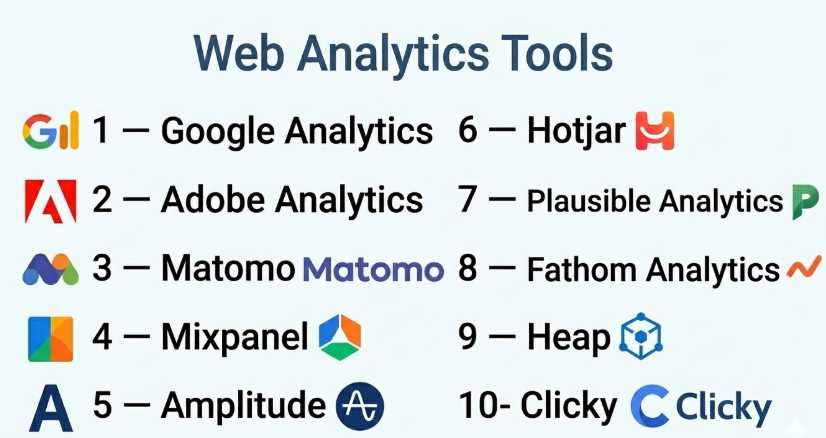
Top 10 Web Analytics Tools
#1 — Google Analytics
Short description: A widely used analytics platform offering comprehensive tracking and reporting for websites and apps.
Key Features
- Event-based tracking
- Real-time reporting
- Audience segmentation
- Conversion tracking
- Integration with Google ecosystem
- Custom reports
- AI insights
Pros
- Free to use (core version)
- Powerful reporting
- Widely supported
Cons
- Complex interface
- Data sampling in some cases
- Privacy concerns
Platforms / Deployment
Web / Cloud
Security & Compliance
Encryption; Compliance: Not publicly stated
Integrations & Ecosystem
Extensive integration with marketing tools.
- Google Ads
- Search Console
- APIs
- CRM tools
Support & Community
Large global community; extensive documentation.
#2 — Adobe Analytics
Short description: An enterprise-grade analytics platform with advanced data analysis and segmentation capabilities.
Key Features
- Advanced segmentation
- Real-time data processing
- Predictive analytics
- Customer journey analysis
- Integration with Adobe suite
- Custom dashboards
- Data visualization
Pros
- Highly customizable
- Strong enterprise capabilities
- Advanced analytics
Cons
- Expensive
- Complex implementation
- Requires expertise
Platforms / Deployment
Web / Cloud
Security & Compliance
SSO, encryption; Compliance: Not publicly stated
Integrations & Ecosystem
Adobe ecosystem integrations.
- Marketing tools
- APIs
- Data platforms
Support & Community
Enterprise support; strong ecosystem.
#3 — Matomo
Short description: An open-source analytics platform focused on privacy and data ownership.
Key Features
- Self-hosted option
- GDPR-friendly tracking
- Custom reports
- Heatmaps
- Session recordings
- Event tracking
- No data sampling
Pros
- Full data ownership
- Privacy-focused
- Flexible deployment
Cons
- Requires setup
- Limited advanced AI features
- UI less modern
Platforms / Deployment
Web / Cloud / Self-hosted
Security & Compliance
Encryption; Compliance: Not publicly stated
Integrations & Ecosystem
Moderate integrations.
- CMS platforms
- APIs
- Plugins
Support & Community
Active open-source community.
#4 — Mixpanel
Short description: A product analytics platform focused on user behavior and event tracking.
Key Features
- Event-based tracking
- Funnel analysis
- Retention tracking
- User segmentation
- Real-time analytics
- A/B testing
- Dashboards
Pros
- Strong product analytics
- Easy event tracking
- Real-time insights
Cons
- Pricing scales with usage
- Learning curve
- Limited marketing analytics
Platforms / Deployment
Web / Cloud
Security & Compliance
Encryption; Compliance: Not publicly stated
Integrations & Ecosystem
Strong integrations.
- APIs
- CRM tools
- Data platforms
Support & Community
Good documentation; active community.
#5 — Amplitude
Short description: A product analytics platform offering deep insights into user behavior and engagement.
Key Features
- Behavioral analytics
- Funnel analysis
- Cohort analysis
- Retention tracking
- Predictive insights
- Dashboards
- Experimentation
Pros
- Advanced analytics
- Strong visualization
- Scalable
Cons
- Complex for beginners
- Pricing tiers
- Requires setup
Platforms / Deployment
Web / Cloud
Security & Compliance
Encryption; Compliance: Not publicly stated
Integrations & Ecosystem
Wide integration support.
- APIs
- Data warehouses
- CRM tools
Support & Community
Strong support; growing community.
#6 — Hotjar
Short description: A behavior analytics tool focused on heatmaps and user session insights.
Key Features
- Heatmaps
- Session recordings
- Feedback polls
- Surveys
- Funnel analysis
- User behavior insights
Pros
- Easy to use
- Visual insights
- Quick setup
Cons
- Limited quantitative analytics
- Not a full analytics suite
- Data limits
Platforms / Deployment
Web / Cloud
Security & Compliance
Encryption; Compliance: Not publicly stated
Integrations & Ecosystem
Moderate integrations.
- CMS tools
- APIs
- Marketing platforms
Support & Community
Good support; strong user base.
#7 — Plausible Analytics
Short description: A lightweight, privacy-focused analytics tool for simple website tracking.
Key Features
- Privacy-first tracking
- Simple dashboard
- No cookies
- Real-time data
- Lightweight script
- Custom events
Pros
- Easy to use
- Privacy compliant
- Fast performance
Cons
- Limited advanced features
- Basic reporting
- Not enterprise-ready
Platforms / Deployment
Web / Cloud / Self-hosted
Security & Compliance
Encryption; Compliance: Not publicly stated
Integrations & Ecosystem
Basic integrations.
- APIs
- CMS tools
Support & Community
Good documentation; smaller community.
#8 — Fathom Analytics
Short description: A simple, privacy-focused analytics tool designed for ease of use.
Key Features
- Privacy-first tracking
- Simple reporting
- Real-time analytics
- Lightweight script
- Goal tracking
- Data export
Pros
- Very easy to use
- Privacy-friendly
- Fast setup
Cons
- Limited features
- Not suitable for complex needs
- Basic analytics
Platforms / Deployment
Web / Cloud
Security & Compliance
Encryption; Compliance: Not publicly stated
Integrations & Ecosystem
Basic integrations.
- APIs
- CMS platforms
Support & Community
Good support; small community.
#9 — Heap
Short description: An analytics platform that automatically captures user interactions without manual event tracking.
Key Features
- Auto event tracking
- Funnel analysis
- User journey mapping
- Data visualization
- Real-time insights
- Integration support
Pros
- No manual tracking needed
- Strong insights
- Easy setup
Cons
- Pricing complexity
- Data overload
- Learning curve
Platforms / Deployment
Web / Cloud
Security & Compliance
Encryption; Compliance: Not publicly stated
Integrations & Ecosystem
Strong integrations.
- APIs
- CRM tools
- Data platforms
Support & Community
Good documentation; enterprise support.
#10 — Clicky
Short description: A real-time web analytics tool focused on simplicity and ease of use.
Key Features
- Real-time analytics
- Visitor tracking
- Heatmaps
- Goal tracking
- Custom reports
- Alerts
Pros
- Simple interface
- Real-time data
- Easy setup
Cons
- Limited advanced features
- Smaller ecosystem
- Not enterprise-focused
Platforms / Deployment
Web / Cloud
Security & Compliance
Encryption; Compliance: Not publicly stated
Integrations & Ecosystem
Basic integrations.
- APIs
- CMS tools
Support & Community
Good support; smaller community.
Comparison Table (Top 10)
| Tool Name | Best For | Platform(s) Supported | Deployment | Standout Feature | Public Rating |
|---|---|---|---|---|---|
| Google Analytics | All users | Web | Cloud | Free + powerful | N/A |
| Adobe Analytics | Enterprise | Web | Cloud | Advanced insights | N/A |
| Matomo | Privacy | Web | Hybrid | Data ownership | N/A |
| Mixpanel | Product analytics | Web | Cloud | Event tracking | N/A |
| Amplitude | Behavior analysis | Web | Cloud | Cohort analysis | N/A |
| Hotjar | UX insights | Web | Cloud | Heatmaps | N/A |
| Plausible | Simple tracking | Web | Hybrid | Privacy-first | N/A |
| Fathom | Lightweight | Web | Cloud | Simplicity | N/A |
| Heap | Auto tracking | Web | Cloud | Auto events | N/A |
| Clicky | Real-time | Web | Cloud | Live data | N/A |
Evaluation & Scoring of Web Analytics Tools
| Tool Name | Core (25%) | Ease (15%) | Integrations (15%) | Security (10%) | Performance (10%) | Support (10%) | Value (15%) | Weighted Total |
|---|---|---|---|---|---|---|---|---|
| Google Analytics | 9 | 7 | 9 | 8 | 8 | 8 | 9 | 8.5 |
| Adobe Analytics | 10 | 6 | 9 | 9 | 9 | 9 | 6 | 8.6 |
| Matomo | 8 | 7 | 7 | 9 | 7 | 7 | 9 | 7.9 |
| Mixpanel | 9 | 8 | 8 | 8 | 8 | 7 | 7 | 8.1 |
| Amplitude | 9 | 7 | 8 | 8 | 8 | 8 | 7 | 8.1 |
| Hotjar | 7 | 9 | 7 | 7 | 7 | 7 | 8 | 7.7 |
| Plausible | 6 | 9 | 6 | 9 | 8 | 7 | 9 | 7.7 |
| Fathom | 6 | 9 | 6 | 9 | 8 | 7 | 8 | 7.6 |
| Heap | 8 | 8 | 8 | 8 | 8 | 7 | 7 | 7.9 |
| Clicky | 6 | 9 | 6 | 7 | 7 | 7 | 8 | 7.4 |
How to interpret the scores:
- Scores are relative comparisons within this category.
- Higher scores indicate stronger overall capabilities.
- Enterprise tools excel in depth but may lack ease.
- Simpler tools score higher in usability and value.
- Choose based on your use case, not just rankings.
Which Web Analytics Tool Is Right for You?
Solo / Freelancer
- Best choices: Plausible, Fathom
- Focus on simplicity and privacy.
SMB
- Best choices: Google Analytics, Hotjar
- Balance between insights and ease of use.
Mid-Market
- Best choices: Mixpanel, Amplitude
- Focus on product and user analytics.
Enterprise
- Best choices: Adobe Analytics, Heap
- Focus on advanced analytics and scalability.
Budget vs Premium
- Budget: Plausible, Fathom
- Premium: Adobe Analytics, Amplitude
Feature Depth vs Ease of Use
- Deep features: Adobe, Amplitude
- Easy tools: Plausible, Fathom
Integrations & Scalability
- Strong: Google Analytics, Adobe
- Moderate: Others
Security & Compliance Needs
- Strong: Matomo, Adobe
- Moderate: Others
Frequently Asked Questions (FAQs)
What is web analytics?
It is the process of collecting and analyzing website data.
Why is it important?
It helps improve performance, user experience, and conversions.
Are analytics tools free?
Some tools offer free plans; others are paid.
Do they support real-time tracking?
Many modern tools provide real-time insights.
What is event tracking?
Tracking specific user actions like clicks or purchases.
Are they privacy compliant?
Many tools offer privacy-focused features.
Can I integrate with CRM?
Yes, most tools support integrations.
Do I need coding skills?
Some tools require setup, but many are no-code.
What is the difference between product and web analytics?
Product analytics focuses on user behavior inside apps.
Can I switch tools later?
Yes, but migration requires planning.
Conclusion
Web Analytics Tools are essential for understanding user behavior and optimizing digital experiences. From comprehensive platforms like Google Analytics to privacy-focused tools like Plausible, there are options for every need.