Introduction
Vector illustration tools are software applications used to create graphics based on mathematical paths rather than pixels. Unlike raster images, vector graphics can be scaled infinitely without losing quality, making them ideal for logos, icons, typography, UI design, and print materials.
As design workflows become more collaborative and multi-platform, vector tools have evolved with cloud-based editing, AI-assisted design features, and real-time collaboration capabilities. These tools are no longer limited to professional designers—they are widely used by marketers, product teams, and content creators.
Common use cases include:
- Logo and brand identity design
- UI/UX design for web and mobile apps
- Marketing assets (banners, social media graphics)
- Illustrations for books, games, and media
- Infographics and data visualization
What buyers should evaluate:
- Precision and control over vector paths
- Ease of use and learning curve
- Collaboration and sharing capabilities
- Integration with design and prototyping tools
- Performance with complex illustrations
- Platform support (web, desktop, mobile)
- File compatibility (SVG, AI, PDF, EPS)
- Plugin ecosystem and extensibility
- Pricing model and licensing
Best for: Designers, illustrators, UI/UX professionals, marketing teams, and businesses creating scalable visual assets.
Not ideal for: Users who primarily work with photo editing or raster graphics; in such cases, image editing tools may be more suitable.
Key Trends in Vector Illustration Tools
- AI-assisted design generation: Tools now offer auto-layouts, shape generation, and smart suggestions.
- Cloud-native collaboration: Real-time editing and team workflows are becoming standard.
- Cross-platform accessibility: Web-based tools reduce dependency on high-end hardware.
- Design system integration: Better support for reusable components and design tokens.
- Plugin ecosystems: Expanding marketplaces for extending functionality.
- Performance optimization: Improved handling of large, complex vector files.
- Integration with prototyping tools: Seamless transition from design to development.
- Subscription-based pricing models: Increasing adoption across major platforms.
- Export flexibility: Enhanced support for modern formats like SVG and optimized assets.
How We Selected These Tools (Methodology)
- Evaluated market adoption and industry usage
- Assessed core vector design capabilities and precision tools
- Considered performance with complex illustrations
- Reviewed integration with broader design ecosystems
- Included tools for different skill levels and team sizes
- Balanced desktop, cloud, and open-source solutions
- Analyzed community support and learning resources
- Considered extensibility via plugins and APIs
- Factored in ease of onboarding and usability
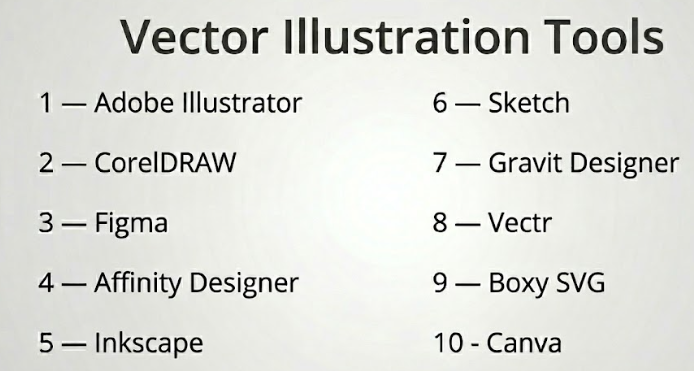
Top 10 Vector Illustration Tools Tools
#1 — Adobe Illustrator
Short description: Industry-standard vector design software offering advanced tools for professionals creating complex illustrations and branding assets.
Key Features
- Precision vector drawing tools
- Advanced typography controls
- Gradient and mesh tools
- Extensive plugin ecosystem
- Artboards and multi-page design
- Integration with other creative tools
Pros
- Industry standard with powerful features
- Extensive file compatibility
Cons
- Steep learning curve
- Subscription-based pricing
Platforms / Deployment
Windows / macOS
Security & Compliance
SSO, MFA; others not publicly stated
Integrations & Ecosystem
Adobe Illustrator integrates deeply with professional design workflows.
- Photoshop integration
- Creative Cloud ecosystem
- Plugin marketplace
- Asset libraries
Support & Community
Extensive tutorials, documentation, and a large global community.
#2 — CorelDRAW
Short description: A comprehensive vector illustration suite popular among designers for print, branding, and layout design.
Key Features
- Vector illustration tools
- Page layout capabilities
- Typography tools
- Color management system
- Multi-page support
- File format compatibility
Pros
- Strong print design capabilities
- User-friendly interface
Cons
- Less popular in some markets
- Licensing cost
Platforms / Deployment
Windows / macOS
Security & Compliance
Not publicly stated
Integrations & Ecosystem
- File compatibility tools
- Plugin extensions
- Design workflow integrations
Support & Community
Established user base with solid documentation.
#3 — Figma
Short description: A cloud-based design platform with strong vector editing capabilities and real-time collaboration features.
Key Features
- Vector editing tools
- Real-time collaboration
- Design systems support
- Cloud-based workflow
- Prototyping tools
- Version control
Pros
- Excellent for team collaboration
- Accessible from any browser
Cons
- Limited offline functionality
- Requires internet for full features
Platforms / Deployment
Web / Windows / macOS
Security & Compliance
SSO, MFA; others not publicly stated
Integrations & Ecosystem
Figma offers a strong ecosystem for modern design workflows.
- Plugin marketplace
- Developer handoff tools
- Integration with prototyping tools
- API support
Support & Community
Highly active community with extensive resources.
#4 — Affinity Designer
Short description: A professional vector design tool offering high performance and a one-time purchase model.
Key Features
- Vector and raster workflows
- Real-time performance
- Advanced grids and snapping
- Typography tools
- Multi-artboard support
- Export options
Pros
- No subscription required
- Fast and responsive
Cons
- Smaller plugin ecosystem
- Limited cloud collaboration
Platforms / Deployment
Windows / macOS / iOS
Security & Compliance
Not publicly stated
Integrations & Ecosystem
- File compatibility
- Design workflow tools
- Export integrations
Support & Community
Growing community and strong documentation.
#5 — Inkscape
Short description: A free, open-source vector illustration tool suitable for designers seeking powerful features without cost.
Key Features
- SVG editing
- Node-based editing
- Path operations
- Extensions support
- Text tools
- Filters and effects
Pros
- Free and open-source
- Highly customizable
Cons
- Performance limitations
- Less polished UI
Platforms / Deployment
Windows / macOS / Linux
Security & Compliance
Not publicly stated
Integrations & Ecosystem
- Extensions library
- Open-source integrations
- Export tools
Support & Community
Strong open-source community and forums.
#6 — Sketch
Short description: A vector design tool widely used for UI/UX design, known for its simplicity and plugin ecosystem.
Key Features
- Vector editing tools
- Symbols and reusable components
- Plugin ecosystem
- UI design focus
- Prototyping features
Pros
- Intuitive interface
- Strong plugin ecosystem
Cons
- macOS only
- Limited outside UI design
Platforms / Deployment
macOS
Security & Compliance
Not publicly stated
Integrations & Ecosystem
- Plugin marketplace
- Design system tools
- Developer handoff integrations
Support & Community
Active design community and resources.
#7 — Gravit Designer
Short description: A cross-platform vector design tool offering both free and paid versions with cloud capabilities.
Key Features
- Vector design tools
- Cloud storage
- Cross-platform support
- Export options
- Templates
Pros
- Accessible across devices
- Easy to use
Cons
- Limited advanced features
- Performance constraints
Platforms / Deployment
Web / Windows / macOS / Linux
Security & Compliance
Not publicly stated
Integrations & Ecosystem
- Cloud sync
- Export tools
- Template libraries
Support & Community
Moderate documentation and user base.
#8 — Vectr
Short description: A simple, web-based vector design tool aimed at beginners and casual users.
Key Features
- Basic vector tools
- Real-time collaboration
- Cloud-based editing
- Templates
- Easy interface
Pros
- Beginner-friendly
- Free to use
Cons
- Limited advanced features
- Not suitable for complex projects
Platforms / Deployment
Web
Security & Compliance
Not publicly stated
Integrations & Ecosystem
- Cloud storage
- Basic integrations
- Export tools
Support & Community
Small but growing community.
#9 — Boxy SVG
Short description: A lightweight vector editor focused on SVG creation and editing.
Key Features
- SVG editing tools
- Clean interface
- Export options
- Lightweight performance
- Cross-platform support
Pros
- Fast and simple
- Focused on SVG workflows
Cons
- Limited advanced features
- Smaller ecosystem
Platforms / Deployment
Web / Windows / macOS / Linux
Security & Compliance
Not publicly stated
Integrations & Ecosystem
- SVG workflows
- Export integrations
- Browser extensions
Support & Community
Moderate documentation and niche community.
#10 — Canva
Short description: A cloud-based design tool with vector capabilities, widely used for marketing and social media content.
Key Features
- Drag-and-drop design
- Templates and assets
- Basic vector editing
- Collaboration tools
- Cloud storage
Pros
- Extremely easy to use
- Strong collaboration features
Cons
- Limited precision control
- Not ideal for complex vector work
Platforms / Deployment
Web / iOS / Android
Security & Compliance
SSO, MFA; others not publicly stated
Integrations & Ecosystem
- Asset libraries
- Social media integrations
- Template marketplace
Support & Community
Large user base with extensive tutorials.
Comparison Table (Top 10)
| Tool Name | Best For | Platform(s) Supported | Deployment | Standout Feature | Public Rating |
|---|---|---|---|---|---|
| Adobe Illustrator | Professional design | Win/macOS | Desktop | Advanced vector tools | N/A |
| CorelDRAW | Print & branding | Win/macOS | Desktop | Page layout features | N/A |
| Figma | Team collaboration | Web/Win/macOS | Cloud | Real-time collaboration | N/A |
| Affinity Designer | Budget professionals | Win/macOS/iOS | Desktop | One-time pricing | N/A |
| Inkscape | Open-source users | Win/macOS/Linux | Desktop | Free SVG editing | N/A |
| Sketch | UI/UX design | macOS | Desktop | Plugin ecosystem | N/A |
| Gravit Designer | Cross-platform design | Web/Win/macOS/Linux | Cloud/Hybrid | Cross-platform support | N/A |
| Vectr | Beginners | Web | Cloud | Simplicity | N/A |
| Boxy SVG | SVG editing | Web/Win/macOS/Linux | Hybrid | Lightweight editing | N/A |
| Canva | Marketing design | Web/iOS/Android | Cloud | Templates & ease of use | N/A |
Evaluation & Scoring of Vector Illustration Tools
| Tool Name | Core | Ease | Integrations | Security | Performance | Support | Value | Weighted Total |
|---|---|---|---|---|---|---|---|---|
| Adobe Illustrator | 10 | 7 | 10 | 8 | 9 | 10 | 7 | 8.8 |
| CorelDRAW | 9 | 8 | 8 | 7 | 8 | 8 | 7 | 8.0 |
| Figma | 8 | 9 | 9 | 8 | 8 | 9 | 8 | 8.4 |
| Affinity Designer | 9 | 8 | 7 | 6 | 9 | 7 | 9 | 8.2 |
| Inkscape | 8 | 6 | 6 | 6 | 7 | 8 | 10 | 7.4 |
| Sketch | 8 | 9 | 8 | 7 | 8 | 8 | 7 | 8.0 |
| Gravit Designer | 7 | 8 | 6 | 6 | 7 | 7 | 7 | 7.1 |
| Vectr | 6 | 9 | 5 | 6 | 6 | 6 | 8 | 6.9 |
| Boxy SVG | 7 | 8 | 6 | 6 | 7 | 6 | 7 | 7.0 |
| Canva | 6 | 10 | 7 | 7 | 8 | 9 | 8 | 7.8 |
How to interpret:
- Scores are comparative benchmarks, not absolute performance indicators.
- Higher totals indicate stronger overall capability balance.
- Core features and integrations carry the most weight.
- Value reflects pricing vs feature depth.
- Choose based on your specific design needs, not just rankings.
Which Vector Illustration Tools Tool Is Right for You?
Solo / Freelancer
- Best: Affinity Designer, Canva
- Focus on affordability and ease of use
SMB
- Best: CorelDRAW, Figma
- Balance collaboration and features
Mid-Market
- Best: Sketch, Figma
- Strong design systems and team workflows
Enterprise
- Best: Adobe Illustrator ecosystem
- Advanced features and integration capabilities
Budget vs Premium
- Budget: Inkscape, Vectr
- Premium: Adobe Illustrator, CorelDRAW
Feature Depth vs Ease of Use
- Deep control: Illustrator, CorelDRAW
- Ease: Canva, Vectr
Integrations & Scalability
- Strongest: Adobe, Figma
- Moderate: Sketch, Canva
Security & Compliance Needs
- Enterprise tools offer SSO/MFA
- Open-source tools may lack compliance visibility
Frequently Asked Questions (FAQs)
What is a vector illustration tool?
It is software used to create scalable graphics using mathematical paths instead of pixels.
Are vector tools better than raster tools?
They are better for scalable graphics like logos, but not for photo editing.
Do beginners need professional tools?
Not necessarily; beginner-friendly tools like Canva or Vectr are sufficient.
What file formats do vector tools support?
Common formats include SVG, AI, EPS, and PDF.
Are free tools good enough?
Yes, for many use cases, but advanced features may be limited.
Can vector tools be used for UI design?
Yes, many tools like Figma and Sketch are widely used for UI/UX design.
Do these tools support collaboration?
Cloud-based tools typically offer real-time collaboration features.
Is internet required for all tools?
No, desktop tools can work offline.
Can I switch tools easily?
Switching is possible but may require format conversions.
What are common mistakes when choosing a tool?
Ignoring workflow needs and overpaying for unused features.
Conclusion
Vector illustration tools are essential for creating scalable, high-quality graphics across industries. Whether you’re a solo designer or part of a large organization, there is a tool tailored to your needs.
The right choice depends on your priorities—whether it’s advanced features, collaboration, affordability, or ease of use.