Introduction
Timesheet Management Tools are software solutions that help organizations track, manage, and analyze employee work hours across projects, tasks, and clients. These tools go beyond basic time tracking by adding structured timesheets, approvals, compliance reporting, and payroll integrations.
In modern organizations—especially those with distributed teams, billable clients, or strict compliance requirements—manual timesheets are inefficient and prone to errors. Digital timesheet tools streamline workflows, improve accuracy, and provide real-time visibility into workforce utilization and productivity.
Common use cases include:
- Employee work hour tracking and approval workflows
- Client billing and invoicing based on timesheets
- Payroll processing and compliance reporting
- Project cost tracking and profitability analysis
- Resource utilization monitoring
Key evaluation criteria:
- Ease of timesheet entry and approval workflows
- Automation and reminders
- Reporting and analytics capabilities
- Integration with payroll and accounting tools
- Mobile and remote accessibility
- Compliance and audit features
- Customization and scalability
- Security and access controls
- Performance and reliability
Best for: HR teams, finance departments, project managers, agencies, consulting firms, and enterprises managing billable hours or workforce compliance.
Not ideal for: Individuals or small teams that only need simple time tracking without structured approval workflows.
Key Trends in Timesheet Management Tools
- Automated timesheet generation: Using activity data to pre-fill timesheets
- AI-assisted approvals: Highlighting anomalies and reducing manual reviews
- Integration with payroll systems: Seamless salary processing
- Mobile-first timesheet entry: Enabling easy submissions from anywhere
- Compliance-focused reporting: Supporting labor laws and audits
- Real-time dashboards: Monitoring team utilization and costs
- Workflow automation: Approval chains and notifications
- Hybrid workforce support: Managing distributed teams efficiently
- API-first integrations: Connecting with ERP and accounting systems
How We Selected These Tools (Methodology)
The tools in this list were selected based on:
- Strong adoption across industries
- Robust timesheet and approval workflows
- Integration with payroll, accounting, and project tools
- Ease of use and onboarding
- Flexibility for different team sizes
- Reporting and compliance capabilities
- Reliability and scalability
- Vendor reputation and support ecosystem
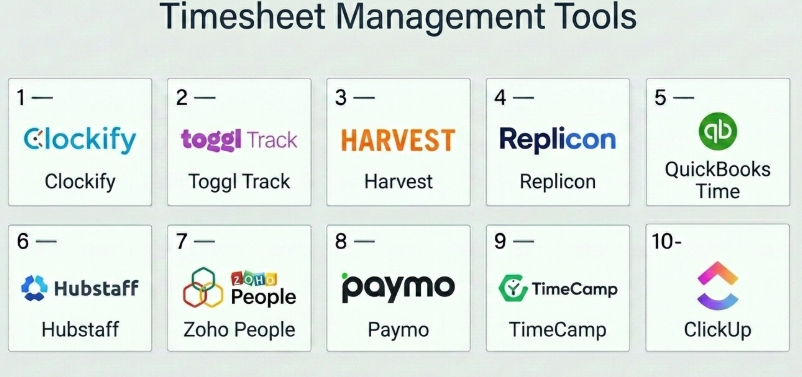
Top 10 Timesheet Management Tools
#1 — Clockify
Short description: A widely used time tracking and timesheet tool offering flexible timesheet entry and reporting.
Key Features
- Manual and automatic timesheets
- Approval workflows
- Detailed reports
- Billable hour tracking
- Team management
- Dashboard insights
Pros
- Generous free plan
- Easy to use
- Flexible reporting
Cons
- Basic UI
- Limited advanced automation
Platforms / Deployment
Web / Desktop / Mobile
Cloud
Security & Compliance
Not publicly stated
Integrations & Ecosystem
- Jira
- Trello
- Asana
- APIs
Support & Community
Strong documentation and active user base.
#2 — Toggl Track
Short description: A simple time tracking tool with structured timesheet reporting for teams and freelancers.
Key Features
- Timesheet views
- One-click tracking
- Reporting dashboards
- Project tracking
- Team insights
Pros
- Very easy to use
- Clean interface
- Strong reporting
Cons
- Limited approval workflows
- Not ideal for compliance-heavy industries
Platforms / Deployment
Web / Desktop / Mobile
Cloud
Security & Compliance
Not publicly stated
Integrations & Ecosystem
- Asana
- Slack
- Jira
- APIs
Support & Community
Good documentation and support.
#3 — Harvest
Short description: A time tracking and timesheet tool with built-in invoicing and expense tracking.
Key Features
- Timesheets and reports
- Expense tracking
- Invoicing
- Project budgeting
- Team tracking
Pros
- Strong billing features
- Easy to use
- Reliable reporting
Cons
- Limited customization
- Pricing increases with team size
Platforms / Deployment
Web / Mobile
Cloud
Security & Compliance
Not publicly stated
Integrations & Ecosystem
- QuickBooks
- Stripe
- Slack
- Asana
Support & Community
Reliable support resources.
#4 — Replicon
Short description: An enterprise-grade timesheet and workforce management platform.
Key Features
- Automated timesheets
- Compliance tracking
- Payroll integration
- Approval workflows
- Time intelligence
Pros
- Strong compliance features
- Enterprise scalability
- Advanced automation
Cons
- Complex setup
- Higher cost
Platforms / Deployment
Web / Mobile
Cloud
Security & Compliance
Not publicly stated
Integrations & Ecosystem
- SAP
- Oracle
- APIs
Support & Community
Enterprise-level support.
#5 — QuickBooks Time
Short description: A timesheet and time tracking tool integrated with accounting workflows.
Key Features
- Timesheet tracking
- GPS tracking
- Payroll integration
- Scheduling
- Reporting
Pros
- Strong accounting integration
- Easy payroll processing
- Mobile-friendly
Cons
- Limited advanced reporting
- Pricing can be high
Platforms / Deployment
Web / Mobile
Cloud
Security & Compliance
Not publicly stated
Integrations & Ecosystem
- QuickBooks
- Payroll systems
- APIs
Support & Community
Good support and onboarding.
#6 — Hubstaff
Short description: A workforce management tool with timesheet and productivity monitoring features.
Key Features
- Timesheets
- Activity monitoring
- Payroll automation
- GPS tracking
- Reporting
Pros
- Strong remote team features
- Automated workflows
- Detailed insights
Cons
- Privacy concerns
- Can feel intrusive
Platforms / Deployment
Web / Desktop / Mobile
Cloud
Security & Compliance
Not publicly stated
Integrations & Ecosystem
- Trello
- Asana
- APIs
Support & Community
Good documentation and support.
#7 — Zoho People
Short description: An HR-focused platform with built-in timesheet and attendance management features.
Key Features
- Timesheet tracking
- Attendance management
- Leave tracking
- Approval workflows
- Reporting
Pros
- Strong HR integration
- Affordable
- Easy to use
Cons
- Limited advanced analytics
- Not ideal for large enterprises
Platforms / Deployment
Web / Mobile
Cloud
Security & Compliance
Not publicly stated
Integrations & Ecosystem
- Zoho ecosystem
- APIs
Support & Community
Good support and documentation.
#8 — Paymo
Short description: An all-in-one tool combining time tracking, timesheets, and project management.
Key Features
- Timesheets
- Task management
- Invoicing
- Scheduling
- Reporting
Pros
- All-in-one solution
- Good for small teams
- Affordable
Cons
- Limited enterprise features
- UI can feel busy
Platforms / Deployment
Web / Desktop / Mobile
Cloud
Security & Compliance
Not publicly stated
Integrations & Ecosystem
- Slack
- Google Workspace
- APIs
Support & Community
Good onboarding and support.
#9 — TimeCamp
Short description: A time tracking and timesheet tool with automatic tracking and reporting features.
Key Features
- Automatic time tracking
- Timesheets
- Billing and invoicing
- Productivity tracking
- Reports
Pros
- Automatic tracking
- Good reporting
- Affordable
Cons
- UI could improve
- Limited customization
Platforms / Deployment
Web / Desktop / Mobile
Cloud
Security & Compliance
Not publicly stated
Integrations & Ecosystem
- Trello
- Asana
- APIs
Support & Community
Decent support resources.
#10 — ClickUp
Short description: A work management platform with built-in timesheet and time tracking capabilities.
Key Features
- Timesheets
- Time tracking
- Task management
- Reporting
- Automation
Pros
- Highly customizable
- All-in-one platform
- Affordable
Cons
- Learning curve
- Can be overwhelming
Platforms / Deployment
Web / Desktop / Mobile
Cloud
Security & Compliance
Not publicly stated
Integrations & Ecosystem
- Slack
- Google Workspace
- APIs
Support & Community
Active community and support.
Comparison Table (Top 10)
| Tool Name | Best For | Platform(s) Supported | Deployment | Standout Feature | Public Rating |
|---|---|---|---|---|---|
| Clockify | SMBs | All platforms | Cloud | Free plan | N/A |
| Toggl | Freelancers | All platforms | Cloud | Simplicity | N/A |
| Harvest | SMBs | Web, Mobile | Cloud | Invoicing | N/A |
| Replicon | Enterprise | Web, Mobile | Cloud | Compliance | N/A |
| QuickBooks Time | Accounting teams | Web, Mobile | Cloud | Payroll integration | N/A |
| Hubstaff | Remote teams | All platforms | Cloud | Monitoring | N/A |
| Zoho People | HR teams | Web, Mobile | Cloud | HR integration | N/A |
| Paymo | SMBs | All platforms | Cloud | All-in-one | N/A |
| TimeCamp | Teams | All platforms | Cloud | Auto tracking | N/A |
| ClickUp | Teams | All platforms | Cloud | Customization | N/A |
Evaluation & Scoring of Timesheet Management Tools
| Tool Name | Core | Ease | Integrations | Security | Performance | Support | Value | Weighted Total |
|---|---|---|---|---|---|---|---|---|
| Clockify | 8 | 9 | 7 | 6 | 8 | 7 | 9 | 8.1 |
| Toggl | 8 | 9 | 8 | 6 | 8 | 8 | 8 | 8.0 |
| Harvest | 7 | 9 | 8 | 6 | 8 | 8 | 7 | 7.8 |
| Replicon | 9 | 6 | 7 | 7 | 8 | 8 | 6 | 7.7 |
| QuickBooks Time | 8 | 8 | 8 | 6 | 8 | 8 | 7 | 7.9 |
| Hubstaff | 9 | 7 | 8 | 6 | 8 | 8 | 7 | 7.9 |
| Zoho People | 7 | 8 | 7 | 6 | 8 | 7 | 8 | 7.6 |
| Paymo | 8 | 8 | 7 | 6 | 8 | 7 | 8 | 7.8 |
| TimeCamp | 8 | 8 | 7 | 6 | 8 | 7 | 8 | 7.8 |
| ClickUp | 8 | 7 | 8 | 6 | 7 | 7 | 9 | 7.8 |
Interpretation:
- Scores are relative comparisons across tools
- Higher scores indicate stronger overall balance
- Simpler tools score higher in ease of use
- Choose based on your workflow needs
Which Timesheet Management Tools Is Right for You?
Solo / Freelancer
- Best: Toggl, Clockify
SMB
- Best: Harvest, Paymo, TimeCamp
Mid-Market
- Best: Hubstaff, ClickUp
Enterprise
- Best: Replicon, QuickBooks Time
Budget vs Premium
- Budget: Clockify
- Premium: Replicon
Feature Depth vs Ease of Use
- Deep: Replicon
- Easy: Toggl
Integrations & Scalability
- Strong integrations: ClickUp
- Scalable: Replicon
Security & Compliance Needs
- Choose enterprise-grade tools for compliance-heavy industries
Frequently Asked Questions (FAQs)
What is a timesheet management tool?
It helps track and manage employee work hours with structured reporting.
How is it different from time tracking?
Timesheets include approvals, compliance, and reporting workflows.
Are these tools suitable for small teams?
Yes, many tools offer simple versions for small teams.
Do they support payroll integration?
Many tools integrate with payroll systems.
Can employees submit timesheets remotely?
Yes, most tools support mobile and web access.
Are they secure?
Most provide standard security features.
How long does implementation take?
Usually a few days to weeks.
Can I automate timesheets?
Yes, many tools offer automation features.
What industries use these tools?
IT, consulting, construction, healthcare, and more.
What is the biggest mistake when choosing?
Ignoring compliance and integration needs.
Conclusion
Timesheet Management Tools are essential for organizations that need accurate tracking, compliance, and efficient workforce management. Whether you need a simple tool like Clockify or an enterprise-grade solution like Replicon, the right choice depends on your business complexity and operational needs.