Introduction
Time Tracking Software helps individuals and organizations monitor how time is spent across tasks, projects, and activities. At its core, it enables better productivity, accountability, and resource optimization by providing accurate insights into work patterns.
In modern work environments—especially with remote and hybrid teams—tracking time manually is inefficient and error-prone. Businesses now rely on automated time tracking tools to streamline billing, improve workforce management, and enhance project visibility. These platforms often integrate with project management, payroll, and reporting systems to create a unified workflow.
Common use cases include:
- Tracking billable hours for clients
- Monitoring employee productivity
- Managing project timelines and deadlines
- Payroll and invoicing automation
- Analyzing team performance and efficiency
Key evaluation criteria:
- Ease of use and user interface
- Accuracy of time tracking (manual vs automatic)
- Reporting and analytics capabilities
- Integration with other tools
- Mobile and desktop availability
- Automation features
- Security and access control
- Scalability for growing teams
- Pricing flexibility
Best for: Freelancers, agencies, remote teams, project managers, and organizations needing accurate time tracking for billing, productivity, or compliance.
Not ideal for: Teams that only need simple task tracking without time-based analysis; in such cases, basic project management tools may be sufficient.
Key Trends in Time Tracking Software
- AI-powered automatic tracking: Tools that detect activity and log time without manual input
- Focus on privacy-first tracking: Transparent monitoring without invasive surveillance
- Integration with payroll and invoicing systems: End-to-end financial workflows
- Real-time productivity insights: Dashboards showing active vs idle time
- Hybrid and remote workforce support: Cross-device tracking capabilities
- Low-code automation: Custom workflows for approvals and reporting
- Mobile-first design: Improved apps for tracking time on the go
- Compliance-ready features: Audit logs and reporting for labor regulations
- Gamification and engagement: Encouraging team productivity through insights
How We Selected These Tools (Methodology)
We evaluated tools using a structured and practical approach:
- Strong adoption among freelancers, SMBs, and enterprises
- Core time tracking capabilities (manual, automatic, timers)
- Reporting, analytics, and export functionality
- Integration with popular business tools
- Ease of onboarding and daily usability
- Flexibility for different industries and workflows
- Performance reliability and uptime
- Availability of mobile and cross-platform support
- Vendor reputation and support ecosystem
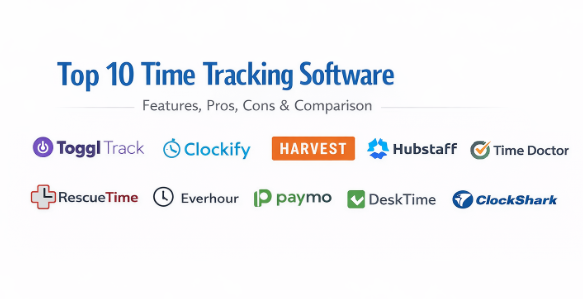
Top 10 Time Tracking Software
#1 — Toggl Track
Short description: A simple yet powerful time tracking tool designed for freelancers, teams, and agencies.
Key Features
- One-click time tracking
- Detailed reporting and insights
- Project and client tracking
- Idle time detection
- Offline tracking
- Team management
Pros
- Extremely easy to use
- Clean interface
- Strong reporting capabilities
Cons
- Limited advanced project features
- Not ideal for large enterprises
Platforms / Deployment
Web / Windows / macOS / Linux / iOS / Android
Cloud
Security & Compliance
Not publicly stated
Integrations & Ecosystem
Supports a wide range of integrations.
- Asana
- Trello
- Slack
- Jira
- APIs
Support & Community
Strong documentation and active community.
#2 — Clockify
Short description: A popular free time tracking tool suitable for individuals and teams.
Key Features
- Unlimited time tracking
- Timesheets and reports
- Project tracking
- Team management
- Billable hours tracking
- Dashboard analytics
Pros
- Generous free plan
- Easy setup
- Good reporting features
Cons
- UI can feel basic
- Limited automation
Platforms / Deployment
Web / Desktop / Mobile
Cloud
Security & Compliance
Not publicly stated
Integrations & Ecosystem
Integrates with common tools.
- Trello
- Asana
- Jira
- APIs
Support & Community
Good support and growing community.
#3 — Harvest
Short description: A time tracking and invoicing tool designed for freelancers and small businesses.
Key Features
- Time and expense tracking
- Invoicing and payments
- Reporting
- Project budgeting
- Team tracking
- Integrations
Pros
- Built-in invoicing
- Easy to use
- Reliable reporting
Cons
- Limited advanced features
- Pricing can increase with team size
Platforms / Deployment
Web / Mobile
Cloud
Security & Compliance
Not publicly stated
Integrations & Ecosystem
Strong integrations ecosystem.
- QuickBooks
- Stripe
- Slack
- Asana
Support & Community
Reliable support and documentation.
#4 — Hubstaff
Short description: A time tracking tool with productivity monitoring features for remote teams.
Key Features
- Automatic time tracking
- Activity monitoring
- GPS tracking
- Payroll integration
- Screenshots (optional)
- Reporting
Pros
- Strong remote workforce features
- Automated payroll
- Detailed activity insights
Cons
- Privacy concerns for some users
- Can feel intrusive
Platforms / Deployment
Web / Desktop / Mobile
Cloud
Security & Compliance
Not publicly stated
Integrations & Ecosystem
Supports business integrations.
- Trello
- Asana
- QuickBooks
- APIs
Support & Community
Good support resources.
#5 — Time Doctor
Short description: A workforce analytics and time tracking tool designed for remote teams.
Key Features
- Time tracking
- Productivity monitoring
- Distraction alerts
- Reports and analytics
- Payroll support
- Screenshots
Pros
- Strong productivity insights
- Good for remote teams
- Detailed analytics
Cons
- Privacy concerns
- Learning curve
Platforms / Deployment
Web / Desktop / Mobile
Cloud
Security & Compliance
Not publicly stated
Integrations & Ecosystem
Supports integrations.
- Slack
- Asana
- Trello
- APIs
Support & Community
Decent documentation and support.
#6 — RescueTime
Short description: An automatic time tracking tool focused on personal productivity and focus improvement.
Key Features
- Automatic tracking
- Focus sessions
- Productivity scoring
- Reports and insights
- Goal tracking
Pros
- Fully automatic tracking
- Great for individuals
- Insightful reports
Cons
- Limited team features
- Not ideal for billing
Platforms / Deployment
Web / Desktop / Mobile
Cloud
Security & Compliance
Not publicly stated
Integrations & Ecosystem
Limited integrations.
- APIs
- Calendar tools
Support & Community
Good documentation.
#7 — Everhour
Short description: A time tracking tool deeply integrated with project management platforms.
Key Features
- Time tracking within tools
- Budget tracking
- Reporting
- Team management
- Billing
Pros
- Strong integrations
- Easy to use
- Good for teams
Cons
- Dependent on integrations
- Limited standalone use
Platforms / Deployment
Web
Cloud
Security & Compliance
Not publicly stated
Integrations & Ecosystem
Deep integrations.
- Asana
- ClickUp
- Trello
- Jira
Support & Community
Helpful support resources.
#8 — Paymo
Short description: A work management platform combining time tracking, project management, and invoicing.
Key Features
- Time tracking
- Task management
- Invoicing
- Reporting
- Scheduling
Pros
- All-in-one solution
- Good for small teams
- Affordable
Cons
- Not ideal for large teams
- Limited advanced analytics
Platforms / Deployment
Web / Desktop / Mobile
Cloud
Security & Compliance
Not publicly stated
Integrations & Ecosystem
Moderate integrations.
- Slack
- Google Workspace
- APIs
Support & Community
Good onboarding and support.
#9 — DeskTime
Short description: An automatic time tracking tool with productivity analysis features.
Key Features
- Automatic tracking
- Productivity reports
- App and URL tracking
- Absence tracking
- Scheduling
Pros
- Accurate automatic tracking
- Good reporting
- Simple setup
Cons
- Limited customization
- UI could improve
Platforms / Deployment
Web / Desktop / Mobile
Cloud
Security & Compliance
Not publicly stated
Integrations & Ecosystem
Basic integrations.
- Calendar tools
- APIs
Support & Community
Decent support.
#10 — ClockShark
Short description: A time tracking tool designed for field service and construction teams.
Key Features
- GPS tracking
- Mobile time tracking
- Job costing
- Scheduling
- Reporting
Pros
- Great for field teams
- Easy mobile use
- Accurate tracking
Cons
- Limited for office teams
- Fewer integrations
Platforms / Deployment
Web / Mobile
Cloud
Security & Compliance
Not publicly stated
Integrations & Ecosystem
Focused integrations.
- QuickBooks
- Payroll systems
- APIs
Support & Community
Strong customer support.
Comparison Table (Top 10)
| Tool Name | Best For | Platform(s) Supported | Deployment | Standout Feature | Public Rating |
|---|---|---|---|---|---|
| Toggl Track | Freelancers | All platforms | Cloud | Simplicity | N/A |
| Clockify | Teams | Web, Desktop, Mobile | Cloud | Free plan | N/A |
| Harvest | SMBs | Web, Mobile | Cloud | Invoicing | N/A |
| Hubstaff | Remote teams | All platforms | Cloud | Monitoring | N/A |
| Time Doctor | Remote teams | All platforms | Cloud | Productivity analytics | N/A |
| RescueTime | Individuals | Desktop, Mobile | Cloud | Automatic tracking | N/A |
| Everhour | Teams | Web | Cloud | Integrations | N/A |
| Paymo | SMBs | All platforms | Cloud | All-in-one | N/A |
| DeskTime | Teams | All platforms | Cloud | Auto tracking | N/A |
| ClockShark | Field teams | Web, Mobile | Cloud | GPS tracking | N/A |
Evaluation & Scoring of Time Tracking Software
| Tool Name | Core | Ease | Integrations | Security | Performance | Support | Value | Weighted Total |
|---|---|---|---|---|---|---|---|---|
| Toggl | 8 | 9 | 8 | 6 | 8 | 8 | 8 | 8.0 |
| Clockify | 8 | 9 | 7 | 6 | 8 | 7 | 9 | 8.0 |
| Harvest | 7 | 9 | 8 | 6 | 8 | 8 | 7 | 7.8 |
| Hubstaff | 9 | 7 | 8 | 6 | 8 | 8 | 7 | 7.9 |
| Time Doctor | 9 | 7 | 7 | 6 | 8 | 7 | 7 | 7.7 |
| RescueTime | 7 | 9 | 6 | 6 | 8 | 7 | 8 | 7.6 |
| Everhour | 8 | 8 | 9 | 6 | 8 | 7 | 7 | 7.9 |
| Paymo | 8 | 8 | 7 | 6 | 8 | 7 | 8 | 7.8 |
| DeskTime | 7 | 8 | 6 | 6 | 8 | 7 | 7 | 7.3 |
| ClockShark | 8 | 8 | 6 | 6 | 8 | 7 | 7 | 7.5 |
Interpretation:
- Scores reflect comparative strengths across tools
- Higher score ≠ best for everyone
- Ease vs features is a key trade-off
- Choose based on your workflow needs
Which Time Tracking Software Is Right for You?
Solo / Freelancer
- Best: Toggl, RescueTime
SMB
- Best: Clockify, Harvest, Paymo
Mid-Market
- Best: Hubstaff, Everhour
Enterprise
- Best: Time Doctor, Hubstaff
Budget vs Premium
- Budget: Clockify
- Premium: Hubstaff, Time Doctor
Feature Depth vs Ease of Use
- Deep: Time Doctor
- Easy: Toggl
Integrations & Scalability
- Strong integrations: Everhour
- Scalable: Hubstaff
Security & Compliance Needs
- Verify before choosing for enterprise use
Frequently Asked Questions (FAQs)
What is time tracking software?
It tracks how time is spent on tasks and projects.
Is time tracking necessary?
Yes, for productivity, billing, and accountability.
Are these tools free?
Some offer free plans; others are paid.
Can they track time automatically?
Yes, many tools support automatic tracking.
Are they safe to use?
Most provide standard security measures.
Do they work offline?
Some tools support offline tracking.
Can they integrate with payroll?
Yes, many tools support payroll integrations.
Are they suitable for remote teams?
Yes, especially tools like Hubstaff and Time Doctor.
Can I switch tools easily?
Switching requires data migration effort.
What should I avoid when choosing?
Avoid tools that don’t scale with your needs.
Conclusion
Time Tracking Software is essential for improving productivity, managing teams, and ensuring accurate billing. Whether you need a simple tracker like Toggl or a comprehensive solution like Hubstaff, the right tool depends on your workflow, team size, and business goals.