Introduction
Time & Attendance Software helps organizations track employee working hours, manage shifts, monitor attendance, and ensure payroll accuracy. In simple terms, it replaces manual timesheets, punch cards, and spreadsheets with automated, digital systems.
In the modern workplace, especially post-remote and hybrid work shifts, accurate time tracking is no longer optional. Businesses now need real-time visibility, compliance with labor laws, and integration with payroll and HR systems. As workforce models become more distributed, these tools play a critical role in operational efficiency and accountability.
Common use cases include:
- Tracking employee work hours and overtime
- Managing shift schedules and workforce planning
- Ensuring compliance with labor laws
- Automating payroll calculations
- Monitoring remote or field employee activity
Key evaluation criteria:
- Ease of use and user interface
- Time tracking accuracy (GPS, biometric, etc.)
- Shift scheduling capabilities
- Payroll and HR integrations
- Reporting and analytics
- Mobile accessibility
- Security and compliance features
- Scalability for growing teams
- Automation and AI capabilities
Best for: HR teams, operations managers, payroll administrators, and business owners in industries like retail, healthcare, construction, IT services, and manufacturing.
Not ideal for: Very small teams or freelancers who only need basic time tracking; simpler tools or manual tracking may suffice in such cases.
Key Trends in Portfolio & Time & Attendance Softwares
- AI-powered workforce insights: Predictive scheduling, anomaly detection, and workforce optimization are becoming standard.
- Biometric and contactless attendance: Facial recognition and mobile-based check-ins are replacing traditional punch systems.
- Mobile-first workforce management: Strong emphasis on mobile apps for remote and field employees.
- Integration-first ecosystems: Seamless integration with HRMS, payroll, and ERP systems is now expected.
- Compliance automation: Built-in labor law compliance across regions (especially for global teams).
- Cloud-native platforms: Majority of new solutions are fully cloud-based with minimal on-premise support.
- Real-time analytics dashboards: Managers expect instant visibility into attendance and productivity.
- Flexible pricing models: Per-user, per-location, and usage-based pricing are common.
- Focus on employee experience: Self-service portals, easy clock-in/out, and transparency in tracking.
- Security-first approach: Increased emphasis on data privacy, encryption, and access controls.
How We Selected These Tools (Methodology)
The tools listed below were selected based on a structured evaluation approach:
- High market adoption and strong brand recognition
- Comprehensive time tracking and attendance capabilities
- Proven reliability and performance across industries
- Availability of mobile and remote workforce support
- Integration with payroll, HRMS, and accounting systems
- Security features such as access control and audit logs
- Suitability across SMBs, mid-market, and enterprise organizations
- Positive user feedback and long-term product stability
- Innovation in automation and AI features
- Vendor support quality and ecosystem strength
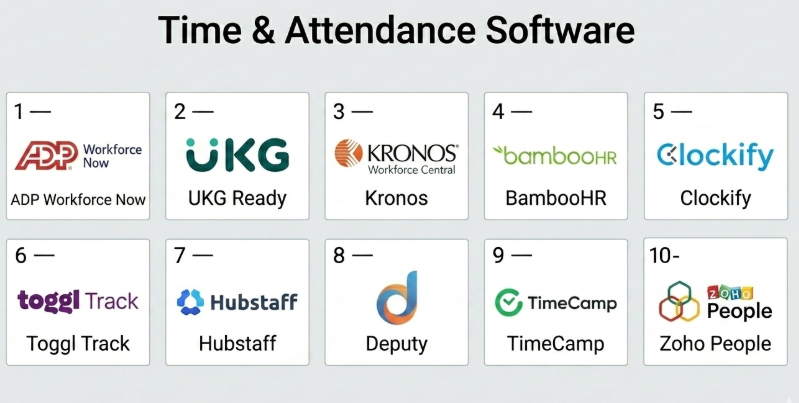
Top 10 Time & Attendance Software
#1 — ADP Workforce Now
Short description: A comprehensive HR and workforce management platform designed for mid-sized to large enterprises.
Key Features
- Time tracking and attendance monitoring
- Payroll automation and tax compliance
- Workforce scheduling tools
- Employee self-service portal
- Real-time analytics and reporting
- Mobile app for remote workforce
Pros
- Strong payroll integration
- Enterprise-grade reliability
Cons
- Complex setup for small teams
- Higher pricing compared to SMB tools
Platforms / Deployment
Web / iOS / Android
Cloud
Security & Compliance
SSO, MFA, RBAC, encryption
SOC 2 (Varies), GDPR support
Integrations & Ecosystem
Integrates with major HR, finance, and ERP systems.
- Accounting software
- HRIS tools
- Benefits management systems
Support & Community
Strong enterprise support with onboarding assistance.
#2 — UKG Ready
Short description: Workforce management solution tailored for small to mid-sized businesses.
Key Features
- Time and attendance tracking
- Scheduling and shift management
- Payroll integration
- Compliance tracking
- Reporting dashboards
Pros
- User-friendly interface
- Strong compliance tools
Cons
- Limited customization
- Pricing transparency issues
Platforms / Deployment
Web / iOS / Android
Cloud
Security & Compliance
SSO, encryption
Not publicly stated certifications
Integrations & Ecosystem
Supports integrations with HR and payroll tools.
- HR systems
- Payroll platforms
- APIs available
Support & Community
Good customer support, varies by plan.
#3 — Kronos Workforce Central
Short description: Enterprise-grade workforce management system for large organizations.
Key Features
- Advanced scheduling
- Time tracking and attendance
- Workforce analytics
- Compliance management
- Labor forecasting
Pros
- Highly scalable
- Advanced analytics
Cons
- Complex implementation
- Requires training
Platforms / Deployment
Web
Cloud / On-premise
Security & Compliance
Not publicly stated
Integrations & Ecosystem
Deep integration with enterprise systems.
- ERP platforms
- HR tools
- Custom APIs
Support & Community
Enterprise-level support available.
#4 — BambooHR
Short description: HR software with built-in time tracking for small to mid-sized businesses.
Key Features
- Time-off tracking
- Attendance management
- Employee records
- Reporting tools
- Self-service portal
Pros
- Easy to use
- Clean UI
Cons
- Limited advanced features
- Not ideal for complex scheduling
Platforms / Deployment
Web / iOS / Android
Cloud
Security & Compliance
Not publicly stated
Integrations & Ecosystem
Integrates with HR and payroll tools.
- Payroll systems
- ATS tools
- APIs
Support & Community
Strong documentation and onboarding.
#5 — Clockify
Short description: Free time tracking tool for freelancers and teams.
Key Features
- Time tracking and timesheets
- Project tracking
- Reporting dashboards
- Team management
- Integrations
Pros
- Free tier available
- Simple to use
Cons
- Limited enterprise features
- Basic reporting
Platforms / Deployment
Web / Windows / macOS / Linux / iOS / Android
Cloud
Security & Compliance
Not publicly stated
Integrations & Ecosystem
Wide integration support.
- Project management tools
- Browser extensions
- APIs
Support & Community
Large user base, good documentation.
#6 — Toggl Track
Short description: Simple time tracking tool focused on productivity.
Key Features
- One-click time tracking
- Reporting and analytics
- Project tracking
- Idle time detection
- Team dashboards
Pros
- Intuitive interface
- Quick setup
Cons
- Limited scheduling features
- Not ideal for payroll-heavy use cases
Platforms / Deployment
Web / Desktop / Mobile
Cloud
Security & Compliance
Not publicly stated
Integrations & Ecosystem
Integrates with productivity tools.
- Project management tools
- Calendar apps
- APIs
Support & Community
Strong community and documentation.
#7 — Hubstaff
Short description: Time tracking with employee monitoring features.
Key Features
- Time tracking with screenshots
- GPS tracking
- Productivity monitoring
- Payroll integration
- Reporting
Pros
- Ideal for remote teams
- Strong monitoring features
Cons
- Privacy concerns
- Can feel intrusive
Platforms / Deployment
Web / Desktop / Mobile
Cloud
Security & Compliance
Not publicly stated
Integrations & Ecosystem
Supports multiple integrations.
- Payroll systems
- Project tools
- APIs
Support & Community
Reliable support, active user base.
#8 — Deputy
Short description: Scheduling and workforce management tool for shift-based businesses.
Key Features
- Shift scheduling
- Time tracking
- Leave management
- Compliance tools
- Mobile app
Pros
- Excellent scheduling
- Mobile-friendly
Cons
- Limited analytics depth
- Pricing can scale quickly
Platforms / Deployment
Web / Mobile
Cloud
Security & Compliance
Not publicly stated
Integrations & Ecosystem
Integrates with payroll and POS systems.
- Payroll tools
- POS systems
- APIs
Support & Community
Good onboarding and support.
#9 — TimeCamp
Short description: Time tracking with invoicing and productivity analysis.
Key Features
- Automatic time tracking
- Productivity analysis
- Invoicing
- Reporting
- Integrations
Pros
- Strong reporting
- Affordable pricing
Cons
- UI can feel outdated
- Limited HR features
Platforms / Deployment
Web / Desktop / Mobile
Cloud
Security & Compliance
Not publicly stated
Integrations & Ecosystem
Supports integrations with business tools.
- Accounting software
- Project tools
- APIs
Support & Community
Moderate support and documentation.
#10 — Zoho People
Short description: HR platform with time and attendance features.
Key Features
- Attendance tracking
- Leave management
- Employee database
- Workflow automation
- Reporting
Pros
- Affordable
- Strong HR features
Cons
- Limited advanced analytics
- UI learning curve
Platforms / Deployment
Web / Mobile
Cloud
Security & Compliance
Not publicly stated
Integrations & Ecosystem
Part of Zoho ecosystem.
- Zoho apps
- APIs
- Third-party tools
Support & Community
Strong support within Zoho ecosystem.
Comparison Table (Top 10)
| Tool Name | Best For | Platform(s) Supported | Deployment | Standout Feature | Public Rating |
|---|---|---|---|---|---|
| ADP Workforce Now | Enterprises | Web, Mobile | Cloud | Payroll integration | N/A |
| UKG Ready | SMBs | Web, Mobile | Cloud | Compliance tools | N/A |
| Kronos Workforce Central | Enterprises | Web | Hybrid | Advanced analytics | N/A |
| BambooHR | SMBs | Web, Mobile | Cloud | Ease of use | N/A |
| Clockify | Freelancers | All platforms | Cloud | Free tier | N/A |
| Toggl Track | Small teams | All platforms | Cloud | Simplicity | N/A |
| Hubstaff | Remote teams | All platforms | Cloud | Monitoring tools | N/A |
| Deputy | Shift businesses | Web, Mobile | Cloud | Scheduling | N/A |
| TimeCamp | SMBs | All platforms | Cloud | Reporting | N/A |
| Zoho People | SMBs | Web, Mobile | Cloud | HR integration | N/A |
Evaluation & Scoring of Time & Attendance Software
| Tool Name | Core (25%) | Ease (15%) | Integrations (15%) | Security (10%) | Performance (10%) | Support (10%) | Value (15%) | Weighted Total |
|---|---|---|---|---|---|---|---|---|
| ADP Workforce Now | 9 | 7 | 9 | 8 | 9 | 9 | 7 | 8.4 |
| UKG Ready | 8 | 8 | 7 | 7 | 8 | 8 | 7 | 7.7 |
| Kronos Workforce Central | 9 | 6 | 8 | 7 | 9 | 8 | 6 | 7.8 |
| BambooHR | 7 | 9 | 7 | 6 | 8 | 8 | 8 | 7.7 |
| Clockify | 6 | 9 | 7 | 6 | 7 | 7 | 9 | 7.3 |
| Toggl Track | 6 | 9 | 7 | 6 | 7 | 7 | 8 | 7.2 |
| Hubstaff | 8 | 7 | 8 | 6 | 8 | 7 | 7 | 7.4 |
| Deputy | 8 | 8 | 7 | 6 | 8 | 7 | 7 | 7.5 |
| TimeCamp | 7 | 7 | 7 | 6 | 7 | 6 | 8 | 7.0 |
| Zoho People | 7 | 7 | 8 | 6 | 7 | 7 | 8 | 7.3 |
How to interpret scores:
- Scores are comparative, not absolute benchmarks.
- A higher score indicates better overall balance across features and usability.
- Enterprise tools score higher on capability but may lose points on ease of use.
- SMB tools often score higher on value and simplicity.
- Choose based on your specific needs, not just the highest score.
Which Time & Attendance Software Tools Is Right for You?
Solo / Freelancer
Tools like Clockify and Toggl Track are ideal due to simplicity and affordability.
SMB
BambooHR, Zoho People, and Deputy offer a good balance of features and ease of use.
Mid-Market
UKG Ready and TimeCamp provide scalability with moderate complexity.
Enterprise
ADP Workforce Now and Kronos Workforce Central are best for large-scale operations.
Budget vs Premium
- Budget: Clockify, TimeCamp
- Premium: ADP, UKG, Kronos
Feature Depth vs Ease of Use
- Feature-rich: Kronos, ADP
- Easy to use: Toggl, BambooHR
Integrations & Scalability
- Strong integrations: ADP, Zoho
- Moderate: Deputy, TimeCamp
Security & Compliance Needs
- High compliance: ADP, UKG
- Basic: Clockify, Toggl
Frequently Asked Questions (FAQs)
What is Time & Attendance Software?
It tracks employee work hours, attendance, and helps automate payroll and compliance.
How much does it cost?
Pricing varies widely, from free tools to enterprise-level subscriptions.
Is it suitable for remote teams?
Yes, many tools offer GPS and mobile tracking.
Can it integrate with payroll?
Most modern tools support payroll integrations.
Is data secure?
Security varies; check for encryption and access controls.
How long does implementation take?
From a few hours (SMB tools) to weeks (enterprise solutions).
What are common mistakes?
Ignoring integrations and scalability needs.
Can I switch tools easily?
Migration is possible but may require data cleanup.
Do these tools support compliance?
Many include labor law compliance features.
Are mobile apps available?
Most tools provide iOS and Android apps.
Conclusion
Time & Attendance Software has evolved into a critical component of modern workforce management. From simple time tracking tools for freelancers to complex enterprise systems, the right choice depends on your organization’s size, complexity, and compliance requirements.