Introduction
Social Media Management Tools help businesses plan, publish, monitor, and analyze content across multiple social media platforms from a single interface. Instead of manually posting on each channel, these tools streamline workflows, enable scheduling, track engagement, and provide insights into performance.
As social media continues to be a primary channel for brand awareness, customer engagement, and customer support, managing multiple platforms efficiently has become essential. Modern tools go beyond scheduling—they include AI-assisted content creation, social listening, analytics, and team collaboration features.
Common use cases include:
- Scheduling and publishing posts across multiple platforms
- Managing comments, messages, and interactions
- Monitoring brand mentions and social listening
- Analyzing performance and engagement metrics
- Collaborating across marketing teams
What buyers should evaluate:
- Supported social media platforms
- Scheduling and automation capabilities
- Social listening and monitoring features
- Analytics and reporting depth
- Team collaboration tools
- Ease of use and UI/UX
- Integration with marketing tools
- Pricing and scalability
- AI content assistance features
- Security and access control
Best for: Marketing teams, social media managers, agencies, influencers, and businesses that actively manage multiple social media accounts.
Not ideal for: Individuals or small teams managing only one platform occasionally, or businesses that rely minimally on social media marketing.
Key Trends in Social Media Management Tools
- AI-powered content creation: Tools now assist with captions, hashtags, and post optimization.
- Unified inboxes: Centralized management of messages and comments across platforms.
- Social listening expansion: Monitoring brand mentions, competitors, and trends in real time.
- Short-form content focus: Tools adapting to video-first platforms and formats.
- Automation and scheduling: Advanced scheduling with optimal posting times.
- Collaboration workflows: Approval systems and team-based content planning.
- Analytics evolution: Deeper insights into engagement, reach, and ROI.
- Integration with marketing stacks: CRM, email, and analytics integrations.
- Mobile-first management: Apps enabling on-the-go content management.
- Platform API changes: Continuous adaptation to platform-specific limitations and updates.
How We Selected These Tools (Methodology)
The tools below were selected based on:
- Market popularity and adoption
- Feature completeness (publishing, analytics, listening)
- Multi-platform support
- Ease of use and onboarding
- Reliability and performance
- Integration ecosystem
- Collaboration and team features
- Security and access controls
- Suitability for different business sizes
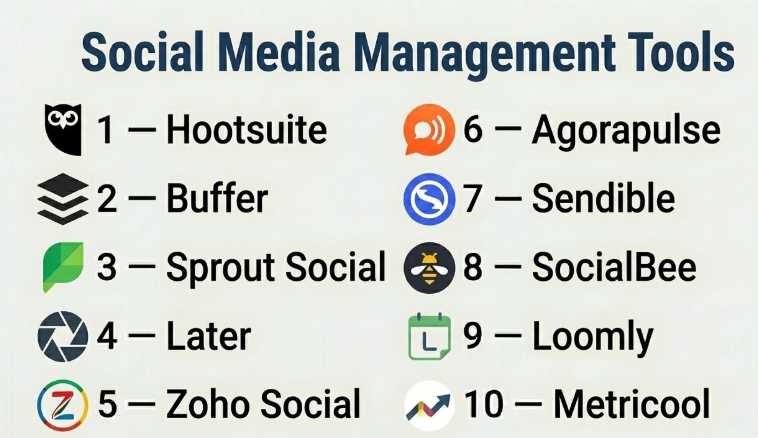
Top 10 Social Media Management Tools
#1 — Hootsuite
Short description: A widely used social media management platform for scheduling, monitoring, and analytics across multiple networks.
Key Features
- Multi-platform scheduling
- Social media monitoring
- Analytics and reporting
- Team collaboration tools
- Content calendar
- App integrations
Pros
- Supports many platforms
- Strong analytics
- Scalable for teams
Cons
- Pricing can be high
- UI can feel complex
Platforms / Deployment
- Web / Mobile
- Cloud
Security & Compliance
- SSO, access controls
- Not publicly stated for certifications
Integrations & Ecosystem
Hootsuite integrates with numerous apps and marketing tools.
- Facebook, Instagram, LinkedIn, Twitter
- Google Analytics
- APIs
Support & Community
Extensive documentation and enterprise support options.
#2 — Buffer
Short description: A simple and user-friendly social media scheduling tool ideal for individuals and small teams.
Key Features
- Post scheduling
- Content calendar
- Analytics
- Engagement tools
- Browser extensions
Pros
- Easy to use
- Affordable
- Clean interface
Cons
- Limited advanced features
- Basic analytics
Platforms / Deployment
- Web / Mobile
- Cloud
Security & Compliance
- Not publicly stated
Integrations & Ecosystem
- Social platforms
- APIs
Support & Community
Good documentation and support.
#3 — Sprout Social
Short description: A premium social media management platform offering analytics, engagement, and social listening features.
Key Features
- Unified inbox
- Social listening
- Advanced analytics
- Scheduling tools
- Team collaboration
Pros
- Powerful analytics
- Strong reporting
- Enterprise-ready
Cons
- Expensive
- Learning curve
Platforms / Deployment
- Web / Mobile
- Cloud
Security & Compliance
- SSO, access controls
- Not publicly stated
Integrations & Ecosystem
- CRM tools
- Social platforms
- APIs
Support & Community
Strong customer support and onboarding.
#4 — Later
Short description: A visual-first social media scheduling tool, especially popular for Instagram and content creators.
Key Features
- Visual content calendar
- Post scheduling
- Media library
- Analytics
- Link-in-bio tools
Pros
- Great for visual planning
- Easy to use
- Strong Instagram support
Cons
- Limited for non-visual platforms
- Basic analytics
Platforms / Deployment
- Web / Mobile
- Cloud
Security & Compliance
- Not publicly stated
Integrations & Ecosystem
- TikTok
- APIs
Support & Community
Good support and tutorials.
#5 — Zoho Social
Short description: A cost-effective social media management tool integrated within the Zoho ecosystem.
Key Features
- Scheduling and publishing
- Monitoring dashboard
- Analytics
- Team collaboration
- CRM integration
Pros
- Affordable
- CRM integration
- Easy to use
Cons
- Limited advanced features
- Smaller ecosystem
Platforms / Deployment
- Web / Mobile
- Cloud
Security & Compliance
- Not publicly stated
Integrations & Ecosystem
- Zoho CRM
- Social platforms
- APIs
Support & Community
Good support within Zoho ecosystem.
#6 — Agorapulse
Short description: A social media management tool focused on engagement, scheduling, and reporting.
Key Features
- Unified inbox
- Scheduling tools
- Analytics
- Social listening
- Team workflows
Pros
- Strong engagement tools
- Easy to manage interactions
- Good reporting
Cons
- Pricing may be high
- Limited integrations
Platforms / Deployment
- Web / Mobile
- Cloud
Security & Compliance
- Not publicly stated
Integrations & Ecosystem
- Social platforms
- APIs
Support & Community
Responsive support and helpful resources.
#7 — Sendible
Short description: A social media management platform designed for agencies managing multiple clients.
Key Features
- Multi-client dashboards
- Scheduling and publishing
- Analytics
- Content suggestions
- Collaboration tools
Pros
- Agency-focused
- Multi-account management
- Good integrations
Cons
- UI complexity
- Pricing tiers
Platforms / Deployment
- Web
- Cloud
Security & Compliance
- Not publicly stated
Integrations & Ecosystem
- Social platforms
- Google Analytics
- APIs
Support & Community
Good agency-focused support.
#8 — SocialBee
Short description: A content-focused social media scheduling tool with strong automation features.
Key Features
- Content categorization
- Scheduling automation
- Analytics
- Content recycling
- AI assistance
Pros
- Great content organization
- Automation features
- Affordable
Cons
- Limited analytics depth
- Smaller ecosystem
Platforms / Deployment
- Web
- Cloud
Security & Compliance
- Not publicly stated
Integrations & Ecosystem
- Social platforms
- APIs
Support & Community
Good documentation and support.
#9 — Loomly
Short description: A collaborative social media management platform focused on content planning and approval workflows.
Key Features
- Content calendar
- Post ideas and suggestions
- Approval workflows
- Analytics
- Scheduling
Pros
- Strong collaboration tools
- Easy planning
- User-friendly
Cons
- Limited advanced analytics
- Fewer integrations
Platforms / Deployment
- Web
- Cloud
Security & Compliance
- Not publicly stated
Integrations & Ecosystem
- Social platforms
- APIs
Support & Community
Helpful onboarding and support.
#10 — Metricool
Short description: A social media analytics and scheduling tool with performance tracking across platforms.
Key Features
- Scheduling
- Analytics dashboard
- Competitor tracking
- Ad performance tracking
- Reporting
Pros
- Strong analytics
- Affordable
- Easy to use
Cons
- Limited automation
- UI simplicity
Platforms / Deployment
- Web / Mobile
- Cloud
Security & Compliance
- Not publicly stated
Integrations & Ecosystem
- Social platforms
- Ads platforms
- APIs
Support & Community
Growing support and community.
Comparison Table (Top 10)
| Tool Name | Best For | Platform(s) Supported | Deployment | Standout Feature | Public Rating |
|---|---|---|---|---|---|
| Hootsuite | Enterprise teams | Web/Mobile | Cloud | Multi-platform management | N/A |
| Buffer | Individuals/SMB | Web/Mobile | Cloud | Simplicity | N/A |
| Sprout Social | Enterprise | Web/Mobile | Cloud | Analytics & listening | N/A |
| Later | Creators | Web/Mobile | Cloud | Visual planning | N/A |
| Zoho Social | SMB | Web/Mobile | Cloud | CRM integration | N/A |
| Agorapulse | Engagement teams | Web/Mobile | Cloud | Unified inbox | N/A |
| Sendible | Agencies | Web | Cloud | Multi-client management | N/A |
| SocialBee | Content marketers | Web | Cloud | Content automation | N/A |
| Loomly | Teams | Web | Cloud | Collaboration workflows | N/A |
| Metricool | Analytics users | Web/Mobile | Cloud | Performance tracking | N/A |
Evaluation & Scoring of Social Media Management Tools
| Tool Name | Core (25%) | Ease (15%) | Integrations (15%) | Security (10%) | Performance (10%) | Support (10%) | Value (15%) | Weighted Total |
|---|---|---|---|---|---|---|---|---|
| Hootsuite | 9 | 7 | 9 | 7 | 9 | 8 | 6 | 8.0 |
| Buffer | 7 | 10 | 7 | 6 | 8 | 8 | 9 | 8.0 |
| Sprout Social | 10 | 7 | 9 | 8 | 9 | 9 | 6 | 8.6 |
| Later | 7 | 9 | 6 | 6 | 8 | 7 | 8 | 7.5 |
| Zoho Social | 8 | 8 | 7 | 6 | 8 | 7 | 9 | 7.9 |
| Agorapulse | 8 | 8 | 7 | 6 | 8 | 8 | 7 | 7.7 |
| Sendible | 8 | 7 | 8 | 6 | 8 | 7 | 7 | 7.6 |
| SocialBee | 7 | 8 | 6 | 6 | 7 | 7 | 9 | 7.5 |
| Loomly | 7 | 9 | 6 | 6 | 7 | 7 | 8 | 7.4 |
| Metricool | 8 | 8 | 7 | 6 | 8 | 7 | 8 | 7.8 |
How to interpret scores:
- Scores compare tools relative to each other, not absolute benchmarks.
- Enterprise tools rank higher in features and integrations.
- SMB tools score higher in ease of use and value.
- Choose based on workflow complexity and team size.
Which Social Media Management Tool Is Right for You?
Solo / Freelancer
- Best choices: Buffer, Later, SocialBee
- Focus on simplicity and affordability
SMB
- Best choices: Zoho Social, Buffer, Metricool
- Need balance of features and cost
Mid-Market
- Best choices: Hootsuite, Agorapulse
- Require collaboration and analytics
Enterprise
- Best choices: Sprout Social, Hootsuite
- Focus on scalability, reporting, and integrations
Budget vs Premium
- Budget: Buffer, SocialBee
- Premium: Sprout Social, Hootsuite
Feature Depth vs Ease of Use
- Easy: Buffer, Later
- Advanced: Sprout Social, Hootsuite
Integrations & Scalability
- Strong: Hootsuite, Sprout Social
- Moderate: Zoho Social, Agorapulse
Security & Compliance Needs
- Stronger: Sprout Social, Hootsuite
- Basic: Buffer, Later
Frequently Asked Questions (FAQs)
What is a social media management tool?
It is software that helps schedule, manage, and analyze social media content across platforms.
Do I need one if I manage only one account?
Not necessarily, but it can still save time and improve consistency.
Can I schedule posts in advance?
Yes, most tools offer scheduling and automation features.
What platforms are supported?
Most tools support major platforms like Facebook, Instagram, LinkedIn, and Twitter.
Are these tools suitable for teams?
Yes, many offer collaboration and approval workflows.
How much do they cost?
Pricing varies from free plans to premium enterprise subscriptions.
Do they offer analytics?
Yes, analytics and reporting are core features.
Can I track competitors?
Some tools include competitor analysis features.
Are mobile apps available?
Most tools offer mobile apps for on-the-go management.
Can I integrate with other tools?
Yes, integrations with CRM, analytics, and marketing tools are common.
Conclusion
Social Media Management Tools are essential for businesses looking to streamline content publishing, improve engagement, and gain actionable insights. Whether you’re an individual creator using Buffer or Later, an SMB leveraging Zoho Social, or an enterprise relying on Sprout Social or Hootsuite, the right choice depends on your scale and needs.