Introduction
Project Management Software helps teams plan, execute, and track projects from start to finish. It provides a centralized workspace to manage tasks, timelines, resources, budgets, and collaboration—ensuring that projects are delivered on time and within scope.
In today’s fast-paced and distributed work environment, project management tools have evolved far beyond simple task trackers. Modern platforms now include automation, AI-assisted planning, real-time reporting, and deep integrations with other business systems. These capabilities enable teams to streamline workflows, improve visibility, and make data-driven decisions.
Common use cases include:
- Managing product development cycles
- Coordinating marketing campaigns
- Tracking construction or operations projects
- Agile and sprint planning for software teams
- Resource allocation and capacity planning
What buyers should evaluate:
- Task and project tracking capabilities
- Workflow automation and customization
- Collaboration and communication features
- Resource and budget management
- Reporting and analytics
- Integration with third-party tools
- Ease of use and onboarding
- Scalability for team growth
- Security and access controls
- Pricing and value
Best for: Project managers, team leads, operations teams, and organizations of all sizes that require structured planning, collaboration, and execution of projects.
Not ideal for: Individuals or small teams with very simple task tracking needs. Lightweight task management tools may be more suitable in those cases.
Key Trends in Project Management Software
- AI-driven project planning: Tools suggest timelines, dependencies, and risks automatically
- Automation-first workflows: Reducing manual updates and repetitive tasks
- Hybrid work support: Designed for remote and distributed teams
- All-in-one workspaces: Combining tasks, docs, chat, and dashboards
- Real-time analytics: Instant visibility into project health and KPIs
- Low-code customization: Users can design workflows without coding
- Integration-first ecosystems: Deep connections with CRM, DevOps, and communication tools
- Resource optimization: Advanced capacity and workload management
- Agile and hybrid methodologies: Support for Scrum, Kanban, and waterfall
- Mobile accessibility: Full project visibility on mobile devices
How We Selected These Tools (Methodology)
We selected these project management tools based on:
- Market adoption and popularity
- Feature completeness across planning, execution, and reporting
- Ease of use for teams of different sizes
- Integration capabilities and ecosystem strength
- Performance and scalability
- Security and compliance readiness
- Flexibility across industries and use cases
- Customer support and documentation quality
- Innovation in automation and AI capabilities
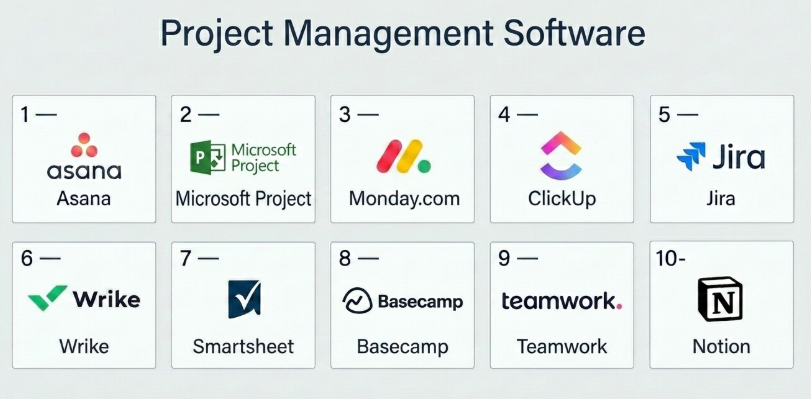
Top 10 Project Management Software
#1 — Asana
Short description: A widely used project management platform that helps teams organize, track, and manage work across projects.
Key Features
- Task and project tracking
- Timeline and Gantt views
- Workflow automation
- Goal tracking
- Reporting dashboards
- Collaboration tools
Pros
- Intuitive interface
- Strong collaboration features
Cons
- Advanced features require higher plans
- Can become complex for large projects
Platforms / Deployment
Web / iOS / Android / Cloud
Security & Compliance
SSO, MFA, RBAC; compliance varies
Integrations & Ecosystem
Asana integrates with many business tools.
- Slack
- Google Workspace
- Microsoft Teams
- APIs
Support & Community
Strong documentation and active user community.
#2 — Microsoft Project
Short description: A traditional project management tool with advanced planning and scheduling capabilities.
Key Features
- Gantt charts
- Resource management
- Budget tracking
- Scheduling tools
- Reporting dashboards
Pros
- Powerful planning features
- Strong Microsoft ecosystem integration
Cons
- Steep learning curve
- Expensive
Platforms / Deployment
Web / Windows / Cloud / On-premise
Security & Compliance
SSO, MFA; compliance varies
Integrations & Ecosystem
Deep Microsoft integrations.
- Office tools
- Dynamics
- Azure
Support & Community
Extensive enterprise support.
#3 — Monday.com
Short description: A flexible work OS for managing projects, workflows, and team collaboration.
Key Features
- Custom workflows
- Visual dashboards
- Automation
- Time tracking
- Collaboration tools
Pros
- Easy to customize
- Visual interface
Cons
- Pricing complexity
- Limited advanced reporting
Platforms / Deployment
Web / iOS / Android / Cloud
Security & Compliance
SSO, MFA; compliance varies
Integrations & Ecosystem
Strong integrations.
- CRM tools
- Slack
- Google Workspace
Support & Community
Good onboarding and documentation.
#4 — ClickUp
Short description: An all-in-one productivity platform combining project management, tasks, and docs.
Key Features
- Multiple project views
- Automation rules
- Time tracking
- Goal tracking
- Docs and collaboration
Pros
- Feature-rich
- Highly customizable
Cons
- Learning curve
- Can feel overwhelming
Platforms / Deployment
Web / Windows / macOS / iOS / Android / Cloud
Security & Compliance
SSO, MFA; compliance varies
Integrations & Ecosystem
Wide integrations.
- Slack
- GitHub
- APIs
Support & Community
Strong support and growing community.
#5 — Jira
Short description: A powerful project and issue tracking tool widely used by software development teams.
Key Features
- Agile boards
- Issue tracking
- Workflow customization
- Reporting tools
- DevOps integrations
Pros
- Ideal for Agile teams
- Highly customizable
Cons
- Complex for non-technical users
- Setup takes time
Platforms / Deployment
Web / Cloud / On-premise
Security & Compliance
SSO, MFA, RBAC; compliance varies
Integrations & Ecosystem
Developer-focused ecosystem.
- GitHub
- Bitbucket
- CI/CD tools
Support & Community
Large community and documentation.
#6 — Wrike
Short description: A project management tool designed for teams needing advanced collaboration and reporting.
Key Features
- Task management
- Gantt charts
- Workflow automation
- Reporting dashboards
- Resource management
Pros
- Powerful reporting
- Scalable
Cons
- Complex interface
- Higher cost
Platforms / Deployment
Web / iOS / Android / Cloud
Security & Compliance
SSO, MFA; compliance varies
Integrations & Ecosystem
Enterprise integrations.
- CRM tools
- Adobe tools
- APIs
Support & Community
Strong enterprise support.
#7 — Smartsheet
Short description: A spreadsheet-style project management platform with automation capabilities.
Key Features
- Grid-based tracking
- Workflow automation
- Reporting
- Collaboration
- Resource management
Pros
- Familiar interface
- Strong automation
Cons
- Less intuitive for new users
- Expensive
Platforms / Deployment
Web / iOS / Android / Cloud
Security & Compliance
SSO, MFA; compliance varies
Integrations & Ecosystem
Wide integrations.
- Microsoft tools
- Google Workspace
- APIs
Support & Community
Strong enterprise support.
#8 — Basecamp
Short description: A simple project management and team collaboration tool.
Key Features
- To-do lists
- Message boards
- File sharing
- Scheduling
- Team communication
Pros
- Simple and easy to use
- Flat pricing model
Cons
- Limited advanced features
- Not ideal for complex projects
Platforms / Deployment
Web / iOS / Android / Cloud
Security & Compliance
Not publicly stated
Integrations & Ecosystem
Limited integrations.
- APIs
Support & Community
Good documentation and support.
#9 — Teamwork
Short description: A project management platform focused on client work and team collaboration.
Key Features
- Task management
- Time tracking
- Billing and invoicing
- Reporting
- Collaboration tools
Pros
- Great for client projects
- Built-in billing features
Cons
- UI can feel dated
- Limited customization
Platforms / Deployment
Web / iOS / Android / Cloud
Security & Compliance
SSO; compliance varies
Integrations & Ecosystem
Moderate integrations.
- CRM tools
- APIs
Support & Community
Strong support for agencies.
#10 — Notion
Short description: A flexible workspace combining project management, docs, and collaboration.
Key Features
- Databases for projects
- Notes and docs
- Collaboration tools
- Templates
- Custom views
Pros
- Highly flexible
- Great for documentation
Cons
- Requires setup
- Limited advanced project tracking
Platforms / Deployment
Web / Windows / macOS / iOS / Android / Cloud
Security & Compliance
SSO; compliance varies
Integrations & Ecosystem
Moderate integrations.
- Slack
- APIs
Support & Community
Strong community and templates.
Comparison Table (Top 10)
| Tool Name | Best For | Platform(s) Supported | Deployment | Standout Feature | Public Rating |
|---|---|---|---|---|---|
| Asana | Team collaboration | Web, Mobile | Cloud | Workflow automation | N/A |
| Microsoft Project | Advanced planning | Web, Windows | Cloud/On-prem | Gantt charts | N/A |
| Monday.com | Visual workflows | Web, Mobile | Cloud | Custom dashboards | N/A |
| ClickUp | All-in-one platform | All platforms | Cloud | Customization | N/A |
| Jira | Dev teams | Web | Cloud/On-prem | Agile tracking | N/A |
| Wrike | Enterprise teams | Web, Mobile | Cloud | Reporting | N/A |
| Smartsheet | Spreadsheet users | Web, Mobile | Cloud | Grid interface | N/A |
| Basecamp | Simple teams | Web, Mobile | Cloud | Simplicity | N/A |
| Teamwork | Agencies | Web, Mobile | Cloud | Billing features | N/A |
| Notion | Flexible workspace | All platforms | Cloud | Docs + projects | N/A |
Evaluation & Scoring of Project Management Software
| Tool Name | Core (25%) | Ease (15%) | Integrations (15%) | Security (10%) | Performance (10%) | Support (10%) | Value (15%) | Weighted Total |
|---|---|---|---|---|---|---|---|---|
| Asana | 9 | 8 | 9 | 8 | 8 | 8 | 7 | 8.2 |
| Microsoft Project | 9 | 6 | 9 | 9 | 8 | 8 | 6 | 8.0 |
| Monday | 8 | 8 | 8 | 8 | 8 | 8 | 7 | 8.0 |
| ClickUp | 9 | 7 | 9 | 8 | 8 | 8 | 8 | 8.3 |
| Jira | 9 | 6 | 9 | 9 | 8 | 8 | 7 | 8.1 |
| Wrike | 9 | 7 | 8 | 8 | 8 | 8 | 7 | 8.0 |
| Smartsheet | 8 | 7 | 8 | 8 | 8 | 8 | 7 | 7.9 |
| Basecamp | 6 | 9 | 6 | 6 | 7 | 7 | 9 | 7.4 |
| Teamwork | 8 | 7 | 7 | 7 | 7 | 8 | 8 | 7.6 |
| Notion | 8 | 8 | 7 | 7 | 7 | 8 | 9 | 7.9 |
How to interpret the scores:
- Higher scores indicate stronger overall capabilities.
- Enterprise tools excel in features but may lack ease of use.
- Simpler tools score higher in usability and value.
- Always match the tool to your workflow needs.
Which Project Management Software Is Right for You?
Solo / Freelancer
- Best: Notion, Basecamp
- Focus on simplicity and flexibility
SMB
- Best: Asana, ClickUp, Monday.com
- Balance features and usability
Mid-Market
- Best: ClickUp, Wrike, Monday.com
- Need scalability and customization
Enterprise
- Best: Microsoft Project, Jira, Asana
- Focus on control, integrations, and reporting
Budget vs Premium
- Budget: Basecamp, Notion
- Premium: Microsoft Project, Wrike
Feature Depth vs Ease of Use
- Deep: Jira, Microsoft Project
- Easy: Basecamp, Notion
Integrations & Scalability
- Strong: Jira, Asana, ClickUp
- Moderate: Basecamp, Teamwork
Security & Compliance Needs
- High: Microsoft Project, Jira
- Moderate: Others
Frequently Asked Questions (FAQs)
What is project management software?
It helps plan, execute, and track projects efficiently.
Are these tools suitable for small teams?
Yes, many tools offer plans for small teams.
How much do they cost?
Pricing varies from free plans to enterprise-level pricing.
Can they integrate with other tools?
Yes, most support integrations.
Do they support Agile methodologies?
Yes, tools like Jira and ClickUp support Agile.
Are they secure?
Most offer standard security features.
How long does implementation take?
From a few days to several weeks.
Can I switch tools later?
Yes, but data migration is required.
What are common mistakes?
Choosing overly complex tools or ignoring integrations.
Are there alternatives?
Task management or collaboration tools.
Conclusion
Project Management Software is essential for modern teams to stay organized, collaborative, and efficient. From simple tools like Basecamp to powerful platforms like ClickUp and Jira, there’s a solution for every type of team.