Introduction
Process Mining Tools are specialized software solutions that analyze event logs from IT systems to visualize, monitor, and optimize real business processes. Instead of relying on assumptions or manual mapping, these tools use data to reveal how processes actually run—highlighting inefficiencies, bottlenecks, and deviations.
As organizations increasingly focus on operational excellence, digital transformation, and automation, process mining has become a critical capability. It bridges the gap between data analytics and process improvement, enabling companies to make faster, evidence-based decisions.
Common use cases include:
- Identifying bottlenecks in order-to-cash or procure-to-pay processes
- Enhancing customer journey workflows
- Supporting compliance and audit readiness
- Optimizing IT service management processes
- Enabling continuous process improvement initiatives
What buyers should evaluate:
- Data ingestion and compatibility with source systems
- Process discovery and visualization capabilities
- Conformance checking and compliance monitoring
- AI and predictive analytics features
- Ease of use and user interface
- Integration with BI, RPA, and BPM tools
- Scalability and performance
- Security and compliance features
- Deployment flexibility
- Pricing and ROI potential
Best for: Operations leaders, process analysts, IT managers, and transformation teams in mid-market and enterprise organizations aiming to optimize complex workflows and drive efficiency.
Not ideal for: Small teams without structured processes or organizations lacking reliable event log data. In such cases, simpler analytics or workflow tools may be more appropriate.
Key Trends in Process Mining Tools
- AI-driven process insights: Advanced analytics and machine learning models for predictive process optimization
- Task mining integration: Combining process mining with desktop-level activity tracking
- Real-time monitoring: Continuous process visibility instead of static analysis
- Hyperautomation alignment: Integration with RPA and workflow automation tools
- Low-code interfaces: Enabling business users to build dashboards and workflows
- Cloud-native platforms: Scalable SaaS deployments with faster implementation
- Digital twins of organizations: Simulating processes to test improvements before implementation
- Embedded compliance tracking: Automated detection of deviations and risks
- Integration with ERP systems: Deep connectivity with SAP, Oracle, and other enterprise systems
- User-centric dashboards: Personalized analytics for different roles
How We Selected These Tools (Methodology)
We evaluated process mining tools based on:
- Market adoption and reputation: Widely recognized and trusted tools
- Feature depth: Strong capabilities in process discovery, conformance, and analytics
- Performance and scalability: Ability to handle large datasets
- Integration ecosystem: Compatibility with enterprise systems and automation tools
- Ease of use: Accessibility for both technical and business users
- Security posture: Availability of enterprise-grade controls
- Innovation: AI, automation, and advanced analytics capabilities
- Customer support: Documentation, onboarding, and community
- Versatility: Applicability across industries and use cases
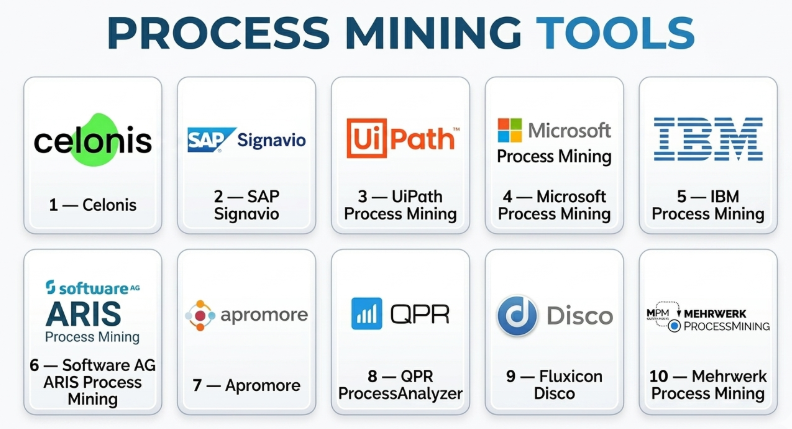
Top 10 Process Mining Tools
#1 — Celonis
Short description: A market leader in process mining, offering deep analytics and automation capabilities for enterprise-scale operations.
Key Features
- Advanced process discovery and visualization
- AI-driven recommendations
- Execution management system
- Real-time monitoring
- Conformance checking
- Automation integration
Pros
- Industry-leading analytics
- Strong enterprise adoption
Cons
- High cost
- Requires skilled users
Platforms / Deployment
Web / Cloud
Security & Compliance
SSO, MFA, RBAC; compliance varies
Integrations & Ecosystem
Celonis integrates with major enterprise systems and automation tools.
- SAP
- Oracle
- RPA platforms
- APIs
Support & Community
Strong enterprise support and active community.
#2 — SAP Signavio
Short description: A process transformation suite with strong integration into SAP environments.
Key Features
- Process modeling and mining
- Collaboration tools
- Journey modeling
- Analytics dashboards
- Compliance monitoring
Pros
- Deep SAP integration
- Strong collaboration features
Cons
- Best suited for SAP users
- Complex setup
Platforms / Deployment
Web / Cloud
Security & Compliance
SSO, encryption; compliance varies
Integrations & Ecosystem
Best for SAP-centric environments.
- SAP ERP
- APIs
- Data tools
Support & Community
Enterprise-grade support and training.
#3 — UiPath Process Mining
Short description: A process mining solution integrated with UiPath’s RPA ecosystem.
Key Features
- Process discovery
- Automation insights
- Task mining integration
- Dashboards and analytics
- Pre-built templates
Pros
- Strong RPA integration
- Easy automation alignment
Cons
- Limited outside UiPath ecosystem
- Learning curve
Platforms / Deployment
Web / Cloud
Security & Compliance
SSO, MFA; compliance varies
Integrations & Ecosystem
Strong integration with automation tools.
- UiPath RPA
- APIs
- Data sources
Support & Community
Good support and growing community.
#4 — Microsoft Process Mining (Power Automate)
Short description: A process mining capability within Microsoft’s Power Platform ecosystem.
Key Features
- Process discovery
- Integration with Power BI
- Automation workflows
- Data visualization
- Low-code environment
Pros
- Seamless Microsoft integration
- User-friendly
Cons
- Limited advanced features
- Dependent on Microsoft ecosystem
Platforms / Deployment
Web / Cloud
Security & Compliance
SSO, MFA, RBAC; compliance varies
Integrations & Ecosystem
Strong Microsoft ecosystem.
- Power BI
- Dynamics
- Azure
Support & Community
Extensive documentation and community.
#5 — IBM Process Mining
Short description: Enterprise-grade process mining with AI-driven insights and automation.
Key Features
- Process discovery
- Conformance checking
- AI insights
- Automation integration
- KPI monitoring
Pros
- Strong analytics
- Enterprise scalability
Cons
- Complex setup
- Higher cost
Platforms / Deployment
Web / Cloud
Security & Compliance
SSO, encryption; compliance varies
Integrations & Ecosystem
Enterprise integrations.
- IBM tools
- APIs
- Data platforms
Support & Community
Strong enterprise support.
#6 — Software AG ARIS Process Mining
Short description: A comprehensive process analysis tool within the ARIS suite.
Key Features
- Process mining and modeling
- Compliance tracking
- Analytics dashboards
- Simulation capabilities
- Integration with ARIS tools
Pros
- Strong modeling capabilities
- Enterprise-ready
Cons
- Complex UI
- Requires training
Platforms / Deployment
Web / Cloud / On-premise
Security & Compliance
SSO, RBAC; compliance varies
Integrations & Ecosystem
Part of ARIS ecosystem.
- ERP systems
- APIs
- Data tools
Support & Community
Established enterprise support.
#7 — Apromore
Short description: An open-core process mining platform suitable for academic and enterprise use.
Key Features
- Process discovery
- Conformance checking
- Variant analysis
- Collaboration tools
- Open-source components
Pros
- Flexible deployment
- Strong research backing
Cons
- Limited enterprise polish
- Smaller ecosystem
Platforms / Deployment
Web / Cloud / Self-hosted
Security & Compliance
Varies / Not publicly stated
Integrations & Ecosystem
Moderate integration support.
- APIs
- Data sources
Support & Community
Active academic and niche community.
#8 — QPR ProcessAnalyzer
Short description: A data-driven process mining tool focused on ease of use and fast deployment.
Key Features
- Process discovery
- Data visualization
- Root cause analysis
- KPI tracking
- Interactive dashboards
Pros
- Fast implementation
- User-friendly
Cons
- Limited advanced features
- Smaller ecosystem
Platforms / Deployment
Web / Cloud
Security & Compliance
Not publicly stated
Integrations & Ecosystem
Moderate integrations.
- Data connectors
- APIs
Support & Community
Decent support resources.
#9 — Fluxicon Disco
Short description: A lightweight yet powerful desktop-based process mining tool.
Key Features
- Fast process discovery
- Interactive visualization
- Filtering and analysis
- Standalone usage
- Easy data import
Pros
- Very easy to use
- Fast performance
Cons
- Limited enterprise features
- No cloud deployment
Platforms / Deployment
Windows / macOS
Security & Compliance
Not publicly stated
Integrations & Ecosystem
Limited integrations.
- CSV data import
Support & Community
Strong niche community.
#10 — Mehrwerk Process Mining
Short description: A process mining solution built on Qlik analytics platform.
Key Features
- Process visualization
- Integration with Qlik
- Data analytics
- KPI tracking
- Custom dashboards
Pros
- Strong analytics integration
- Flexible dashboards
Cons
- Dependent on Qlik
- Limited brand recognition
Platforms / Deployment
Web / Cloud
Security & Compliance
Not publicly stated
Integrations & Ecosystem
Qlik-based ecosystem.
- Qlik analytics
- APIs
Support & Community
Moderate support and community.
Comparison Table (Top 10)
| Tool Name | Best For | Platform(s) Supported | Deployment | Standout Feature | Public Rating |
|---|---|---|---|---|---|
| Celonis | Enterprise analytics | Web | Cloud | Execution management | N/A |
| SAP Signavio | SAP users | Web | Cloud | SAP integration | N/A |
| UiPath Process Mining | RPA users | Web | Cloud | Automation insights | N/A |
| Microsoft Process Mining | Microsoft users | Web | Cloud | Power Platform integration | N/A |
| IBM Process Mining | Enterprise analytics | Web | Cloud | AI insights | N/A |
| ARIS | Process modeling | Web | Cloud/On-prem | Simulation | N/A |
| Apromore | Open-core users | Web | Cloud/Self-hosted | Flexibility | N/A |
| QPR ProcessAnalyzer | SMB analytics | Web | Cloud | Ease of use | N/A |
| Fluxicon Disco | Individual analysts | Desktop | Local | Speed | N/A |
| Mehrwerk | Qlik users | Web | Cloud | Qlik integration | N/A |
Evaluation & Scoring of Process Mining Tools
| Tool Name | Core (25%) | Ease (15%) | Integrations (15%) | Security (10%) | Performance (10%) | Support (10%) | Value (15%) | Weighted Total |
|---|---|---|---|---|---|---|---|---|
| Celonis | 10 | 6 | 9 | 9 | 9 | 8 | 6 | 8.5 |
| SAP Signavio | 9 | 6 | 9 | 9 | 8 | 8 | 6 | 8.2 |
| UiPath | 8 | 7 | 8 | 8 | 8 | 7 | 7 | 7.8 |
| Microsoft | 8 | 8 | 9 | 9 | 8 | 8 | 8 | 8.4 |
| IBM | 9 | 6 | 8 | 9 | 9 | 8 | 6 | 8.2 |
| ARIS | 9 | 6 | 8 | 9 | 8 | 7 | 6 | 8.0 |
| Apromore | 7 | 7 | 6 | 6 | 7 | 6 | 8 | 7.0 |
| QPR | 7 | 8 | 6 | 6 | 7 | 7 | 8 | 7.3 |
| Disco | 6 | 9 | 5 | 5 | 8 | 7 | 8 | 7.1 |
| Mehrwerk | 7 | 7 | 7 | 6 | 7 | 6 | 7 | 7.0 |
How to interpret the scores:
- Higher scores indicate stronger overall capability.
- Enterprise tools lead in features and security.
- SMB tools score higher in ease and value.
- Choose based on use case, not just score.
- Scores are comparative, not absolute.
Which Process Mining Tool Is Right for You?
Solo / Freelancer
- Best: Fluxicon Disco
- Focus on simplicity and cost
SMB
- Best: QPR ProcessAnalyzer, Apromore
- Balance usability and affordability
Mid-Market
- Best: Microsoft, UiPath
- Need integration and scalability
Enterprise
- Best: Celonis, SAP Signavio, IBM, ARIS
- Focus on depth, automation, and compliance
Budget vs Premium
- Budget: Apromore, QPR
- Premium: Celonis, SAP, IBM
Feature Depth vs Ease of Use
- Deep features: Celonis, ARIS
- Easy to use: Microsoft, Disco
Integrations & Scalability
- Strong: SAP, Microsoft, UiPath
- Moderate: QPR, Apromore
Security & Compliance Needs
- High: SAP, IBM, Microsoft
- Moderate: Others
Frequently Asked Questions (FAQs)
What is process mining?
It’s a technique that analyzes event logs to visualize and improve business processes.
How is it different from BPM?
Process mining analyzes actual data, while BPM focuses on designing processes.
Do I need technical skills?
Basic tools are user-friendly, but advanced tools require expertise.
How much does it cost?
Pricing varies widely depending on features and scale.
Can it integrate with ERP systems?
Yes, most tools integrate with systems like SAP and Oracle.
Is it suitable for small businesses?
Some tools are, but many are designed for enterprises.
How long does implementation take?
From weeks to months depending on complexity.
Does it support automation?
Yes, many tools integrate with RPA and automation platforms.
What are common mistakes?
Poor data quality and unclear objectives.
Are there alternatives?
Yes, BI tools and workflow software can be alternatives for simpler needs.
Conclusion
Process mining tools have become essential for organizations aiming to achieve operational excellence and data-driven decision-making. From enterprise leaders like Celonis and SAP Signavio to lightweight tools like Disco, the market offers solutions for every level of complexity.