Introduction
OCR (Optical Character Recognition) & Document Capture Software transforms scanned documents, PDFs, and images into editable, searchable, and structured data. In simple terms, it converts static content into usable digital information that can be stored, analyzed, and integrated into workflows.
This category has evolved significantly with the rise of AI. Modern OCR tools now go beyond text recognition—they can classify documents, extract key data fields, validate inputs, and automate entire business processes. As organizations continue to digitize operations, OCR has become a foundational layer in document-heavy workflows.
Common use cases
- Automating invoice and accounts payable processing
- Digitizing paper archives for compliance and storage
- Extracting structured data from forms and surveys
- Processing identity documents for onboarding (KYC)
- Legal and contract document analysis
What buyers should evaluate
- OCR accuracy across document types and languages
- AI-based data extraction and classification
- Workflow automation capabilities
- Integration with ERP, CRM, and document systems
- Deployment flexibility (cloud, on-premise, hybrid)
- Security and compliance readiness
- Processing speed and scalability
- Ease of use and onboarding experience
- Pricing model and long-term ROI
Best for: IT teams, operations leaders, finance departments, and enterprises handling large volumes of documents across industries such as banking, healthcare, logistics, and legal services.
Not ideal for: Individuals or small teams with occasional document needs. If your requirement is limited to simple PDF edits or scanning, lightweight tools may be more appropriate.
Key Trends in OCR & Document Capture Software
- AI-powered OCR engines: Deep learning models improving accuracy for complex layouts and handwritten text
- Intelligent Document Processing (IDP): Full automation from ingestion to structured output
- No-code configuration: Business users can define extraction rules without coding
- Cloud-first platforms: Shift from desktop tools to scalable SaaS solutions
- API-first architecture: Developers embedding OCR into applications and workflows
- Real-time processing: Instant extraction for customer-facing applications
- Multi-language support: Expansion into regional and non-Latin scripts
- Security-first design: Encryption, access controls, and compliance becoming standard
- Mobile-first capture: Smartphones replacing traditional scanners
- Usage-based pricing: Pay-per-document or API call models gaining adoption
How We Selected These Tools (Methodology)
The tools in this list were selected based on a structured evaluation framework:
- Strong market presence and widespread adoption
- Feature completeness across OCR and document capture workflows
- Proven accuracy and reliability in real-world use
- Availability of AI-driven automation and extraction
- Security posture and enterprise-readiness signals
- Integration capabilities with business systems
- Developer ecosystem and API availability
- Suitability across different business sizes and industries
- Product maturity and ongoing innovation
- Ease of onboarding and user experience
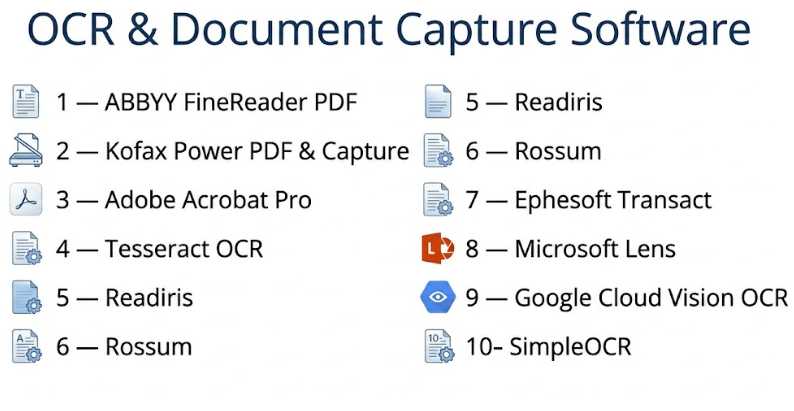
Top 10 OCR & Document Capture Software
#1 — ABBYY FineReader PDF
Short description: A highly accurate OCR and PDF solution designed for professionals and enterprises needing reliable document conversion and editing.
Key Features
- Advanced OCR engine with high accuracy
- PDF editing and annotation tools
- Document comparison functionality
- Batch processing
- Multi-language recognition
- Table and layout retention
Pros
- Industry-leading OCR accuracy
- Strong PDF editing capabilities
Cons
- Premium pricing
- Limited automation compared to IDP tools
Platforms / Deployment
Windows / macOS / Cloud
Security & Compliance
Encryption, role-based access (specific certifications: Not publicly stated)
Integrations & Ecosystem
Supports integration with enterprise workflows and storage systems.
- Microsoft Office
- SharePoint
- Cloud storage platforms
- Limited API support
Support & Community
Well-established documentation and enterprise-grade support.
#2 — Kofax Power PDF & Capture
Short description: Enterprise-focused document capture and automation platform designed for high-volume processing.
Key Features
- Intelligent document classification
- Workflow automation
- Multi-channel capture
- AI-based extraction
- Analytics and reporting
- High-volume scalability
Pros
- Strong automation capabilities
- Designed for enterprise scale
Cons
- Complex implementation
- Requires training
Platforms / Deployment
Windows / Cloud / Hybrid
Security & Compliance
SSO, encryption, audit logs (certifications: Not publicly stated)
Integrations & Ecosystem
- ERP systems
- CRM platforms
- RPA tools
- APIs
Support & Community
Enterprise onboarding and support services available.
#3 — Adobe Acrobat Pro
Short description: A widely used PDF platform with built-in OCR for individuals and businesses.
Key Features
- OCR for scanned documents
- PDF editing and annotation
- E-signature functionality
- Cloud file sharing
- File conversion tools
- Mobile scanning
Pros
- Easy to use
- Strong ecosystem integration
Cons
- Limited advanced automation
- Subscription-based pricing
Platforms / Deployment
Web / Windows / macOS / iOS / Android / Cloud
Security & Compliance
Encryption, SSO (certifications: Not publicly stated)
Integrations & Ecosystem
- Microsoft 365
- Adobe ecosystem
- Cloud storage services
- APIs
Support & Community
Extensive documentation and large user base.
#4 — Tesseract OCR
Short description: An open-source OCR engine widely used by developers for custom solutions.
Key Features
- Open-source OCR engine
- Multi-language support
- Custom model training
- Command-line interface
- Lightweight architecture
- Integration flexibility
Pros
- Free and highly customizable
- Strong developer ecosystem
Cons
- No built-in UI
- Requires technical expertise
Platforms / Deployment
Windows / Linux / macOS / Self-hosted
Security & Compliance
Not publicly stated
Integrations & Ecosystem
- Python and Java libraries
- Custom pipelines
- API wrappers
Support & Community
Strong open-source community support.
#5 — Readiris
Short description: A user-friendly OCR tool designed for SMBs and individual users.
Key Features
- Document conversion
- PDF editing
- Batch OCR processing
- Multi-language support
- Voice annotation
- File export options
Pros
- Affordable pricing
- Easy to use
Cons
- Limited enterprise capabilities
- Basic automation features
Platforms / Deployment
Windows / macOS
Security & Compliance
Not publicly stated
Integrations & Ecosystem
- Office tools
- Cloud storage
Support & Community
Moderate documentation and support.
#6 — Rossum
Short description: AI-powered document processing platform focused on automating invoice workflows.
Key Features
- AI data extraction
- Invoice processing automation
- Workflow configuration
- Validation rules
- API-first architecture
- Continuous learning models
Pros
- High automation efficiency
- Modern interface
Cons
- Focused on specific use cases
- Pricing varies
Platforms / Deployment
Cloud
Security & Compliance
Encryption, audit logs (certifications: Not publicly stated)
Integrations & Ecosystem
- ERP systems
- APIs
- Automation platforms
Support & Community
Strong enterprise support and onboarding.
#7 — Ephesoft Transact
Short description: Enterprise document capture solution with machine learning capabilities.
Key Features
- Intelligent document classification
- Data extraction and validation
- Workflow automation
- Machine learning models
- High-volume processing
- Multi-format support
Pros
- Scalable for enterprises
- Strong AI capabilities
Cons
- Complex setup
- Requires training
Platforms / Deployment
Cloud / Self-hosted / Hybrid
Security & Compliance
SSO, encryption (certifications: Not publicly stated)
Integrations & Ecosystem
- ECM platforms
- APIs
- RPA tools
Support & Community
Enterprise-level support available.
#8 — Microsoft Lens
Short description: Mobile-first document scanning app with OCR capabilities.
Key Features
- Mobile document capture
- OCR text extraction
- Image enhancement
- Cloud synchronization
- Office integration
Pros
- Free and easy to use
- Excellent mobile experience
Cons
- Limited advanced features
- Not suitable for enterprise workflows
Platforms / Deployment
iOS / Android / Cloud
Security & Compliance
Not publicly stated
Integrations & Ecosystem
- Microsoft 365
- OneDrive
- Outlook
Support & Community
Backed by a strong ecosystem.
#9 — Google Cloud Vision OCR
Short description: Developer-focused OCR API for scalable text extraction and image analysis.
Key Features
- OCR API
- Image recognition
- Multi-language support
- Scalable infrastructure
- AI-powered detection
Pros
- Highly scalable
- Strong developer tools
Cons
- Requires development effort
- Usage-based pricing
Platforms / Deployment
Cloud
Security & Compliance
Encryption, access controls (certifications: Not publicly stated)
Integrations & Ecosystem
- Cloud services
- APIs
- Developer tools
Support & Community
Comprehensive documentation and developer support.
#10 — SimpleOCR
Short description: Basic OCR tool for simple text extraction needs.
Key Features
- Basic OCR functionality
- Simple interface
- Text export
- Free version available
Pros
- Easy to use
- Low cost
Cons
- Limited accuracy
- Minimal features
Platforms / Deployment
Windows
Security & Compliance
Not publicly stated
Integrations & Ecosystem
- Minimal integrations
Support & Community
Limited support resources.
Comparison Table (Top 10)
| Tool Name | Best For | Platform(s) Supported | Deployment | Standout Feature | Public Rating |
|---|---|---|---|---|---|
| ABBYY FineReader | Enterprises | Windows, macOS | Hybrid | High OCR accuracy | N/A |
| Kofax | Enterprises | Windows | Hybrid | Workflow automation | N/A |
| Adobe Acrobat | General users | Web, Mobile, Desktop | Cloud | PDF ecosystem | N/A |
| Tesseract | Developers | Cross-platform | Self-hosted | Open-source flexibility | N/A |
| Readiris | SMBs | Windows, macOS | Desktop | Affordable OCR | N/A |
| Rossum | Finance teams | Cloud | Cloud | Invoice automation | N/A |
| Ephesoft | Enterprises | Cross-platform | Hybrid | AI processing | N/A |
| Microsoft Lens | Individuals | Mobile | Cloud | Mobile scanning | N/A |
| Google Vision | Developers | Cloud | Cloud | API scalability | N/A |
| SimpleOCR | Basic users | Windows | Desktop | Simplicity | N/A |
Evaluation & Scoring of OCR & Document Capture Software
| Tool Name | Core | Ease | Integrations | Security | Performance | Support | Value | Weighted Total |
|---|---|---|---|---|---|---|---|---|
| ABBYY | 9 | 7 | 7 | 7 | 9 | 8 | 7 | 8.0 |
| Kofax | 9 | 6 | 8 | 8 | 9 | 8 | 6 | 8.1 |
| Adobe Acrobat | 8 | 9 | 8 | 7 | 8 | 8 | 7 | 8.0 |
| Tesseract | 7 | 5 | 8 | 5 | 7 | 7 | 10 | 7.2 |
| Readiris | 7 | 8 | 6 | 5 | 7 | 6 | 8 | 7.1 |
| Rossum | 9 | 8 | 8 | 7 | 9 | 8 | 6 | 8.3 |
| Ephesoft | 9 | 6 | 8 | 8 | 9 | 8 | 6 | 8.2 |
| Microsoft Lens | 6 | 10 | 7 | 5 | 7 | 7 | 9 | 7.5 |
| Google Vision | 9 | 6 | 9 | 8 | 10 | 8 | 6 | 8.4 |
| SimpleOCR | 5 | 8 | 4 | 4 | 5 | 5 | 9 | 6.2 |
How to interpret the scores:
- These scores are comparative, not absolute benchmarks.
- Higher scores indicate stronger overall capabilities across weighted criteria.
- Enterprise tools perform better in automation and integrations.
- Simpler tools may score higher in value but lower in advanced features.
- Choose based on your use case rather than just the highest score.
Which OCR & Document Capture Software Tool Is Right for You?
Solo / Freelancer
Choose tools like Adobe Acrobat, Microsoft Lens, or Readiris. Focus on ease of use and affordability rather than automation.
SMB
Look for balanced tools such as Readiris or Rossum. Prioritize ease of setup, moderate automation, and reasonable pricing.
Mid-Market
Consider ABBYY or Google Vision. These offer better scalability and integration without full enterprise complexity.
Enterprise
Kofax, Ephesoft, and ABBYY are strong options. Focus on automation, compliance, and integration depth.
Budget vs Premium
- Budget: Tesseract, Microsoft Lens, SimpleOCR
- Premium: Kofax, ABBYY, Ephesoft
Feature Depth vs Ease of Use
- Easy: Microsoft Lens, Adobe Acrobat
- Advanced: Kofax, Ephesoft
Integrations & Scalability
- Strongest: Google Vision, Rossum, Kofax
Security & Compliance Needs
- Enterprise-grade focus: Kofax, Ephesoft, ABBYY
Frequently Asked Questions (FAQs)
What is OCR software?
OCR software converts scanned documents and images into editable and searchable text.
How accurate is OCR?
Accuracy depends on document quality and the tool used. AI-based OCR tools generally perform better.
Is OCR secure?
Most enterprise tools include encryption and access controls, but details vary by vendor.
How is OCR priced?
Pricing models include subscriptions, one-time licenses, and usage-based billing.
Can OCR read handwriting?
Some AI-powered tools can, but accuracy is not always consistent.
Do I need technical skills?
Basic tools require minimal skills, while API-based solutions need development expertise.
Can OCR integrate with other systems?
Yes, many tools offer APIs and integrations with ERP, CRM, and document systems.
What are common mistakes?
Choosing tools without evaluating integration needs or scalability.
Can I switch tools later?
Yes, but migration and retraining may require effort.
Are there alternatives to OCR?
Manual data entry or simple scanning tools can be alternatives for small-scale needs.
Conclusion
OCR & Document Capture Software has become essential for organizations looking to automate document workflows and unlock data from unstructured sources. With advancements in AI, these tools now go far beyond simple text recognition, enabling end-to-end automation and integration.