Introduction
Mind mapping tools are software applications designed to help individuals and teams visually organize ideas, concepts, and information. By structuring thoughts in a non-linear, branching format, these tools make it easier to brainstorm, plan, and connect ideas logically.
Unlike traditional note-taking methods, mind mapping tools emphasize visual clarity and relationships between concepts. Modern tools now include real-time collaboration, AI-assisted idea generation, integrations with productivity platforms, and cross-device accessibility—making them highly relevant for both personal productivity and team workflows.
Common use cases include:
- Brainstorming and ideation sessions
- Project planning and task structuring
- Knowledge management and note organization
- Studying and learning complex topics
- Strategic thinking and decision-making
What buyers should evaluate:
- Ease of use and interface simplicity
- Visual customization and layout flexibility
- Collaboration features and sharing options
- Template availability
- Integration with productivity tools
- Cross-platform support
- Export formats (PDF, image, text)
- Performance with large maps
- Pricing and licensing model
Best for: Students, professionals, project managers, content creators, and teams that rely on structured thinking and brainstorming.
Not ideal for: Users who need highly detailed technical diagrams or rigid documentation; diagramming or project management tools may be more appropriate.
Key Trends in Mind Mapping Tools
- AI-assisted brainstorming: Tools suggest ideas, expand nodes, and summarize maps automatically.
- Real-time collaboration: Teams can co-edit mind maps simultaneously from different locations.
- Integration with task management tools: Converting mind maps into actionable tasks and workflows.
- Cross-platform accessibility: Seamless usage across web, desktop, and mobile devices.
- Template-driven workflows: Pre-built templates for productivity, education, and business use cases.
- Cloud-first approach: Easy sharing, storage, and version control.
- Multimedia integration: Adding images, links, and attachments to nodes.
- Focus on productivity workflows: Combining mind mapping with notes, documents, and planning tools.
- Offline and hybrid usage: Continued demand for desktop-based tools with sync capabilities.
How We Selected These Tools (Methodology)
- Evaluated market popularity and user adoption
- Assessed core mind mapping capabilities and flexibility
- Considered ease of use and onboarding experience
- Reviewed collaboration and sharing features
- Analyzed integration capabilities with other tools
- Included tools for individuals, teams, and enterprises
- Balanced cloud-based and desktop solutions
- Considered performance with large and complex maps
- Factored in community support and documentation quality
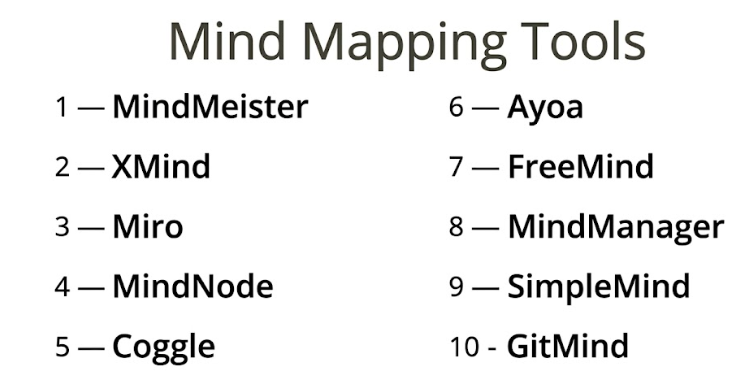
Top 10 Mind Mapping Tools Tools
#1 — MindMeister
Short description: A popular cloud-based mind mapping tool focused on collaboration and ease of use.
Key Features
- Real-time collaboration
- Drag-and-drop interface
- Templates and themes
- Task management integration
- Cloud storage
- Presentation mode
Pros
- Easy to use
- Strong collaboration features
Cons
- Limited offline functionality
- Subscription pricing
Platforms / Deployment
Web / iOS / Android
Security & Compliance
SSO, MFA; others not publicly stated
Integrations & Ecosystem
MindMeister integrates well with productivity workflows.
- Task management tools
- Cloud storage
- Collaboration platforms
Support & Community
Strong documentation and active user community.
#2 — XMind
Short description: A widely used desktop-first mind mapping tool known for its powerful features and visual flexibility.
Key Features
- Multiple map structures
- Templates and themes
- Offline support
- Export options
- Presentation mode
- Focus mode
Pros
- Rich feature set
- Works offline
Cons
- Limited collaboration features
- Some features require paid version
Platforms / Deployment
Windows / macOS / Linux / iOS / Android
Security & Compliance
Not publicly stated
Integrations & Ecosystem
- File export tools
- Cloud sync
- Basic integrations
Support & Community
Large user base and extensive tutorials.
#3 — Miro
Short description: A collaborative whiteboard platform that also supports mind mapping for team brainstorming.
Key Features
- Infinite canvas
- Real-time collaboration
- Mind mapping templates
- Sticky notes
- Integration with productivity tools
Pros
- Highly collaborative
- Flexible use cases
Cons
- Not specialized for mind mapping
- Can become cluttered
Platforms / Deployment
Web / Windows / macOS / iOS / Android
Security & Compliance
SSO, MFA; others not publicly stated
Integrations & Ecosystem
- Project management tools
- Communication platforms
- API integrations
Support & Community
Strong community and documentation.
#4 — MindNode
Short description: A user-friendly mind mapping tool designed primarily for Apple users.
Key Features
- Clean interface
- Visual themes
- Task integration
- Focus mode
- Cloud sync
Pros
- Simple and intuitive
- Beautiful design
Cons
- Limited to Apple ecosystem
- Fewer integrations
Platforms / Deployment
macOS / iOS
Security & Compliance
Not publicly stated
Integrations & Ecosystem
- Apple ecosystem integration
- Cloud sync
- Export options
Support & Community
Strong community among Apple users.
#5 — Coggle
Short description: A simple, web-based mind mapping tool focused on real-time collaboration.
Key Features
- Real-time collaboration
- Automatic layout
- Version history
- Image attachments
- Easy sharing
Pros
- Very easy to use
- Great for quick brainstorming
Cons
- Limited advanced features
- Requires internet connection
Platforms / Deployment
Web
Security & Compliance
Not publicly stated
Integrations & Ecosystem
- Cloud tools
- Sharing features
- Export options
Support & Community
Moderate documentation and community.
#6 — Ayoa
Short description: A mind mapping and task management tool designed for productivity and team collaboration.
Key Features
- Mind maps and task boards
- Real-time collaboration
- Templates
- Visual planning tools
- Cloud storage
Pros
- Combines mapping and task management
- Good for teams
Cons
- Interface can feel complex
- Subscription pricing
Platforms / Deployment
Web / Windows / macOS / iOS / Android
Security & Compliance
Not publicly stated
Integrations & Ecosystem
- Productivity tools
- Task management integrations
- Cloud sync
Support & Community
Moderate support and documentation.
#7 — FreeMind
Short description: An open-source mind mapping tool suitable for basic mapping needs.
Key Features
- Basic mind mapping
- Lightweight performance
- Custom nodes
- Export options
- Offline use
Pros
- Free and open-source
- Lightweight
Cons
- Outdated interface
- Limited features
Platforms / Deployment
Windows / macOS / Linux
Security & Compliance
Not publicly stated
Integrations & Ecosystem
- Open-source ecosystem
- Export tools
- Basic integrations
Support & Community
Small but active community.
#8 — MindManager
Short description: A professional mind mapping tool designed for business planning and enterprise use.
Key Features
- Advanced mapping tools
- Project planning features
- Data visualization
- Templates
- Integration with productivity tools
Pros
- Powerful for business use
- Advanced features
Cons
- Expensive
- Learning curve
Platforms / Deployment
Windows / macOS
Security & Compliance
Not publicly stated
Integrations & Ecosystem
- Office integrations
- Data tools
- Export features
Support & Community
Strong enterprise support and documentation.
#9 — SimpleMind
Short description: A cross-platform mind mapping tool focused on simplicity and flexibility.
Key Features
- Flexible layouts
- Cross-platform support
- Offline functionality
- Sync options
- Custom styles
Pros
- Works offline
- Easy to use
Cons
- Limited collaboration features
- Basic interface
Platforms / Deployment
Windows / macOS / iOS / Android
Security & Compliance
Not publicly stated
Integrations & Ecosystem
- Cloud sync
- Export tools
- Basic integrations
Support & Community
Moderate documentation and support.
#10 — GitMind
Short description: A cloud-based mind mapping tool with collaboration and template features.
Key Features
- Templates
- Real-time collaboration
- Cloud storage
- Export options
- Brainstorming tools
Pros
- Easy to use
- Good for teams
Cons
- Limited advanced features
- Subscription model
Platforms / Deployment
Web
Security & Compliance
Not publicly stated
Integrations & Ecosystem
- Cloud tools
- Sharing features
- Export options
Support & Community
Growing community and documentation.
Comparison Table (Top 10)
| Tool Name | Best For | Platform(s) Supported | Deployment | Standout Feature | Public Rating |
|---|---|---|---|---|---|
| MindMeister | Collaboration | Web/iOS/Android | Cloud | Real-time editing | N/A |
| XMind | Offline users | Win/macOS/Linux/iOS/Android | Hybrid | Offline capability | N/A |
| Miro | Team brainstorming | Web/Win/macOS/iOS/Android | Cloud | Infinite canvas | N/A |
| MindNode | Apple users | macOS/iOS | Desktop | Clean interface | N/A |
| Coggle | Simple mapping | Web | Cloud | Ease of use | N/A |
| Ayoa | Productivity | Web/Win/macOS/iOS/Android | Cloud | Task integration | N/A |
| FreeMind | Open-source users | Win/macOS/Linux | Desktop | Free | N/A |
| MindManager | Enterprise | Win/macOS | Desktop | Advanced planning | N/A |
| SimpleMind | Cross-platform | Win/macOS/iOS/Android | Hybrid | Flexibility | N/A |
| GitMind | Teams | Web | Cloud | Templates | N/A |
Evaluation & Scoring of Mind Mapping Tools
| Tool Name | Core | Ease | Integrations | Security | Performance | Support | Value | Weighted Total |
|---|---|---|---|---|---|---|---|---|
| MindMeister | 9 | 9 | 9 | 8 | 8 | 9 | 7 | 8.5 |
| XMind | 9 | 8 | 7 | 6 | 9 | 8 | 8 | 8.0 |
| Miro | 8 | 9 | 9 | 8 | 8 | 9 | 7 | 8.4 |
| MindNode | 8 | 9 | 6 | 6 | 8 | 7 | 7 | 7.6 |
| Coggle | 7 | 10 | 6 | 6 | 7 | 7 | 8 | 7.6 |
| Ayoa | 8 | 8 | 7 | 6 | 7 | 7 | 7 | 7.4 |
| FreeMind | 6 | 7 | 5 | 6 | 7 | 6 | 10 | 6.9 |
| MindManager | 9 | 7 | 8 | 7 | 9 | 8 | 6 | 8.1 |
| SimpleMind | 7 | 8 | 6 | 6 | 8 | 7 | 8 | 7.4 |
| GitMind | 7 | 9 | 6 | 6 | 7 | 7 | 7 | 7.3 |
How to interpret:
- Scores are relative comparisons, not absolute benchmarks.
- Higher scores indicate better balance across usability and features.
- Core functionality and integrations carry more weight.
- Value reflects pricing relative to capabilities.
- Choose based on your workflow and team needs.
Which Mind Mapping Tools Tool Is Right for You?
Solo / Freelancer
- Best: XMind, Coggle
- Focus on simplicity and offline access
SMB
- Best: MindMeister, Ayoa
- Balance collaboration and productivity
Mid-Market
- Best: Miro, MindMeister
- Strong team collaboration features
Enterprise
- Best: MindManager
- Advanced planning and scalability
Budget vs Premium
- Budget: FreeMind, Coggle
- Premium: MindManager, Ayoa
Feature Depth vs Ease of Use
- Deep features: MindManager
- Ease: Coggle, MindMeister
Integrations & Scalability
- Strongest: MindMeister, Miro
- Moderate: Ayoa
Security & Compliance Needs
- Enterprise tools provide better controls
- Open-source tools may lack compliance transparency
Frequently Asked Questions (FAQs)
What are mind mapping tools?
They are tools used to visually organize ideas and concepts in a structured format.
Are they useful for productivity?
Yes, they help organize thoughts and improve planning.
Are free tools available?
Yes, tools like FreeMind and Coggle offer free options.
Can teams collaborate?
Yes, many tools support real-time collaboration.
Do I need technical skills?
No, most tools are beginner-friendly.
Can I export mind maps?
Yes, common formats include PDF and images.
Are AI features available?
Some tools offer AI-assisted idea generation.
Can I use them offline?
Some desktop tools support offline usage.
What are common mistakes?
Overcomplicating maps and not organizing ideas clearly.
Can I switch tools easily?
Possible, but formatting may not transfer perfectly.
Conclusion
Mind mapping tools are powerful solutions for organizing ideas, improving productivity, and enabling collaborative brainstorming. With features like AI assistance, real-time collaboration, and cross-platform support, they are essential for both individuals and teams.