Introduction
Markdown editors are specialized tools that allow users to write, format, and manage content using Markdown—a lightweight markup language designed for simplicity and readability. Instead of relying on complex formatting menus, Markdown uses plain text syntax to create structured documents such as blogs, documentation, notes, and technical content.
These tools are widely used by developers, writers, technical teams, and content creators because they offer speed, portability, and clean formatting. Modern Markdown editors go beyond basic editing by including live preview, collaboration features, version control integration, and publishing workflows.
Common use cases include:
- Technical documentation and developer notes
- Blogging and content writing
- Knowledge management systems
- README files and project documentation
- Static site generation workflows
What buyers should evaluate:
- Ease of use and writing experience
- Live preview and formatting support
- File management and organization
- Integration with version control systems
- Export formats (HTML, PDF, etc.)
- Plugin and extension ecosystem
- Cross-platform availability
- Offline capabilities
- Collaboration features
- Performance with large files
Best for: Developers, technical writers, bloggers, students, and teams working with structured text content.
Not ideal for: Users who prefer fully visual (WYSIWYG) editors or require advanced desktop publishing capabilities.
Key Trends in Markdown Editors
- AI-assisted writing: Grammar correction, summarization, and content suggestions.
- Live preview enhancements: Real-time rendering with side-by-side editing.
- Integration with Git workflows: Seamless version control for developers.
- Knowledge management features: Linking notes and building “second brain” systems.
- Cross-platform sync: Cloud-based access across devices.
- Plugin ecosystems: Extending functionality with themes and tools.
- Collaboration features: Real-time editing and sharing capabilities.
- Static site integration: Direct publishing to static site generators.
- Minimalist design focus: Distraction-free writing environments.
How We Selected These Tools (Methodology)
- Evaluated market adoption among developers and writers
- Assessed Markdown support and rendering quality
- Considered ease of use and onboarding experience
- Reviewed plugin and extension ecosystems
- Analyzed integration with development workflows
- Included tools for both individuals and teams
- Balanced desktop, web, and hybrid solutions
- Considered performance and reliability
- Factored in community support and documentation
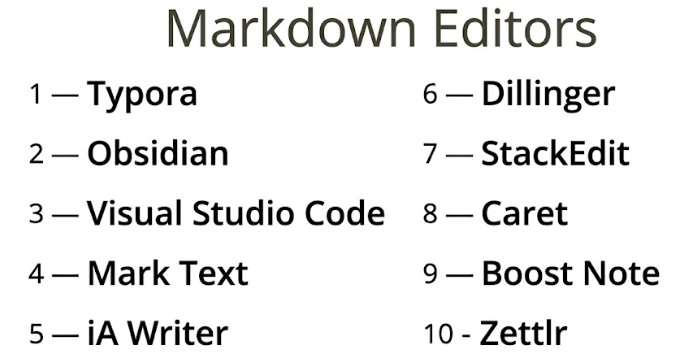
Top 10 Markdown Editors Tools
#1 — Typora
Short description: A minimalist Markdown editor offering a seamless writing and preview experience without separate panes.
Key Features
- Live preview editing
- Clean, distraction-free interface
- Export to multiple formats
- Theme customization
- File organization
- Image support
Pros
- Smooth writing experience
- No split-screen preview
Cons
- Limited collaboration features
- Paid license
Platforms / Deployment
Windows / macOS / Linux
Security & Compliance
Not publicly stated
Integrations & Ecosystem
Typora focuses on a local-first workflow with limited external integrations.
- Export tools
- File system integration
- Theme ecosystem
Support & Community
Active community with themes and guides.
#2 — Obsidian
Short description: A powerful Markdown-based knowledge management tool focused on linking notes and offline-first workflows.
Key Features
- Markdown editing
- Backlinks and graph view
- Plugin ecosystem
- Local storage
- Custom themes
- Knowledge management tools
Pros
- Highly customizable
- Strong offline capabilities
Cons
- Learning curve
- Collaboration requires add-ons
Platforms / Deployment
Windows / macOS / Linux / iOS / Android
Security & Compliance
Not publicly stated
Integrations & Ecosystem
- Plugin ecosystem
- Local file integrations
- Export options
Support & Community
Large and active community.
#3 — Visual Studio Code
Short description: A code editor with robust Markdown support and extensions for writing and documentation.
Key Features
- Markdown preview
- Extension marketplace
- Git integration
- Syntax highlighting
- Customizable environment
Pros
- Highly extensible
- Strong developer ecosystem
Cons
- Not Markdown-focused by default
- Can feel complex
Platforms / Deployment
Windows / macOS / Linux
Security & Compliance
Not publicly stated
Integrations & Ecosystem
- Git integration
- Extensions marketplace
- Developer tools
Support & Community
Extensive documentation and large community.
#4 — Mark Text
Short description: An open-source Markdown editor focused on simplicity and real-time preview.
Key Features
- Live preview
- Open-source
- Clean interface
- Export options
- Syntax highlighting
Pros
- Free and open-source
- Easy to use
Cons
- Limited advanced features
- Smaller ecosystem
Platforms / Deployment
Windows / macOS / Linux
Security & Compliance
Not publicly stated
Integrations & Ecosystem
- Export tools
- File system integration
- Open-source plugins
Support & Community
Moderate community support.
#5 — iA Writer
Short description: A distraction-free writing app with Markdown support, designed for focused writing.
Key Features
- Focus mode
- Markdown syntax
- Clean interface
- Export options
- Cross-platform sync
Pros
- Excellent writing experience
- Minimalist design
Cons
- Limited features
- Paid app
Platforms / Deployment
Windows / macOS / iOS / Android
Security & Compliance
Not publicly stated
Integrations & Ecosystem
- Cloud sync
- Export tools
- Writing-focused features
Support & Community
Strong documentation and user base.
#6 — Dillinger
Short description: A web-based Markdown editor with real-time preview and cloud integrations.
Key Features
- Live preview
- Cloud storage integration
- Export options
- Browser-based editing
- Simple interface
Pros
- No installation required
- Easy to use
Cons
- Requires internet
- Limited advanced features
Platforms / Deployment
Web
Security & Compliance
Not publicly stated
Integrations & Ecosystem
- Cloud storage tools
- Export features
- Browser-based workflow
Support & Community
Basic documentation and community.
#7 — StackEdit
Short description: A browser-based Markdown editor with offline capabilities and cloud sync.
Key Features
- Offline support
- Live preview
- Cloud sync
- Export options
- Publishing tools
Pros
- Works offline in browser
- Easy sharing
Cons
- Limited advanced features
- Interface simplicity
Platforms / Deployment
Web
Security & Compliance
Not publicly stated
Integrations & Ecosystem
- Cloud integrations
- Publishing tools
- Export features
Support & Community
Moderate community support.
#8 — Caret
Short description: A desktop Markdown editor focused on performance and simplicity.
Key Features
- Syntax highlighting
- Keyboard shortcuts
- File management
- Export options
- Lightweight design
Pros
- Fast performance
- Developer-friendly
Cons
- Limited updates
- Smaller ecosystem
Platforms / Deployment
Windows / macOS / Linux
Security & Compliance
Not publicly stated
Integrations & Ecosystem
- File system integration
- Export tools
- Basic plugins
Support & Community
Small community.
#9 — Boost Note
Short description: A Markdown editor designed for developers and note-taking workflows.
Key Features
- Markdown notes
- Code snippets
- Collaboration features
- Organization tools
- Sync capabilities
Pros
- Good for developers
- Structured notes
Cons
- Limited customization
- Smaller ecosystem
Platforms / Deployment
Windows / macOS / Linux
Security & Compliance
Not publicly stated
Integrations & Ecosystem
- Developer tools
- Cloud sync
- Export options
Support & Community
Moderate documentation and support.
#10 — Zettlr
Short description: A Markdown editor designed for academic writing and research workflows.
Key Features
- Citation support
- Markdown editing
- Export formats
- File management
- Research tools
Pros
- Great for academic use
- Open-source
Cons
- Learning curve
- Interface complexity
Platforms / Deployment
Windows / macOS / Linux
Security & Compliance
Not publicly stated
Integrations & Ecosystem
- Academic tools
- Export formats
- Plugin support
Support & Community
Active academic community.
Comparison Table (Top 10)
| Tool Name | Best For | Platform(s) Supported | Deployment | Standout Feature | Public Rating |
|---|---|---|---|---|---|
| Typora | Writers | Win/macOS/Linux | Desktop | Live preview | N/A |
| Obsidian | Knowledge systems | Win/macOS/Linux/iOS/Android | Desktop | Backlinking | N/A |
| VS Code | Developers | Win/macOS/Linux | Desktop | Extensions | N/A |
| Mark Text | Open-source users | Win/macOS/Linux | Desktop | Free | N/A |
| iA Writer | Focus writing | Win/macOS/iOS/Android | Desktop | Minimalism | N/A |
| Dillinger | Quick editing | Web | Cloud | Browser-based | N/A |
| StackEdit | Web + offline | Web | Hybrid | Offline web | N/A |
| Caret | Lightweight | Win/macOS/Linux | Desktop | Speed | N/A |
| Boost Note | Developers | Win/macOS/Linux | Desktop | Code notes | N/A |
| Zettlr | Academic writing | Win/macOS/Linux | Desktop | Citations | N/A |
Evaluation & Scoring of Markdown Editors
| Tool Name | Core | Ease | Integrations | Security | Performance | Support | Value | Weighted Total |
|---|---|---|---|---|---|---|---|---|
| Typora | 9 | 10 | 6 | 6 | 9 | 8 | 8 | 8.3 |
| Obsidian | 10 | 7 | 8 | 7 | 9 | 9 | 9 | 8.7 |
| VS Code | 9 | 7 | 10 | 7 | 9 | 10 | 10 | 9.0 |
| Mark Text | 7 | 9 | 5 | 6 | 7 | 7 | 9 | 7.5 |
| iA Writer | 8 | 10 | 5 | 6 | 8 | 7 | 7 | 7.9 |
| Dillinger | 7 | 9 | 6 | 6 | 7 | 6 | 8 | 7.4 |
| StackEdit | 7 | 9 | 7 | 6 | 7 | 7 | 8 | 7.6 |
| Caret | 7 | 8 | 5 | 6 | 8 | 6 | 7 | 7.2 |
| Boost Note | 8 | 8 | 7 | 6 | 8 | 7 | 8 | 7.8 |
| Zettlr | 8 | 7 | 6 | 6 | 8 | 7 | 9 | 7.7 |
How to interpret:
- Scores are comparative benchmarks across tools.
- Higher scores indicate better balance across usability and features.
- Core features and integrations carry the most weight.
- Value reflects cost versus functionality.
- Choose based on your workflow needs.
Which Markdown Editors Tool Is Right for You?
Solo / Freelancer
- Best: Typora, iA Writer
- Focus on writing experience
SMB
- Best: Obsidian, Boost Note
- Balance flexibility and structure
Mid-Market
- Best: VS Code, Obsidian
- Integration and scalability
Enterprise
- Best: VS Code
- Strong ecosystem and extensibility
Budget vs Premium
- Budget: Mark Text, Zettlr
- Premium: Typora, iA Writer
Feature Depth vs Ease of Use
- Deep features: VS Code, Obsidian
- Ease: Typora, iA Writer
Integrations & Scalability
- Strongest: VS Code
- Moderate: Obsidian
Security & Compliance Needs
- Local-first tools provide control
- Enterprise tools require external security layers
Frequently Asked Questions (FAQs)
What is a Markdown editor?
It is a tool used to write and format text using Markdown syntax.
Are Markdown editors better than Word processors?
They are better for structured and technical writing but not always for visual formatting.
Are free tools available?
Yes, many Markdown editors are free or open-source.
Can I export documents?
Yes, most tools support exporting to PDF, HTML, and other formats.
Do they support collaboration?
Some tools support collaboration, but many are single-user focused.
Can I use them offline?
Yes, most desktop editors work offline.
Are they suitable for beginners?
Yes, Markdown is simple to learn.
Do they support plugins?
Many tools offer plugin ecosystems.
What are common mistakes?
Not organizing files properly and overusing formatting.
Can I integrate with Git?
Yes, many tools support Git workflows.
Conclusion
Markdown editors are powerful tools for writing clean, structured content efficiently. With features like live preview, integrations, and customization, they cater to a wide range of users—from developers to writers.
There is no one-size-fits-all solution. The right tool depends on your workflow, technical needs, and preference for simplicity or extensibility.