Introduction
Low-code app development platforms provide a hybrid approach between traditional coding and no-code tools. They enable developers and business users to build applications faster using visual interfaces, pre-built components, and reusable logic—while still allowing custom code when needed.
These platforms are widely used across enterprises and growing businesses to accelerate digital transformation, reduce development time, and empower non-technical teams to contribute to application development.
Unlike pure no-code tools, low-code platforms are designed for scalability, customization, and enterprise-grade applications, making them suitable for both internal systems and customer-facing apps.
Common use cases include:
- Enterprise application development
- Workflow automation and business process apps
- Customer portals and dashboards
- Legacy system modernization
- API-driven applications
- Mobile and web apps
What buyers should evaluate:
- Balance between visual development and coding flexibility
- Scalability and performance capabilities
- Integration with enterprise systems and APIs
- DevOps and deployment automation
- Security, compliance, and governance features
- Multi-platform support (web, mobile, cloud, on-premise)
- Pricing structure and licensing complexity
- Vendor lock-in risks
- Learning curve for developers and non-developers
- Ecosystem, plugins, and community support
Best for: Enterprises, IT teams, developers, and organizations needing scalable, customizable applications.
Not ideal for: Extremely simple apps (no-code tools may be better) or highly specialized systems requiring full custom engineering.
Key Trends in Low-Code App Development Platforms
- AI-assisted development: Automated code suggestions and app generation
- Composable architecture: Modular app components for faster development
- Multi-experience apps: Build once, deploy across web, mobile, and devices
- DevOps integration: CI/CD pipelines and automated deployment
- Cloud-native platforms: Built for scalability and microservices architecture
- Hyperautomation: Integration with RPA and workflow tools
- API-first development: Seamless integration with external services
- Governance & compliance: Enterprise-grade access control and auditing
- Citizen developer enablement: Bridging IT and business teams
- Cross-platform capabilities: Unified development environments
How We Selected These Tools (Methodology)
We evaluated platforms based on:
- Market adoption and enterprise usage
- Feature depth and flexibility
- Ease of use for developers and non-developers
- Integration capabilities with enterprise systems
- Performance, scalability, and reliability
- Security, compliance, and governance features
- Deployment flexibility (cloud, on-premise, hybrid)
- Vendor ecosystem and marketplace
- Support, documentation, and training resources
- Innovation in automation and AI
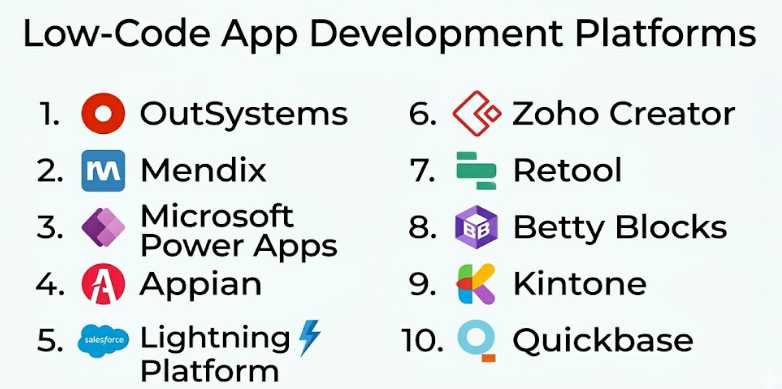
Top 10 Low-Code App Development Platforms
#1 — OutSystems
Short description: A leading enterprise low-code platform for building scalable, high-performance applications.
Key Features
- Visual development environment
- Full-stack capabilities
- AI-assisted development
- DevOps automation
- Integration with enterprise systems
- Mobile and web support
Pros
- Highly scalable and performant
- Strong enterprise features
- Advanced development tools
Cons
- Expensive
- Requires training
Platforms / Deployment
Cloud / Hybrid / On-premise
Security & Compliance
Enterprise-grade security features (details not publicly stated)
Integrations & Ecosystem
- Enterprise APIs
- Cloud services
- DevOps tools
Support & Community
Strong enterprise support, certification programs, and training.
#2 — Mendix
Short description: A robust low-code platform focused on collaborative app development and rapid deployment.
Key Features
- Visual modeling tools
- Multi-user collaboration
- AI-assisted development
- Built-in testing and debugging
- Cloud-native architecture
- Microservices support
Pros
- Strong collaboration features
- Scalable architecture
- Enterprise-ready
Cons
- Pricing complexity
- Learning curve
Platforms / Deployment
Cloud / Hybrid
Security & Compliance
Enterprise-grade (details not publicly stated)
Integrations & Ecosystem
- APIs
- Enterprise systems
- Cloud platforms
Support & Community
Active community and enterprise support.
#3 — Microsoft Power Apps
Short description: A low-code platform within the Microsoft ecosystem for building business applications.
Key Features
- Drag-and-drop app builder
- Integration with Microsoft services
- AI builder
- Pre-built templates
- Data connectors
- Workflow automation
Pros
- Deep Microsoft integration
- Easy to use for business users
- Strong automation capabilities
Cons
- Limited outside Microsoft ecosystem
- Licensing complexity
Platforms / Deployment
Cloud
Security & Compliance
Enterprise-grade within Microsoft ecosystem
Integrations & Ecosystem
- Microsoft 365
- Azure
- APIs
- Business tools
Support & Community
Extensive documentation and enterprise support.
#4 — Appian
Short description: A low-code platform focused on process automation and enterprise workflows.
Key Features
- Process automation tools
- Visual app builder
- AI and RPA integration
- Case management
- Data fabric architecture
- Workflow design
Pros
- Strong automation capabilities
- Enterprise-grade features
- Scalable
Cons
- Complex setup
- High cost
Platforms / Deployment
Cloud / On-premise
Security & Compliance
Enterprise-level (details not publicly stated)
Integrations & Ecosystem
- APIs
- RPA tools
- Enterprise systems
Support & Community
Enterprise-focused support.
#5 — Salesforce Lightning Platform
Short description: A low-code platform for building apps within the Salesforce ecosystem.
Key Features
- Drag-and-drop UI builder
- Apex coding support
- Data management
- Workflow automation
- API integrations
- AppExchange marketplace
Pros
- Powerful CRM integration
- Highly customizable
- Strong ecosystem
Cons
- Expensive
- Ecosystem dependency
Platforms / Deployment
Cloud
Security & Compliance
Enterprise-grade within Salesforce ecosystem
Integrations & Ecosystem
- Salesforce products
- APIs
- Third-party apps
Support & Community
Large global community.
#6 — Zoho Creator
Short description: A low-code platform for building business applications with automation and integrations.
Key Features
- Visual app builder
- Workflow automation
- Database management
- Custom scripting
- Mobile app support
- Reporting tools
Pros
- Affordable
- Strong business use cases
- Easy to use
Cons
- Limited advanced features
- UI flexibility constraints
Platforms / Deployment
Cloud
Security & Compliance
Not publicly stated
Integrations & Ecosystem
- Zoho suite
- APIs
- Business tools
Support & Community
Strong within Zoho ecosystem.
#7 — Retool
Short description: A low-code platform for building internal tools quickly using existing databases and APIs.
Key Features
- Drag-and-drop UI
- Pre-built components
- Database integrations
- API connectivity
- Custom JavaScript support
- Rapid deployment
Pros
- Fast internal tool development
- Developer-friendly
- Flexible integrations
Cons
- Not ideal for customer-facing apps
- Requires some technical knowledge
Platforms / Deployment
Cloud / Self-hosted
Security & Compliance
Not publicly stated
Integrations & Ecosystem
- Databases
- APIs
- External services
Support & Community
Active developer community.
#8 — Betty Blocks
Short description: A no-code/low-code hybrid platform for enterprise applications.
Key Features
- Visual builder
- Workflow automation
- Role-based access control
- Custom logic
- Integration tools
- Template marketplace
Pros
- Flexible hybrid approach
- Good governance features
- Enterprise-ready
Cons
- Smaller ecosystem
- Learning curve
Platforms / Deployment
Cloud
Security & Compliance
Not publicly stated
Integrations & Ecosystem
- APIs
- Enterprise tools
Support & Community
Moderate support and resources.
#9 — Kintone
Short description: A low-code platform for building business apps and workflows.
Key Features
- Drag-and-drop builder
- Workflow automation
- Database management
- Collaboration tools
- Customizable forms
- Reporting
Pros
- Easy to use
- Good for SMBs
- Collaboration-focused
Cons
- Limited advanced customization
- UI limitations
Platforms / Deployment
Cloud
Security & Compliance
Not publicly stated
Integrations & Ecosystem
- APIs
- Business tools
Support & Community
Good documentation and support.
#10 — Quickbase
Short description: A low-code platform for building custom business applications and workflows.
Key Features
- Visual app builder
- Workflow automation
- Real-time reporting
- Role-based access
- Integration tools
- Data management
Pros
- Strong for business apps
- Scalable
- Easy to use
Cons
- Pricing
- UI limitations
Platforms / Deployment
Cloud
Security & Compliance
Not publicly stated
Integrations & Ecosystem
- APIs
- Business tools
Support & Community
Strong customer support.
Comparison Table (Top 10)
| Tool Name | Best For | Platform(s) Supported | Deployment | Standout Feature | Public Rating |
|---|---|---|---|---|---|
| OutSystems | Enterprise apps | Web, Mobile | Cloud/Hybrid/On-prem | High scalability | N/A |
| Mendix | Collaboration | Web, Mobile | Cloud/Hybrid | Team development | N/A |
| Microsoft Power Apps | Business apps | Web, Mobile | Cloud | Microsoft integration | N/A |
| Appian | Automation | Web, Mobile | Cloud/On-prem | Process automation | N/A |
| Salesforce Lightning | CRM apps | Web, Mobile | Cloud | CRM ecosystem | N/A |
| Zoho Creator | SMB apps | Web, Mobile | Cloud | Affordability | N/A |
| Retool | Internal tools | Web | Cloud/Self-hosted | Developer flexibility | N/A |
| Betty Blocks | Enterprise hybrid | Web | Cloud | Governance | N/A |
| Kintone | Workflow apps | Web | Cloud | Collaboration | N/A |
| Quickbase | Business workflows | Web | Cloud | Custom workflows | N/A |
Evaluation & Scoring of Low-Code Platforms
| Tool Name | Core | Ease | Integrations | Security | Performance | Support | Value | Weighted Total |
|---|---|---|---|---|---|---|---|---|
| OutSystems | 9 | 6 | 9 | 9 | 9 | 9 | 6 | 8.5 |
| Mendix | 9 | 7 | 9 | 8 | 9 | 8 | 7 | 8.4 |
| Power Apps | 8 | 8 | 9 | 8 | 8 | 8 | 8 | 8.1 |
| Appian | 9 | 6 | 8 | 9 | 9 | 8 | 6 | 8.3 |
| Salesforce Lightning | 9 | 7 | 9 | 9 | 9 | 9 | 6 | 8.5 |
| Zoho Creator | 8 | 8 | 8 | 7 | 8 | 8 | 9 | 8.1 |
| Retool | 8 | 7 | 9 | 7 | 8 | 7 | 8 | 7.9 |
| Betty Blocks | 8 | 7 | 8 | 8 | 8 | 7 | 7 | 7.9 |
| Kintone | 7 | 9 | 7 | 7 | 7 | 7 | 8 | 7.6 |
| Quickbase | 8 | 8 | 8 | 8 | 8 | 8 | 7 | 8.0 |
Which Low-Code Platform Is Right for You?
Solo / Freelancer
- Best: Retool, Zoho Creator
- Focus on quick development and flexibility
SMB
- Best: Zoho Creator, Kintone, Quickbase
Mid-Market
- Best: Mendix, Retool, Power Apps
Enterprise
- Best: OutSystems, Appian, Salesforce Lightning
Budget vs Premium
- Budget: Zoho Creator, Kintone
- Premium: OutSystems, Appian
Feature Depth vs Ease of Use
- Deep: OutSystems, Mendix
- Easy: Kintone, Zoho Creator
Integrations & Scalability
- Strong: Power Apps, Salesforce
- Moderate: Quickbase
Security & Compliance Needs
- Highest: OutSystems, Appian, Salesforce
- Moderate: Zoho Creator
Frequently Asked Questions (FAQs)
What is a low-code platform?
A development platform that combines visual tools with coding capabilities.
How is low-code different from no-code?
Low-code allows custom coding, while no-code relies entirely on visual tools.
Who should use low-code platforms?
Developers, IT teams, and businesses needing scalable apps.
Are low-code apps scalable?
Yes, especially enterprise-grade platforms.
Can I integrate APIs?
Yes, most platforms support APIs.
Are these platforms secure?
Enterprise platforms offer strong security features.
Can I build mobile apps?
Yes, many platforms support mobile development.
Is coding required?
Basic coding may be needed for advanced features.
How much do they cost?
Pricing varies widely based on features and scale.
Which platform is best?
Depends on your use case, budget, and technical requirements.
Conclusion
Low-code app development platforms bridge the gap between speed and flexibility, enabling organizations to build scalable applications faster than traditional development methods.
From enterprise-grade platforms like OutSystems and Appian to flexible tools like Retool and Zoho Creator, each solution offers unique strengths tailored to different business needs.