Introduction
eSignature software allows individuals and organizations to sign documents digitally without the need for printing, scanning, or physical delivery. It replaces traditional pen-and-paper signatures with secure, legally recognized electronic workflows that can be completed from anywhere.
In today’s digital-first business environment, eSignature tools play a critical role in accelerating operations, improving customer experience, and ensuring compliance. Whether it’s closing a sales deal, onboarding a new employee, or finalizing a vendor contract, these tools help reduce turnaround time from days to minutes.
Common use cases include:
- Sales contracts and proposals
- HR onboarding and employee agreements
- Legal documents such as NDAs and service contracts
- Procurement and vendor approvals
- Financial forms and compliance documentation
What buyers should evaluate:
- Ease of use and onboarding experience
- Workflow automation and templates
- Security features (encryption, audit logs, authentication)
- Compliance with legal standards
- Integration with existing tools (CRM, ERP, storage)
- API availability for custom workflows
- Mobile accessibility
- Pricing and scalability
- Document tracking and analytics
Best for: Sales teams, HR departments, legal professionals, finance teams, and organizations of all sizes that require frequent document approvals and signatures.
Not ideal for: Individuals or teams with very low document volume or those relying entirely on offline, paper-based workflows where digital transformation is not a priority.
Key Trends in eSignature Softwar for the Future
- AI-assisted document workflows: Automatic field detection, smart templates, and predictive signing flows.
- End-to-end agreement management: Expansion into contract lifecycle management (CLM) platforms.
- Stronger identity verification: Multi-factor authentication, biometric verification, and digital identity checks.
- Embedded signing experiences: APIs enabling in-app signing within SaaS platforms.
- Mobile-first experiences: Improved UX for mobile signing and approvals.
- Automation and orchestration: Conditional routing, approval chains, and auto-reminders.
- Integration-first design: Deep integrations with CRM, HR, and productivity suites.
- Flexible pricing models: Subscription tiers, usage-based pricing, and enterprise licensing.
- Compliance expansion: Broader support for global digital signature regulations.
- Sustainability initiatives: Reduced paper usage contributing to ESG goals.
How We Selected These Tools (Methodology)
- Considered market adoption and brand recognition across industries
- Evaluated feature completeness, including templates, workflows, and automation
- Assessed performance and reliability signals such as scalability and uptime
- Reviewed security posture, including encryption and audit capabilities
- Analyzed integration ecosystems and API availability
- Included tools catering to different business sizes (solo to enterprise)
- Balanced ease of use vs advanced capabilities
- Examined support quality and onboarding experience
- Considered pricing flexibility and value
- Focused on future-readiness, including AI and automation
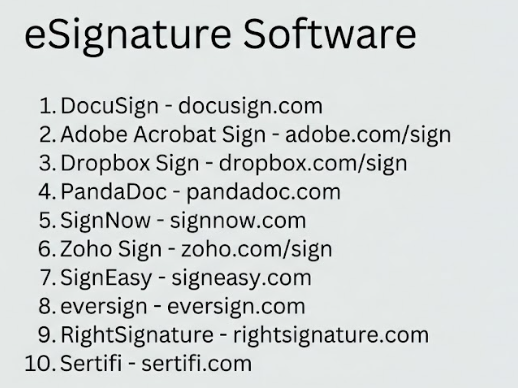
Top 10 eSignature Softwar Tools
#1 — DocuSign
Short description: A widely adopted enterprise-grade eSignature platform known for robust workflows, compliance, and scalability.
Key Features
- Advanced workflow automation
- Pre-built templates and reusable fields
- Real-time tracking and notifications
- Bulk sending and batch processing
- Mobile signing support
- Audit trails and document history
- AI-assisted agreement insights
Pros
- Highly scalable for enterprise use
- Strong compliance and security features
Cons
- Higher pricing tiers
- Complex setup for advanced workflows
Platforms / Deployment
Web / iOS / Android
Cloud
Security & Compliance
Encryption, MFA, audit logs, RBAC
Compliance frameworks: Varies / Not publicly stated
Integrations & Ecosystem
DocuSign offers a mature integration ecosystem and developer APIs for embedding workflows into business systems.
- Salesforce
- Microsoft 365
- Google Workspace
- SAP
- REST APIs
Support & Community
Extensive documentation, onboarding resources, and enterprise support tiers with global coverage.
#2 — Adobe Acrobat Sign
Short description: A document-centric eSignature solution integrated deeply with PDF workflows and enterprise tools.
Key Features
- Native PDF editing and signing
- Workflow automation
- Template management
- Mobile and cross-platform support
- Bulk sending
- Document tracking
Pros
- Seamless PDF integration
- Familiar interface for Adobe users
Cons
- Less flexible customization
- Pricing can vary significantly
Platforms / Deployment
Web / Windows / macOS / iOS / Android
Cloud
Security & Compliance
Encryption, audit logs, MFA
Compliance: Not publicly stated
Integrations & Ecosystem
Adobe integrates well with enterprise tools and productivity platforms.
- Microsoft 365
- Salesforce
- Google Workspace
- APIs
Support & Community
Strong enterprise support and well-documented help resources.
#3 — Dropbox Sign (HelloSign)
Short description: A simple and intuitive eSignature tool designed for startups and SMBs.
Key Features
- User-friendly interface
- Templates and reusable fields
- Embedded signing
- Team management
- Audit trails
Pros
- Easy to adopt and use
- Affordable entry-level plans
Cons
- Limited advanced workflows
- Fewer enterprise-grade features
Platforms / Deployment
Web / iOS / Android
Cloud
Security & Compliance
Encryption, audit logs
Compliance: Not publicly stated
Integrations & Ecosystem
Part of the Dropbox ecosystem with solid integrations.
- Dropbox
- Google Drive
- Slack
- APIs
Support & Community
Good documentation and support for SMB users.
#4 — PandaDoc
Short description: A document automation platform combining eSignatures with content creation and sales workflows.
Key Features
- Drag-and-drop document builder
- Pricing tables and quotes
- Workflow automation
- Templates and content library
- Real-time analytics
- eSignature support
Pros
- Strong for sales teams
- Combines document creation and signing
Cons
- Interface can feel complex
- May exceed basic signing needs
Platforms / Deployment
Web / iOS / Android
Cloud
Security & Compliance
Encryption, audit logs
Compliance: Not publicly stated
Integrations & Ecosystem
PandaDoc integrates with CRM and productivity tools for end-to-end workflows.
- Salesforce
- HubSpot
- Zapier
- APIs
Support & Community
Strong onboarding support and knowledge base.
#5 — SignNow
Short description: A cost-effective eSignature solution offering flexible workflows and integrations.
Key Features
- Document templates
- Bulk sending
- Team collaboration
- API support
- Mobile signing
Pros
- Competitive pricing
- Good feature coverage
Cons
- UI could be improved
- Limited advanced automation
Platforms / Deployment
Web / iOS / Android
Cloud
Security & Compliance
Encryption, audit logs
Compliance: Not publicly stated
Integrations & Ecosystem
- Google Workspace
- Salesforce
- APIs
Support & Community
Adequate documentation and customer support.
#6 — Zoho Sign
Short description: A budget-friendly eSignature solution integrated within the Zoho ecosystem.
Key Features
- Workflow automation
- Templates
- Role-based signing
- Audit trails
- Mobile access
Pros
- Affordable pricing
- Seamless Zoho integration
Cons
- Limited external integrations
- Fewer advanced enterprise features
Platforms / Deployment
Web / iOS / Android
Cloud
Security & Compliance
Encryption, audit logs
Compliance: Not publicly stated
Integrations & Ecosystem
- Zoho CRM
- Zoho Books
- APIs
Support & Community
Strong within Zoho ecosystem; documentation is solid.
#7 — SignEasy
Short description: A mobile-first eSignature solution tailored for individuals and small teams.
Key Features
- Mobile signing
- Offline functionality
- Templates
- Cloud storage integration
- Audit trails
Pros
- Excellent mobile experience
- Quick setup
Cons
- Limited enterprise features
- Smaller integration ecosystem
Platforms / Deployment
Web / iOS / Android
Cloud
Security & Compliance
Encryption
Compliance: Not publicly stated
Integrations & Ecosystem
- Google Drive
- Dropbox
Support & Community
Basic support; suitable for smaller teams.
#8 — eversign
Short description: A lightweight and affordable eSignature solution for startups and freelancers.
Key Features
- Document editor
- Templates
- Audit trails
- API access
- Team management
Pros
- Budget-friendly
- Easy to use
Cons
- Limited scalability
- Basic UI
Platforms / Deployment
Web
Cloud
Security & Compliance
Encryption
Compliance: Not publicly stated
Integrations & Ecosystem
- Google Drive
- APIs
Support & Community
Basic documentation and support.
#9 — RightSignature
Short description: A straightforward tool designed for small businesses and professionals.
Key Features
- Templates
- Branding options
- Audit trails
- Mobile signing
Pros
- Simple interface
- Quick setup
Cons
- Limited integrations
- Lacks advanced workflows
Platforms / Deployment
Web / iOS / Android
Cloud
Security & Compliance
Encryption
Compliance: Not publicly stated
Integrations & Ecosystem
- Cloud storage tools
- APIs
Support & Community
Moderate support resources.
#10 — Sertifi
Short description: A niche solution combining eSignatures with payment workflows for specific industries.
Key Features
- Payment + signature workflows
- Templates
- Workflow automation
- Audit trails
- Industry-specific features
Pros
- Strong for hospitality and finance
- Combines payments and signatures
Cons
- Limited general-purpose use
- Smaller ecosystem
Platforms / Deployment
Web
Cloud
Security & Compliance
Encryption
Compliance: Not publicly stated
Integrations & Ecosystem
- CRM tools
- Payment systems
Support & Community
Industry-focused support and onboarding.
Comparison Table (Top 10)
| Tool Name | Best For | Platform(s) Supported | Deployment | Standout Feature | Public Rating |
|---|---|---|---|---|---|
| DocuSign | Enterprise | Web, iOS, Android | Cloud | Advanced workflows | N/A |
| Adobe Sign | PDF workflows | Web, Desktop, Mobile | Cloud | Native PDF integration | N/A |
| Dropbox Sign | SMBs | Web, Mobile | Cloud | Ease of use | N/A |
| PandaDoc | Sales teams | Web, Mobile | Cloud | Document builder | N/A |
| SignNow | Budget teams | Web, Mobile | Cloud | Cost-effective workflows | N/A |
| Zoho Sign | Zoho users | Web, Mobile | Cloud | Ecosystem integration | N/A |
| SignEasy | Mobile users | Web, Mobile | Cloud | Mobile-first design | N/A |
| eversign | Startups | Web | Cloud | Affordable pricing | N/A |
| RightSignature | Small businesses | Web, Mobile | Cloud | Simplicity | N/A |
| Sertifi | Niche industries | Web | Cloud | Payment + signature combo | N/A |
Evaluation & Scoring of eSignature Softwar
| Tool Name | Core (25%) | Ease (15%) | Integrations (15%) | Security (10%) | Performance (10%) | Support (10%) | Value (15%) | Weighted Total |
|---|---|---|---|---|---|---|---|---|
| DocuSign | 9 | 8 | 9 | 9 | 9 | 8 | 6 | 8.4 |
| Adobe Sign | 8 | 8 | 8 | 8 | 8 | 8 | 6 | 7.8 |
| Dropbox Sign | 7 | 9 | 7 | 7 | 8 | 7 | 8 | 7.7 |
| PandaDoc | 8 | 7 | 8 | 7 | 8 | 8 | 7 | 7.7 |
| SignNow | 7 | 7 | 7 | 7 | 7 | 7 | 8 | 7.2 |
| Zoho Sign | 7 | 8 | 7 | 7 | 7 | 7 | 9 | 7.5 |
| SignEasy | 6 | 9 | 6 | 6 | 7 | 6 | 8 | 7.0 |
| eversign | 6 | 8 | 6 | 6 | 7 | 6 | 9 | 6.9 |
| RightSignature | 6 | 8 | 6 | 6 | 7 | 6 | 7 | 6.7 |
| Sertifi | 7 | 7 | 6 | 7 | 7 | 7 | 7 | 7.0 |
How to interpret scores:
- These scores are comparative benchmarks across tools, not absolute measures.
- Higher scores indicate better balance across features, usability, and value.
- Enterprise tools tend to score higher in security and integrations.
- SMB-focused tools often excel in ease of use and pricing.
- Choose based on your specific requirements rather than overall score alone.
Which eSignature Softwar Tool Is Right for You?
Solo / Freelancer
If you need a simple, low-cost solution, tools like Dropbox Sign, SignEasy, and eversign are ideal. They focus on usability and quick setup without overwhelming features.
SMB
Small and growing businesses benefit from Zoho Sign, SignNow, and PandaDoc. These tools balance affordability with useful automation and integrations.
Mid-Market
PandaDoc and Adobe Sign are strong options for scaling teams that require workflow automation and CRM integrations.
Enterprise
DocuSign and Adobe Sign lead in enterprise-grade features, including compliance, security, and large-scale workflow management.
Budget vs Premium
- Budget-friendly: eversign, Zoho Sign
- Premium: DocuSign, Adobe Sign
Feature Depth vs Ease of Use
- Feature-rich: DocuSign, PandaDoc
- Ease of use: Dropbox Sign, SignEasy
Integrations & Scalability
- Best integrations: DocuSign, PandaDoc
- Moderate integrations: Zoho Sign
Security & Compliance Needs
- High security needs: DocuSign
- Moderate needs: Most SMB tools
Frequently Asked Questions (FAQs)
What is eSignature software?
It enables users to sign documents electronically, replacing traditional handwritten signatures with digital workflows.
Are electronic signatures legally valid?
Yes, they are recognized in many regions under applicable electronic signature laws.
How much does eSignature software cost?
Costs vary depending on features, users, and usage volume. Plans range from free tiers to enterprise pricing.
Is eSignature software secure?
Most platforms provide encryption, audit trails, and authentication mechanisms to ensure security.
Can I integrate eSignature tools with other software?
Yes, most tools support integrations with CRM, HR, and productivity platforms.
Do I need technical expertise to use these tools?
No, most solutions are designed for non-technical users with intuitive interfaces.
Can documents be signed on mobile devices?
Yes, most tools offer mobile apps or responsive web interfaces.
What industries use eSignature software?
Common industries include sales, HR, legal, finance, real estate, and healthcare.
Can I switch between eSignature providers?
Yes, but migration complexity depends on document formats and integrations.
Are there alternatives to eSignature software?
Alternatives include manual signatures or basic PDF tools, but they lack automation and tracking features.
Conclusion
eSignature software has become a foundational tool for modern digital workflows, enabling faster document processing, improved compliance, and better user experiences. From enterprise-grade platforms like DocuSign to budget-friendly options like Zoho Sign and eversign, there is a solution for every type of user.
The right choice depends on your specific needs—whether that’s advanced workflows, affordability, integrations, or compliance requirements. Start by shortlisting two or three tools, testing them with real use cases, and validating their fit with your existing systems before making a final decision.