Introduction
Electronic Design Automation (EDA) Software refers to a category of tools used to design, simulate, verify, and manufacture electronic systems such as integrated circuits (ICs), printed circuit boards (PCBs), and embedded systems. These tools enable engineers to move from concept to production efficiently while ensuring accuracy, performance, and compliance.
As electronics become more complex—with smaller nodes, higher performance demands, and tighter power constraints—EDA tools have evolved into highly sophisticated platforms. Modern solutions now integrate AI-driven optimization, cloud-based simulation, and collaborative workflows, making them essential for industries like semiconductors, automotive electronics, IoT, and telecommunications.
Common use cases include:
- PCB design and layout
- Integrated circuit (IC) design and verification
- Signal integrity and power analysis
- Embedded system development
- Hardware prototyping and simulation
What buyers should evaluate:
- Schematic capture and layout capabilities
- Simulation and verification tools
- Scalability for complex designs
- Ease of use and learning curve
- Integration with manufacturing workflows
- Performance and reliability
- Collaboration and version control
- Security and compliance features
- Licensing and pricing model
Best for: Electrical engineers, hardware designers, semiconductor companies, PCB designers, and R&D teams in industries such as automotive, aerospace, telecom, and consumer electronics.
Not ideal for: Users who only need simple circuit diagrams or educational tools. Lightweight circuit simulators or basic design tools may be more suitable in those cases.
Key Trends in Electronic Design Automation (EDA) Software
- AI-driven chip design: Automation in placement, routing, and optimization is becoming standard.
- Cloud-based EDA platforms: Increasing shift toward scalable cloud infrastructure for simulation.
- Advanced node support: Tools evolving to support smaller semiconductor nodes.
- Digital twin integration: Real-world performance feedback loops into design systems.
- High-speed design focus: Tools optimized for signal integrity and EMI/EMC compliance.
- Open-source adoption: Growing use of community-driven tools for flexibility.
- Security-first development: Increased focus on IP protection and secure design workflows.
- Integration with manufacturing: Seamless handoff to fabrication and assembly processes.
- Subscription licensing models: Flexible access replacing perpetual licenses.
- Hardware-software co-design: Closer integration between embedded software and hardware design.
How We Selected These Tools (Methodology)
- Evaluated market leadership and adoption in semiconductor and PCB design
- Assessed feature depth across schematic, layout, and simulation tools
- Considered performance for complex IC and PCB designs
- Reviewed security and IP protection capabilities
- Analyzed integration with manufacturing and fabrication processes
- Compared ease of use for beginners vs advanced users
- Evaluated community, documentation, and support availability
- Considered deployment flexibility (cloud, on-premise, hybrid)
- Ensured coverage across enterprise, SMB, and open-source tools
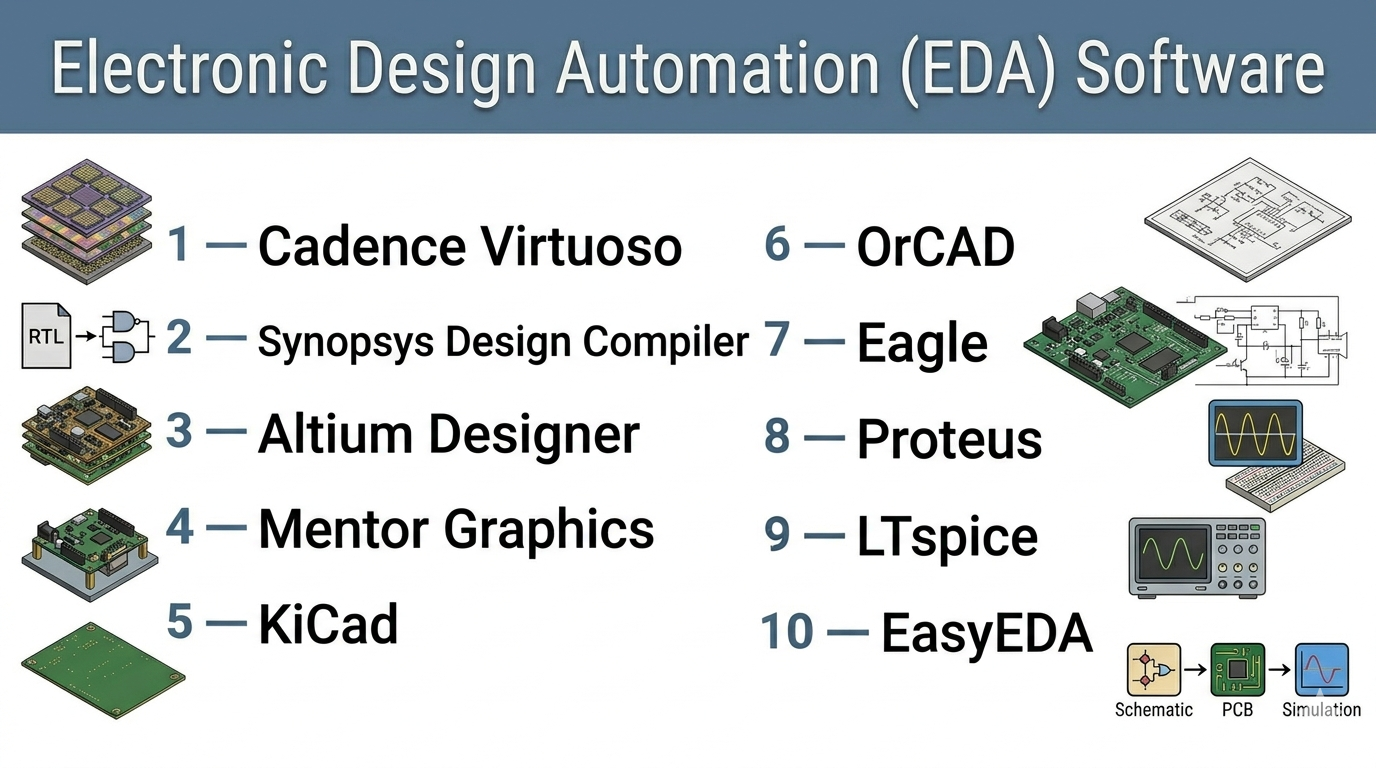
Top 10 Electronic Design Automation (EDA) Software Tools
#1 — Cadence Virtuoso
Short description: A leading platform for custom IC design widely used in semiconductor industries for analog and mixed-signal design.
Key Features
- Custom IC design environment
- Analog and mixed-signal simulation
- Layout automation
- Advanced verification tools
- Scalable architecture
- Integration with manufacturing workflows
Pros
- Industry-leading capabilities
- Highly scalable for complex designs
Cons
- Expensive
- Steep learning curve
Platforms / Deployment
Linux / Self-hosted
Security & Compliance
Not publicly stated
Integrations & Ecosystem
Cadence ecosystem offers extensive integration with simulation and verification tools.
- SPICE simulators
- Verification tools
- Foundry integrations
Support & Community
Strong enterprise support and training programs.
#2 — Synopsys Design Compiler
Short description: A widely used synthesis tool for digital IC design and optimization.
Key Features
- RTL synthesis
- Timing optimization
- Power analysis
- Design rule checking
- High-performance algorithms
Pros
- Industry standard for synthesis
- High accuracy
Cons
- Complex setup
- Expensive licensing
Platforms / Deployment
Linux / Self-hosted
Security & Compliance
Not publicly stated
Integrations & Ecosystem
- Synopsys ecosystem
- Verification tools
- Foundry workflows
Support & Community
Enterprise-grade support.
#3 — Altium Designer
Short description: A popular PCB design platform known for its user-friendly interface and powerful design tools.
Key Features
- PCB layout and routing
- Schematic capture
- 3D PCB visualization
- Design rule checking
- Component libraries
Pros
- Intuitive interface
- Strong visualization tools
Cons
- High cost
- Resource-intensive
Platforms / Deployment
Windows / Cloud
Security & Compliance
Not publicly stated
Integrations & Ecosystem
- Component libraries
- Manufacturing tools
- Cloud collaboration
Support & Community
Large user community and strong documentation.
#4 — Mentor Graphics (Siemens EDA)
Short description: A comprehensive suite for IC and PCB design, now part of Siemens.
Key Features
- PCB design tools
- IC verification
- Signal integrity analysis
- Simulation tools
- Design automation
Pros
- Broad feature set
- Enterprise-grade
Cons
- Complex
- Expensive
Platforms / Deployment
Windows / Linux / Hybrid
Security & Compliance
Not publicly stated
Integrations & Ecosystem
- Siemens ecosystem
- PLM tools
- Simulation platforms
Support & Community
Strong enterprise support.
#5 — KiCad
Short description: An open-source EDA suite for PCB design widely used by hobbyists and professionals.
Key Features
- Schematic capture
- PCB layout
- 3D viewer
- Design rule checking
- Plugin support
Pros
- Free and open-source
- Active community
Cons
- Limited enterprise features
- UI can feel less polished
Platforms / Deployment
Windows / macOS / Linux
Security & Compliance
Not publicly stated
Integrations & Ecosystem
- Plugins
- Community libraries
Support & Community
Strong open-source community.
#6 — OrCAD
Short description: A PCB design tool by Cadence focused on schematic capture and layout.
Key Features
- Schematic capture
- PCB layout
- Simulation tools
- Design rule checking
- Component management
Pros
- Reliable
- Good integration with Cadence tools
Cons
- Windows-only
- Costly
Platforms / Deployment
Windows / Self-hosted
Security & Compliance
Not publicly stated
Integrations & Ecosystem
- Cadence ecosystem
- Simulation tools
- PCB workflows
Support & Community
Established support and documentation.
#7 — Eagle (Autodesk Eagle)
Short description: A PCB design tool known for ease of use and integration with Fusion ecosystem.
Key Features
- Schematic design
- PCB layout
- Autorouting
- Library management
- Cloud integration
Pros
- Easy to learn
- Good for small teams
Cons
- Limited advanced features
- Subscription model
Platforms / Deployment
Windows / macOS / Cloud
Security & Compliance
Not publicly stated
Integrations & Ecosystem
- Autodesk ecosystem
- Fusion integration
- Libraries
Support & Community
Strong community support.
#8 — Proteus
Short description: Simulation-focused EDA tool used for embedded systems and PCB design.
Key Features
- Circuit simulation
- Microcontroller simulation
- PCB layout
- Debugging tools
- Virtual prototyping
Pros
- Excellent simulation
- Ideal for embedded systems
Cons
- Limited advanced PCB features
- Windows-focused
Platforms / Deployment
Windows / Self-hosted
Security & Compliance
Not publicly stated
Integrations & Ecosystem
- Microcontroller libraries
- Simulation tools
Support & Community
Moderate community support.
#9 — LTspice
Short description: A powerful SPICE-based simulation tool used for analog circuit design.
Key Features
- Circuit simulation
- Analog modeling
- Waveform analysis
- High-speed simulation
- Component libraries
Pros
- Free to use
- High performance
Cons
- Limited UI
- Focused on simulation only
Platforms / Deployment
Windows / macOS
Security & Compliance
Not publicly stated
Integrations & Ecosystem
- Component libraries
- Simulation workflows
Support & Community
Strong community support.
#10 — EasyEDA
Short description: A cloud-based EDA tool for PCB design and simulation, ideal for beginners and SMBs.
Key Features
- Web-based design
- Schematic capture
- PCB layout
- Component libraries
- Cloud storage
Pros
- Easy to access
- Affordable
Cons
- Limited advanced features
- Internet dependency
Platforms / Deployment
Web / Cloud
Security & Compliance
Not publicly stated
Integrations & Ecosystem
- Cloud libraries
- Manufacturing integration
Support & Community
Growing community.
Comparison Table (Top 10)
| Tool Name | Best For | Platform(s) Supported | Deployment | Standout Feature | Public Rating |
|---|---|---|---|---|---|
| Cadence Virtuoso | IC design | Linux | Self-hosted | Analog IC design | N/A |
| Synopsys Design Compiler | Digital IC design | Linux | Self-hosted | RTL synthesis | N/A |
| Altium Designer | PCB professionals | Windows | Cloud | 3D PCB design | N/A |
| Mentor Graphics | Enterprise | Windows, Linux | Hybrid | Full EDA suite | N/A |
| KiCad | Open-source users | Windows, macOS, Linux | Self-hosted | Free PCB design | N/A |
| OrCAD | PCB engineers | Windows | Self-hosted | Cadence integration | N/A |
| Eagle | SMBs | Windows, macOS | Cloud | Ease of use | N/A |
| Proteus | Embedded systems | Windows | Self-hosted | Simulation | N/A |
| LTspice | Analog simulation | Windows, macOS | Self-hosted | SPICE simulation | N/A |
| EasyEDA | Beginners | Web | Cloud | Browser-based | N/A |
Evaluation & Scoring of Electronic Design Automation (EDA) Software
| Tool Name | Core (25%) | Ease (15%) | Integrations (15%) | Security (10%) | Performance (10%) | Support (10%) | Value (15%) | Weighted Total |
|---|---|---|---|---|---|---|---|---|
| Cadence Virtuoso | 10 | 5 | 9 | 8 | 9 | 8 | 5 | 8.1 |
| Synopsys Design Compiler | 10 | 5 | 9 | 8 | 9 | 8 | 5 | 8.1 |
| Altium Designer | 9 | 8 | 8 | 7 | 8 | 8 | 6 | 7.9 |
| Mentor Graphics | 9 | 6 | 9 | 8 | 9 | 8 | 5 | 8.0 |
| KiCad | 7 | 7 | 6 | 6 | 7 | 7 | 9 | 7.2 |
| OrCAD | 8 | 7 | 8 | 7 | 8 | 8 | 6 | 7.6 |
| Eagle | 7 | 8 | 7 | 6 | 7 | 7 | 7 | 7.1 |
| Proteus | 7 | 7 | 6 | 6 | 7 | 7 | 7 | 7.0 |
| LTspice | 8 | 6 | 5 | 6 | 8 | 7 | 9 | 7.2 |
| EasyEDA | 6 | 9 | 6 | 6 | 6 | 6 | 8 | 7.0 |
How to interpret these scores:
- Scores are relative comparisons, not absolute measures.
- Enterprise IC tools rank highest in features and performance.
- Open-source tools score higher in value but lower in enterprise capabilities.
- Cloud tools excel in usability and accessibility.
- Choose based on your workflow, not just the highest score.
Which Electronic Design Automation (EDA) Software Is Right for You?
Solo / Freelancer
- Best options: KiCad, EasyEDA, LTspice
- Focus on cost and flexibility
SMB
- Best options: Eagle, Altium Designer, EasyEDA
- Balance usability and features
Mid-Market
- Best options: OrCAD, Altium Designer
- Need better integration and scalability
Enterprise
- Best options: Cadence Virtuoso, Synopsys, Mentor Graphics
- Focus on performance and complexity
Budget vs Premium
- Budget: KiCad, LTspice
- Premium: Cadence, Synopsys
Feature Depth vs Ease of Use
- Deep features: Cadence, Synopsys
- Ease of use: EasyEDA, Eagle
Integrations & Scalability
- Strong ecosystems: Cadence, Siemens
- Moderate: Altium
Security & Compliance Needs
- Enterprise: Cadence, Synopsys
- Basic: Open-source tools
Frequently Asked Questions (FAQs)
What is EDA software used for?
EDA software is used to design, simulate, and verify electronic circuits and systems.
How much does EDA software cost?
Costs range from free tools to expensive enterprise solutions depending on features.
Which EDA tool is best for beginners?
KiCad and EasyEDA are good starting points.
Can EDA tools simulate circuits?
Yes, many tools include simulation capabilities.
What industries use EDA software?
Semiconductor, automotive, telecom, and electronics industries.
Are cloud-based EDA tools reliable?
They are improving but depend on internet connectivity.
Do I need training?
Yes, especially for advanced tools.
Can I switch tools easily?
Switching is possible but may involve file conversion challenges.
Are open-source tools good enough?
They are suitable for many use cases but may lack enterprise features.
What should I consider before choosing?
Focus on scalability, integration, and long-term needs.
Conclusion
EDA software is essential for designing modern electronic systems. Whether you are working on simple PCBs or complex integrated circuits, the right tool can significantly impact productivity, accuracy, and time-to-market.
There is no one-size-fits-all solution. Enterprise tools offer unmatched capabilities, while open-source and cloud-based tools provide accessibility and flexibility.