Introduction
Document Management Systems (DMS) are software platforms designed to store, organize, manage, and track digital documents efficiently. They replace traditional paper-based systems and fragmented file storage with centralized, searchable, and secure repositories.
Modern DMS solutions go beyond simple file storage. They include features like version control, workflow automation, access permissions, audit trails, and integrations with business applications. As organizations increasingly prioritize digital transformation, compliance, and remote collaboration, DMS tools have become critical for maintaining operational efficiency and data governance.
Common use cases include:
- Centralized document storage and retrieval
- Workflow automation and approvals
- Compliance and audit tracking
- Contract and legal document management
- Collaboration across distributed teams
What buyers should evaluate:
- Document organization and search capabilities
- Version control and audit trails
- Access control and permissions
- Workflow automation features
- Integration with existing tools
- Security and compliance capabilities
- Scalability and performance
- Deployment model (cloud vs on-premise)
- Ease of use and onboarding
Best for: Enterprises, SMBs, legal teams, HR departments, finance teams, and any organization handling large volumes of documents.
Not ideal for: Individuals needing simple file storage; basic cloud storage tools may be sufficient.
Key Trends in Document Management Systems
- AI-powered document processing: Automated tagging, classification, and data extraction.
- Cloud-first adoption: Increased use of SaaS-based document management solutions.
- Workflow automation: Streamlined approvals and document routing.
- Enhanced compliance features: Support for regulatory requirements and audit readiness.
- Integration with business ecosystems: CRM, ERP, and productivity tools.
- Mobile accessibility: Access and manage documents on mobile devices.
- Advanced search capabilities: Metadata and full-text search improvements.
- Role-based access control: Granular permission management.
- Digital signatures integration: Faster approvals and contract workflows.
How We Selected These Tools (Methodology)
- Evaluated market adoption and enterprise usage
- Assessed core document management capabilities
- Considered security and compliance features
- Reviewed workflow automation and scalability
- Analyzed integration with business systems
- Included tools for SMBs and enterprises
- Balanced cloud and on-premise solutions
- Considered ease of use and onboarding
- Factored in support and community strength
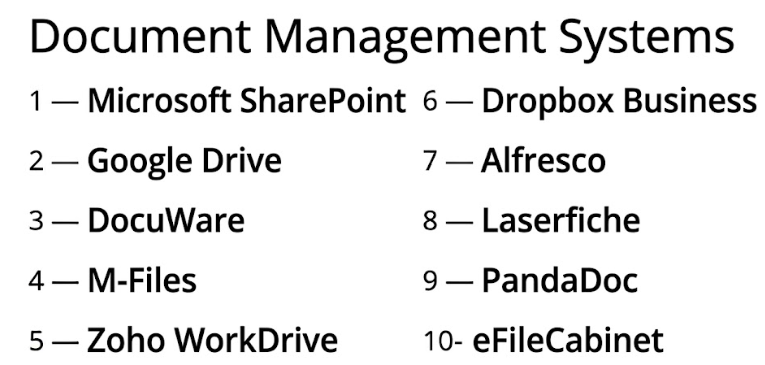
Top 10 Document Management Systems Tools
#1 — Microsoft SharePoint
Short description: A widely used enterprise document management and collaboration platform integrated with Microsoft’s ecosystem.
Key Features
- Document storage and sharing
- Version control
- Workflow automation
- Access control
- Integration with productivity tools
- Collaboration features
Pros
- Strong ecosystem integration
- Enterprise scalability
Cons
- Complex setup
- Learning curve
Platforms / Deployment
Web / Windows / iOS / Android | Cloud / Hybrid
Security & Compliance
SSO, MFA, RBAC; others not publicly stated
Integrations & Ecosystem
SharePoint integrates deeply with enterprise workflows.
- Office tools
- Collaboration platforms
- Workflow automation tools
- APIs
Support & Community
Extensive enterprise support and documentation.
#2 — Google Drive
Short description: A cloud-based document storage and management platform focused on simplicity and collaboration.
Key Features
- Cloud storage
- File sharing
- Real-time collaboration
- Search functionality
- Version history
Pros
- Easy to use
- Strong collaboration
Cons
- Limited advanced workflow features
- Less control for enterprise needs
Platforms / Deployment
Web / Windows / macOS / iOS / Android | Cloud
Security & Compliance
SSO, MFA; others not publicly stated
Integrations & Ecosystem
- Integration with productivity tools
- Cloud ecosystem
- APIs
Support & Community
Large user base and strong documentation.
#3 — DocuWare
Short description: A document management system focused on workflow automation and compliance.
Key Features
- Document storage
- Workflow automation
- Indexing and search
- Secure access
- Integration capabilities
Pros
- Strong automation features
- Compliance-focused
Cons
- Pricing can be high
- Setup complexity
Platforms / Deployment
Web / Windows | Cloud / On-premise
Security & Compliance
Not publicly stated
Integrations & Ecosystem
- ERP integrations
- Business tools
- APIs
Support & Community
Strong enterprise support.
#4 — M-Files
Short description: A metadata-driven document management system that organizes content based on context.
Key Features
- Metadata-based organization
- Version control
- Workflow automation
- Access control
- Search capabilities
Pros
- Powerful organization model
- Strong automation
Cons
- Learning curve
- Complex setup
Platforms / Deployment
Windows / Web | Cloud / On-premise / Hybrid
Security & Compliance
Not publicly stated
Integrations & Ecosystem
- ERP and CRM integrations
- APIs
- Automation tools
Support & Community
Enterprise-level support.
#5 — Zoho WorkDrive
Short description: A team-oriented document management and collaboration platform within the Zoho ecosystem.
Key Features
- Team folders
- File sharing
- Version control
- Collaboration tools
- Access management
Pros
- Affordable
- Easy collaboration
Cons
- Limited enterprise features
- Smaller ecosystem
Platforms / Deployment
Web / Windows / macOS / iOS / Android | Cloud
Security & Compliance
Not publicly stated
Integrations & Ecosystem
- Zoho apps
- APIs
- Cloud integrations
Support & Community
Moderate support and documentation.
#6 — Dropbox Business
Short description: A widely used cloud storage solution with document management and collaboration features.
Key Features
- File storage
- Sharing and collaboration
- Version history
- Sync across devices
- Integration tools
Pros
- Easy to use
- Reliable sync
Cons
- Limited workflow automation
- Pricing concerns
Platforms / Deployment
Web / Windows / macOS / iOS / Android | Cloud
Security & Compliance
SSO, MFA; others not publicly stated
Integrations & Ecosystem
- Productivity tools
- Cloud apps
- APIs
Support & Community
Strong support and documentation.
#7 — Alfresco
Short description: An open-source enterprise content management system with strong customization capabilities.
Key Features
- Document management
- Workflow automation
- Content services
- Version control
- Customization
Pros
- Highly customizable
- Open-source option
Cons
- Requires technical expertise
- Complex setup
Platforms / Deployment
Web / Linux / Windows | Self-hosted / Cloud
Security & Compliance
Not publicly stated
Integrations & Ecosystem
- APIs
- Enterprise integrations
- Custom development
Support & Community
Active open-source community.
#8 — Laserfiche
Short description: A document management system focused on automation and enterprise workflows.
Key Features
- Document storage
- Workflow automation
- Forms and data capture
- Search capabilities
- Compliance tools
Pros
- Strong automation
- Enterprise-ready
Cons
- Complex implementation
- Higher cost
Platforms / Deployment
Web / Windows | Cloud / On-premise
Security & Compliance
Not publicly stated
Integrations & Ecosystem
- Business tools
- APIs
- Workflow integrations
Support & Community
Strong enterprise support.
#9 — PandaDoc
Short description: A document management and automation platform focused on proposals and contracts.
Key Features
- Document creation
- E-signatures
- Templates
- Workflow automation
- Tracking
Pros
- Great for sales workflows
- Easy document creation
Cons
- Limited general DMS features
- Niche focus
Platforms / Deployment
Web / Windows / macOS | Cloud
Security & Compliance
Not publicly stated
Integrations & Ecosystem
- CRM integrations
- Payment tools
- APIs
Support & Community
Good support and documentation.
#10 — eFileCabinet
Short description: A document management system focused on secure storage and compliance.
Key Features
- Secure storage
- Document organization
- Workflow tools
- Access control
- Compliance features
Pros
- Security-focused
- Easy document organization
Cons
- Limited advanced features
- Smaller ecosystem
Platforms / Deployment
Web / Windows | Cloud
Security & Compliance
Not publicly stated
Integrations & Ecosystem
- Business tools
- Export options
- APIs
Support & Community
Moderate support.
Comparison Table (Top 10)
| Tool Name | Best For | Platform(s) Supported | Deployment | Standout Feature | Public Rating |
|---|---|---|---|---|---|
| SharePoint | Enterprise | Web/Win/iOS/Android | Hybrid | Ecosystem integration | N/A |
| Google Drive | Collaboration | Web/Win/macOS/iOS/Android | Cloud | Ease of use | N/A |
| DocuWare | Compliance | Web/Win | Cloud/On-prem | Workflow automation | N/A |
| M-Files | Metadata management | Web/Win | Hybrid | Metadata organization | N/A |
| Zoho WorkDrive | SMB | Web/Win/macOS/iOS/Android | Cloud | Team folders | N/A |
| Dropbox Business | File sharing | Web/Win/macOS/iOS/Android | Cloud | Sync | N/A |
| Alfresco | Customization | Web/Linux/Win | Self-hosted | Open-source | N/A |
| Laserfiche | Enterprise workflows | Web/Win | Cloud/On-prem | Automation | N/A |
| PandaDoc | Sales teams | Web/Win/macOS | Cloud | E-signatures | N/A |
| eFileCabinet | Secure storage | Web/Win | Cloud | Security | N/A |
Evaluation & Scoring of Document Management Systems
| Tool Name | Core | Ease | Integrations | Security | Performance | Support | Value | Weighted Total |
|---|---|---|---|---|---|---|---|---|
| SharePoint | 10 | 7 | 10 | 9 | 9 | 10 | 7 | 9.0 |
| Google Drive | 8 | 10 | 9 | 8 | 9 | 9 | 9 | 8.9 |
| DocuWare | 9 | 7 | 8 | 8 | 8 | 8 | 7 | 8.1 |
| M-Files | 9 | 7 | 8 | 8 | 8 | 8 | 7 | 8.1 |
| Zoho WorkDrive | 7 | 9 | 7 | 7 | 7 | 7 | 9 | 7.8 |
| Dropbox Business | 8 | 9 | 9 | 8 | 9 | 9 | 7 | 8.6 |
| Alfresco | 9 | 6 | 8 | 8 | 8 | 7 | 8 | 8.0 |
| Laserfiche | 9 | 7 | 8 | 8 | 8 | 8 | 7 | 8.1 |
| PandaDoc | 7 | 9 | 8 | 7 | 7 | 8 | 8 | 7.8 |
| eFileCabinet | 7 | 8 | 6 | 8 | 7 | 7 | 7 | 7.4 |
How to interpret:
- Scores are relative comparisons across tools
- Higher scores indicate better balance across features and usability
- Core features and integrations carry the most weight
- Value reflects cost vs functionality
- Choose based on your organizational needs
Which Document Management Systems Tool Is Right for You?
Solo / Freelancer
- Best: Google Drive, Dropbox
- Focus on simplicity and accessibility
SMB
- Best: Zoho WorkDrive, Dropbox Business
- Balance cost and collaboration
Mid-Market
- Best: M-Files, DocuWare
- Strong automation and organization
Enterprise
- Best: SharePoint, Laserfiche
- Scalability and compliance
Budget vs Premium
- Budget: Google Drive, Zoho WorkDrive
- Premium: SharePoint, DocuWare
Feature Depth vs Ease of Use
- Deep features: SharePoint, M-Files
- Ease: Google Drive, Dropbox
Integrations & Scalability
- Strongest: SharePoint
- Moderate: Zoho WorkDrive
Security & Compliance Needs
- Enterprise tools offer stronger controls
- Open-source tools allow customization
Frequently Asked Questions (FAQs)
What is a Document Management System?
It is software used to store, manage, and track digital documents.
Are DMS tools secure?
Many offer strong security features, but details vary.
Can I automate workflows?
Yes, many tools include workflow automation.
Are cloud-based systems better?
They offer flexibility, but on-premise may suit compliance needs.
Can I integrate with other tools?
Yes, most DMS tools support integrations.
Do they support version control?
Yes, version tracking is a core feature.
Are they suitable for small businesses?
Yes, many tools offer SMB-friendly plans.
What are common mistakes?
Poor folder structure and lack of governance.
Can I access documents remotely?
Yes, cloud-based tools allow remote access.
Do they support e-signatures?
Some tools include or integrate with e-signature solutions.
Conclusion
Document Management Systems are essential for organizations aiming to streamline document handling, improve collaboration, and ensure compliance. With features like workflow automation, secure storage, and integrations, they play a key role in digital transformation.