Introduction
Digital Rights Management (DRM) software is designed to protect digital content—such as videos, music, documents, software, and ebooks—from unauthorized access, copying, or distribution. It enables creators, publishers, and organizations to control how their content is used, shared, and monetized.
With the rapid growth of digital media consumption, streaming platforms, online learning, and remote work, DRM has become a critical component of content security strategies. It helps prevent piracy, ensures compliance with licensing agreements, and safeguards intellectual property in a highly distributed digital environment.
Common use cases include:
- Protecting video content for OTT and streaming platforms
- Securing ebooks and digital publications
- Controlling access to corporate documents and training materials
- Software licensing and anti-piracy enforcement
- Protecting music and digital media distribution
What buyers should evaluate:
- Content protection capabilities (encryption, watermarking)
- Supported formats (video, audio, documents, software)
- Licensing and access control models
- Integration with delivery platforms (CDN, LMS, apps)
- Scalability and performance
- User experience (playback, access restrictions)
- Compliance and legal support
- Analytics and reporting
- Pricing and licensing flexibility
Best for: Media companies, OTT platforms, publishers, eLearning providers, enterprises handling sensitive digital assets, and software vendors.
Not ideal for: Organizations with minimal digital content or those distributing fully open/public content where access restrictions are unnecessary.
Key Trends in Digital Rights Management (DRM)
- Multi-DRM strategies: Supporting multiple DRM systems across devices and platforms.
- Cloud-based DRM services: Scalable and easier deployment compared to on-premise solutions.
- Dynamic watermarking: Visible and invisible watermarking for content tracking.
- Offline playback controls: Secure offline viewing with expiration rules.
- AI-driven piracy detection: Monitoring and identifying unauthorized distribution.
- Integration with streaming ecosystems: Tight coupling with CDNs and video platforms.
- User-centric access control: Granular permissions based on roles and subscriptions.
- Low-latency streaming support: Optimized DRM for live streaming use cases.
- Cross-platform compatibility: Seamless playback across web, mobile, and smart TVs.
- Flexible licensing models: Subscription, rental, and pay-per-view options.
How We Selected These Tools (Methodology)
- Evaluated market adoption and industry recognition
- Assessed content protection capabilities (encryption, watermarking, licensing)
- Considered performance and scalability for large-scale distribution
- Reviewed security posture and compliance indicators
- Analyzed integration capabilities with streaming, publishing, and enterprise tools
- Included tools serving different industries and use cases
- Balanced ease of use with advanced functionality
- Examined developer support and API availability
- Considered customer support and ecosystem strength
- Focused on future-ready features like AI and analytics
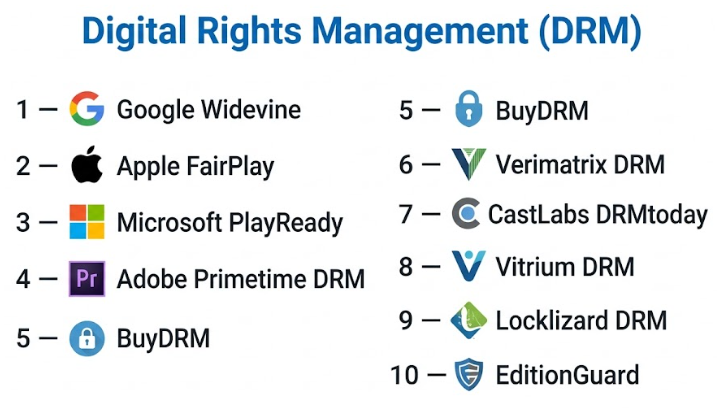
Top 10 Digital Rights Management (DRM) Software Tools
#1 — Google Widevine
Short description: A widely used DRM solution for video streaming, supporting secure playback across browsers and Android devices.
Key Features
- Multi-level content security (L1, L2, L3)
- Adaptive streaming support
- License management
- Cross-platform compatibility
- Integration with streaming workflows
Pros
- Broad device support
- Strong industry adoption
Cons
- Limited control outside Google ecosystem
- Requires integration effort
Platforms / Deployment
Web / Android
Cloud
Security & Compliance
Encryption, secure key exchange
Compliance: Not publicly stated
Integrations & Ecosystem
Widely integrated into streaming platforms and CDNs.
- Video players
- Streaming services
- APIs
Support & Community
Strong developer documentation; community-driven support.
#2 — Apple FairPlay
Short description: DRM solution for securing content within Apple devices and ecosystems.
Key Features
- Native iOS and macOS support
- Secure key delivery
- Streaming protection
- Integration with Apple media stack
Pros
- Seamless Apple device support
- High security for Apple ecosystem
Cons
- Limited to Apple devices
- Requires multi-DRM setup for cross-platform
Platforms / Deployment
iOS / macOS
Cloud
Security & Compliance
Encryption
Compliance: Not publicly stated
Integrations & Ecosystem
- Apple streaming frameworks
- Video platforms
Support & Community
Well-documented within Apple developer ecosystem.
#3 — Microsoft PlayReady
Short description: A robust DRM solution for protecting video and media across multiple platforms.
Key Features
- Multi-device support
- License management
- Adaptive streaming
- Offline playback
- Strong encryption
Pros
- Wide platform compatibility
- Enterprise-grade features
Cons
- Complex setup
- Licensing considerations
Platforms / Deployment
Web / Windows / Xbox / Mobile
Cloud
Security & Compliance
Encryption, DRM licensing
Compliance: Not publicly stated
Integrations & Ecosystem
- Streaming platforms
- CDNs
- APIs
Support & Community
Strong enterprise documentation and support.
#4 — Adobe Primetime DRM
Short description: A DRM solution tailored for premium video content distribution.
Key Features
- Multi-DRM support
- License management
- Dynamic watermarking
- Analytics integration
- Streaming optimization
Pros
- Strong for OTT platforms
- Multi-DRM support
Cons
- Enterprise-focused
- Higher complexity
Platforms / Deployment
Web / Mobile / TV
Cloud
Security & Compliance
Encryption, watermarking
Compliance: Not publicly stated
Integrations & Ecosystem
- Adobe ecosystem
- Streaming services
Support & Community
Enterprise-level support and resources.
#5 — BuyDRM (KeyOS)
Short description: A commercial DRM platform offering multi-DRM services and licensing solutions.
Key Features
- Multi-DRM support
- License delivery
- Analytics
- Offline playback
- Scalable infrastructure
Pros
- Flexible deployment
- Supports multiple DRM standards
Cons
- Requires technical setup
- Pricing varies
Platforms / Deployment
Web / Mobile / OTT
Cloud
Security & Compliance
Encryption
Compliance: Not publicly stated
Integrations & Ecosystem
- Video platforms
- CDNs
- APIs
Support & Community
Professional support; documentation available.
#6 — Verimatrix DRM
Short description: A content security platform for video services and OTT providers.
Key Features
- Multi-DRM support
- Watermarking
- Anti-piracy tools
- Analytics
- Cloud delivery
Pros
- Strong anti-piracy capabilities
- Scalable
Cons
- Enterprise-focused
- Complex onboarding
Platforms / Deployment
Web / Mobile / TV
Cloud
Security & Compliance
Encryption, watermarking
Compliance: Not publicly stated
Integrations & Ecosystem
- OTT platforms
- Streaming services
Support & Community
Enterprise support model.
#7 — CastLabs DRMtoday
Short description: A cloud-based multi-DRM service for video streaming platforms.
Key Features
- Multi-DRM support
- Cloud-based license delivery
- Analytics
- Offline playback
- API access
Pros
- Easy cloud deployment
- Developer-friendly
Cons
- Limited brand awareness
- Requires integration
Platforms / Deployment
Web / Mobile
Cloud
Security & Compliance
Encryption
Compliance: Not publicly stated
Integrations & Ecosystem
- Streaming platforms
- APIs
Support & Community
Developer-focused documentation.
#8 — Vitrium DRM
Short description: A DRM solution focused on document and file protection.
Key Features
- Document encryption
- Access control
- Expiry settings
- Analytics
- Offline protection
Pros
- Strong for document security
- Easy to use
Cons
- Limited multimedia support
- Niche focus
Platforms / Deployment
Web / Windows
Cloud / Hybrid
Security & Compliance
Encryption, access control
Compliance: Not publicly stated
Integrations & Ecosystem
- LMS platforms
- File sharing systems
Support & Community
Good customer support and onboarding.
#9 — Locklizard DRM
Short description: A document-focused DRM solution for secure distribution of sensitive files.
Key Features
- PDF protection
- Access control
- Expiry controls
- Copy/print restrictions
- Offline viewing
Pros
- Strong document protection
- Simple deployment
Cons
- Limited integrations
- UI may feel outdated
Platforms / Deployment
Windows / Web
Cloud / Self-hosted
Security & Compliance
Encryption
Compliance: Not publicly stated
Integrations & Ecosystem
- Document systems
Support & Community
Moderate support resources.
#10 — EditionGuard
Short description: A DRM platform for ebook and digital publishing protection.
Key Features
- Ebook DRM
- Watermarking
- License management
- Distribution control
- Analytics
Pros
- Ideal for publishers
- Easy integration
Cons
- Limited beyond ebooks
- Smaller ecosystem
Platforms / Deployment
Web
Cloud
Security & Compliance
Encryption, watermarking
Compliance: Not publicly stated
Integrations & Ecosystem
- Publishing platforms
- APIs
Support & Community
Focused support for publishers.
Comparison Table (Top 10)
| Tool Name | Best For | Platform(s) Supported | Deployment | Standout Feature | Public Rating |
|---|---|---|---|---|---|
| Google Widevine | Video streaming | Web, Android | Cloud | Multi-level security | N/A |
| Apple FairPlay | Apple ecosystem | iOS, macOS | Cloud | Native Apple support | N/A |
| PlayReady | Enterprise media | Multi-platform | Cloud | Broad compatibility | N/A |
| Adobe Primetime | OTT platforms | Web, Mobile, TV | Cloud | Multi-DRM | N/A |
| BuyDRM | Multi-DRM | Web, OTT | Cloud | Licensing flexibility | N/A |
| Verimatrix | OTT security | Web, Mobile, TV | Cloud | Anti-piracy tools | N/A |
| DRMtoday | Developers | Web, Mobile | Cloud | API-first | N/A |
| Vitrium | Documents | Web, Windows | Hybrid | File protection | N/A |
| Locklizard | PDFs | Windows, Web | Hybrid | PDF DRM | N/A |
| EditionGuard | eBooks | Web | Cloud | Publishing focus | N/A |
Evaluation & Scoring of Digital Rights Management (DRM)
| Tool Name | Core (25%) | Ease (15%) | Integrations (15%) | Security (10%) | Performance (10%) | Support (10%) | Value (15%) | Weighted Total |
|---|---|---|---|---|---|---|---|---|
| Widevine | 9 | 7 | 8 | 9 | 9 | 7 | 8 | 8.3 |
| FairPlay | 8 | 8 | 6 | 9 | 8 | 7 | 7 | 7.7 |
| PlayReady | 9 | 7 | 8 | 9 | 9 | 8 | 7 | 8.4 |
| Adobe Primetime | 8 | 7 | 8 | 8 | 8 | 8 | 7 | 7.8 |
| BuyDRM | 8 | 7 | 8 | 8 | 8 | 7 | 7 | 7.7 |
| Verimatrix | 9 | 6 | 8 | 9 | 9 | 8 | 7 | 8.2 |
| DRMtoday | 7 | 8 | 8 | 8 | 8 | 7 | 8 | 7.8 |
| Vitrium | 7 | 8 | 6 | 8 | 7 | 7 | 8 | 7.4 |
| Locklizard | 7 | 7 | 5 | 8 | 7 | 6 | 7 | 7.0 |
| EditionGuard | 7 | 8 | 6 | 8 | 7 | 7 | 8 | 7.4 |
How to interpret scores:
- Scores are relative comparisons across tools.
- Higher totals indicate better overall balance.
- Enterprise DRM tools score higher in security and performance.
- Niche tools perform well in specific use cases (documents, ebooks).
- Choose based on your content type and distribution model.
Which Digital Rights Management (DRM) Tool Is Right for You?
Solo / Freelancer
EditionGuard or Vitrium are suitable for protecting ebooks or documents without complex setup.
SMB
BuyDRM and DRMtoday offer flexible and scalable options for growing businesses.
Mid-Market
Adobe Primetime and Verimatrix provide strong capabilities for scaling OTT or content platforms.
Enterprise
Widevine, PlayReady, and FairPlay are essential for large-scale, multi-platform streaming ecosystems.
Budget vs Premium
- Budget: Vitrium, EditionGuard
- Premium: Verimatrix, Adobe Primetime
Feature Depth vs Ease of Use
- Advanced: Verimatrix, PlayReady
- Simple: Locklizard, EditionGuard
Integrations & Scalability
- High scalability: Widevine, PlayReady
- Moderate: Vitrium
Security & Compliance Needs
- High security: Verimatrix, Widevine
- Moderate: Document-focused DRM tools
Frequently Asked Questions (FAQs)
What is DRM software?
It protects digital content from unauthorized access and distribution.
Is DRM necessary for all content?
No, only for content that requires controlled access or monetization.
Can DRM prevent piracy completely?
No system is perfect, but DRM significantly reduces unauthorized use.
Does DRM affect user experience?
It can, but modern solutions aim to minimize friction.
What types of content can DRM protect?
Videos, music, documents, ebooks, and software.
Is DRM expensive?
Costs vary depending on scale and features.
Can DRM work offline?
Some solutions support controlled offline access.
Is DRM legal?
Yes, it is widely used to enforce copyright protection.
Can I switch DRM providers?
Yes, but migration can be complex.
Are there DRM-free alternatives?
Yes, but they do not provide content protection.
Conclusion
Digital Rights Management software is essential for protecting and monetizing digital content in today’s connected world. From enterprise-grade video DRM solutions like Widevine and PlayReady to document-focused tools like Vitrium and Locklizard, the right choice depends on your content type and distribution needs.