Introduction
Digital Adoption Platforms (DAP) are software solutions that sit on top of existing applications and guide users through workflows using in-app assistance, automation, and contextual support. In simple terms, they help employees and customers learn and use software more effectively without needing extensive training.
As organizations adopt more SaaS tools and complex enterprise systems, user adoption becomes a major challenge. Poor adoption leads to inefficiencies, errors, and low ROI on software investments. Digital adoption platforms address this by providing real-time guidance, analytics, and automation directly within applications—helping users complete tasks faster and with fewer mistakes.
Common use cases include:
- Employee onboarding for new software systems
- Training and support for enterprise applications (ERP, CRM, HR systems)
- Customer onboarding in SaaS products
- Reducing support tickets with in-app help
- Driving feature adoption and product engagement
Key evaluation criteria:
- In-app guidance capabilities (walkthroughs, tooltips, overlays)
- Ease of implementation and no-code capabilities
- Analytics and user behavior insights
- Integration with enterprise applications
- Automation and workflow support
- Customization and personalization
- Scalability across teams and applications
- Security and compliance features
- Multilingual and global support
Best for: Product teams, HR, IT, customer success teams, and enterprises managing complex software ecosystems.
Not ideal for: Very small teams with simple tools or organizations that rely on static training materials.
Key Trends in Digital Adoption Platforms
- AI-powered contextual guidance: Personalized support based on user behavior
- No-code/low-code builders: Enabling non-technical teams to create onboarding flows
- Cross-application support: Managing adoption across multiple tools and systems
- Advanced analytics: Identifying friction points and optimizing workflows
- Embedded self-service support: Knowledge bases integrated into applications
- Automation-first approach: Reducing manual tasks and user errors
- Employee experience focus: Improving productivity and satisfaction
- Multilingual support: Enabling global adoption strategies
- Integration with LMS and knowledge systems: Blending training and real-time guidance
- Security-first architecture: Compliance-ready platforms for enterprises
How We Selected These Tools (Methodology)
The tools in this list were selected based on:
- Market leadership and adoption across industries
- Feature completeness in guidance, analytics, and automation
- Ease of deployment and usability
- Integration capabilities with enterprise systems
- Scalability across SMB, mid-market, and enterprise
- Vendor reputation and ecosystem maturity
- Innovation in AI and automation
- Security posture and compliance signals
- Customer support and onboarding experience
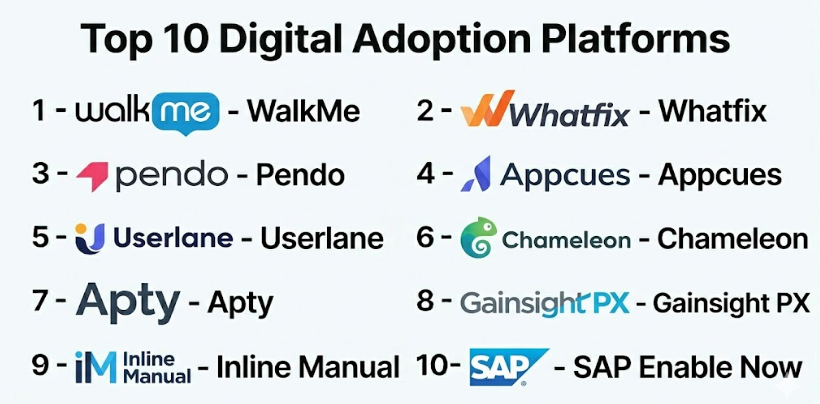
Top 10 Digital Adoption Platforms
#1 — WalkMe
Short description: A pioneer in the DAP category, designed for large enterprises managing complex software ecosystems.
Key Features
- Smart walkthroughs and tooltips
- Cross-application guidance
- AI-powered insights
- Automation workflows
- Deep analytics dashboards
- ActionBot for task automation
Pros
- Highly scalable for enterprise environments
- Advanced analytics and automation
- Strong governance features
Cons
- Complex implementation
- High cost
Platforms / Deployment
Web / Desktop
Cloud
Security & Compliance
SOC 2, ISO 27001, GDPR, HIPAA (as publicly stated)
Integrations & Ecosystem
WalkMe integrates across enterprise systems and applications.
- CRM and ERP systems
- HR platforms
- APIs
Support & Community
Extensive enterprise support and training ecosystem.
#2 — Whatfix
Short description: A leading enterprise DAP focused on digital transformation, training, and workflow optimization.
Key Features
- Contextual walkthroughs
- Smart tips and task lists
- Self-help widgets
- Process automation
- Adoption analytics
- Simulation-based training
Pros
- Strong enterprise capabilities
- Excellent analytics
- Cross-platform support
Cons
- Custom pricing
- Requires setup effort
Platforms / Deployment
Web / Desktop / Mobile
Cloud
Security & Compliance
Not publicly stated
Integrations & Ecosystem
- ERP, CRM, HCM systems
- LMS and knowledge bases
- APIs
Support & Community
Strong onboarding and enterprise support.
#3 — Pendo
Short description: A product experience platform with strong digital adoption and analytics capabilities.
Key Features
- In-app guides and messaging
- Product analytics
- Feedback collection
- Feature adoption tracking
- User segmentation
Pros
- Strong analytics
- Good for SaaS products
- Scalable
Cons
- Limited deep workflow automation
- Pricing varies
Platforms / Deployment
Web
Cloud
Security & Compliance
Not publicly stated
Integrations & Ecosystem
- CRM tools
- Analytics platforms
- APIs
Support & Community
Strong community and documentation.
#4 — Appcues
Short description: A no-code platform for creating in-app onboarding experiences and product tours.
Key Features
- Product tours and walkthroughs
- In-app messaging
- User segmentation
- Analytics
- A/B testing
Pros
- Easy to use
- No-code setup
- Fast deployment
Cons
- Limited enterprise features
- Requires integration for advanced use
Platforms / Deployment
Web
Cloud
Security & Compliance
Not publicly stated
Integrations & Ecosystem
- CRM tools
- Marketing platforms
- APIs
Support & Community
Good documentation and onboarding.
#5 — Userlane
Short description: A DAP focused on simplifying user onboarding with interactive, step-by-step guidance.
Key Features
- Interactive walkthroughs
- Real-time guidance
- Analytics
- Multilingual support
- Automation
Pros
- Easy onboarding experience
- Good analytics
- Scalable
Cons
- Limited customization
- Smaller ecosystem
Platforms / Deployment
Web
Cloud
Security & Compliance
Not publicly stated
Integrations & Ecosystem
- Enterprise tools
- APIs
Support & Community
Reliable support.
#6 — Chameleon
Short description: A product adoption platform designed for SaaS teams to improve user onboarding and engagement.
Key Features
- In-app tours and tooltips
- Microsurveys
- Custom styling
- A/B testing
- Targeting rules
Pros
- Flexible customization
- Strong UX focus
- Good for product teams
Cons
- Limited enterprise depth
- Pricing tiers
Platforms / Deployment
Web
Cloud
Security & Compliance
Not publicly stated
Integrations & Ecosystem
- Analytics tools
- CRM platforms
- APIs
Support & Community
Good support and resources.
#7 — Apty
Short description: A DAP focused on enterprise process optimization and compliance.
Key Features
- Workflow automation
- In-app guidance
- Process validation
- Analytics
- Compliance tracking
Pros
- Strong process control
- Good for regulated industries
- Automation-focused
Cons
- Learning curve
- Setup complexity
Platforms / Deployment
Web
Cloud
Security & Compliance
Not publicly stated
Integrations & Ecosystem
- ERP systems
- APIs
Support & Community
Enterprise support.
#8 — Gainsight PX
Short description: A product experience platform with digital adoption and customer success features.
Key Features
- In-app engagement
- Customer analytics
- Feedback tools
- Journey mapping
- Segmentation
Pros
- Strong analytics
- Good for SaaS
- Customer success integration
Cons
- Complex setup
- Pricing
Platforms / Deployment
Web
Cloud
Security & Compliance
Not publicly stated
Integrations & Ecosystem
- CRM tools
- APIs
Support & Community
Strong support ecosystem.
#9 — Inline Manual
Short description: A lightweight DAP focused on onboarding, tutorials, and user guidance.
Key Features
- Interactive guides
- Tooltips
- Analytics
- Localization
- User segmentation
Pros
- Easy to implement
- Affordable
- Good for SMBs
Cons
- Limited advanced features
- Smaller ecosystem
Platforms / Deployment
Web
Cloud
Security & Compliance
Not publicly stated
Integrations & Ecosystem
- SaaS tools
- APIs
Support & Community
Good support.
#10 — SAP Enable Now
Short description: A DAP integrated with SAP ecosystems for enterprise training and adoption.
Key Features
- Content creation
- In-app guidance
- Simulation training
- Knowledge management
- Analytics
Pros
- Strong SAP integration
- Enterprise-ready
- Comprehensive features
Cons
- Complex implementation
- Limited outside SAP ecosystem
Platforms / Deployment
Web
Cloud
Security & Compliance
Not publicly stated
Integrations & Ecosystem
- SAP ecosystem
- APIs
Support & Community
Enterprise-level support.
Comparison Table (Top 10)
| Tool Name | Best For | Platform(s) Supported | Deployment | Standout Feature | Public Rating |
|---|---|---|---|---|---|
| WalkMe | Enterprise | Web, Desktop | Cloud | Cross-app guidance | N/A |
| Whatfix | Enterprise | Web, Desktop, Mobile | Cloud | Process automation | N/A |
| Pendo | SaaS teams | Web | Cloud | Product analytics | N/A |
| Appcues | SMB SaaS | Web | Cloud | No-code onboarding | N/A |
| Userlane | Enterprises | Web | Cloud | Guided onboarding | N/A |
| Chameleon | Product teams | Web | Cloud | UX customization | N/A |
| Apty | Compliance-heavy orgs | Web | Cloud | Process validation | N/A |
| Gainsight PX | SaaS companies | Web | Cloud | Customer analytics | N/A |
| Inline Manual | SMB | Web | Cloud | Simplicity | N/A |
| SAP Enable Now | SAP users | Web | Cloud | SAP integration | N/A |
Evaluation & Scoring of Digital Adoption Platforms
| Tool Name | Core | Ease | Integrations | Security | Performance | Support | Value | Weighted Total |
|---|---|---|---|---|---|---|---|---|
| WalkMe | 10 | 6 | 9 | 8 | 9 | 9 | 6 | 8.2 |
| Whatfix | 9 | 7 | 9 | 7 | 9 | 8 | 7 | 8.2 |
| Pendo | 8 | 8 | 8 | 7 | 8 | 8 | 7 | 7.9 |
| Appcues | 7 | 9 | 7 | 6 | 8 | 7 | 8 | 7.8 |
| Userlane | 8 | 8 | 7 | 6 | 8 | 7 | 7 | 7.6 |
| Chameleon | 7 | 8 | 7 | 6 | 7 | 7 | 8 | 7.5 |
| Apty | 8 | 7 | 8 | 7 | 8 | 7 | 7 | 7.7 |
| Gainsight PX | 8 | 7 | 8 | 7 | 8 | 8 | 7 | 7.8 |
| Inline Manual | 7 | 8 | 6 | 6 | 7 | 7 | 8 | 7.4 |
| SAP Enable Now | 9 | 6 | 8 | 7 | 9 | 8 | 6 | 7.8 |
Interpretation:
- Enterprise tools score higher in features and scalability
- SMB tools excel in ease of use and affordability
- Scores are comparative, not absolute
- Choose based on complexity and adoption goals
Which Digital Adoption Platforms Is Right for You?
Solo / Freelancer
- Not required; use simple onboarding tools
SMB
- Best: Appcues, Inline Manual, Chameleon
Mid-Market
- Best: Pendo, Gainsight PX
Enterprise
- Best: WalkMe, Whatfix, Apty
Budget vs Premium
- Budget: Inline Manual
- Premium: WalkMe
Feature Depth vs Ease of Use
- Deep: WalkMe, Whatfix
- Easy: Appcues
Integrations & Scalability
- Strong integrations: Whatfix
- Scalable: WalkMe
Security & Compliance Needs
- Choose enterprise-grade DAPs for strict compliance
Frequently Asked Questions (FAQs)
What is a Digital Adoption Platform?
It is software that provides in-app guidance to help users adopt applications effectively.
How does a DAP work?
It overlays applications with walkthroughs, tooltips, and contextual help.
Why are DAPs important?
They improve productivity and reduce training costs.
Are DAPs only for enterprises?
No, many tools are available for SMBs and startups.
Do DAPs use AI?
Yes, many platforms use AI for personalization and analytics.
Can DAPs integrate with other tools?
Yes, most support integrations with enterprise systems.
Are DAPs secure?
Most offer enterprise-grade security features.
How long does implementation take?
From days to months depending on complexity.
Do DAPs replace training?
They complement traditional training methods.
What should I avoid?
Choosing tools that are too complex for your needs.
Conclusion
Digital Adoption Platforms are essential for organizations looking to maximize the value of their software investments. By providing real-time guidance, analytics, and automation, they help users become proficient faster and reduce operational friction.