Introduction
Chat apps are software platforms that enable real-time communication between individuals and teams through text, voice, and video messaging. In simple terms, they replace or complement email by providing faster, more interactive ways to communicate.
With the rise of remote work, distributed teams, and digital-first communication, chat apps have become essential tools for both personal and professional use. Modern chat platforms go beyond messaging—they integrate with business tools, support collaboration, automate workflows, and provide secure communication channels.
Common use cases include:
- Internal team communication and collaboration
- Customer support and live chat
- Community engagement and group discussions
- Remote work coordination
- Personal messaging and social interaction
Key evaluation criteria:
- Messaging features (1:1, group chat, threads, voice/video)
- Ease of use and user experience
- Integration with other tools (CRM, project management, etc.)
- Security and privacy features
- Scalability for teams and organizations
- Cross-platform availability
- Automation and AI capabilities
- Search and message history
- Pricing and value
Best for: Teams, businesses, communities, and individuals who need fast, reliable communication and collaboration tools.
Not ideal for: Organizations with minimal communication needs or those relying entirely on formal documentation systems.
Key Trends in Chat Apps
- AI-powered messaging: Smart replies, summaries, and automation workflows
- Unified communication platforms: Combining chat, video, and file sharing
- Integration-first ecosystems: Chat apps acting as central hubs for work tools
- Privacy-first messaging: End-to-end encryption and secure communication
- Async communication: Threaded conversations replacing real-time overload
- Cross-platform experiences: Seamless switching between devices
- Voice-first collaboration: Quick audio chats replacing meetings
- Community-scale messaging: Support for large groups and channels
- Low-code automation: Workflow builders within chat apps
- Hybrid work optimization: Tools designed for distributed teams
How We Selected These Tools (Methodology)
The tools in this list were selected based on:
- Market popularity and adoption across industries
- Feature completeness across messaging, collaboration, and integrations
- Ease of use and onboarding experience
- Cross-platform availability
- Security and privacy capabilities
- Scalability from individuals to enterprises
- Integration ecosystem and extensibility
- Vendor reliability and innovation
- Support and community ecosystem
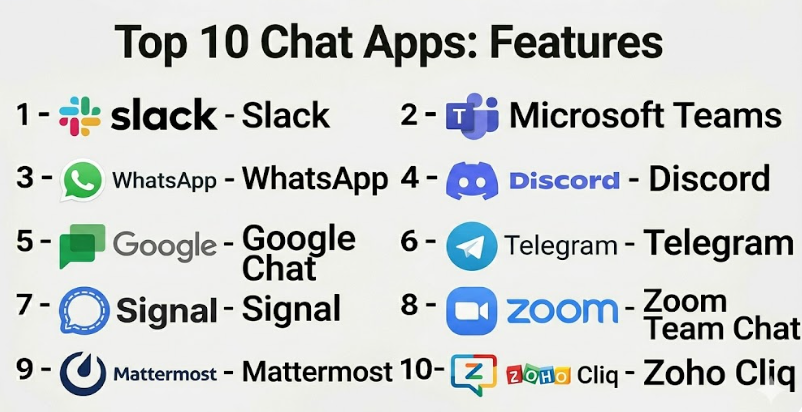
Top 10 Chat Apps
#1 — Slack
Short description: A leading team communication platform designed for organized, channel-based collaboration across businesses of all sizes.
Key Features
- Channel-based messaging
- Threads and direct messages
- Voice and video (Huddles)
- Workflow automation
- AI-powered search and summaries
- Extensive integrations
Pros
- Highly organized communication
- Massive integration ecosystem
- Strong collaboration features
Cons
- Can become noisy without management
- Pricing increases with scale
Platforms / Deployment
Web / Windows / macOS / Linux / iOS / Android
Cloud
Security & Compliance
SSO/SAML, MFA, encryption, audit logs (plan-dependent)
Integrations & Ecosystem
Slack acts as a central collaboration hub with thousands of integrations.
- Google Drive, Trello, Jira
- CRM and DevOps tools
- APIs and bots
Support & Community
Strong documentation and large global user base.
#2 — Microsoft Teams
Short description: A unified communication platform integrated with Microsoft 365, combining chat, meetings, and collaboration tools.
Key Features
- Team channels and chat
- Video conferencing
- File sharing and collaboration
- Office 365 integration
- Workflow automation
- Threaded conversations
Pros
- Deep Microsoft ecosystem integration
- All-in-one communication platform
- Strong enterprise capabilities
Cons
- Complex interface
- Learning curve for new users
Platforms / Deployment
Web / Windows / macOS / iOS / Android
Cloud
Security & Compliance
Not publicly stated
Integrations & Ecosystem
- Microsoft 365 apps
- APIs
Support & Community
Enterprise-grade support.
#3 — WhatsApp
Short description: A widely used messaging app for personal and business communication with simple and reliable messaging features.
Key Features
- Instant messaging
- Group chats
- Voice and video calls
- File sharing
- End-to-end encryption
Pros
- Extremely easy to use
- Global adoption
- Strong privacy features
Cons
- Limited integrations
- Not ideal for structured work communication
Platforms / Deployment
Web / iOS / Android / Desktop
Cloud
Security & Compliance
End-to-end encryption
Integrations & Ecosystem
- Business API
- Limited third-party integrations
Support & Community
Massive global user base.
#4 — Discord
Short description: A community-focused chat platform known for voice channels and real-time engagement.
Key Features
- Voice and text channels
- Roles and permissions
- Video calls
- Bots and automation
- Community tools
Pros
- Highly engaging
- Great for large communities
- Free tier available
Cons
- Less structured for business use
- Can become chaotic
Platforms / Deployment
Web / Desktop / Mobile
Cloud
Security & Compliance
Not publicly stated
Integrations & Ecosystem
- Bots
- APIs
Support & Community
Large global community.
#5 — Google Chat
Short description: A messaging platform integrated with Google Workspace for team collaboration.
Key Features
- Direct and group messaging
- Spaces for collaboration
- Integration with Google Drive
- Threaded conversations
- File sharing
Pros
- Seamless Google integration
- Simple interface
- Good for existing Google users
Cons
- Limited advanced features
- Smaller ecosystem
Platforms / Deployment
Web / Mobile
Cloud
Security & Compliance
Not publicly stated
Integrations & Ecosystem
- Google Workspace
- APIs
Support & Community
Strong ecosystem via Google.
#6 — Telegram
Short description: A messaging app known for large group support and cloud-based messaging.
Key Features
- Large group chats
- Channels and broadcasts
- Cloud storage
- Bots
- File sharing
Pros
- Supports large communities
- Fast and lightweight
- Free
Cons
- Privacy concerns debated
- Limited enterprise features
Platforms / Deployment
Web / Mobile / Desktop
Cloud
Security & Compliance
Not publicly stated
Integrations & Ecosystem
- Bots
- APIs
Support & Community
Large global user base.
#7 — Signal
Short description: A privacy-focused messaging app with strong encryption and minimal data collection.
Key Features
- End-to-end encryption
- Secure messaging
- Voice and video calls
- Minimal data storage
- Open-source
Pros
- High security and privacy
- Simple interface
- Free
Cons
- Limited integrations
- Not ideal for business workflows
Platforms / Deployment
Web / Mobile / Desktop
Cloud
Security & Compliance
End-to-end encryption
Integrations & Ecosystem
- Limited APIs
Support & Community
Strong privacy-focused community.
#8 — Zoom Team Chat
Short description: A chat solution integrated with Zoom’s video conferencing platform.
Key Features
- Team chat
- Video meeting integration
- File sharing
- Notifications
- Collaboration tools
Pros
- Seamless meeting integration
- Easy to use
- Good for remote teams
Cons
- Limited standalone features
- Best within Zoom ecosystem
Platforms / Deployment
Web / Mobile / Desktop
Cloud
Security & Compliance
Not publicly stated
Integrations & Ecosystem
- Zoom ecosystem
- APIs
Support & Community
Strong support.
#9 — Mattermost
Short description: An open-source chat platform designed for developers and enterprises needing self-hosted solutions.
Key Features
- Team messaging
- Self-hosting
- Workflow automation
- Integrations
- Security controls
Pros
- Full control over data
- Highly customizable
- Developer-friendly
Cons
- Requires setup
- Technical expertise needed
Platforms / Deployment
Web / Mobile
Cloud / Self-hosted
Security & Compliance
Not publicly stated
Integrations & Ecosystem
- DevOps tools
- APIs
Support & Community
Strong open-source community.
#10 — Zoho Cliq
Short description: A team chat app integrated within the Zoho ecosystem.
Key Features
- Channels and messaging
- Video calls
- Task management
- Bots
- Integrations
Pros
- Affordable
- Good for Zoho users
- Easy to use
Cons
- Limited outside Zoho ecosystem
- Smaller user base
Platforms / Deployment
Web / Mobile
Cloud
Security & Compliance
Not publicly stated
Integrations & Ecosystem
- Zoho apps
- APIs
Support & Community
Good support.
Comparison Table (Top 10)
| Tool Name | Best For | Platform(s) Supported | Deployment | Standout Feature | Public Rating |
|---|---|---|---|---|---|
| Slack | Teams | Web, Desktop, Mobile | Cloud | Integrations | N/A |
| Microsoft Teams | Enterprises | Web, Desktop, Mobile | Cloud | Office integration | N/A |
| Personal/SMB | Web, Mobile | Cloud | Simplicity | N/A | |
| Discord | Communities | Web, Desktop, Mobile | Cloud | Voice channels | N/A |
| Google Chat | Google users | Web, Mobile | Cloud | Workspace integration | N/A |
| Telegram | Large groups | Web, Mobile | Cloud | Large communities | N/A |
| Signal | Privacy | Web, Mobile | Cloud | Encryption | N/A |
| Zoom Chat | Remote teams | Web, Desktop, Mobile | Cloud | Meeting integration | N/A |
| Mattermost | Developers | Web, Mobile | Cloud/Self-hosted | Self-hosting | N/A |
| Zoho Cliq | SMB | Web, Mobile | Cloud | Zoho integration | N/A |
Evaluation & Scoring of Chat Apps
| Tool Name | Core | Ease | Integrations | Security | Performance | Support | Value | Weighted Total |
|---|---|---|---|---|---|---|---|---|
| Slack | 10 | 9 | 10 | 9 | 9 | 10 | 7 | 9.1 |
| Microsoft Teams | 10 | 6 | 10 | 10 | 8 | 10 | 8 | 8.6 |
| 9 | 10 | 5 | 8 | 10 | 7 | 10 | 8.6 | |
| Discord | 9 | 7 | 8 | 6 | 10 | 8 | 9 | 8.3 |
| Google Chat | 8 | 8 | 8 | 7 | 8 | 7 | 8 | 7.9 |
| Telegram | 8 | 8 | 6 | 7 | 9 | 7 | 9 | 8.0 |
| Signal | 7 | 9 | 4 | 10 | 9 | 6 | 10 | 7.7 |
| Zoom Chat | 8 | 8 | 7 | 7 | 8 | 8 | 7 | 7.8 |
| Mattermost | 8 | 6 | 8 | 8 | 8 | 7 | 8 | 7.8 |
| Zoho Cliq | 7 | 8 | 7 | 7 | 8 | 7 | 9 | 7.7 |
Interpretation:
- Enterprise tools excel in integrations and scalability
- Consumer apps excel in ease of use and value
- Privacy-focused tools score high in security
- Scores are comparative, not absolute
Which Chat Apps Is Right for You?
Solo / Freelancer
- Best: WhatsApp, Telegram, Signal
SMB
- Best: Slack, Zoho Cliq
Mid-Market
- Best: Slack, Google Chat
Enterprise
- Best: Microsoft Teams, Slack
Budget vs Premium
- Budget: WhatsApp, Telegram
- Premium: Slack, Microsoft Teams
Feature Depth vs Ease of Use
- Deep: Microsoft Teams
- Easy: WhatsApp
Integrations & Scalability
- Strong integrations: Slack
- Scalable: Microsoft Teams
Security & Compliance Needs
- Choose Signal or enterprise tools for strict security
Frequently Asked Questions (FAQs)
What is a chat app?
A chat app is software that enables real-time communication via text, voice, or video.
Are chat apps better than email?
They are faster and more interactive but often complement email.
Which chat app is best for teams?
Slack and Microsoft Teams are popular choices.
Are chat apps secure?
Many offer encryption and enterprise security features.
Can chat apps integrate with other tools?
Yes, especially enterprise-focused platforms.
Are chat apps free?
Many offer free plans with optional paid features.
What is the difference between Slack and WhatsApp?
Slack is structured for work; WhatsApp is simpler for personal use.
Do chat apps support video calls?
Yes, most modern apps include voice and video features.
Which app is best for privacy?
Signal is widely known for strong privacy.
What should I avoid?
Choosing a tool that doesn’t scale with your needs.
Conclusion
Chat apps have become the backbone of modern communication, enabling faster collaboration, better engagement, and more efficient workflows. Whether you need a simple messaging app like WhatsApp or a powerful collaboration hub like Slack or Microsoft Teams, the right choice depends on your use case, team size, and integration needs.