Introduction
Top 10 3D CAD Software: Features, Pros, Cons & Comparison3D CAD (Computer-Aided Design) software enables users to create, modify, simulate, and optimize designs in a three-dimensional environment. These tools are essential across industries such as manufacturing, architecture, engineering, automotive, and product design, helping teams move from concept to production with precision.
Today, 3D CAD tools have evolved beyond simple modeling. They now include cloud collaboration, simulation, generative design, and integration with manufacturing systems, making them central to modern product development workflows.
Common use cases include:
- Mechanical and industrial product design
- Architectural modeling and building design
- Electrical and PCB layout design
- Simulation and stress testing
- Rapid prototyping and 3D printing
What buyers should evaluate:
- Parametric vs direct modeling capabilities
- Ease of use and learning curve
- Simulation and analysis features
- File compatibility and interoperability
- Collaboration and version control
- Cloud vs desktop deployment
- Integration with PLM/ERP systems
- Hardware requirements
- Pricing and licensing flexibility
- Security and IP protection
Best for: Engineers, product designers, architects, hardware startups, and enterprise R&D teams that require precision design and collaboration.
Not ideal for: Users who only need basic 2D drafting or simple visual design—lighter tools or graphic design software may be more suitable.
Key Trends in 3D CAD Software
- AI-driven generative design: Automated design suggestions based on constraints and goals
- Cloud-native CAD platforms: Real-time collaboration with browser-based access
- Digital twin integration: Linking CAD models with real-world performance data
- Embedded simulation: Real-time testing within the design workflow
- Additive manufacturing support: Native tools for 3D printing and prototyping
- Improved interoperability: Better compatibility across file formats and tools
- Automation and scripting: APIs and low-code customization
- Subscription pricing models: Flexible SaaS-based licensing
- Security improvements: Focus on IP protection and controlled access
- Sustainability tools: Material optimization and environmental analysis
How We Selected These Tools (Methodology)
These tools were selected using a balanced evaluation approach:
- Market adoption and industry usage
- Feature completeness across modeling, simulation, and documentation
- Performance and reliability in real-world applications
- Integration capabilities with PLM, CAM, and ERP systems
- Accessibility for beginners, SMBs, and enterprises
- Innovation in cloud, AI, and automation features
- Strength of community and ecosystem
- Cross-platform availability
- Vendor credibility and long-term support
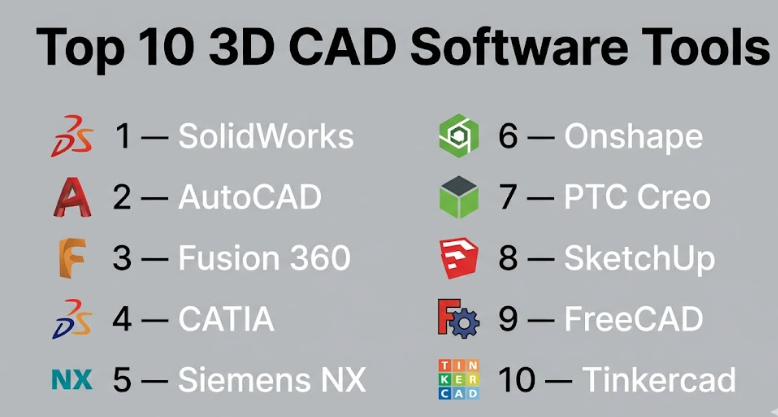
Top 10 3D CAD Software Tools
#1 — SolidWorks
Short description: A leading parametric CAD platform widely used in mechanical engineering and product development.
Key Features
- Parametric 3D modeling
- Assembly design and management
- Simulation and stress analysis
- Sheet metal and weldments
- CAM integration
- Extensive part libraries
Pros
- Industry-standard for mechanical design
- Strong simulation capabilities
- Large and active user base
Cons
- High licensing cost
- Windows-only
- Requires powerful hardware
Platforms / Deployment
Windows / Self-hosted
Security & Compliance
Not publicly stated
Integrations & Ecosystem
Strong engineering ecosystem with enterprise integrations:
- PLM system support
- CAM integrations
- API for customization
- Large plugin marketplace
Support & Community
Extensive documentation, training programs, and global community support.
#2 — AutoCAD
Short description: A versatile CAD tool used for both 2D drafting and 3D design across multiple industries.
Key Features
- 2D drafting and 3D modeling
- Customizable workflows
- Cloud file access
- Mobile support
- Industry-specific toolsets
Pros
- Widely recognized and trusted
- Flexible across industries
- Strong documentation tools
Cons
- Expensive subscription
- Limited advanced 3D capabilities
- Learning curve for beginners
Platforms / Deployment
Windows / macOS / Cloud
Security & Compliance
Not publicly stated
Integrations & Ecosystem
- Autodesk ecosystem integration
- API and plugin support
- Cloud storage integrations
Support & Community
Very large global user base with extensive tutorials and resources.
#3 — Fusion 360
Short description: A cloud-enabled CAD/CAM platform designed for product development and collaboration.
Key Features
- Parametric and direct modeling
- Integrated CAM tools
- Cloud collaboration
- Simulation and testing
- Generative design
Pros
- All-in-one solution
- Affordable compared to enterprise tools
- Strong collaboration features
Cons
- Internet dependency for full features
- Performance can vary on large models
- Limited offline functionality
Platforms / Deployment
Windows / macOS / Hybrid
Security & Compliance
Not publicly stated
Integrations & Ecosystem
- Autodesk ecosystem
- API access
- Third-party integrations
Support & Community
Strong learning resources and active community.
#4 — CATIA
Short description: Enterprise-grade CAD software used in aerospace, automotive, and complex engineering.
Key Features
- Advanced surface modeling
- Complex assembly handling
- Integrated simulation
- PLM integration
- Systems engineering tools
Pros
- Extremely powerful for large projects
- Industry leader in advanced engineering
- Scalable for enterprise workflows
Cons
- Very expensive
- Steep learning curve
- Requires specialized training
Platforms / Deployment
Windows / Hybrid
Security & Compliance
Not publicly stated
Integrations & Ecosystem
- Dassault ecosystem
- PLM systems
- API support
Support & Community
Enterprise-level support and structured training programs.
#5 — Siemens NX
Short description: A high-end CAD/CAM/CAE solution for advanced engineering and manufacturing.
Key Features
- Integrated CAD, CAM, and CAE
- Advanced simulation tools
- Parametric modeling
- Automation workflows
- Digital twin capabilities
Pros
- Comprehensive engineering platform
- Strong simulation performance
- Scales well for enterprise
Cons
- Expensive
- Complex interface
- Requires training
Platforms / Deployment
Windows / Hybrid
Security & Compliance
Not publicly stated
Integrations & Ecosystem
- Siemens ecosystem
- PLM integration
- API access
Support & Community
Strong enterprise support infrastructure.
#6 — Onshape
Short description: A cloud-native CAD platform built for real-time collaboration and version control.
Key Features
- Browser-based modeling
- Real-time collaboration
- Version control system
- Parametric design
- Mobile accessibility
Pros
- No installation required
- Excellent collaboration features
- Automatic updates
Cons
- Requires constant internet access
- Subscription-only pricing
- Limited offline capabilities
Platforms / Deployment
Web / Cloud
Security & Compliance
Not publicly stated
Integrations & Ecosystem
- API access
- Integration with engineering tools
- Cloud ecosystem compatibility
Support & Community
Growing community with solid documentation.
#7 — PTC Creo
Short description: A professional CAD tool with strong parametric design and simulation capabilities.
Key Features
- Parametric modeling
- Simulation tools
- Generative design
- AR integration
- Additive manufacturing support
Pros
- Strong engineering features
- Scalable for large teams
- Good simulation capabilities
Cons
- Complex user interface
- Expensive licensing
- Learning curve
Platforms / Deployment
Windows
Security & Compliance
Not publicly stated
Integrations & Ecosystem
- PTC ecosystem
- PLM integration
- API support
Support & Community
Enterprise support with structured onboarding.
#8 — SketchUp
Short description: A user-friendly CAD tool popular for architectural and interior design projects.
Key Features
- Intuitive modeling interface
- 3D visualization tools
- Web-based version
- Extension marketplace
- Asset library
Pros
- Easy to learn
- Fast design workflows
- Affordable pricing
Cons
- Limited engineering capabilities
- Basic simulation features
- Not suitable for complex designs
Platforms / Deployment
Web / Windows / macOS
Security & Compliance
Not publicly stated
Integrations & Ecosystem
- Extension marketplace
- Integration with design tools
Support & Community
Strong community and learning resources.
#9 — FreeCAD
Short description: An open-source parametric CAD tool suitable for hobbyists and engineers.
Key Features
- Parametric modeling
- Modular architecture
- Python scripting
- Multi-platform support
- Custom workflows
Pros
- Free and open-source
- Highly customizable
- Active community
Cons
- Less polished interface
- Limited enterprise features
- Performance limitations
Platforms / Deployment
Windows / macOS / Linux
Security & Compliance
Not publicly stated
Integrations & Ecosystem
- Open-source plugins
- API support
Support & Community
Active community with ongoing development.
#10 — Tinkercad
Short description: A beginner-friendly, browser-based CAD tool focused on simple designs and education.
Key Features
- Drag-and-drop modeling
- Browser-based access
- 3D printing support
- Educational tools
- Simple UI
Pros
- Extremely easy to use
- Free access
- Ideal for beginners
Cons
- Limited features
- Not suitable for professional use
- Basic modeling capabilities
Platforms / Deployment
Web / Cloud
Security & Compliance
Not publicly stated
Integrations & Ecosystem
- Autodesk ecosystem
- Basic integrations
Support & Community
Beginner-friendly resources, limited advanced support.
Comparison Table (Top 10)
| Tool Name | Best For | Platform(s) Supported | Deployment | Standout Feature | Public Rating |
|---|---|---|---|---|---|
| SolidWorks | Mechanical design | Windows | Self-hosted | Parametric modeling | N/A |
| AutoCAD | General CAD | Win/macOS/Web | Hybrid | Versatility | N/A |
| Fusion 360 | Startups | Win/macOS | Hybrid | Cloud collaboration | N/A |
| CATIA | Enterprise | Windows | Hybrid | Complex assemblies | N/A |
| Siemens NX | Advanced engineering | Windows | Hybrid | Integrated CAD/CAM/CAE | N/A |
| Onshape | Collaboration | Web | Cloud | Real-time collaboration | N/A |
| PTC Creo | Engineering | Windows | Self-hosted | Simulation | N/A |
| SketchUp | Architecture | Web/Win/macOS | Hybrid | Ease of use | N/A |
| FreeCAD | Open-source users | Multi-platform | Self-hosted | Free parametric CAD | N/A |
| Tinkercad | Beginners | Web | Cloud | Simplicity | N/A |
Evaluation & Scoring of 3D CAD Software
| Tool Name | Core (25%) | Ease (15%) | Integrations (15%) | Security (10%) | Performance (10%) | Support (10%) | Value (15%) | Weighted Total |
|---|---|---|---|---|---|---|---|---|
| SolidWorks | 10 | 7 | 9 | 5 | 9 | 9 | 6 | 8.4 |
| AutoCAD | 8 | 7 | 9 | 5 | 8 | 9 | 6 | 7.8 |
| Fusion 360 | 9 | 8 | 8 | 5 | 8 | 8 | 9 | 8.4 |
| CATIA | 10 | 5 | 9 | 5 | 10 | 9 | 5 | 8.2 |
| Siemens NX | 10 | 5 | 9 | 5 | 10 | 9 | 5 | 8.2 |
| Onshape | 8 | 9 | 8 | 5 | 8 | 8 | 8 | 8.1 |
| PTC Creo | 9 | 6 | 8 | 5 | 9 | 8 | 6 | 7.9 |
| SketchUp | 6 | 10 | 7 | 5 | 7 | 8 | 9 | 7.8 |
| FreeCAD | 7 | 6 | 6 | 5 | 6 | 7 | 10 | 7.2 |
| Tinkercad | 5 | 10 | 5 | 5 | 5 | 7 | 10 | 6.8 |
How to interpret the scores:
- These scores are comparative within this category, not absolute benchmarks.
- Tools with high Core scores excel in engineering depth and functionality.
- Higher Ease scores indicate faster onboarding and usability.
- Value scores reflect cost vs capability, especially relevant for SMBs and freelancers.
- The Weighted Total helps identify well-rounded tools across all criteria.
Which 3D CAD Software Tool Is Right for You?
Solo / Freelancer
- Best choices: Fusion 360, FreeCAD
- Affordable, flexible, and suitable for independent workflows
SMB
- Best choices: SolidWorks, SketchUp
- Balance between usability and professional-grade features
Mid-Market
- Best choices: PTC Creo, Onshape
- Strong collaboration and scalability for growing teams
Enterprise
- Best choices: CATIA, Siemens NX
- Advanced capabilities for complex engineering and large-scale operations
Budget vs Premium
- Budget: FreeCAD, Tinkercad
- Premium: CATIA, Siemens NX
Feature Depth vs Ease of Use
- Feature depth: CATIA, Siemens NX
- Ease of use: SketchUp, Tinkercad
Integrations & Scalability
- Strong integrations: SolidWorks, Fusion 360, Siemens NX
- Moderate integrations: SketchUp, FreeCAD
Security & Compliance Needs
- Most vendors do not publicly disclose full compliance details.
- Enterprises should validate security, access control, and compliance requirements directly with vendors.
Frequently Asked Questions (FAQs)
What is 3D CAD software used for?
It is used to design, simulate, and visualize products or structures in three dimensions before manufacturing or construction.
Which 3D CAD software is best for beginners?
Tinkercad and SketchUp are ideal due to their simple interfaces and ease of learning.
What is the difference between parametric and direct modeling?
Parametric modeling uses constraints and relationships, while direct modeling allows freeform changes without dependencies.
Is cloud-based CAD reliable?
Yes, but it depends on internet connectivity and vendor infrastructure.
Do CAD tools support 3D printing?
Most modern CAD tools support export formats compatible with 3D printers.
How long does it take to learn CAD software?
Basic proficiency can take a few weeks, while advanced skills require months or more.
Can I switch between CAD tools easily?
Switching is possible, but may involve file compatibility issues and retraining.
What hardware is required for CAD?
A powerful CPU, sufficient RAM, and a capable GPU are typically required.
Are free CAD tools good enough?
Free tools like FreeCAD are suitable for basic to intermediate projects but may lack enterprise features.
Do CAD tools integrate with other systems?
Yes, many integrate with PLM, ERP, and CAM systems for end-to-end workflows.
Conclusion
3D CAD software is essential for modern design and engineering workflows, offering everything from basic modeling to advanced simulation and product lifecycle management.
The right choice depends on your needs:
- Fusion 360 or Onshape for collaboration and flexibility
- SolidWorks for industry-standard mechanical design
- CATIA or Siemens NX for advanced enterprise engineering
- FreeCAD or Tinkercad for budget-conscious users
There is no universal “best” tool—only the one that fits your workflow, budget, and technical requirements.
Next step: Shortlist 2–3 tools, test them with a pilot project, and validate integratio
Introduction
3D CAD (Computer-Aided Design) software enables users to create, modify, simulate, and optimize designs in a three-dimensional environment. These tools are essential across industries such as manufacturing, architecture, engineering, automotive, and product design, helping teams move from concept to production with precision.
Today, 3D CAD tools have evolved beyond simple modeling. They now include cloud collaboration, simulation, generative design, and integration with manufacturing systems, making them central to modern product development workflows.
Common use cases include:
- Mechanical and industrial product design
- Architectural modeling and building design
- Electrical and PCB layout design
- Simulation and stress testing
- Rapid prototyping and 3D printing
What buyers should evaluate:
- Parametric vs direct modeling capabilities
- Ease of use and learning curve
- Simulation and analysis features
- File compatibility and interoperability
- Collaboration and version control
- Cloud vs desktop deployment
- Integration with PLM/ERP systems
- Hardware requirements
- Pricing and licensing flexibility
- Security and IP protection
Best for: Engineers, product designers, architects, hardware startups, and enterprise R&D teams that require precision design and collaboration.
Not ideal for: Users who only need basic 2D drafting or simple visual design—lighter tools or graphic design software may be more suitable.
Key Trends in 3D CAD Software
- AI-driven generative design: Automated design suggestions based on constraints and goals
- Cloud-native CAD platforms: Real-time collaboration with browser-based access
- Digital twin integration: Linking CAD models with real-world performance data
- Embedded simulation: Real-time testing within the design workflow
- Additive manufacturing support: Native tools for 3D printing and prototyping
- Improved interoperability: Better compatibility across file formats and tools
- Automation and scripting: APIs and low-code customization
- Subscription pricing models: Flexible SaaS-based licensing
- Security improvements: Focus on IP protection and controlled access
- Sustainability tools: Material optimization and environmental analysis
How We Selected These Tools (Methodology)
These tools were selected using a balanced evaluation approach:
- Market adoption and industry usage
- Feature completeness across modeling, simulation, and documentation
- Performance and reliability in real-world applications
- Integration capabilities with PLM, CAM, and ERP systems
- Accessibility for beginners, SMBs, and enterprises
- Innovation in cloud, AI, and automation features
- Strength of community and ecosystem
- Cross-platform availability
- Vendor credibility and long-term support
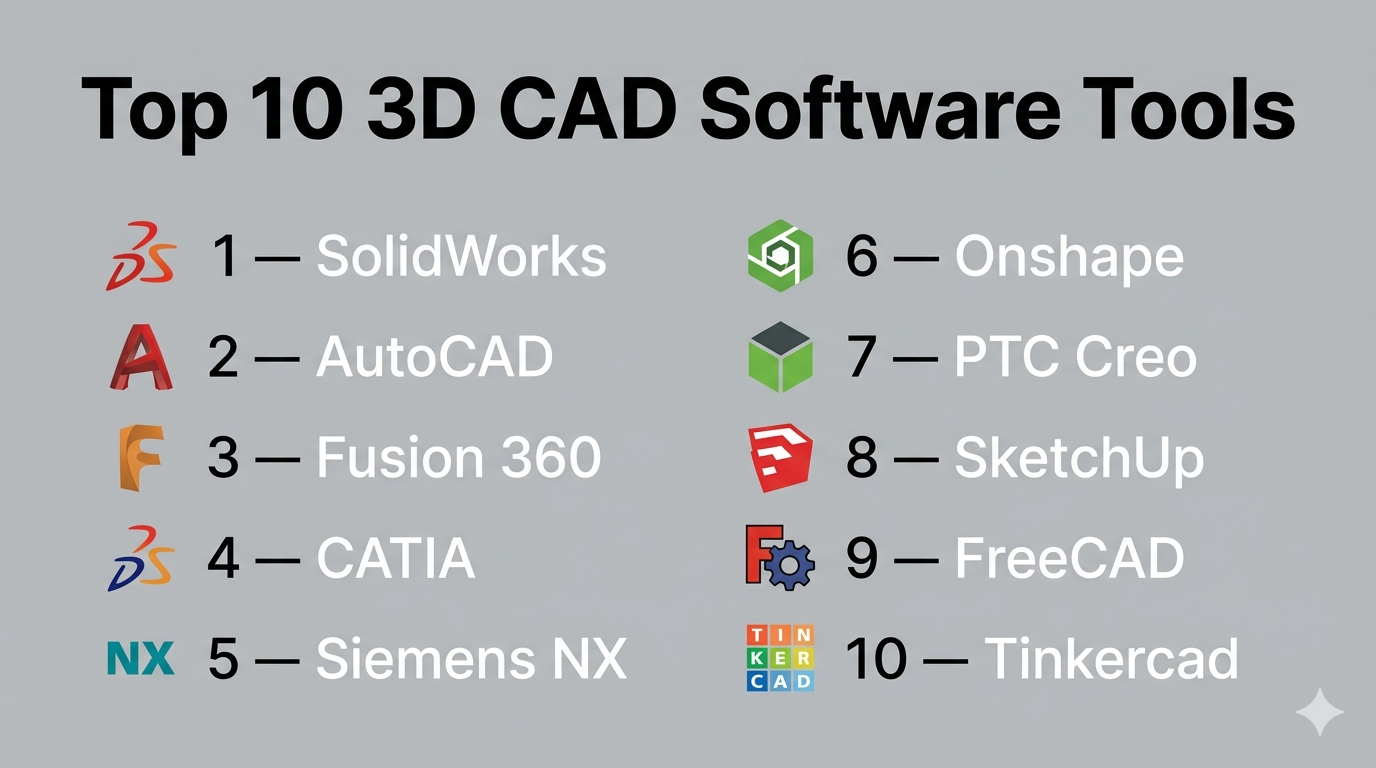
Top 10 3D CAD Software Tools
#1 — SolidWorks
Short description: A leading parametric CAD platform widely used in mechanical engineering and product development.
Key Features
- Parametric 3D modeling
- Assembly design and management
- Simulation and stress analysis
- Sheet metal and weldments
- CAM integration
- Extensive part libraries
Pros
- Industry-standard for mechanical design
- Strong simulation capabilities
- Large and active user base
Cons
- High licensing cost
- Windows-only
- Requires powerful hardware
Platforms / Deployment
Windows / Self-hosted
Security & Compliance
Not publicly stated
Integrations & Ecosystem
Strong engineering ecosystem with enterprise integrations:
- PLM system support
- CAM integrations
- API for customization
- Large plugin marketplace
Support & Community
Extensive documentation, training programs, and global community support.
#2 — AutoCAD
Short description: A versatile CAD tool used for both 2D drafting and 3D design across multiple industries.
Key Features
- 2D drafting and 3D modeling
- Customizable workflows
- Cloud file access
- Mobile support
- Industry-specific toolsets
Pros
- Widely recognized and trusted
- Flexible across industries
- Strong documentation tools
Cons
- Expensive subscription
- Limited advanced 3D capabilities
- Learning curve for beginners
Platforms / Deployment
Windows / macOS / Cloud
Security & Compliance
Not publicly stated
Integrations & Ecosystem
- Autodesk ecosystem integration
- API and plugin support
- Cloud storage integrations
Support & Community
Very large global user base with extensive tutorials and resources.
#3 — Fusion 360
Short description: A cloud-enabled CAD/CAM platform designed for product development and collaboration.
Key Features
- Parametric and direct modeling
- Integrated CAM tools
- Cloud collaboration
- Simulation and testing
- Generative design
Pros
- All-in-one solution
- Affordable compared to enterprise tools
- Strong collaboration features
Cons
- Internet dependency for full features
- Performance can vary on large models
- Limited offline functionality
Platforms / Deployment
Windows / macOS / Hybrid
Security & Compliance
Not publicly stated
Integrations & Ecosystem
- Autodesk ecosystem
- API access
- Third-party integrations
Support & Community
Strong learning resources and active community.
#4 — CATIA
Short description: Enterprise-grade CAD software used in aerospace, automotive, and complex engineering.
Key Features
- Advanced surface modeling
- Complex assembly handling
- Integrated simulation
- PLM integration
- Systems engineering tools
Pros
- Extremely powerful for large projects
- Industry leader in advanced engineering
- Scalable for enterprise workflows
Cons
- Very expensive
- Steep learning curve
- Requires specialized training
Platforms / Deployment
Windows / Hybrid
Security & Compliance
Not publicly stated
Integrations & Ecosystem
- Dassault ecosystem
- PLM systems
- API support
Support & Community
Enterprise-level support and structured training programs.
#5 — Siemens NX
Short description: A high-end CAD/CAM/CAE solution for advanced engineering and manufacturing.
Key Features
- Integrated CAD, CAM, and CAE
- Advanced simulation tools
- Parametric modeling
- Automation workflows
- Digital twin capabilities
Pros
- Comprehensive engineering platform
- Strong simulation performance
- Scales well for enterprise
Cons
- Expensive
- Complex interface
- Requires training
Platforms / Deployment
Windows / Hybrid
Security & Compliance
Not publicly stated
Integrations & Ecosystem
- Siemens ecosystem
- PLM integration
- API access
Support & Community
Strong enterprise support infrastructure.
#6 — Onshape
Short description: A cloud-native CAD platform built for real-time collaboration and version control.
Key Features
- Browser-based modeling
- Real-time collaboration
- Version control system
- Parametric design
- Mobile accessibility
Pros
- No installation required
- Excellent collaboration features
- Automatic updates
Cons
- Requires constant internet access
- Subscription-only pricing
- Limited offline capabilities
Platforms / Deployment
Web / Cloud
Security & Compliance
Not publicly stated
Integrations & Ecosystem
- API access
- Integration with engineering tools
- Cloud ecosystem compatibility
Support & Community
Growing community with solid documentation.
#7 — PTC Creo
Short description: A professional CAD tool with strong parametric design and simulation capabilities.
Key Features
- Parametric modeling
- Simulation tools
- Generative design
- AR integration
- Additive manufacturing support
Pros
- Strong engineering features
- Scalable for large teams
- Good simulation capabilities
Cons
- Complex user interface
- Expensive licensing
- Learning curve
Platforms / Deployment
Windows
Security & Compliance
Not publicly stated
Integrations & Ecosystem
- PTC ecosystem
- PLM integration
- API support
Support & Community
Enterprise support with structured onboarding.
#8 — SketchUp
Short description: A user-friendly CAD tool popular for architectural and interior design projects.
Key Features
- Intuitive modeling interface
- 3D visualization tools
- Web-based version
- Extension marketplace
- Asset library
Pros
- Easy to learn
- Fast design workflows
- Affordable pricing
Cons
- Limited engineering capabilities
- Basic simulation features
- Not suitable for complex designs
Platforms / Deployment
Web / Windows / macOS
Security & Compliance
Not publicly stated
Integrations & Ecosystem
- Extension marketplace
- Integration with design tools
Support & Community
Strong community and learning resources.
#9 — FreeCAD
Short description: An open-source parametric CAD tool suitable for hobbyists and engineers.
Key Features
- Parametric modeling
- Modular architecture
- Python scripting
- Multi-platform support
- Custom workflows
Pros
- Free and open-source
- Highly customizable
- Active community
Cons
- Less polished interface
- Limited enterprise features
- Performance limitations
Platforms / Deployment
Windows / macOS / Linux
Security & Compliance
Not publicly stated
Integrations & Ecosystem
- Open-source plugins
- API support
Support & Community
Active community with ongoing development.
#10 — Tinkercad
Short description: A beginner-friendly, browser-based CAD tool focused on simple designs and education.
Key Features
- Drag-and-drop modeling
- Browser-based access
- 3D printing support
- Educational tools
- Simple UI
Pros
- Extremely easy to use
- Free access
- Ideal for beginners
Cons
- Limited features
- Not suitable for professional use
- Basic modeling capabilities
Platforms / Deployment
Web / Cloud
Security & Compliance
Not publicly stated
Integrations & Ecosystem
- Autodesk ecosystem
- Basic integrations
Support & Community
Beginner-friendly resources, limited advanced support.
Comparison Table (Top 10)
| Tool Name | Best For | Platform(s) Supported | Deployment | Standout Feature | Public Rating |
|---|---|---|---|---|---|
| SolidWorks | Mechanical design | Windows | Self-hosted | Parametric modeling | N/A |
| AutoCAD | General CAD | Win/macOS/Web | Hybrid | Versatility | N/A |
| Fusion 360 | Startups | Win/macOS | Hybrid | Cloud collaboration | N/A |
| CATIA | Enterprise | Windows | Hybrid | Complex assemblies | N/A |
| Siemens NX | Advanced engineering | Windows | Hybrid | Integrated CAD/CAM/CAE | N/A |
| Onshape | Collaboration | Web | Cloud | Real-time collaboration | N/A |
| PTC Creo | Engineering | Windows | Self-hosted | Simulation | N/A |
| SketchUp | Architecture | Web/Win/macOS | Hybrid | Ease of use | N/A |
| FreeCAD | Open-source users | Multi-platform | Self-hosted | Free parametric CAD | N/A |
| Tinkercad | Beginners | Web | Cloud | Simplicity | N/A |
Evaluation & Scoring of 3D CAD Software
| Tool Name | Core (25%) | Ease (15%) | Integrations (15%) | Security (10%) | Performance (10%) | Support (10%) | Value (15%) | Weighted Total |
|---|---|---|---|---|---|---|---|---|
| SolidWorks | 10 | 7 | 9 | 5 | 9 | 9 | 6 | 8.4 |
| AutoCAD | 8 | 7 | 9 | 5 | 8 | 9 | 6 | 7.8 |
| Fusion 360 | 9 | 8 | 8 | 5 | 8 | 8 | 9 | 8.4 |
| CATIA | 10 | 5 | 9 | 5 | 10 | 9 | 5 | 8.2 |
| Siemens NX | 10 | 5 | 9 | 5 | 10 | 9 | 5 | 8.2 |
| Onshape | 8 | 9 | 8 | 5 | 8 | 8 | 8 | 8.1 |
| PTC Creo | 9 | 6 | 8 | 5 | 9 | 8 | 6 | 7.9 |
| SketchUp | 6 | 10 | 7 | 5 | 7 | 8 | 9 | 7.8 |
| FreeCAD | 7 | 6 | 6 | 5 | 6 | 7 | 10 | 7.2 |
| Tinkercad | 5 | 10 | 5 | 5 | 5 | 7 | 10 | 6.8 |
How to interpret the scores:
- These scores are comparative within this category, not absolute benchmarks.
- Tools with high Core scores excel in engineering depth and functionality.
- Higher Ease scores indicate faster onboarding and usability.
- Value scores reflect cost vs capability, especially relevant for SMBs and freelancers.
- The Weighted Total helps identify well-rounded tools across all criteria.
Which 3D CAD Software Tool Is Right for You?
Solo / Freelancer
- Best choices: Fusion 360, FreeCAD
- Affordable, flexible, and suitable for independent workflows
SMB
- Best choices: SolidWorks, SketchUp
- Balance between usability and professional-grade features
Mid-Market
- Best choices: PTC Creo, Onshape
- Strong collaboration and scalability for growing teams
Enterprise
- Best choices: CATIA, Siemens NX
- Advanced capabilities for complex engineering and large-scale operations
Budget vs Premium
- Budget: FreeCAD, Tinkercad
- Premium: CATIA, Siemens NX
Feature Depth vs Ease of Use
- Feature depth: CATIA, Siemens NX
- Ease of use: SketchUp, Tinkercad
Integrations & Scalability
- Strong integrations: SolidWorks, Fusion 360, Siemens NX
- Moderate integrations: SketchUp, FreeCAD
Security & Compliance Needs
- Most vendors do not publicly disclose full compliance details.
- Enterprises should validate security, access control, and compliance requirements directly with vendors.
Frequently Asked Questions (FAQs)
What is 3D CAD software used for?
It is used to design, simulate, and visualize products or structures in three dimensions before manufacturing or construction.
Which 3D CAD software is best for beginners?
Tinkercad and SketchUp are ideal due to their simple interfaces and ease of learning.
What is the difference between parametric and direct modeling?
Parametric modeling uses constraints and relationships, while direct modeling allows freeform changes without dependencies.
Is cloud-based CAD reliable?
Yes, but it depends on internet connectivity and vendor infrastructure.
Do CAD tools support 3D printing?
Most modern CAD tools support export formats compatible with 3D printers.
How long does it take to learn CAD software?
Basic proficiency can take a few weeks, while advanced skills require months or more.
Can I switch between CAD tools easily?
Switching is possible, but may involve file compatibility issues and retraining.
What hardware is required for CAD?
A powerful CPU, sufficient RAM, and a capable GPU are typically required.
Are free CAD tools good enough?
Free tools like FreeCAD are suitable for basic to intermediate projects but may lack enterprise features.
Do CAD tools integrate with other systems?
Yes, many integrate with PLM, ERP, and CAM systems for end-to-end workflows.
Conclusion
3D CAD software is essential for modern design and engineering workflows, offering everything from basic modeling to advanced simulation and product lifecycle management.
The right choice depends on your needs:
- Fusion 360 or Onshape for collaboration and flexibility
- SolidWorks for industry-standard mechanical design
- CATIA or Siemens NX for advanced enterprise engineering
- FreeCAD or Tinkercad for budget-conscious users
There is no universal “best” tool—only the one that fits your workflow, budget, and technical requirements.